Auto-KJ v1.29.0 · host app + singer app
Auto-KJ Field Manual
Every tab, every button, every right-click menu, with a screenshot of what you'll see and a diagram of where each click leads.
- 7 host tabs
- 2 stage screens
- 7 singer tabs
- 1 venue kiosk
Start here
How Auto-KJ fits together
Auto-KJ has two apps people touch. The host app is the desktop console the KJ runs the show from: seven tabs across the top, plus two display windows for the stage and the bar TV. The singer app is a phone web app singers open by scanning a QR code. Everything below walks through every tab of both, what each click does, and how the pieces connect.
System map
How to read each tab
Every tab section opens with a screenshot. Numbered boxes on it match the numbered list under it. Click a number to jump to its explanation. After that come flowcharts of the common click paths, then a Full control reference table listing every button, menu item and modal.
About the screenshots
Updated desktop screenshots are from v1.29.0 at 3ac808477868362209e645dc9953569444eb5d72, captured on 2026-10-09. Unchanged illustrations remain from v1.27.0. Both use the real interface with a simulated backend and fictional show data. New captures explicitly label simulated connections; they do not verify native audio, hardware, cloud services, purchases or file operations. Synthetic audio and original sample words are used in the studio.
About the reference tables
The retained reference tables were traced from the v1.27.0 source; older line numbers are historical, while the v1.29.0 updates below name current source components. Each original row names the file and line (for example App.svelte:3070) and the backend command a click runs. What changed in this release is under What's new; anything still open is under Known issues.
Desktop capture refresh · v1.29.0
Seven desktop tabs were inspected: Rotation, Inbox, Break-Wave, Library, Ghost-Trax, Analytics and Settings. Updated screenshots and control notes below cover rotation ratios and auto-remove, the four-tab Break-Wave hub, Ghost-Trax account and studio controls, and Shows/LAN card placement. No app behavior was changed for these captures.
Start here
What's new in 1.27.0
This release fixes every problem found in the first full walkthrough of the app. The sections below already describe the new behavior; this is the short list.
Safer during a show
- Space and ▶ pause. They pause and resume whatever is playing. They only start the selected singer's song when nothing is on.
- Updates ask first. Check for Updates shows the new version and notes; Install & restart is a separate click, and if a song or break music is playing it offers to wait until the song ends.
- Warnings on every tab. License seat warnings, the setup wizard and each tab's first-visit tour now show on whatever tab you're on.
- The phone remote never stops a singer. Its Stop Break fades out the break music only.
- Removing a departed singer asks first, and a failed removal keeps the alert with the error.
- Quarantine moves the exact queued file, and the confirmation names the file.
Rotation & Inbox
- Change song works. Pick a new song from search, the singer's queue or their history, and it takes the old one's place. The old song is only removed once the new one is in.
- Add is greyed out until a singer is selected.
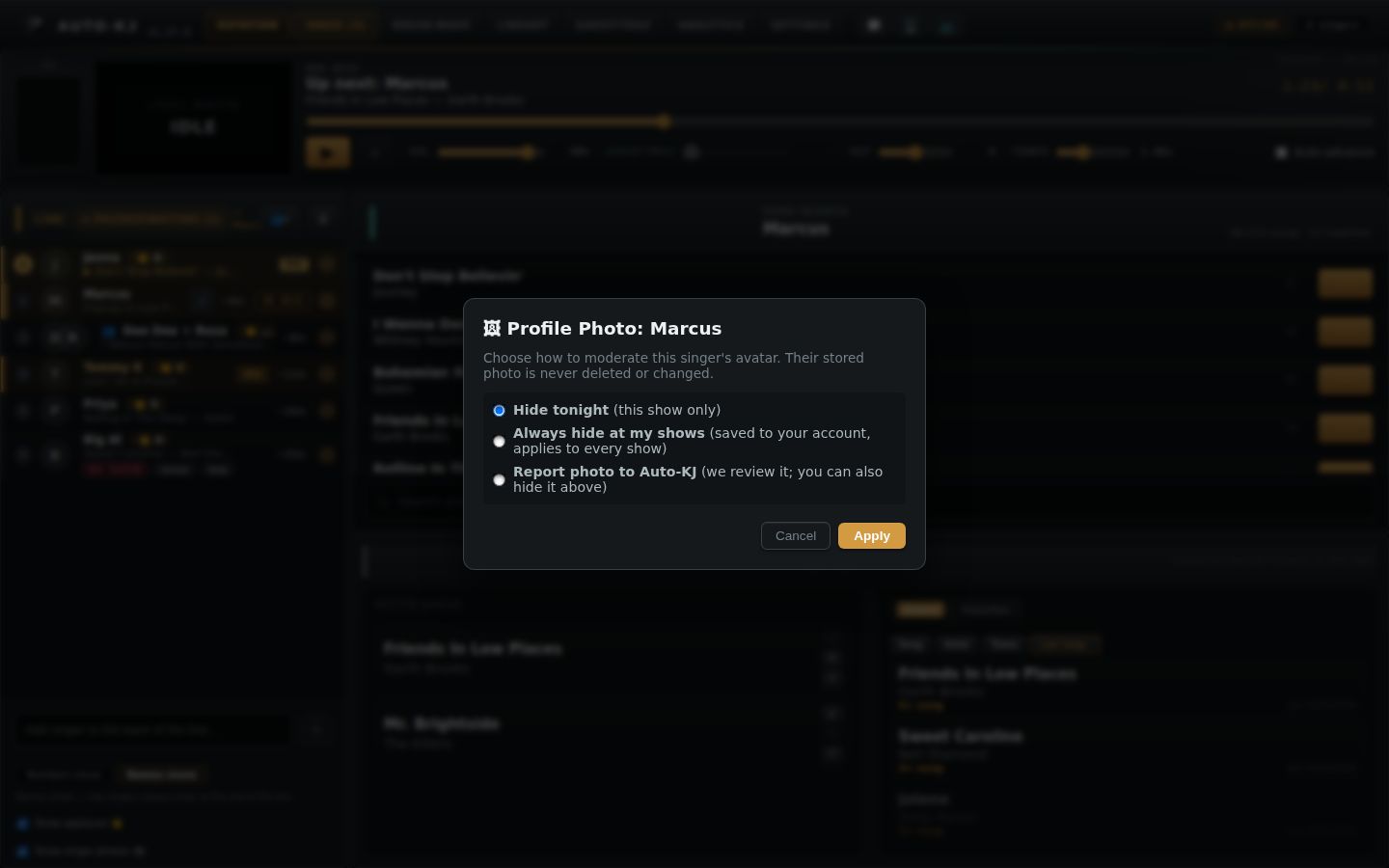
- Photo moderation is honest: hide tonight, always hide at your shows, or report to Auto-KJ.
- Auto-Approve no longer loses requests that use a reserved DJ name; they're rejected and the singer is told why.
- The 💬 badge clears when you open the DJ Inbox, and the Word 95 skin has the button too.
Break music
- Automix re-orders your playlist into a fresh mix each time (new random seed), spreads artists out and never plays the same artist back to back unless you allow it. Undo reorder puts it back.
- One Break-Wave playlist drives Automix, “crossfade to break music when a song ends” and the phone remote's break buttons. Old filler and Deck B lists were merged into it.
- Reset deck returns a deck to a fresh state, keylock off included.
- Remote soundboard pads follow the soundboard volume slider.
- Headphone cue is free on every plan.
- MIDI controllers work: ready-made layouts for Pioneer DDJ-400/FLX4, Numark Mixtrack Pro 3/Platinum FX, Novation Launchpad Mini MK3/X and Akai APC mini/APC40/MPD218, plus MIDI Learn for anything else.
Library, Ghost-Trax, Analytics & Settings
- Library setup moved to the Library tab: Choose Folder…, Rescan now and Relink Folder live in a new Library folder card; Rotation no longer has a library button.
- Library: bulk actions confirm with a count, the watcher restarts after rescans, duplicates scroll into view and list 200 at a time, and there's a ↻ Refresh button.
- Ghost-Trax: review a finished track in headphones or the main window before adding it; uploads keep going in the background.
- Analytics: “Most sung” and real “Saved favorites” tabs.
- Blocked songs: one list per gig, saved to your account and shared with the dashboard.
- Skins: Signature skins unlock through a real $5 checkout; Skin Studio saves update the same skin.
- Browse Before You Go reports a failed save instead of pretending it worked.
Singer phones & kiosk
- Two-row header with a ⋯ menu, so the stage name and Now playing fit on a phone.
- ✕ on every queued song lets singers remove any of their requests.
- Profiles live in the cloud, so friends see each other's bios and nicknames on any phone.
- Setlist 🎤 is hidden while browsing an upcoming gig; the notify toggle is hidden on local-network shows.
- Kiosk start screen fits above the Now Singing strip on any tablet.
Host app
Header, tabs & windows
The header is the same on every tab. It holds the tab bar, the buttons that open the stage screens, and the show's connection state. Everything under it changes with the tab.
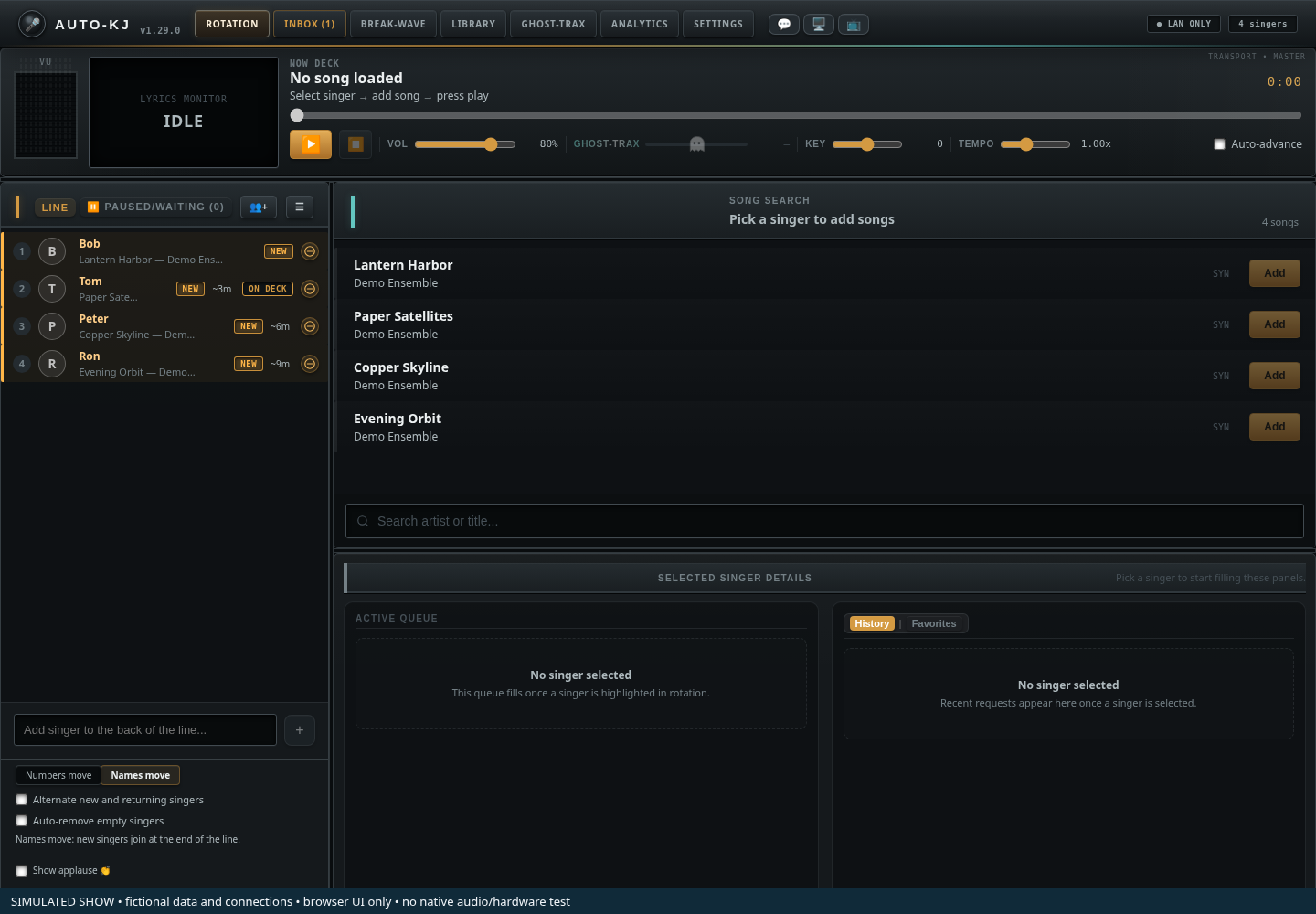
- 1Tab bar. Rotation, Inbox, Break-Wave, Library, Ghost-Trax, Analytics, Settings.
- 2Screen buttons. Open the lyrics and rotation display windows on a native host.
- 3Status. The capture uses a simulated LAN-only show; this is not a connectivity test.
- 4Version. The captured interface is v1.29.0.
Keyboard shortcuts
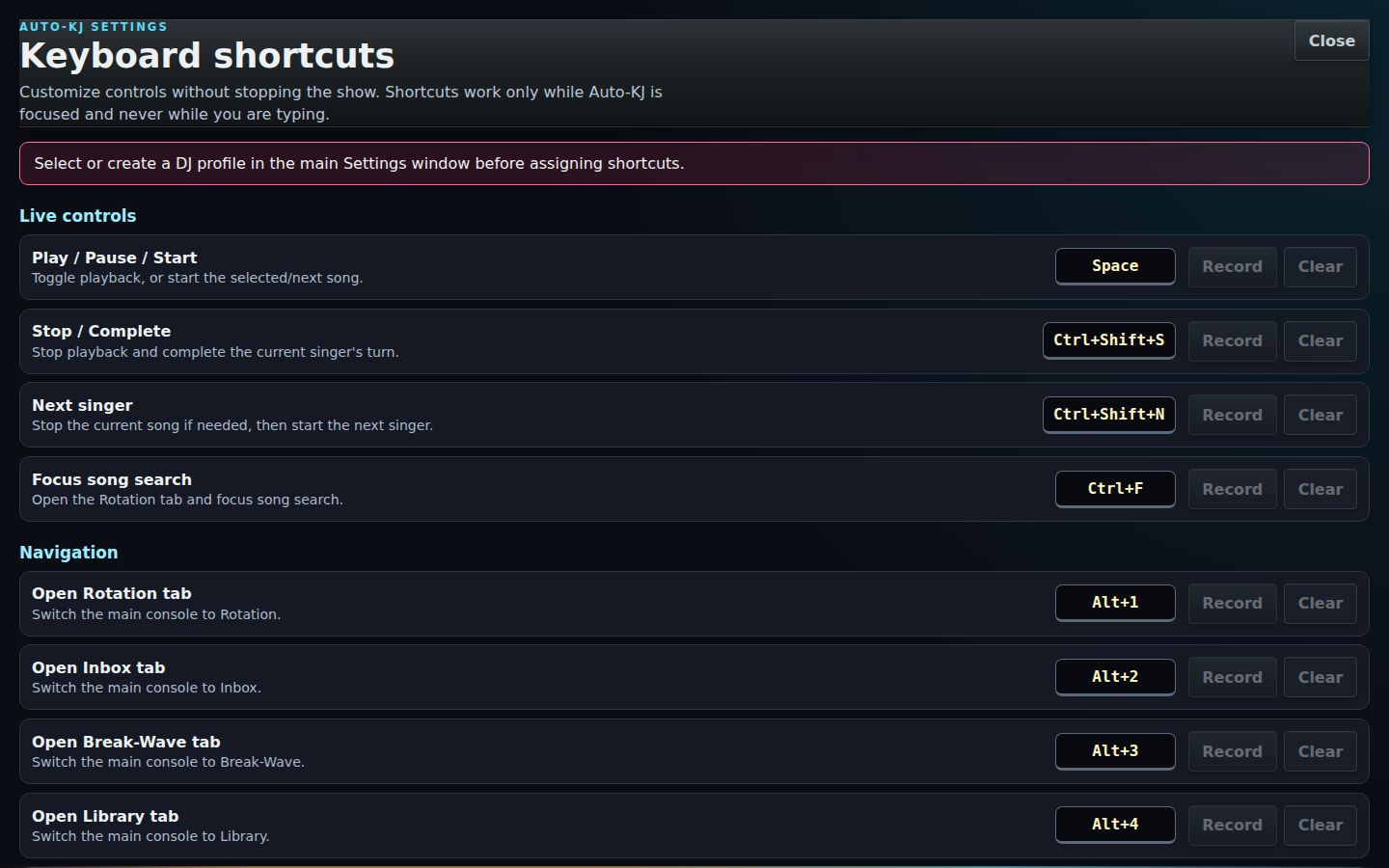
Fourteen actions have shortcuts that each DJ profile can remap (Settings → Keyboard Shortcuts opens a separate editor window). Defaults:
| Keys | Action |
|---|---|
| Space | Play / pause the karaoke player. If a selected singer has a queued song, it starts their song (asking before it interrupts one that's playing). |
| Alt+1…7 | Jump to Rotation, Inbox, Break-Wave, Library, Ghost-Trax, Analytics, Settings. |
| Ctrl+Shift+S | Stop the song and mark it completed. |
| Ctrl+Shift+N | Stop and start the next singer in the rotation. |
| F11 | Fullscreen for whichever window has focus (fixed on the display windows). |
| Delete / Backspace | On a selected rotation row: asks "Remove X?". |
The full list with every handler is in the reference at the end of this section.
The display windows
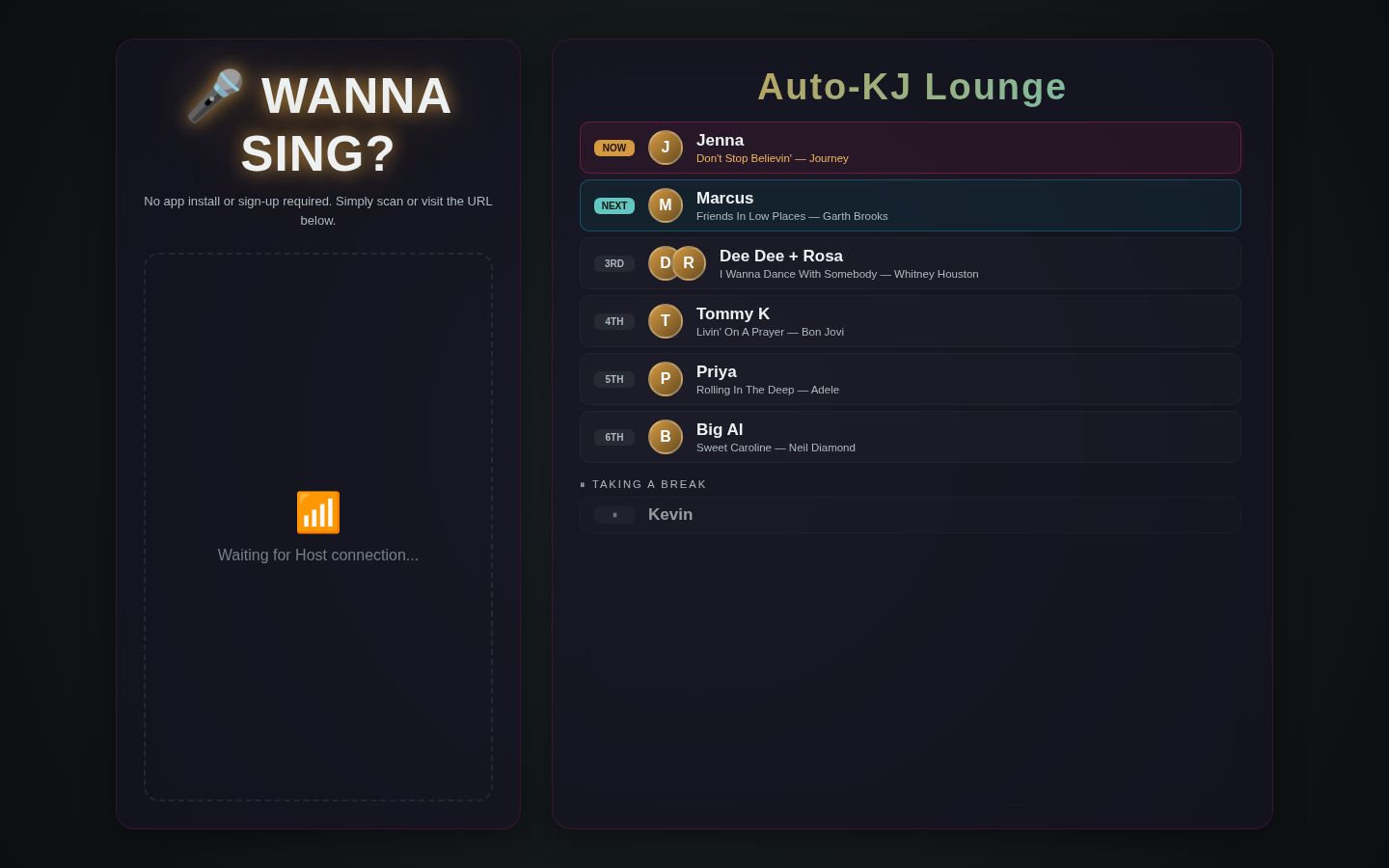
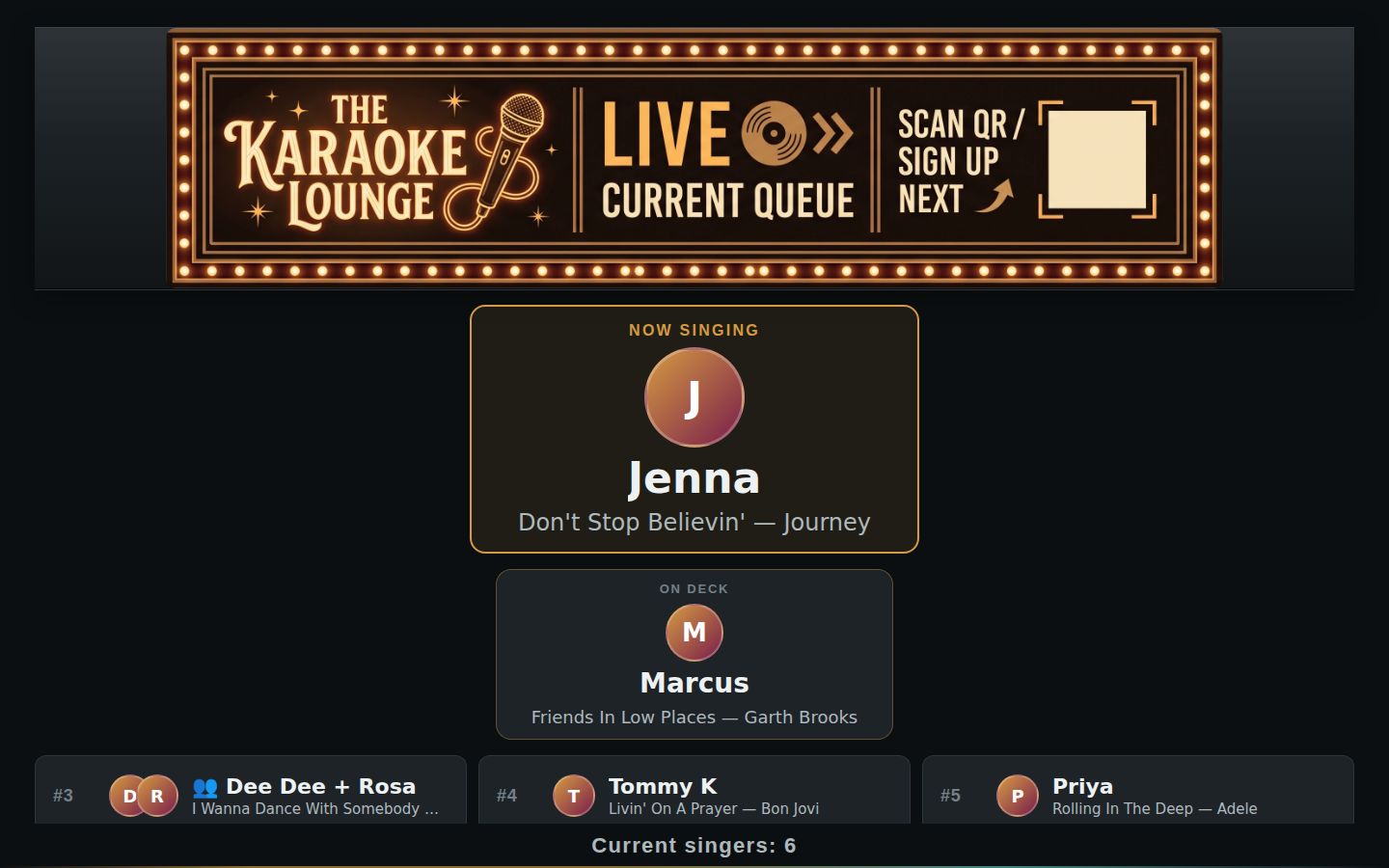
Two extra windows drive the room's screens. Both remember where they were placed and whether they were open.
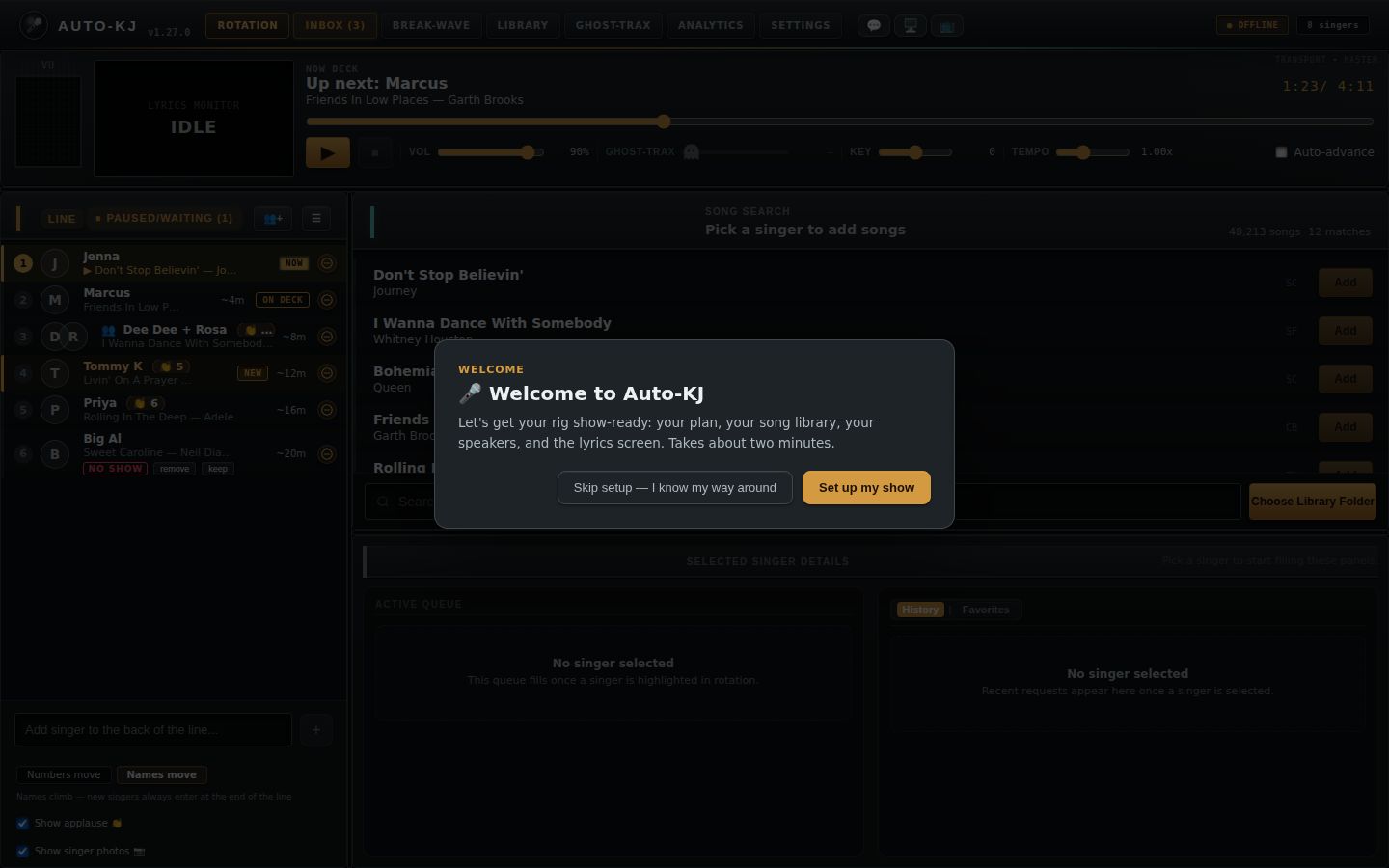
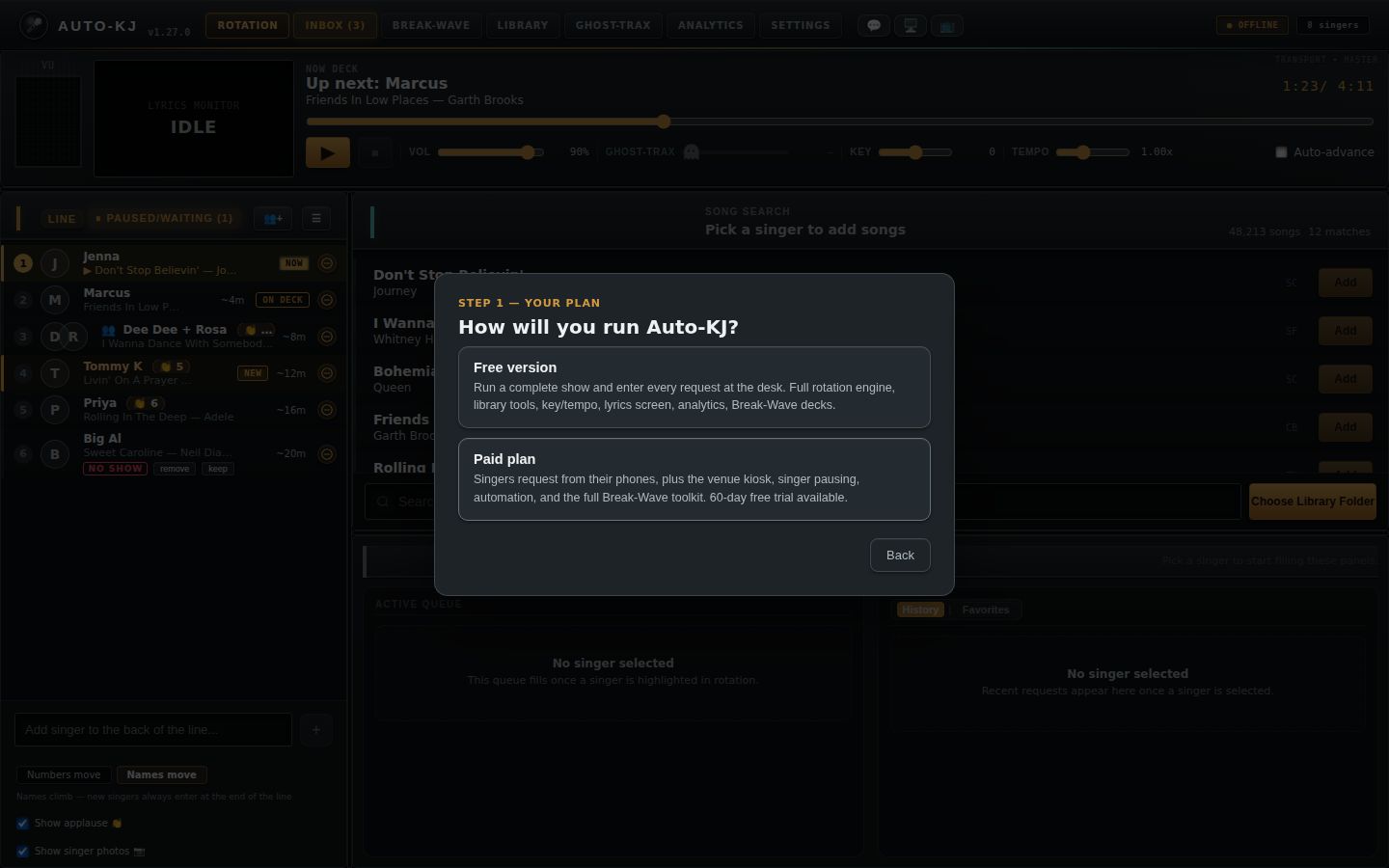
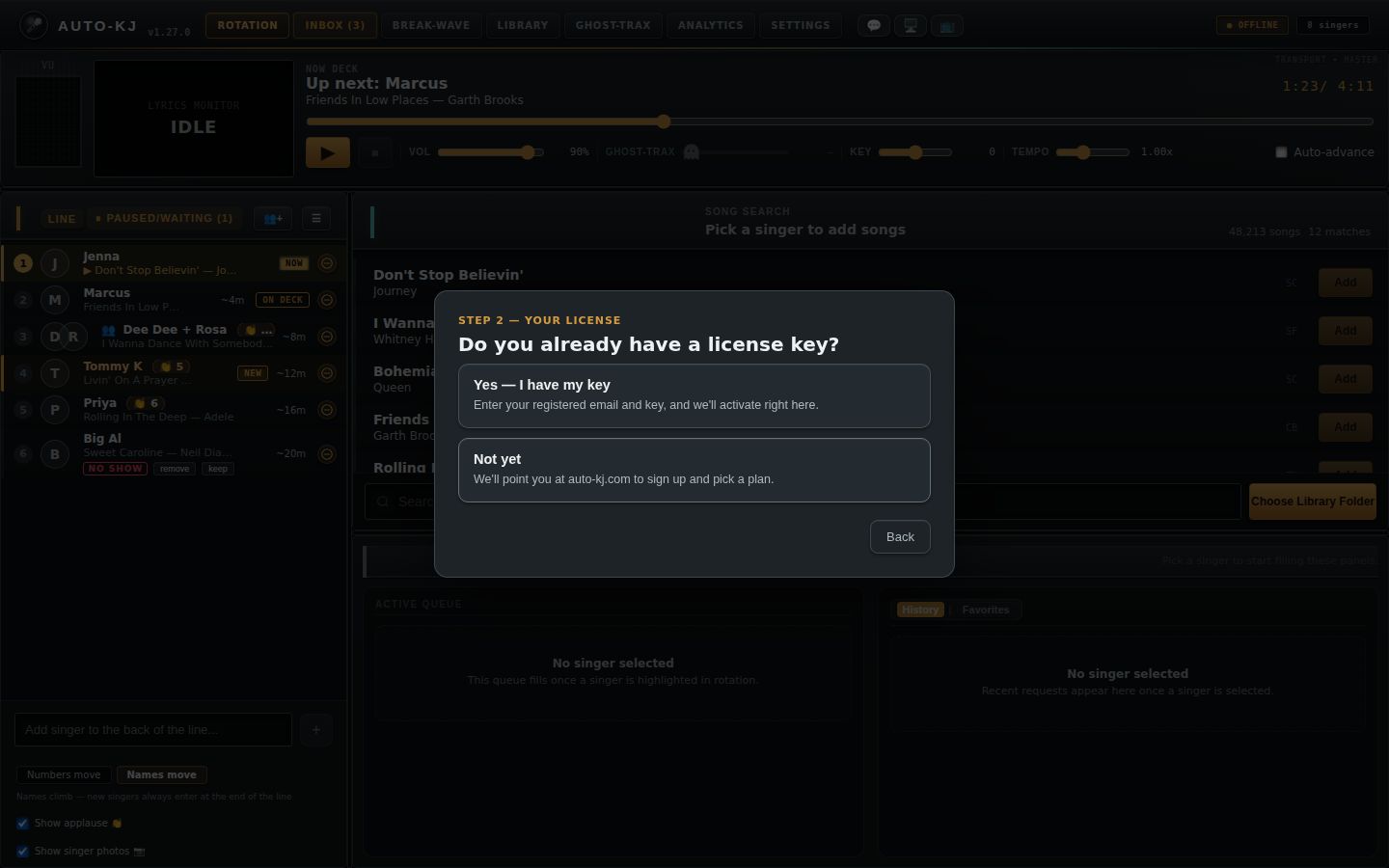
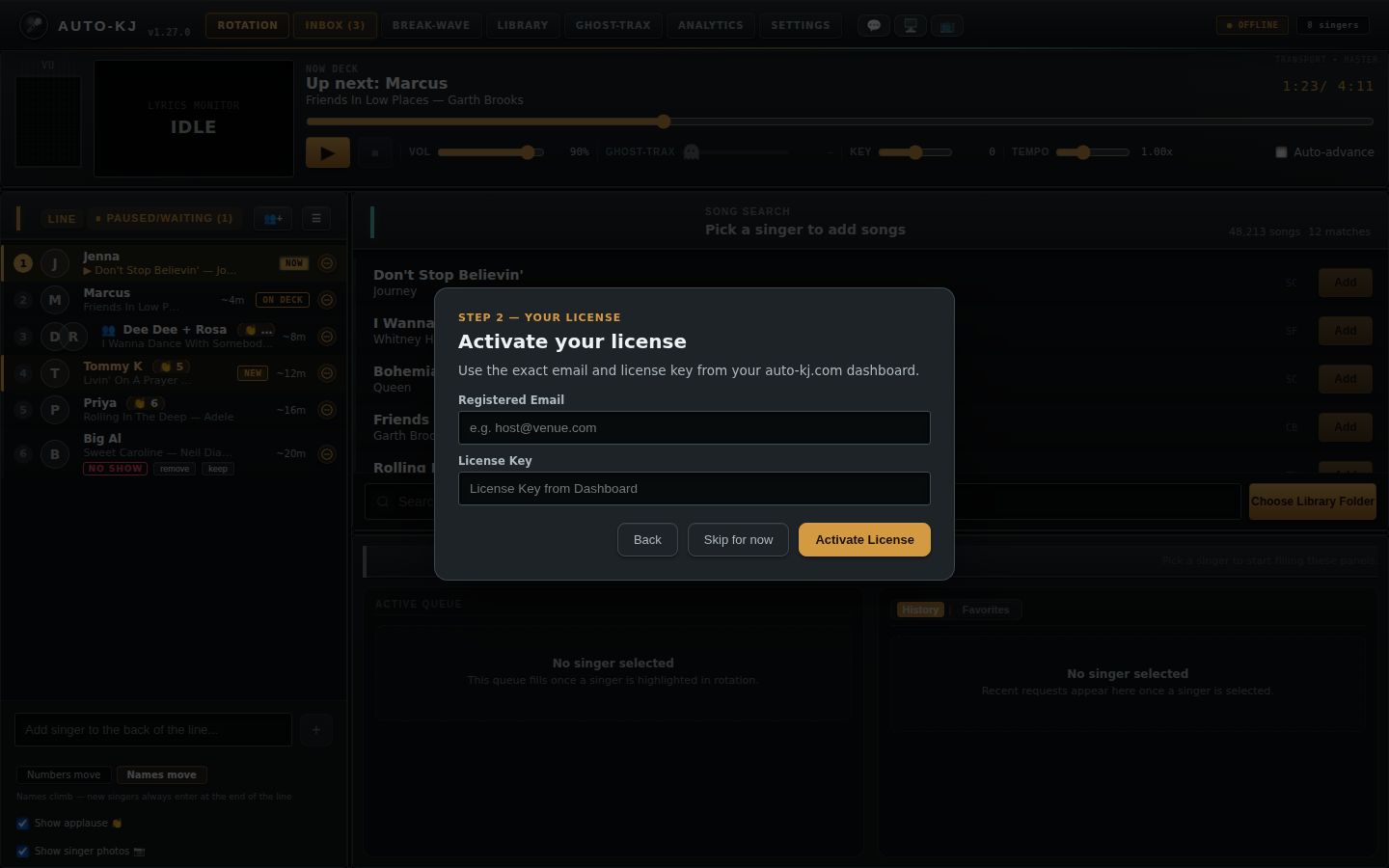
First-run setup wizard
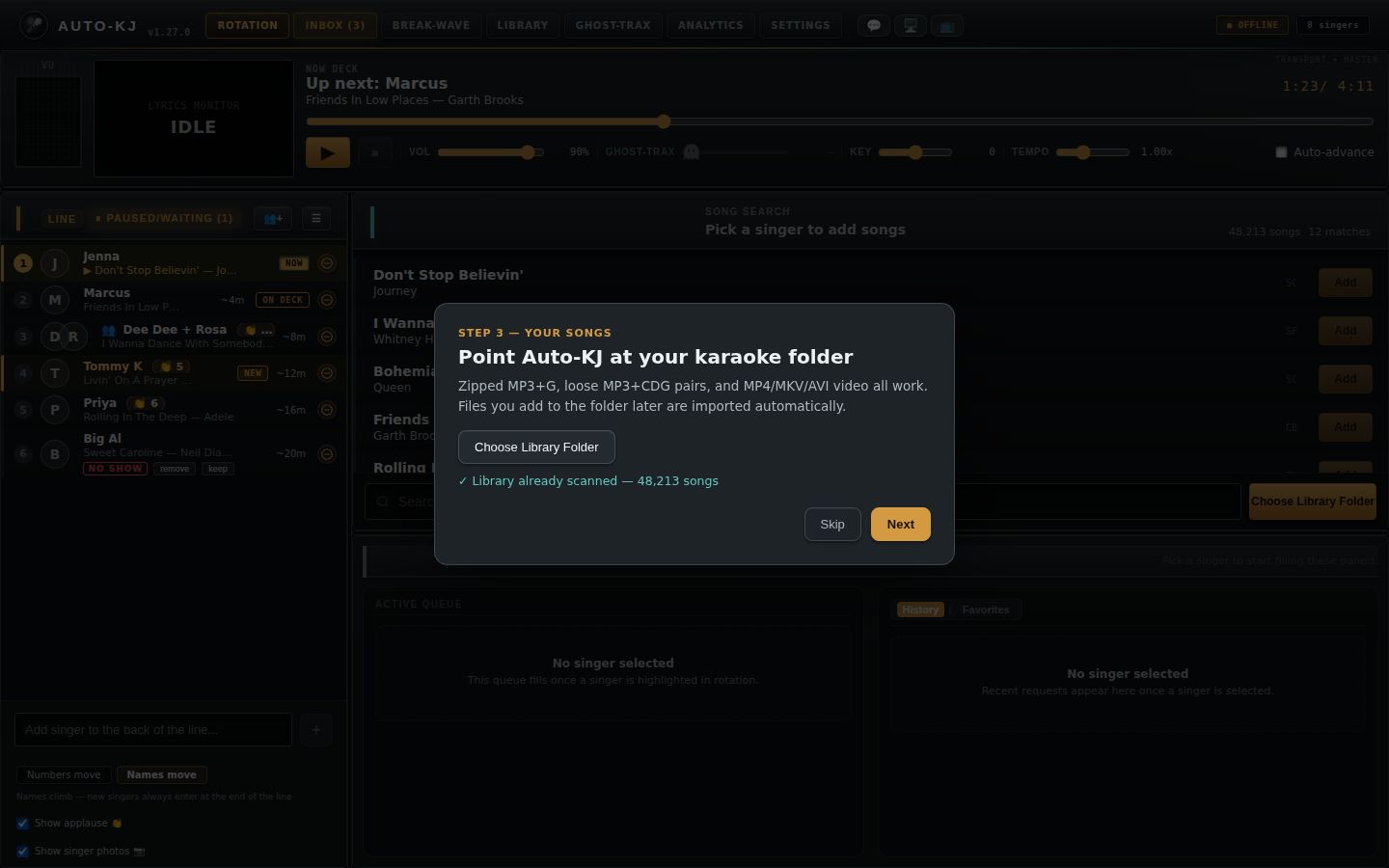
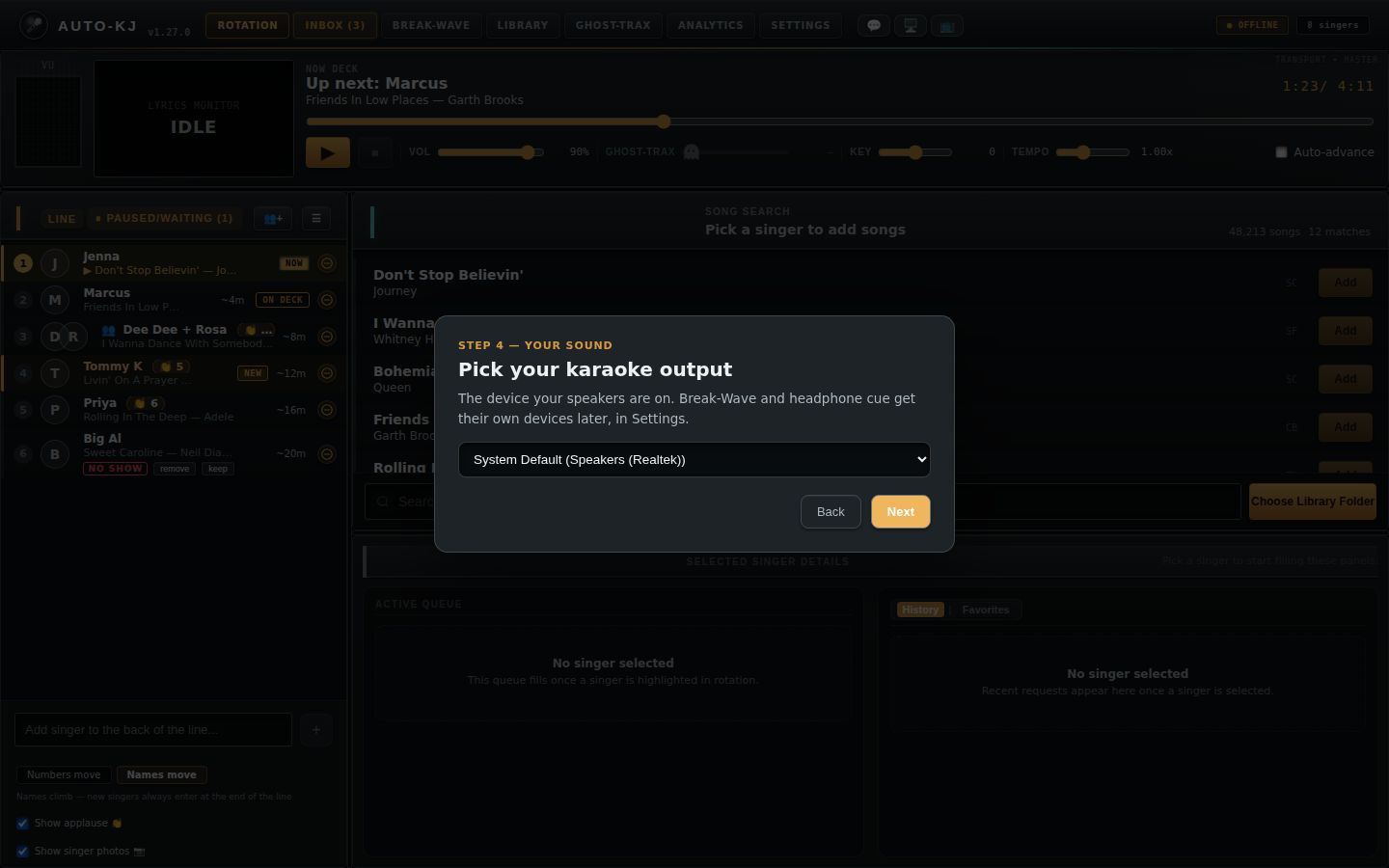
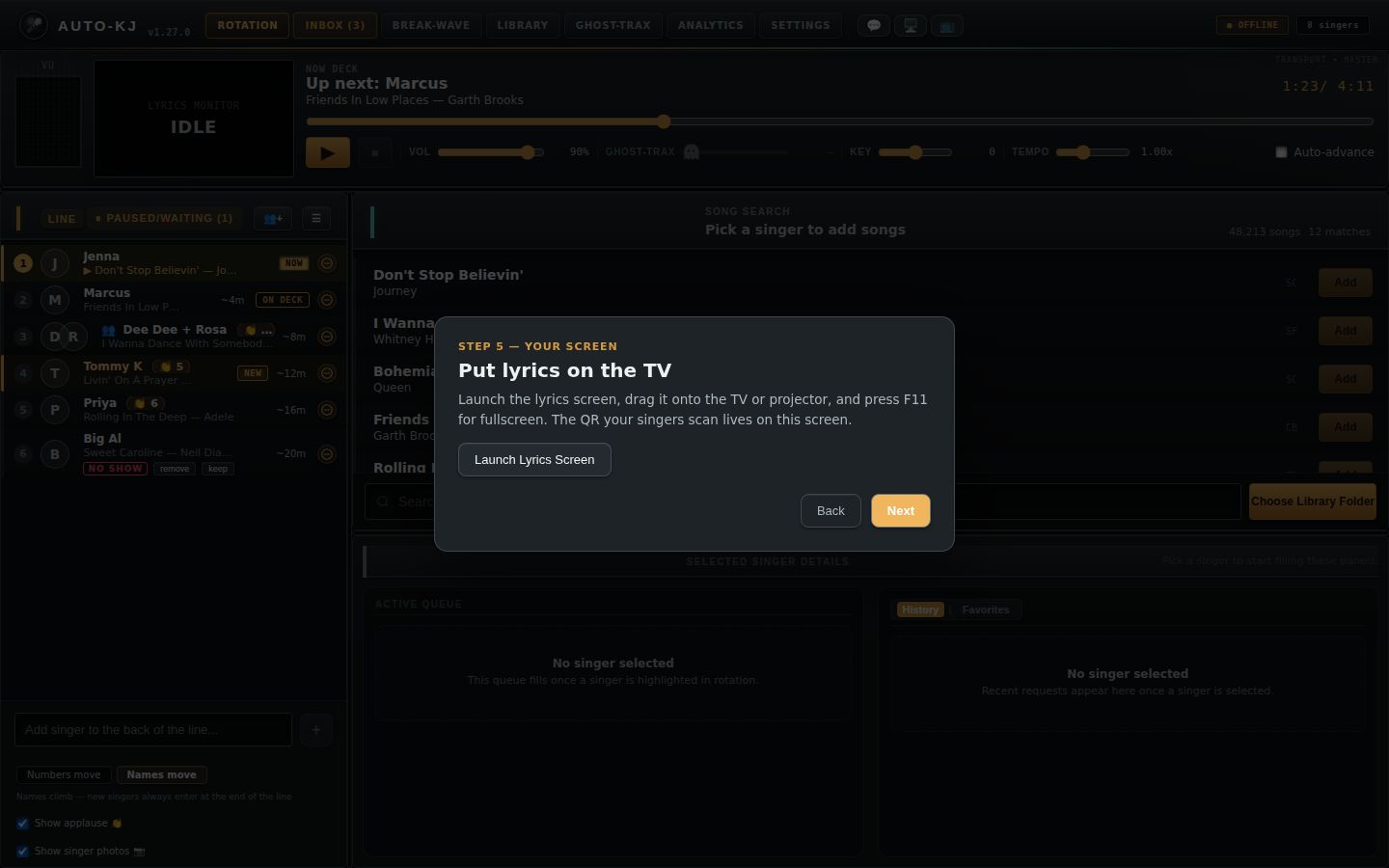
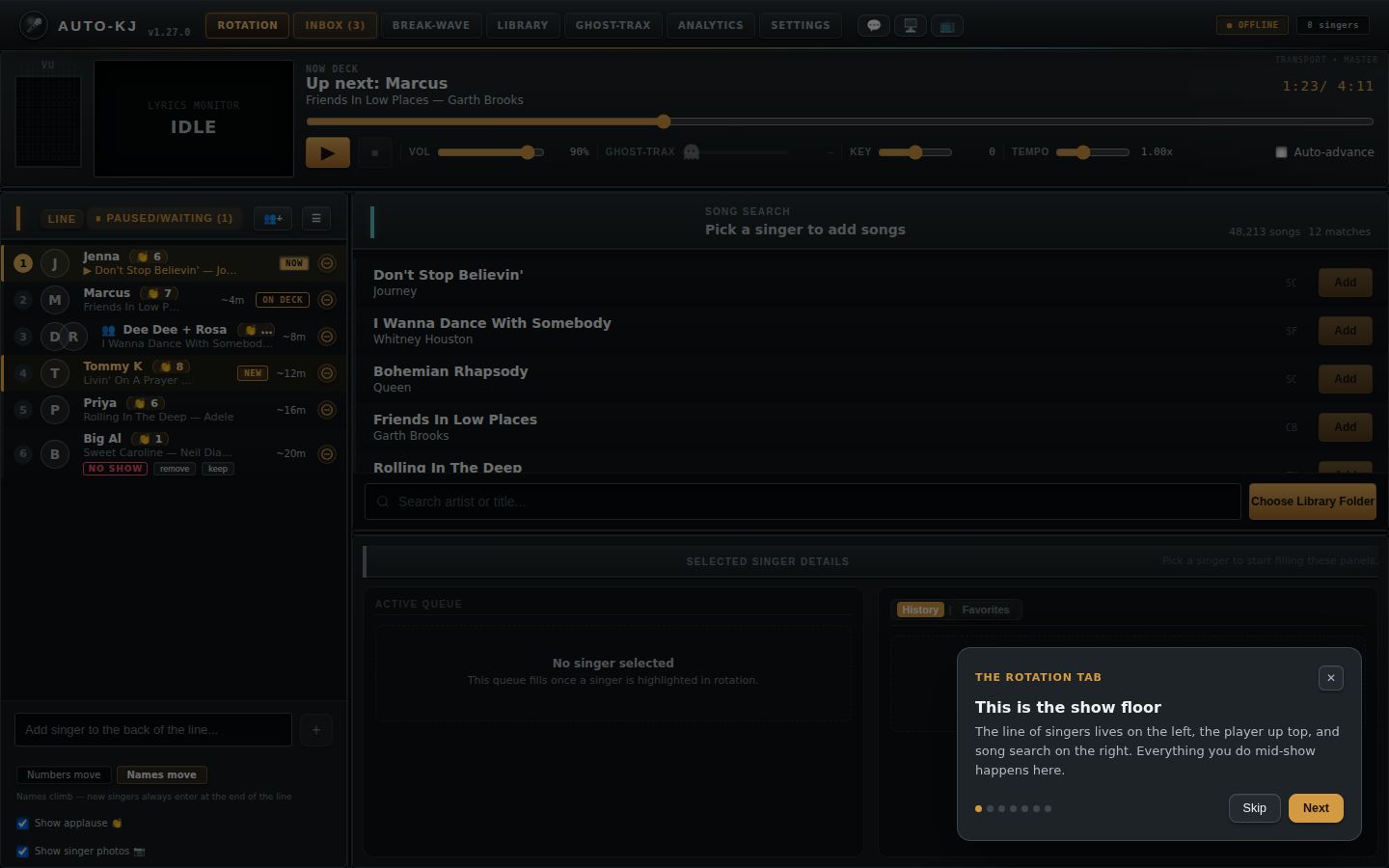
On the first launch on a machine, a wizard walks through the plan, license, song library, audio output and lyrics screen. Skip setup closes it for good; it never returns on that rig.
Setup wizard steps
Full reference: shell, shortcuts, windows, wizard, tours
0. Window model (applies to everything below)
Tauri creates five webview windows at startup from src-tauri/tauri.conf.json:13-67, and they all load the same App.svelte. App.svelte:91-102 reads the window label and picks the root component:
| Label | Title | Default | What App.svelte renders | Line |
|---|---|---|---|---|
main |
"Auto-KJ" (1200x800) | visible | Full KJ console (header, tabs, tab bodies) | App.svelte:3282-4294 |
lyrics |
"Lyrics - Auto-KJ" | hidden | <LyricsWindow /> (singer / TV screen) |
App.svelte:3274-3275 |
rotation |
"Rotation - Auto-KJ" | hidden | <RotationDisplayWindow /> (crowd rotation board) |
App.svelte:3276-3277 |
preview |
"Preview - Auto-KJ" (384x320, always-on-top, no taskbar) | hidden | <PreviewWindow /> (headphone-preview CDG monitor) |
App.svelte:3278-3279 |
shortcuts |
"Keyboard Shortcuts - Auto-KJ" | hidden | <ShortcutSettings /> (shortcut editor) |
App.svelte:3280-3281 |
- The aux windows are never created or destroyed at runtime. They are only shown or hidden. Closing any aux window with its OS close button is intercepted and hides it instead (
src-tauri/src/lib.rs:9429-9435). Closingmaindestroys all aux windows, releases the license seat, stops the LAN server, and exits the process (lib.rs:9395-9427). - In the aux windows (not
main, notshortcuts), F11 toggles fullscreen through invoketoggle_window_fullscreen {label}(App.svelte:107-118).
1. APP SHELL (main window)
1.1 Layout (top to bottom)
- Theme decorations (not interactive):
- LCARS top frame when the theme is
lcars(App.svelte:3283-3285) - Purple-rain overlay for purple-rain themes (3286-3288) - Cobwebs in the header corners forhaunted(3290-3293) - Header bar
<header>(App.svelte:3289-3451). There are two variants. - Standard variant (every theme exceptword95), left to right:- Brand block: 🎤 logo, "Auto-KJ", version pill
v1.27.0(3372-3378) - Primary tab bar (
nav.tabs) (3379-3392) - 🎧 DJ-profile dropdown, only when DJ profiles exist (3393-3405)
- Screen buttons cluster: 💬 DJ Inbox, 🖥️ singer screen, 📺 rotation display (3406-3430)
- Marquee bulbs,
broadwaytheme only (3431-3433) - Status badges: ● ONLINE (venue) / ● OFFLINE, "N singers", ● LIVE (3434-3446)
- Full-width status-message strip under the header row, shown only when a message exists (3448-3450)
- Word95 variant (
$themeStore === "word95", 3295-3370): - Fake title bar "W Auto-KJ — Rotation.doc v… _ □ ×". Purely decorative spans with no handlers.
- Fake menu bar "File Edit View Insert Format Tools Help". Decorative, no handlers.
- Toolbar row: decorative icon glyphs ▣📂💾✂▤↶, then the tab buttons, the DJ dropdown, the 💬 (with unread count), 🖥️ and 📺 buttons, and status badges
Online: <venue>/Offline,N singers,REC. - The 💬 DJ Inbox button now exists in this variant too (3340-3352). It is the first button of the screen-buttons cluster, same handler and badge as the standard header.
- Brand block: 🎤 logo, "Auto-KJ", version pill
- Resume banner "▶ Resume <singers> — <title> by <artist> at m:ss?". Shown only when a resumable turn exists (3453-3474).
- Theme strips:
hauntedCandleRow (3476-3478) andarcadeArcadeTicker with the venue name (3479-3481). - Active tab body (3483-4290):
-
rotation: Section 2 -break-wave:<DjMode />-library:<LibraryManager onBack onLibraryChanged>-ghost-trax:<GhostTrax />-inbox: inline Inbox markup -analytics:<Analytics>-settings:<Settings> - Clippy floating assistant,
word95theme only (4291-4293). - Global overlays, rendered outside the tab switch, so they show on whichever tab is active (4296-4513): - Queue-row context menu (4296-4334) - Seat conflict dialog (4341-4373) - Seat revoked dialog (4377-4393) - SetupWizard / TabTour (4396-4402) - DJ Inbox modal (4404-4424) - "Change Song in Queue" modal (4426-4485) - Queue "Quarantine File?" modal (4487-4513)
Structural note (changed in this release): The seat-conflict dialog, seat-revoked dialog, SetupWizard and TabTour used to sit inside the Rotation branch. They now live at the App level (App.svelte:4336-4402, under a comment saying they "must render on every tab"), after the tab switch. Only these modals are still declared inside the {#if activeTab === "rotation"} branch (App.svelte:3930-4130), so they only render while the Rotation tab is active:
- Past Singers (3930-3986)
- Interrupt confirm (3988-4009)
- Edit singers (4011-4062)
- Rename (4064-4101)
- Merge (4103-4131)
What this means in practice (inferred from the code, not observed at runtime):
- A seat-conflict or seat-revoked event now shows its dialog immediately, whichever tab the KJ is on.
- selectTab() sets activeTour = <tab> for first-visit tabs (App.svelte:735-751, via maybeStartTour), and <TabTour> is mounted at the App level (4398-4401), so the Inbox, Break-Wave, Library, Ghost-Trax, Analytics and Settings tours now display on their own tabs. Leaving a tab mid-tour still marks that tour seen (741-744).
- The first-run wizard no longer disappears when the KJ switches tabs (for example Alt+2). It stays up until Finish or Skip.
- One-time migration: at startup the main window calls resetUnseenToursOnce() (App.svelte:258; onboarding.ts:29-44). Under the old behaviour those six tabs' tours were marked seen without ever rendering, so the first launch of this version clears their auto-kj-tour-seen-<tab> flags (guard key auto-kj-tours-reset-v1). The Rotation tour flag is left alone.
1.2 Controls: header and global
| Control | Region | Shown when | What it does |
|---|---|---|---|
| Tab button Rotation | Header tab bar (App.svelte:3381-3390; word95 3317-3324) | Always | selectTab("rotation") (735-746): sets activeTab, then calls refreshDisplayWindows(), which invokes get_lyrics_window_visible and get_rotation_window_visible to resync the 🖥️/📺 lit state. If a tour for another tab is open, marks it seen and closes it. Starts this tab's first-visit tour when the wizard isn't showing and the tour hasn't been seen (localStorage auto-kj-tour-seen-rotation). |
| Tab button Inbox / Inbox (N) | Header tab bar (label built at 235-243; the Inbox entry is line 237) | Always. "(N)" appears when pending requests + claims > 0. | selectTab("inbox"). Gets class attention (pulse) while there are pending items and Inbox isn't the active tab (3385). |
| Tab Break-Wave | Header tab bar | Always | selectTab("break-wave"), which renders <DjMode/> (4131-4132) |
| Tab Library | Header tab bar | Always | selectTab("library"), which renders <LibraryManager onBack=→rotation onLibraryChanged=handleScanComplete> (4134-4135). This is now where the library folder is chosen, rescanned and relinked (Rotation's song search only links here). |
| Tab Ghost-Trax | Header tab bar | Always | selectTab("ghost-trax") (4135-4136) |
| Tab Analytics | Header tab bar | Always | selectTab("analytics"), which renders <Analytics gigId gigName> (4286-4287) |
| Tab Settings | Header tab bar | Always | selectTab("settings"), which renders <Settings onBack gigs selectedGigId cloudConnected onGigChange> (4288-4289) |
🎧 DJ profile <select> (options: profile names, plus "— DJ —" when none is active) |
Header, right of tabs (3393-3405; word95 3327-3339) | djProfiles.profiles.length > 0 |
onDjSelect (2648-2655) calls switchProfile() (lib/djProfiles.ts:406-450), which: (1) saves the outgoing DJ's settings and pushes them to the cloud; (2) pulls the incoming DJ's cloud copy and applies their settings and show config; (3) shows confirm("Is <name> beginning a new show?"). On OK it shows a second confirm("Clear the queue and reset the night? …"), and OK there runs invoke reset_session plus clears hidden photos. (4) Seats the incoming host at slot #1 (insertHostAtTop). (5) Reloads the window with window.location.reload(). Playback continues because it runs backend-side. |
| 💬 (DJ Inbox) with red unread count | Header screen-buttons (standard 3407-3417; word95 3341-3351) | Both header variants (the word95 header gained it in this release). The count shows when there are unread messages. | openDjInbox() (354-357) first calls markDjMessagesRead() (349-353), which sets read = true on every message, so the badge clears, then sets showDjInboxModal = true to open the DjInbox modal (4404-4424; see 1.6). The unread count is djMessages.filter(!read). New messages arrive with read: false (2966), so the badge counts up again until the inbox is next opened or closed. |
| 🖥️ (singer / lyrics screen) | Header screen-buttons (3418-3423) | Always. Class screen-live when that window is visible. |
toggleLyricsWindow() (771-777) invokes toggle_lyrics_window (lib.rs:8921-8935), which shows and focuses, or hides, the lyrics window and returns the new visibility. Tooltip: "Launch the singer screen" / "Hide the singer screen". |
| 📺 (rotation display) | Header screen-buttons (3424-3429) | Always. screen-live when visible. |
toggleRotationWindow() (778-784) invokes toggle_rotation_window. Tooltip: "Launch/Hide the rotation display screen". |
Status badges (● ONLINE (venue) / ● OFFLINE, "N singers", ● LIVE; word95 shows Online: venue / Offline, REC) |
Header right (3434-3446) | ONLINE when cloudConnected. Singers badge when singerCount > 0. LIVE when nowPlaying. |
Display only. cloudConnected flips on the host-connected / host-disconnected events (3153-3190). |
| Status-message strip | Under the header row (3448-3450) | When statusMessage is non-empty |
Display only. Fed by showStatus() from almost every action and by backend events (listeners at 2546-2959): new request, tips/messages, remote actions, library root missing, license downgraded (sticky), update available (15 s), and others. |
| Resume banner Resume at m:ss | Under the header (3463-3470) | resumableTurn exists. This is the song on the mic at last shutdown, from invoke get_resumable_turn at startup (2771-2784). Disabled while resuming or when has_file is false (tooltip "That song's file could not be found"). |
resumeTurnNow() (170-186) invokes resume_turn, which returns NowPlayingInfo and resumes at the saved position, pitch and tempo. It then clears the banner and runs refresh(). On error the banner is just dropped. Never auto-plays. |
| Resume banner ✕ | Resume banner right (3471) | Same as above | dismissResumableTurn() (188-193) hides the banner and invokes dismiss_resumable_turn. The banner also clears on the session-reset event (2845-2849). |
| Clippy bubble Yes / No / Cancel, plus the paperclip figure | Floating, bottom corner (lib/Clippy.svelte:56-66) | Theme word95. The first tip appears 8 s after mount, then a random tip every 180 s (Clippy.svelte:36-41). |
All four only hide the bubble (dismiss()). The joke tips are not functional. |
1.3 Global keyboard shortcuts (main window)
window.addEventListener("keydown", handleMainKeyDown) is registered at App.svelte:2796, and the handler is at 1799-1833.
- Ignored when the target is an editable field (
input,textarea,select, contenteditable; keyboardShortcuts.ts:131-136) or is inside abutton,a, or[role=button]element (App.svelte:1803). For example, Space on a focused singer row or a focused button does not trigger Play. - Bindings are per DJ profile, stored in localStorage
auto-kj-keyboard-shortcuts. They are reloaded on theauto-kj-keyboard-shortcuts-changedevent and on cross-windowstorageevents (1864-1875). - Repeated keydowns (auto-repeat) are swallowed.
- A failure shows the status toast "Shortcut failed: …" (1812-1815).
- The same
playPause/stopComplete/nextSingerhandlers are also registered for MIDI controllers (setKaraokeHandlers, App.svelte:2690-2694), andinitMidi()now runs at launch in the main window (2695), so mapped MIDI controls work on every tab.
| Action (id) | Default key (keyboardShortcuts.ts:48-63) | What it does (App.svelte:1766-1797) |
|---|---|---|
Play / Pause / Start (playPause) |
Space | invoke audio_get_info, then playPauseIntent(state, …) (transportControl.ts:14-21). A loaded song always wins: "pause" when playing, "resume" when paused, and "start" only when nothing is loaded (stopped or no state). The selected singer's queued song is used only for "start" (handleStart() plays the selected singer if they have a Queued song, else the next rotation slot). It invokes audio_pause or audio_resume otherwise. |
Stop / Complete (stopComplete) |
Ctrl+Shift+S | handleStop(), same as the Player ⏹ button (see 2.3) |
Next singer (nextSinger) |
Ctrl+Shift+N | advanceToNextSinger (transportControl.ts:5-12): runs handleStop() if a song with a file is on, then startNextRotationSlot() (invoke start_playing). This ignores the selected singer. |
Focus song search (focusSearch) |
Ctrl+F | selectTab("rotation"), then focuses and selects .search-input (the SongSearch box) |
| Open Rotation / Inbox / Break-Wave / Library / Ghost-Trax / Analytics / Settings tab | Alt+1 … Alt+7 | selectTab(tab) (shortcutActions.ts:25-43) |
Toggle Lyrics display (toggleLyrics) |
Ctrl+Shift+L | invoke toggle_lyrics_window, then refreshDisplayWindows() |
Toggle Rotation display (toggleRotation) |
Ctrl+Shift+R | invoke toggle_rotation_window, then refreshDisplayWindows() |
Toggle fullscreen (toggleFullscreen) |
F11 | invoke toggle_window_fullscreen {label:"main"} |
| (not remappable) Zoom in | Ctrl+= or Ctrl++ | adjustMainZoom(+0.1) (1848-1856): clamps 0.5–2.5, persists auto-kj-ui-scale, sets body.style.zoom and --ui-scale |
| (not remappable) Zoom out | Ctrl+- | adjustMainZoom(-0.1) |
| (not remappable) Reset zoom | Ctrl+0 | resetMainZoom() (1858-1862) |
Reserved combos cannot be bound (keyboardShortcuts.ts:67-79): Alt+F4, Ctrl+W/Q/R/C/X/V/Z/Y/A, F5.
Rotation-tab-only keys (from RotationGrid): - Delete or Backspace with a singer selected, focus not in a text field: opens the "Remove <name>?" confirm (RotationGrid.svelte:597-619). - Escape closes the row context menu.
1.4 Where the shortcut editor lives (shortcuts window)
Opened from: Settings, "⌨️ Keyboard Shortcuts" card, button Configure keyboard shortcuts (Settings.svelte:2139-2152). That calls openShortcutSettingsWindow() (lib/shortcutWindow.ts:3-9), which gets the shortcuts window by label and shows, unminimizes and focuses it. On failure it shows the inline error "Could not open keyboard shortcuts: …".
Controls (ShortcutSettings.svelte:164-233):
| Control | Line | Behaviour |
|---|---|---|
| Close | 173 | Hides the window. The OS close button also hides it (74-77). |
Per-action row, grouped "Live controls / Navigation / Displays": <kbd> shows the binding or "Not assigned" |
186-213 | Display |
| Record (becomes "Listening…") | 194-199 | Enters record mode. The next keydown in this window is captured (captureShortcut, 116-139). Escape cancels ("Recording cancelled."). A reserved key gives an error. A key already used gives "X is already assigned to Y". Otherwise it saves to the active DJ profile (saveActiveProfileSetting) with status "Saved <label> as <binding>." |
| Clear | 200-206 | Sets the binding to "". Disabled when already empty. |
DJ profile <select> + Import shortcuts |
220-223 | Copies only the shortcut map from another DJ profile. Shown only when other profiles exist; otherwise the text "No other DJ profiles are stored on this rig." |
| Reset defaults | 231 | Restores DEFAULT_SHORTCUTS |
All controls are disabled when no DJ profile is active, and the window shows "Select or create a DJ profile in the main Settings window before assigning shortcuts." (178-180). Changes reach the main console through the localStorage storage event.
1.5 Auxiliary display windows: what they are and how they open
| Window | What it is | Opened / closed by | Interaction inside |
|---|---|---|---|
LyricsWindow (lyrics) |
TV / projector screen. Playing view: full-bleed CDG frame or video, floating 👏 applause particles, and a bottom band "NOW SINGING <names> <song>", live 👏 count, and "ON DECK <names> <song>" (when on-deck is enabled). Idle "lounge" view: "🎤 WANNA SING?" card with the join QR, SHOW CODE and URL (or "Waiting for Host connection..."), plus an "Auto-KJ Lounge" upcoming list with avatars and badges and a "⏸ TAKING A BREAK" paused list. Queue visibility, on-deck and stretch are controlled by localStorage keys auto-kj-lyrics-show-queue, auto-kj-lyrics-show-ondeck and auto-kj-lyrics-stretch, set in Settings. |
Header 🖥️, shortcut Ctrl+Shift+L, Settings (Settings.svelte:912), and the Setup Wizard "Launch Lyrics Screen" button. Closing it hides it. | Keyboard only: Ctrl+= / Ctrl+- / Ctrl+0 zoom lyrics scale 0.5–3.0, persisted as auto-kj-lyrics-scale (LyricsWindow.svelte:310-336). F11 fullscreen. |
RotationDisplayWindow (rotation) |
Crowd board: banner image with a QR, "NOW SINGING/CURRENT SINGER" featured card, "ON DECK" card, a numbered #N queue grid, a "⏳ WAITING ON PARTNERS" section, and a rolling ticker of host-written messages. |
Header 📺, shortcut Ctrl+Shift+R, Settings (Settings.svelte:929). Closing it hides it. | Ctrl+= / Ctrl+- / Ctrl+0 zoom (auto-kj-rotation-display-scale) (RotationDisplayWindow.svelte:48-61). F11. |
PreviewWindow (preview) |
Small always-on-top CDG monitor for the headphone preview. Shows a filename bar, a "silent" badge and time, plus the CDG frame. Polls invoke preview_status every 500 ms. |
Opened by the backend when a preview starts. SongSearch's right-click "🎧 Preview karaoke song" (and LibraryManager) invoke preview_start, then ensurePreviewWindow() (lib/previewPopup.ts:49-86) polls preview_status and calls invoke preview_show_window. Hidden when the preview ends. |
Closing it counts as Stop preview: invoke preview_stop, then hide (PreviewWindow.svelte:34-41). F11. |
ShortcutSettings (shortcuts) |
See 1.4 | Settings button | See 1.4 |
1.6 DJ Inbox modal (from the header 💬)
Component lib/DjInbox.svelte. Items come from djMessages, which the singer-message-received event fills (App.svelte:2949-2979). Opening the modal marks every current message read, and closing it does so again for anything that arrived while it was up. Each new message also shows a toast: "💖 Tip received from X!", "🎵 Song Buy Request from X: "title"", "↩ X replied: …", or "💬 Message from X: …".
| Control | Line | What it does |
|---|---|---|
| Backdrop click | DjInbox.svelte:69 | onClose, which is closeDjInbox() (358-361): marks all messages read, then sets showDjInboxModal = false |
| Clear All (only when there are items) | 80 | onClearAll, which sets djMessages = [] (App.svelte:4420-4422) |
| ✕ (header) | 82 | Closes the modal |
| Card header: kind tag (🎵 Buy Request / 💰 Tip / ✉ Message), sender, +$tip | 96-112 | Display |
| Card ✕ (Dismiss message) | 113 | onDismiss(id), which removes that message |
| ↩ Reply to <singer> | 149-151 | Opens an inline textarea "Reply to X…" |
| Cancel (reply) | 141 | Closes the reply box |
| Send Reply / "Sending…" | 142-144 | invoke send_direct_message_cmd {singerName, text, allowReply:true}. Success shows the inline text "Reply sent to X!" and the box closes after 1.5 s. Failure shows alert("Failed to send reply: …"). |
| Empty state | 87-92 | "📭 No messages in your inbox" |
1.7 First-run SetupWizard (lib/SetupWizard.svelte)
When it appears: rendered at the App level (App.svelte:4396-4397, outside the tab switch) when showWizard is true. showWizard starts as !wizardDone() (localStorage auto-kj-setup-wizard-done, App.svelte:259). It now shows on whichever tab is active and survives tab switches (see the note in 1.1). It is a full-screen overlay (z-index 89) and cannot be dismissed by clicking outside.
When it finishes: onFinish, which is finishWizard() (App.svelte:753-758). This marks the wizard done, hides it, and starts the Rotation tab tour.
The step state machine (step, SetupWizard.svelte:18-30):
| Step (kicker) | Controls | What each does |
|---|---|---|
| welcome: "🎤 Welcome to Auto-KJ" (159-169) | Skip setup — I know my way around | finish(), which ends the wizard |
| Set up my show | Goes to mode |
|
| mode: "Step 1 — Your plan / How will you run Auto-KJ?" (170-206) | Choice card Free version | paidPath=false, goes to library |
| Choice card Paid plan [or free 60-day trial] | paidPath=true, goes to have-key |
|
| Back | Goes to welcome |
|
| have-key: "Do you already have a license key?" (207-235) | Yes — I have my key | Goes to activate |
Start my free 60-day trial (only when VITE_APP_TRIAL_ENABLED==="true") |
Goes to trial |
|
| Not yet | Goes to signup |
|
| Back | Goes to mode |
|
| activate: "Activate your license" (236-266) | Inputs Registered Email and License Key (password field; Enter submits) | Form fields |
| Activate License / "Activating…" | activate() (51-72): invoke refresh_license {email, token}, then save credentials, set the tier, and syncNativeLicense(). Shows "✓ License active — plan: X" on the next step and goes to library. The error is shown inline ("Activation failed: …", or "Enter both…"). |
|
| Skip for now | Goes to library |
|
| Back | Goes to have-key |
|
| trial: "Start your 60-day trial" (267-286) | Embedded <TrialActivation/> (see 1.8) |
|
| Next (when the trial is active) | Goes to library with plan "Full version (60-day trial)" |
|
| Skip for now (when not active) | Goes to library |
|
| Back | Goes to have-key |
|
| signup: "Getting set up takes a few minutes" (287-313), numbered instructions | Open auto-kj.com | invoke open_external {url:"https://auto-kj.com"}. On error shows "Couldn't open a browser…". |
| Back | Goes to have-key |
|
| Continue in Free version for now | Goes to library (free) |
|
| Start the trial (trial builds only) | Goes to trial |
|
| I have my key now | Goes to activate |
|
| library: "Step 2/3 — Your songs / Point Auto-KJ at your karaoke folder" (314-334) | Choose Library Folder / "Scanning…" | chooseLibrary() (SetupWizard.svelte:98-113) uses the shared lib/libraryScan.ts. pickLibraryFolder() opens the native folder dialog. Then scanLibrary(path, "always") invokes scan_library_cmd {libraryPath} and, after a clean scan (no warning), start_library_watcher. Shows "Imported N songs" or "⚠ warning", or "Error: …" if the scan throws. Live progress text comes from onScanProgress / scanProgressText (the scan-progress event). If a library already exists: "✓ Library already scanned — N songs". Same behaviour as before the move; the code is now shared with the Library tab. |
| Skip / Next | goAudio(): goes to audio and invokes audio_list_output_devices |
|
| audio: "Pick your karaoke output" (336-356) | <select> "System Default (first device)" plus devices |
pickDevice: invoke audio_set_output_device {device}, persist auto-kj-audio-device. Error shown inline. |
| Back | Goes to library |
|
| Next | Goes to lyrics |
|
| lyrics: "Put lyrics on the TV" (357-370) | Launch Lyrics Screen / "✓ Lyrics screen is up" | invoke toggle_lyrics_window |
| Back | Goes to audio |
|
| Next | Goes to done |
|
| done: "🎉 You're show-ready" (371-392). The text varies by paid, activated or free path. | Start the show | finish() |
1.8 TrialActivation (lib/TrialActivation.svelte)
Embedded in the Wizard "trial" step and in Settings, License card (Settings.svelte:1430). It renders nothing unless VITE_APP_TRIAL_ENABLED==="true". Heading: "Try Full version for 60 days", followed by disclosure paragraphs.
| State | Controls | What they do |
|---|---|---|
| Paid license active | (none) | Text "Your paid plan takes precedence. No trial is needed." |
| Trial already active | Refresh trial status | invoke refresh_trial {email, token}, then applyLicenseSnapshot and a message |
| Not signed in | Account email input; Account password or Existing license key input | Form fields |
| Sign in | invoke trial_sign_in {email,password}, which returns a token (or uses the key directly). Clears the password and key fields. |
|
| Use an existing license key / Use account password | Swaps which credential field is shown | |
| Create an account on auto-kj.com | invoke open_external |
|
| Signed in (shows "Account: email") | Send verification code | invoke request_trial_email {token,email}. Requires retention_days >= 60 and a disclosure text, otherwise errors. Shows the code field. |
| Check existing trial | invoke refresh_trial |
|
| Change account | Resets the local state | |
| Email verification code input + Verify email (enabled only for a 64-hex code) | invoke confirm_trial_email, then shows "Email verified." |
|
| Checkbox "I agree to device recognition and to start the fixed 60-day trial now…" (enabled after verification and disclosure) | Consent | |
| Start my 60-day trial | invoke activate_trial {email, token, consent:true}. Saves trial credentials unless a paid license is present, then applies the snapshot. |
A live status line reads "Working…" while busy, or shows the last message. In Settings, a Use Free version button also appears when the source is trial (Settings.svelte:1431-1433; not part of TrialActivation).
1.9 TabTour (lib/TabTour.svelte)
Where and when: a bottom-right card over a dim overlay (z-index 88), mounted at the App level at App.svelte:4398-4401 with tabId=activeTour. It renders on whichever tab owns the tour, so all seven tabs' tours can now display (see the note in 1.1). Tour content comes from lib/onboarding.ts TOURS. Two tour bodies changed in this release: the Break-Wave "The paid extras" step no longer lists headphone CUE as a paid feature, and the Analytics "What your regulars sing" step now describes the two singer views, Most sung and Saved favorites.
Library tour, step "Health and curation" (onboarding.ts:115-120), changed in this commit: it now says library setup lives on the Library tab (Library folder card: Choose Folder…, Rescan now, relink a moved drive) instead of saying scanning happens on the Rotation tab. The Break-Wave "The paid extras" step now also describes AUTOMIX (re-orders the playlist, free; 🎲 New mix, Undo reorder; ▶ Start needs a paid plan), which belongs to the Break-Wave inventory.
The Rotation tour has 7 steps (onboarding.ts:60-92): 1. "This is the show floor" 2. "Add a singer" 3. "Give them a song" 4. "Press ▶" 5. "You're the boss" 6. "Numbers move, or names move" 7. "The header, at a glance"
| Control | Line | Behaviour |
|---|---|---|
| ✕ (Skip tour) | TabTour.svelte:37 | close(): markTourSeen(tab) and onClose |
| Skip (first step) / Back (later steps) | 47-51 | Skip closes the tour. Back goes to stepIndex - 1. |
| Next / Done (last step) | 52 | Advances, or on the last step closes and marks seen |
| Escape key | 32 | Closes and marks seen |
| Step dots | 42-46 | Display only |
1.10 PreShowCheck (lib/PreShowCheck.svelte)
This is not in the shell. It is a card on the Settings tab ("✅ Pre-show Check", Settings.svelte:1582-1587). The Rotation tour and the status toasts point to it.
| Control | Behaviour |
|---|---|
| Run Pre-show Check / Run Again / "Checking…" | Runs a quiet updater check(), then invoke run_preshow_check {frontend:{savedKaraokeDevice, selectedGig, acceptingRequests, lyricsWindowOpen, rotationWindowOpen, updateAvailable, updateCheckError}}. Renders a summary ("All clear — have a great show. 🎤" or "N blocking, M worth a look (checked time)") and a list of rows with icons 🟢 pass, 🟡 warn, 🔴 fail. |
| Per-row fix button (only for non-pass rows that carry an action) | Labels (PreShowCheck.svelte:33-46): Locate library folder…, Go to library, Review missing files, Pick audio output, Pick Break-Wave output, Network settings, Choose gig, DJ profiles, Requests toggle is in the header, Set up tip links, Screen settings, Install update. Handled by Settings.handlePreshowAction (Settings.svelte:122-151): most scroll to a Settings card; "Locate library folder…" opens a folder picker and invokes relink_library_root; library and requests actions only set an info message. |
1.11 Floating-license seat dialogs (App-level, rendered on every tab)
| Dialog | Trigger | Controls |
|---|---|---|
| "Another show is already running on this license at the same time" (App.svelte:4341-4373). Lists seats as "Instance xxxxxxxx — live since <time>" plus an Extra Instance hint. Cannot be dismissed by clicking outside. | The seat-conflict event (3251-3256) or a seats_full claim result |
Exit: seatExitApp() (2588-2594) calls exit(0), falling back to closing the window. Take over / "Taking over…": seatTakeOver() (2560-2584) invokes claim_license_seat {email, token, takeOver:true}. On "claimed" or "offline" it closes the dialog and reinitializes connections. On "seats_full" it re-renders the list. Otherwise the toast "Seat claim failed: …". |
| "This show was taken over" (4377-4393) | The seat-revoked event (3231-3250). Stops the song (handleStop if a file is playing) and invokes disconnect_cloud_server and stop_local_server. |
Close App: seatExitApp(). OK: dismisses the dialog; the rig stays offline. |
1.12 Shell flows
F-S1 First launch
1. App opens with activeTab = rotation and showWizard = true.
2. Welcome. The KJ picks "Skip setup" (go to step 9) or "Set up my show".
3. Plan: Free goes to step 6. Paid goes to "Have a key?".
4. Have a key? Yes goes to Activate (email + key, then refresh_license). Trial goes to TrialActivation (sign in, send code, verify, consent, activate_trial). Not yet goes to Signup (Open auto-kj.com, then either Continue Free, Start the trial, or I have my key now).
5. After activation, the trial, or a skip, the KJ lands on Library.
6. Library: Choose Library Folder, then scan_library_cmd and start_library_watcher (both via libraryScan.scanLibrary). Then Next. (Skipping is fine: the KJ can do the same later from the Library tab's Library folder card, and Rotation's song search will show a "Set up your library →" button until songs exist.)
7. Audio: pick a device (audio_set_output_device), then Next.
8. Lyrics: Launch Lyrics Screen (toggle_lyrics_window), then Next.
9. Done: Start the show calls finishWizard(), which marks the wizard done and opens the Rotation tour.
10. Rotation tour: Next ×6, then Done, which marks it seen.
F-S2 Switch tabs
1. The KJ clicks a tab or presses Alt+1..7.
2. selectTab sets activeTab and resyncs the 🖥️/📺 state.
3. If a tour for a different tab was open, it is marked seen.
4. If this tab's tour hasn't been seen, activeTour is set and the App-level TabTour card renders over the tab.
F-S3 Put screens up
1. Click 🖥️. The lyrics window shows and 🖥️ lights.
2. Drag the window to the TV and press F11 in it for fullscreen.
3. Click 📺. The rotation window shows. Drag it and press F11.
4. Clicking either button again hides that window.
F-S4 Change DJ
1. Pick a name in the 🎧 dropdown.
2. The outgoing settings are saved and the incoming settings are applied.
3. A confirm asks "Is X beginning a new show?". If yes, a second confirm asks "Clear the queue and reset the night?". If yes again, reset_session runs.
4. The host is seated at #1.
5. The window reloads.
F-S5 Read and answer singer messages
1. A message arrives and a toast shows; the 💬 badge count increments.
2. Click 💬 to open the DJ Inbox. The badge clears as it opens.
3. Click "↩ Reply to X", type, then Send Reply (send_direct_message_cmd).
4. Remove handled messages with ✕ per card, or with Clear All.
F-S6 Resume after a crash or close
1. At launch, get_resumable_turn returns the last song, and the banner shows "Resume X — Song at m:ss?".
2. Click "Resume at m:ss" to call resume_turn, which starts playback at that position. Or click ✕ to call dismiss_resumable_turn.
F-S7 Seat conflict
1. A seat-conflict event arrives. The dialog renders at once, on whichever tab is active.
2. Take over calls claim_license_seat(takeOver). If claimed, the app reconnects. Exit quits the app.
Host app
Rotation
The show floor. The line of singers is on the left, the player across the top, song search in the middle, and the selected singer's queue and history at the bottom. Most of a night happens here.
✨ New on this tab
- ▶ / ⏸ button and the Space shortcut: they now pause a playing song and resume a paused one whatever singer is selected. A selected singer with a queued song only gets started when the player is idle. (The button icon still shows ▶ in that case.)
- Song search Add button: greyed out until a singer is selected (tooltip "Pick a singer first"). It is also greyed for taken songs as before.
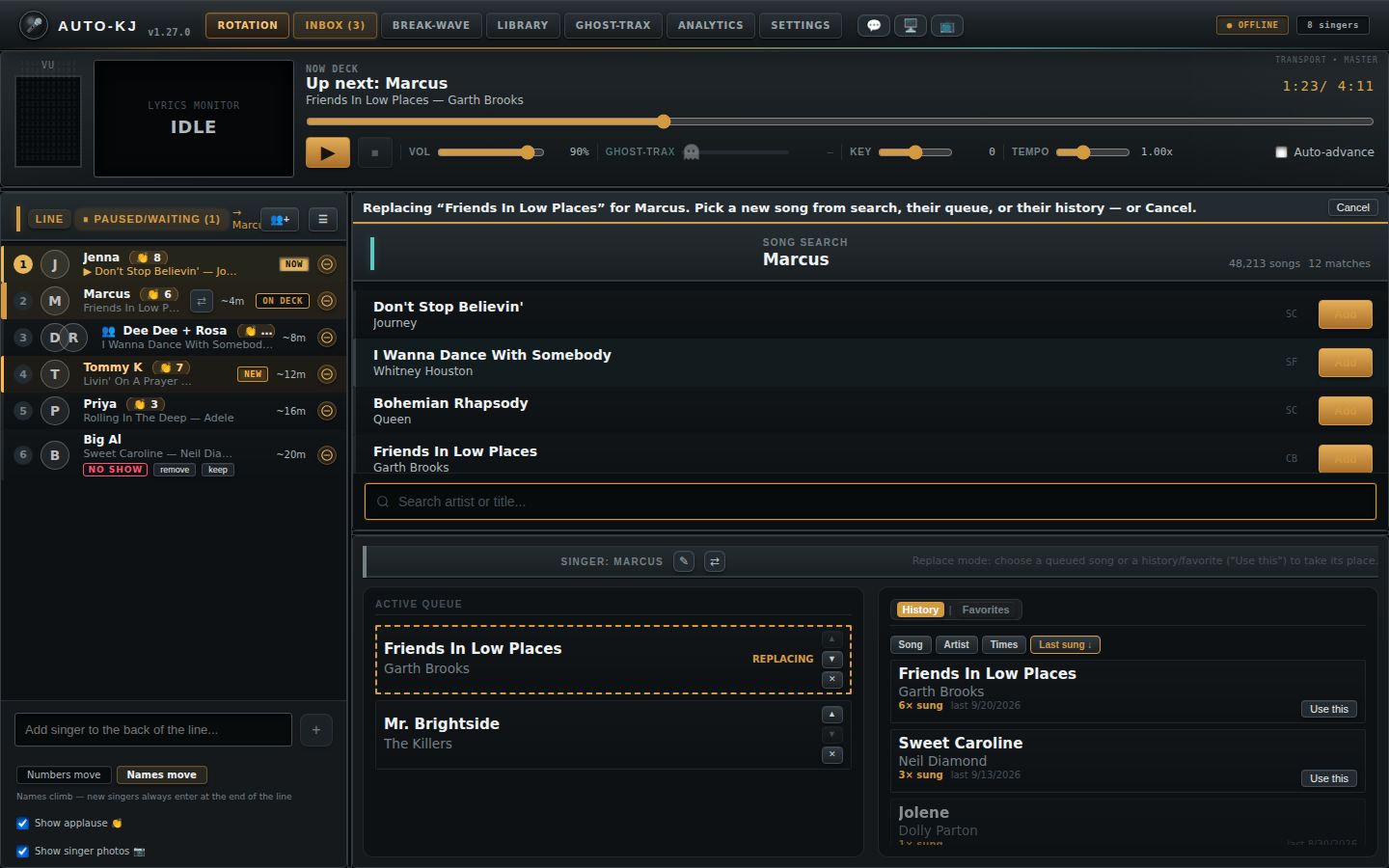
- Row menu 🔄 Change song… (grid) and Active Queue right-click 🔄 Change song…: now a real "replace mode". A banner "Replacing “X”…" with a Cancel button appears above Song search. The next pick replaces the song in place: Add on a search result, Use this on another queued song, or Use this / double-click on a History or Favorites row. The old song is removed only after the new one is placed. Cancel, Esc, changing tab or changing singer leaves everything untouched.
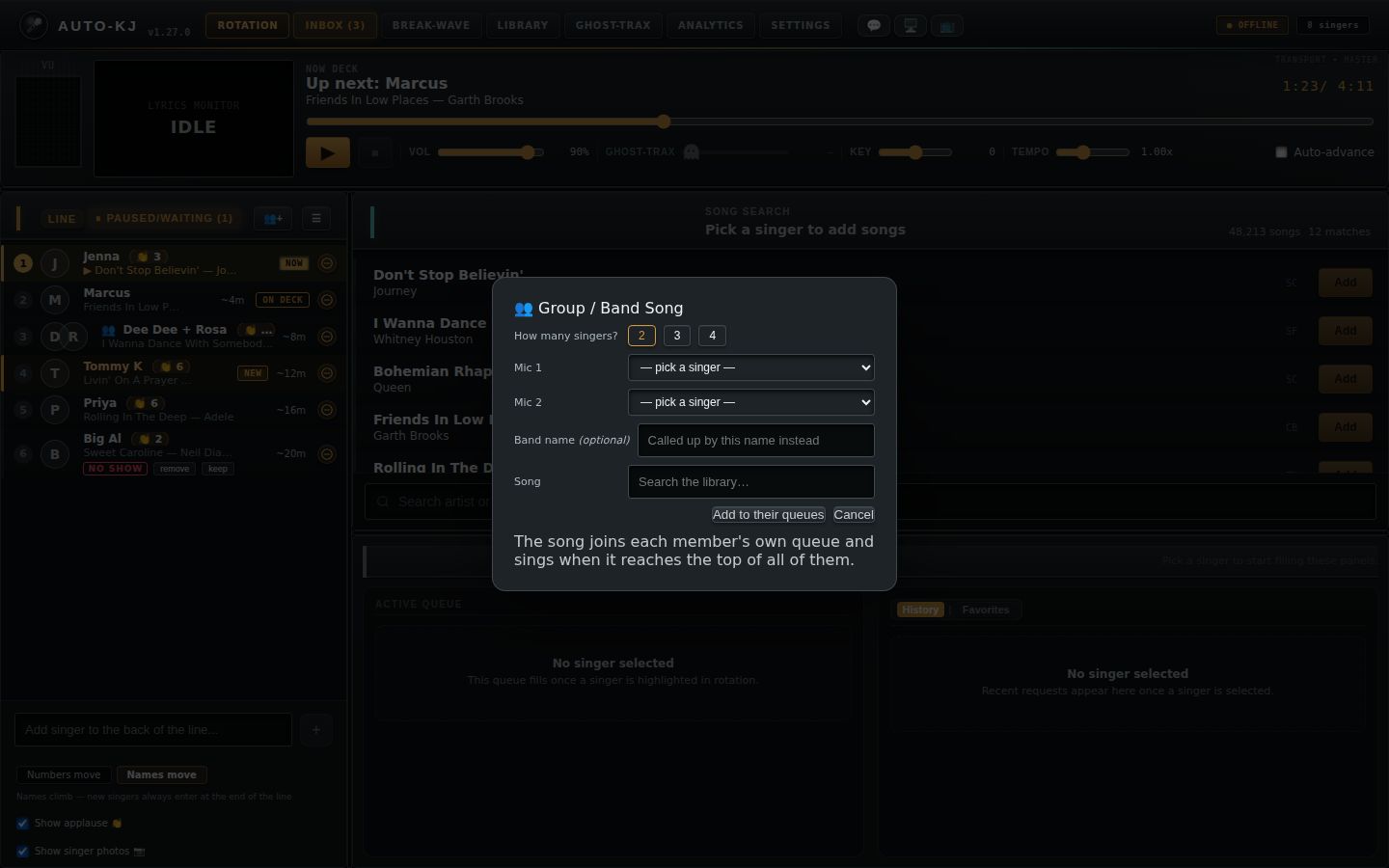
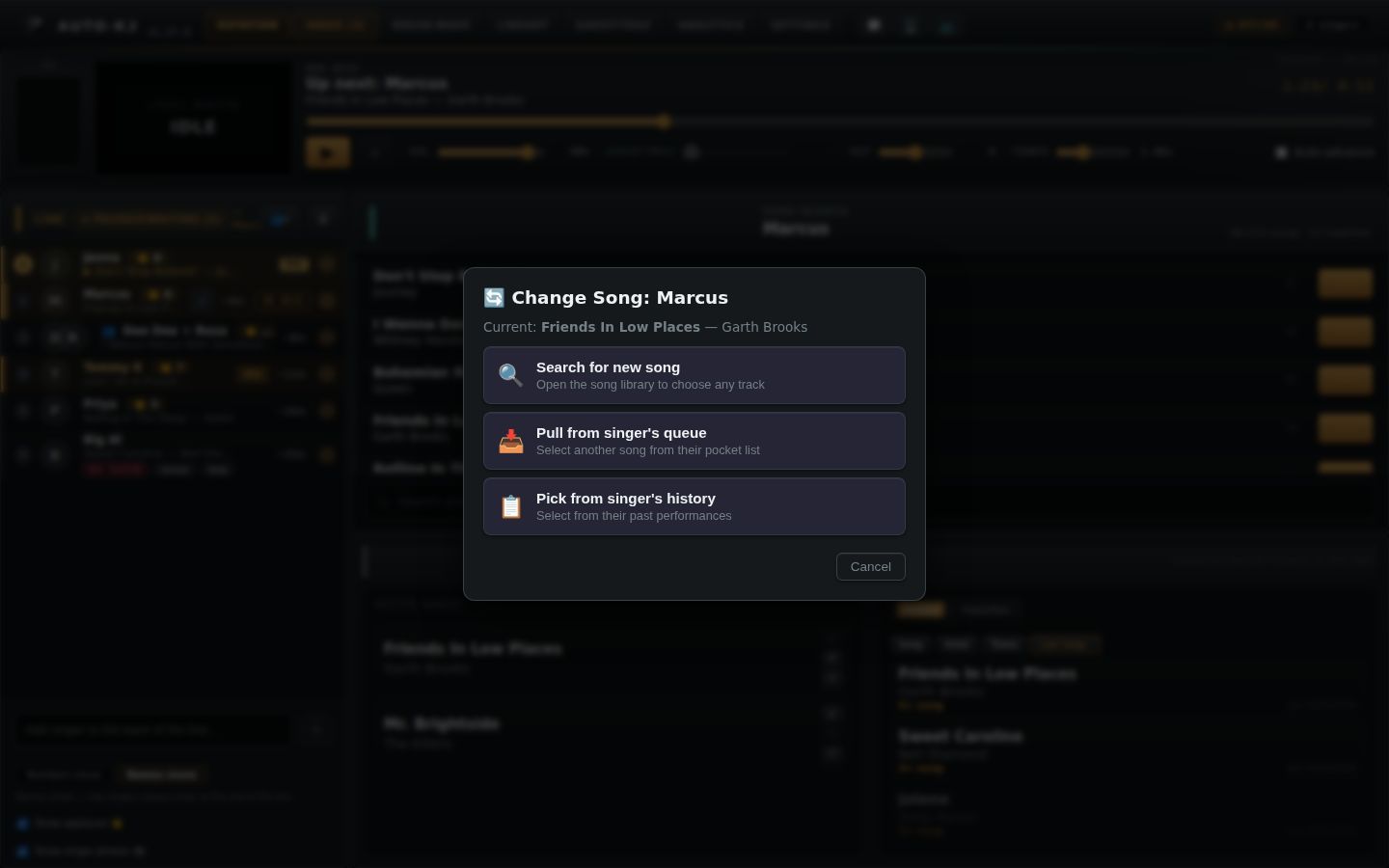
- Change Song in Queue modal: three options, "Search library for a new song", "Pull from their queue" (only if another queued song exists) and "Pick from their history" (now a real picker, no longer auto-picks the newest song). None of them deletes anything up front.
- ☣️ Quarantine song file… (row menu) and ☣️ Quarantine song file… (Active Queue menu): the confirm dialog now shows "File: <filename>" and Quarantine Track acts on that exact file, and is disabled while the file is being looked up or if it can't be found.
- 🖼 Photo moderation… dialog: the options are now Hide tonight, Always hide at my shows (saved to your Auto-KJ account; flips to Unhide at my shows) and Report photo to Auto-KJ (optional reason, button becomes Send report). "Delete permanently" and "Disallow uploads" are gone. The Hide photo menu item is disabled for singers on your always-hide list.
- Row menu 🎚 Song version…, 🎹 Change key… and 🚫 Ban…: each now shows a confirmation toast on success ("Default version switched to …", "Key for X set to …", "Banned X from this show") and a toast on failure.
- Header 💬 DJ Inbox button: opening the inbox clears the unread badge. The Word95 theme header now has the 💬 button too.
- Seat-conflict dialog (Exit / Take over), seat-revoked dialog (Close App / OK), first-run Setup Wizard and the tab tours: now appear on whichever tab is active instead of only on Rotation. The tours for Inbox, Break-Wave, Library, Ghost-Trax, Analytics and Settings therefore show at last, and a one-time reset clears their old "seen" flags.
- Tab tour text: the Break-Wave "paid extras" step no longer lists headphone CUE as paid; the Analytics step now describes Most sung and Saved favorites.
- Auto-advance checkbox / completion mode "auto crossfade to break" and the phone-remote break buttons: break music now comes from the single Break-Wave playlist (
break_wave_play), and the remote Stop/Skip/Play break buttons no longer touch the karaoke player. - Keyboard shortcuts (Space, Stop, Next singer): MIDI controllers now start at launch and drive the same three actions from any tab.
- Song search "Choose Library Folder" button: removed from the Rotation tab, along with the scan progress bar under the search box. Picking, rescanning and relinking the karaoke folder now happens on the Library tab (Library folder card: Choose Folder…, Rescan now, Relink Folder), which reports back to the Rotation tab when it finishes.
- Song search empty state "No songs in your library yet": when the library has no songs, the results area now shows "Pick your karaoke folder on the Library tab." with a Set up your library → button that opens the Library tab. It stays hidden until the song count has loaded, so it never flashes while loading.
- Setup Wizard, "Your songs" step, Choose Library Folder: works as before, but now uses the same shared pick-and-scan code as the Library tab (and its Scanning… progress text).
- Library tab tour, "Health and curation" step: the text no longer says scanning happens on the Rotation tab. It now points to the Library folder card at the top of the Library tab.
Source: /home/user/Auto-KJ/host-app/src at v1.27.0 on branch claude/amazing-franklin-md2yg1 (diffed against baseline commit 0b8f441). Every file:line below is relative to host-app/src/. "invoke X" means a Tauri IPC command X in src-tauri/src/lib.rs. "Status toast" means App's showStatus() (App.svelte:707-715), which writes a line into the header's .status-message strip (App.svelte:3448-3450). The toast clears after 4 s by default. When a duration is given it clears after that time, and 0 makes it sticky until the next message replaces it.
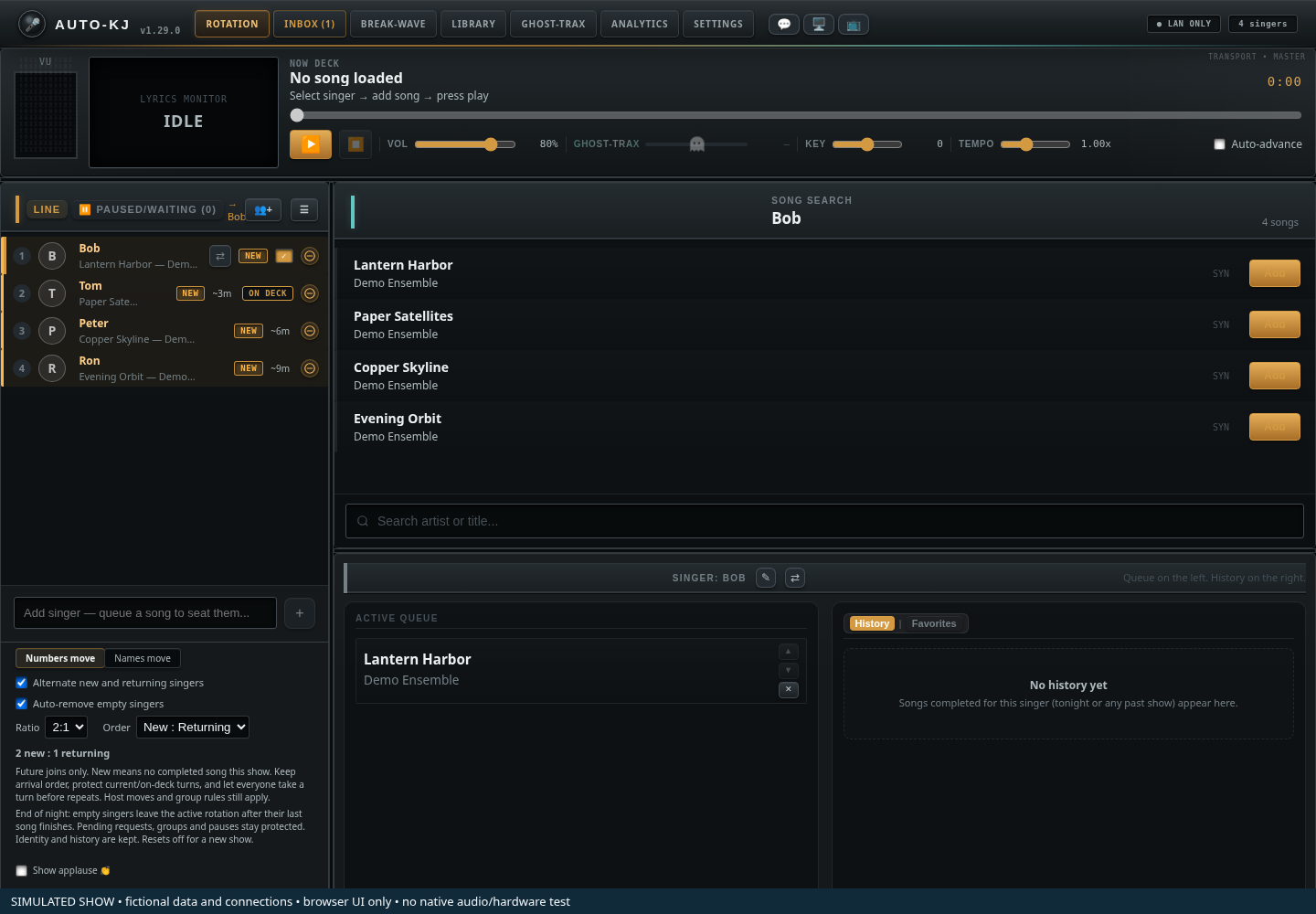
- 1Player and monitor. Transport, volume, vocal guide, key and tempo.
- 2Line. Select a singer to inspect their songs. Sample singers and song names are fictional.
- 3Search. Search your catalog for the selected singer.
- 4Selected singer. Active queue on the left; history and favorites on the right.
- 5Board and joining mode. Numbers move holds names in rotation positions and uses end-of-lap joining. Names move uses end-of-line joining. These host controls are not a Screen 3 animation; singer displays keep numbers fixed.
- 6Ratio and auto-remove. Alternate new and returning singers exposes 1:1 through 4:1 ratios and both directions. These apply to future joins. Auto-remove acts after a singer’s last song finishes; pending requests, groups and pauses are protected, identity/history remain, and a new show resets it off.
Selecting a singer and the right-click menu
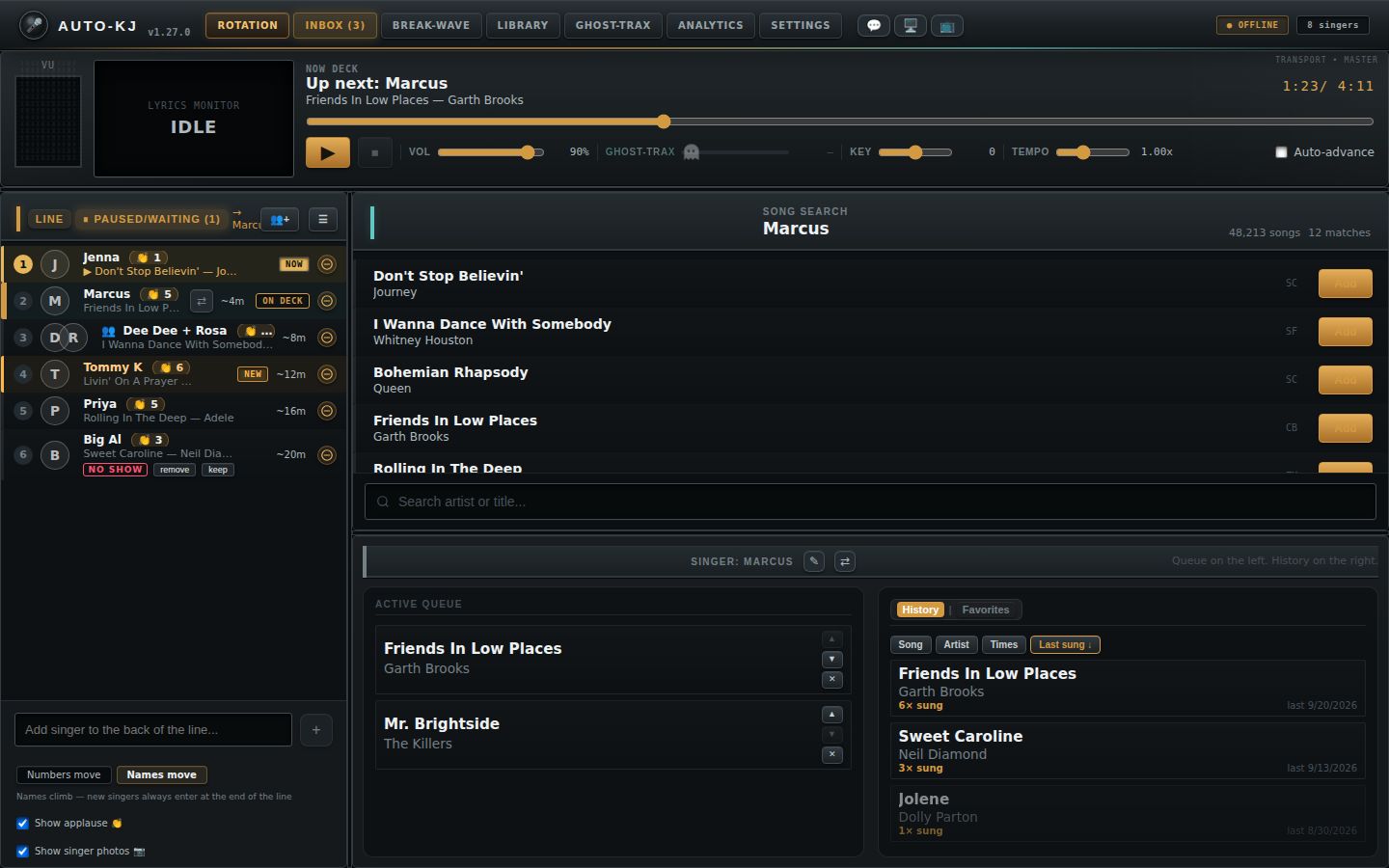
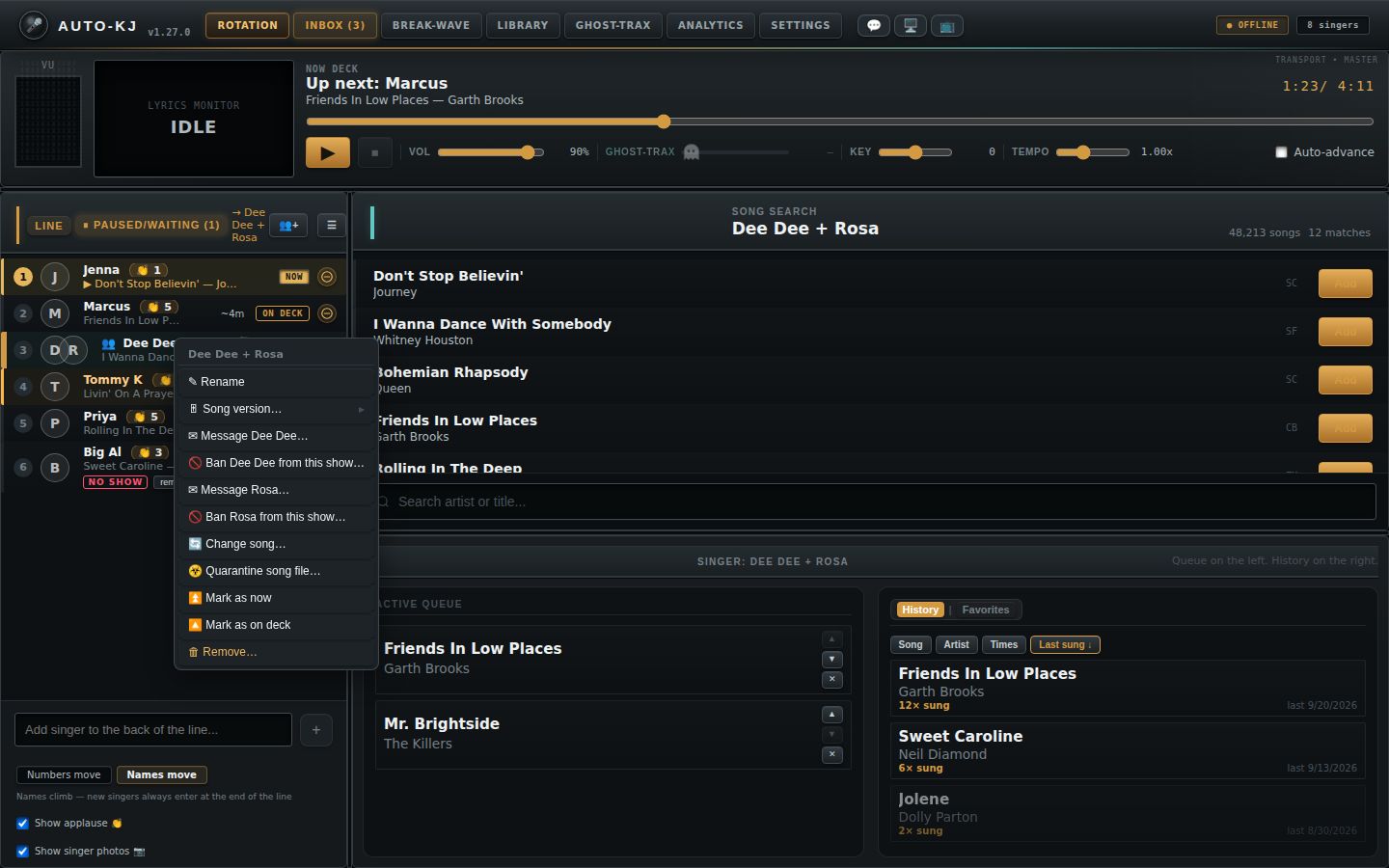
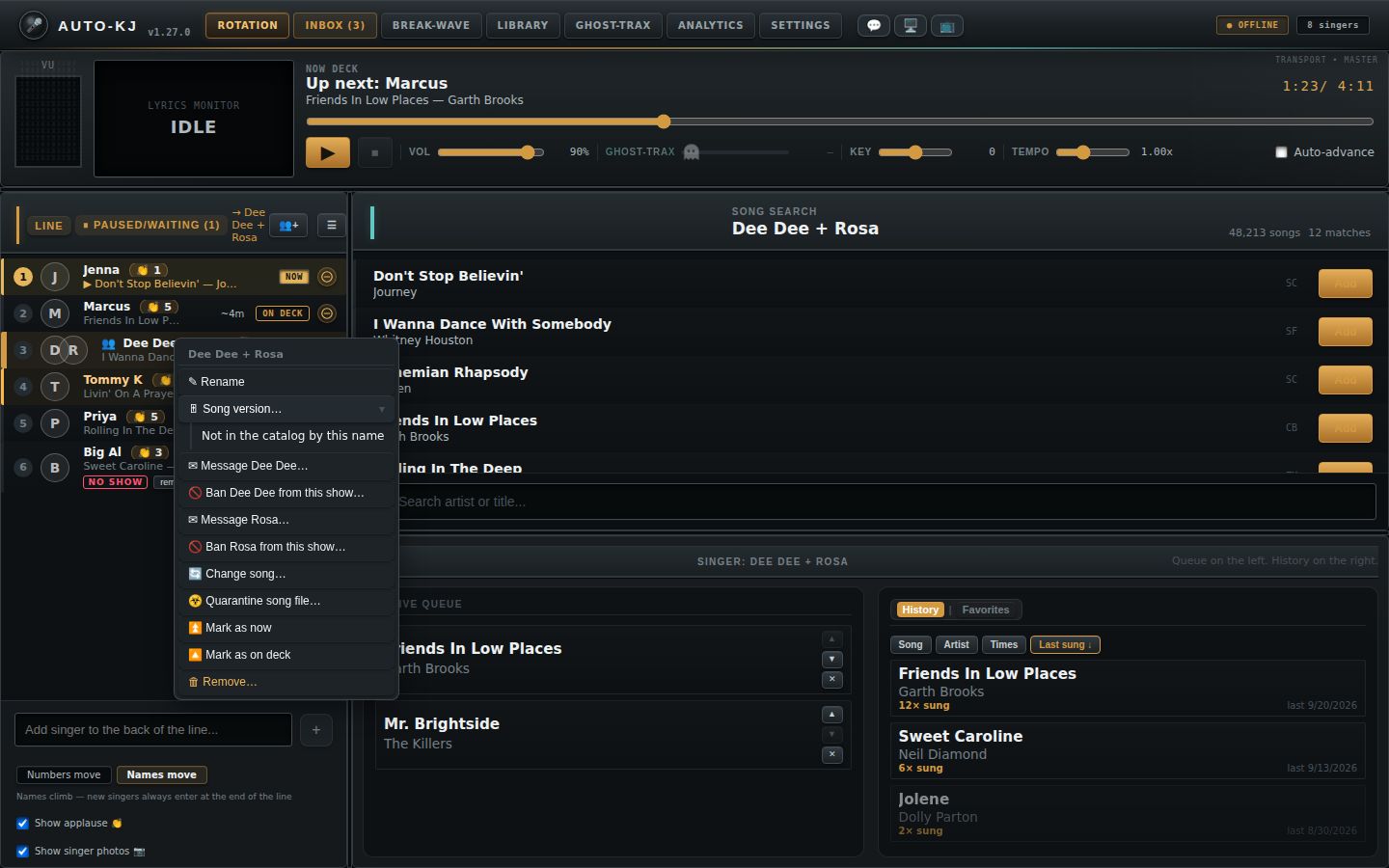
Clicking a row fills the bottom panels with that singer's queue and history, and the search header changes to their name, so Add goes to them. Right-clicking a row opens the row menu shown here.
Walk-up singer: add → song → play
Normal rotation advance
A singer's life on the line
Full reference: every Rotation control, menu and modal
2. ROTATION TAB
2.1 Layout (for a wireframe)
The whole tab is div.rotation-shell (App.svelte:3484-3928), a CSS grid of three rows: [player {playerH}px] [5px splitter] [workbench].
┌──────────────────────────────────────────────────────────────────────────────┐
│ ROW 1  PLAYER / transport (Player.svelte) — height playerH (default 142px,   │
│        90–420)                                                               │
│  [VU meter] [mini lyrics monitor 208px] [Now deck title/artist 👏N 👥edit │ time] │
│                                          [playback error strip]              │
│                                          [──────── scrub bar ────────]       │
│                                          [▶/⏸][⏹] Vol── GHOST-TRAX── (GT2──) │
│                                          Key── Tempo── ☐Auto-advance        │
├═════════════════════ horizontal splitter (drag) ═════════════════════════════┤
│ ROW 3 WORKBENCH: columns [rotation {rotW}px, default 360, 240–900] [5px] [right] │
│ ┌──────────── ROTATION PANEL ────────┐║┌──────── RIGHT COLUMN ──────────────┐ │
│ │ (similar-name merge banner)        │║│ SONG SEARCH (searchPct%, def 50%,   │ │
│ │ [LINE][⏸ Paused/Waiting (n)] →Sel  │║│ 15–85%) [Replacing “X”… |Cancel]    │ │
│ │                      [👥+] [☰]     │║│  "Song search" / selected singer    │ │
│ │ 1 (avatars) Name 👏  NOW  [⇄][⊖]   │║│              N songs  M matches     │ │
│ │   ▶ song — artist                  │║│  results list: Title/Artist/Code ×N │ │
│ │ 2 Name ...        ~5m  ON DECK     │║│                        [Add|Taken]  │ │
│ │ 3 ...                              │║│  [Load more]                        │ │
│ │ ...                                │║│  status line (preview/watcher/etc.) │ │
│ │ [Add singer to the back...][+]     │║│  [🔍 Search artist or title...]     │ │
│ │ [Numbers move|Names move] hint     │║│  (empty library: 📁 "No songs in    │ │
│ │                                    │║│  your library yet" + [Set up your  │ │
│ │                                    │║│  library →] shown in results area)  │ │
│ │ ☐ Show applause 👏                 │║├═══ horizontal splitter (drag) ══════┤ │
│ │ ☐ Show singer photos 📷            │║│ SINGER DETAILS                      │ │
│ └────────────────────────────────────┘║│  "Singer: Name [✎][⇄]" / subtitle   │ │
│              vertical splitter (drag) ║│ ┌ Active Queue ──┐┌[History|Favorites]│ │
│                                       ║│ │ song ▲▼✕       ││ sort: Song Artist │ │
│                                       ║│ │ Sung tonight   ││  Times Last sung  │ │
│                                       ║│ │ song ✓ ↺       ││ rows (dbl-click)  │ │
│                                       ║│ └────────────────┘└───────────────────┘ │
│                                       ║└─────────────────────────────────────┘ │
└──────────────────────────────────────────────────────────────────────────────┘
Region order:
- Player panel (App.svelte:3489-3500 → Player.svelte:320-455)
- Splitter "player" (3502-3508)
- Workbench (3510-3927):
- 3a. Rotation panel (3514-3562): optional similar-name banner (3515-3532), then RotationGrid (3533-3561):
- grid header: list tabs and buttons (RotationGrid 779-802)
- list (804-1041)
- add-singer row (1043-1051)
- display-mode toggle (1059-1086)
- applause checkbox (1088-1091)
- photos checkbox (1093-1096)
- 3b. Splitter "rotation" (vertical) (3564-3570)
- 3c. Right column (3572-3926):
- Song search (3577-3593 → SongSearch.svelte:441-661): an optional replace-mode banner (3578-3583), then header, results, and a bottom bar holding only the status line and the search input (at the bottom; the Choose Library Folder button and scan progress bar are gone)
- Splitter "search" (3595-3601)
- Singer details (3603-3925): header, then two columns: Active Queue (3641-3785) and History | Favorites (3788-3923)
- Overlays (modals and menus) described in 2.5, 2.7, 2.9 and 2.10.
Splitter sizes persist in localStorage: auto-kj-layout-player-h, auto-kj-layout-rot-w, auto-kj-layout-search-pct (App.svelte:1664-1702).
2.2 Controls: layout splitters
| Control | Region | Shown when | What it does |
|---|---|---|---|
| Horizontal splitter under the player (tooltip "Drag to resize the player") | Between player and workbench (App.svelte:3502-3508) | Always | Pointer drag, startSplitterDrag(e,"player") (1674-1702). Sets playerH = pointer Y minus shell top, clamped 90–420 px. Persisted on pointer up. |
| Vertical splitter (tooltip "Drag to resize the rotation panel") | Between rotation panel and right column (3564-3570) | Always | Sets rotW, clamped 240–900 px |
| Horizontal splitter (tooltip "Drag to resize search vs. singer details") | Between search and details (3595-3601) | Always | Sets searchPct, clamped 15–85 % |
2.3 Controls: Player / transport (lib/Player.svelte, props from App.svelte:3490-3499)
The Player receives nowPlaying, nextUp, liveApplause, onStart=handleStart, onStop=handleStop, onKnobsChanged=handleKnobsChanged, hasSelectedTarget = (selectedPlayableEntry !== null), and onEditSingers=openEditSingers. Its live state comes from backend events playback-info, cdg-frame and meter-levels (Player.svelte:287-309).
| Control | Region | Shown when | What it does |
|---|---|---|---|
| VU meter (11-column LED spectrum) | Player far left (Player.svelte:321-323; VUMeter.svelte) | Always (a ramp exists for every theme; the fallback is studio) |
Display only. Driven by the meter-levels event. Colors vary by theme. |
| Mini lyrics monitor | Player left (324-333) | Always | Display only. Shows the current CDG JPEG frame, or a placeholder "lyrics monitor / Playing|Idle". |
| "Now deck" text | Player top (336-357) | Always | Shows nowPlaying title plus artist (or singer names) and 👏N when applause > 0. Otherwise "Up next: <names>" plus song (or "No song assigned yet"). Otherwise "No song loaded / Select singer → add song → press play". |
| 👥 edit (tooltip "Edit who's singing this song, live") | Inline after the artist in the Now line (344-347) | nowPlaying exists |
onEditSingers, which is App openEditSingers() (820-824). It seeds editExtras = the current singers except the lead and opens the "Who's singing this song?" modal (2.10.5). |
Time readout m:ss / m:ss |
Player top right (358) | Always | Display |
| Playback error strip "⚠ <error>" | Under the Now line (363-370) | info.last_error is set |
Display |
| Scrub bar (range 0–duration, step 0.1) | Scrub row (373-387) | Always; disabled when there is no CDG duration | oninput sets the local scrub position. onchange runs commitSeek() (212-227): invoke audio_seek {position}, then reseeds info. |
| ▶ / ⏸ primary button | Controls row (391-393) | Always. Shows ⏸ only when playing and no selected target (the icon and aria-label still follow hasSelectedTarget; see section 3). |
handlePlayPause() (201-206) with the same playPauseIntent logic as the Space shortcut: a loaded song always wins, so pause when playing and resume when paused, whatever singer is selected; start only when nothing is loaded. start runs App handleStart() (1084-1092): if the selected singer has a Queued song, it calls handlePlayNow(thatRequestId) (may show the Interrupt confirm); otherwise startNextRotationSlot() (1096-1119), which invokes start_playing. Toasts: "Now playing: <title>". "⚠ Nothing to play — X has no song file assigned" (10 s). "⚠ Nothing to play — no singer in the rotation has a song queued yet" (10 s) when the backend reports "no more singers". "⚠ Play failed: …". It also runs applySongPrefs(), which invokes get_song_pref and toasts "Applied X's saved key/tempo for "song"". pause invokes audio_pause. resume invokes audio_resume. |
| ⏹ Stop | Controls row (394) | Disabled when there is no nowPlaying |
onStop, which is App handleStop() (1370-1393): cancels a pending auto-advance, invokes audio_stop, then invokes complete_current (errors only logged), sets nowPlaying=null, toasts "Song completed", and runs refresh(). |
| Vol slider 0–1 (shows %) | Controls row (396-400) | Always | setVolume: debounced 100 ms, invoke audio_set_volume {volume} |
| GHOST-TRAX slider 0–1 | Controls row (404-424) | Always visible. Disabled and greyed with "—" when the song has no vocal stem (tooltip "This song has no Ghost-Trax vocal stems — make one with Ghost-Trax!"). | invoke audio_set_vocals_volume {volume} (debounced) |
| GHOST-TRAX 2 slider | Controls row (426-435) | Only when info.has_vocals2 (harmony or duet package) |
invoke audio_set_vocals2_volume |
| Key slider −6…+6, step 0.5 (shows ±n) | Controls row (437-441) | Always | invoke audio_set_pitch {semitones} (debounced), then App handleKnobsChanged (1070-1082), which after 800 ms invokes save_song_pref {singerName, artist, title, pitch, tempo}. This remembers the key per singer and song, and only runs when the current song has a file. |
| Tempo slider 0.5–2.0 (shows n.nnx) | Controls row (443-447) | Always | invoke audio_set_tempo {tempo}, and saves the pref the same way |
| ☐ Auto-advance checkbox | Controls row end (449-452) | Always | setAutoAdvance: persists auto-kj-auto-advance and invokes audio_set_auto_advance {enabled}. Rolls back on error. Effect: at each natural song end, App handleSongCompleted() (1416-1472) auto-starts the next singer after get_auto_advance_delay seconds (toast "Next singer in Ns…", then "Auto-advance: <title>"). This also happens when Settings' completion mode is delay_then_auto_play. Otherwise the song just completes (and with mode auto_crossfade_break it invokes break_wave_play, which starts the single Break-Wave playlist on the Break-Wave engine; the toast reads "Song completed — <track>", or "Song completed — <error>" such as an empty playlist). |
2.4 Controls: rotation panel (App banner + lib/RotationGrid.svelte)
Similar-name banner (App.svelte:3515-3532)
This banner is shown when similarPair is non-null. That happens when two singers in the line have near-identical names (similarNames) and the pair wasn't dismissed this session. The text reads "🤔 Are A and B the same singer?".
| Control | Line | What it does |
|---|---|---|
| Merge → keep "A" | 3521-3523 | mergeSimilarInto(A, B) (1244-1257): invoke merge_singers {survivorId:A, absorbedId:B}, toast "Merged "B" into "A"", then refresh(). Error toast "Merge failed: …". |
| Merge → keep "B" | 3524-3526 | Same, with B as the survivor |
| Not the same | 3527-3529 | dismissSimilarPair() adds the pair to a session-only dismissed set |
Grid header (RotationGrid.svelte:779-802)
| Control | Region | Shown when | What it does |
|---|---|---|---|
| LINE list tab | Header left (781-783) | Always | listTab = "line", which shows the numbered rotation |
| ⏸ Paused/Waiting (n) list tab (tooltip "Paused singers and seats waiting on duet/group partners") | Header left (784-795) | Always. n counts people in pause_queue. Class attention (pulse) when someone new arrived in the pause queue since the tab was last opened (221-237). |
listTab = "paused" and clears the attention pulse |
| "→ <selected singer>" hint | Header left (796) | A singer is selected | Display |
| 👥+ (tooltip "Create a group or band song") | Header right (799) | Always | openGroupModal() (692-702). Opens the Group / Band Song modal (2.10.9) with defaults. |
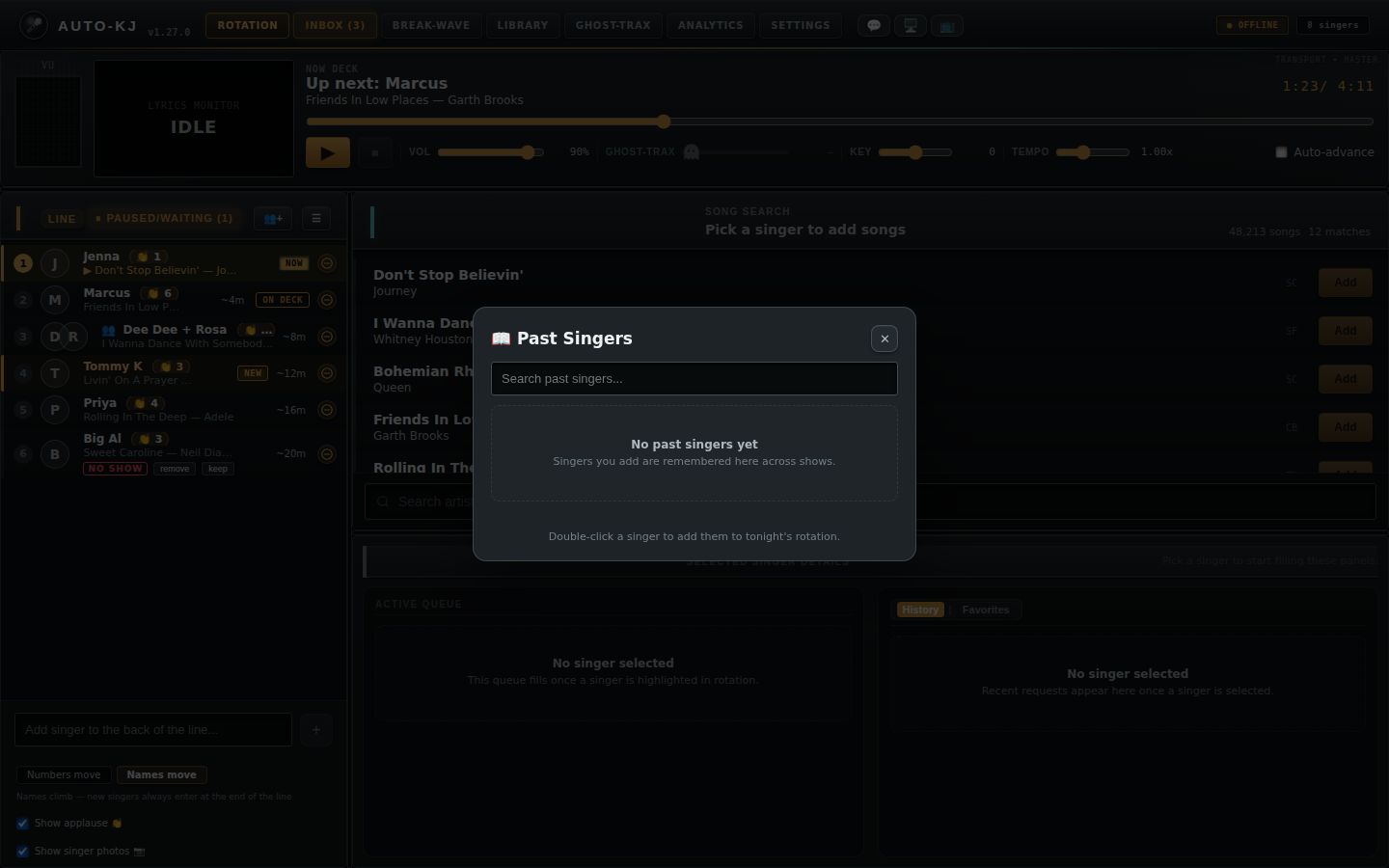
| ☰ (tooltip "Past singers") | Header right (800) | Always | onShowPastSingers, which is App openPastSingers() (1585-1596): opens the Past Singers modal and invokes get_past_singers (2.10.1) |
Line list rows (listTab === "line", RotationGrid.svelte:860-1032)
Rows are ordered by calculateDisplaySlots(numbered, displayMode). Each row shows:
- position number
- optional avatars (when "Show singer photos" is on: cloud avatar from api.auto-kj.com/api/singer/<acct>/avatar, or an initial letter)
- 🎸 (band) or 👥 (group) icon, then the label (band name or "A + B"), plus a "(n)" member count for bands
- 👏 applause badge (when "Show applause" is on and applause > 0)
- status line, one of:
- "▶ song — artist" (current)
- "⏳ waiting on X"
- "song — artist", optionally with "✔ Ready to go" or "⏳ member paused"
- "picking a song…"
- group consent badges ✓ / ✗ / ⏳ member
- NO SHOW row
- right side: ⇄ (solo), NEW badge, ~Nm wait badge, and one of NOW / ON DECK (row #2) / ⏸ / ✓ (selected), then the ⊖ remove button
| Control | Region | Shown when | What it does |
|---|---|---|---|
| Row click (or Enter) | Line row (876, 879) | Always | onSelect(slot.singer_ids), which is App handleSelectSinger. Sets selectedSingerIds. That triggers loadSelectedSingerDetails() (App 604-705): invoke get_singer_history_stats {singerName} per member (merged), cloud favorites via fetch api.auto-kj.com/api/host/singer-favorites/<acct> plus invoke resolve_songs_by_meta (for linked accounts with a license token), and invoke get_singer_queue {singerIds}. The Song Search header, the Singer Details panel and the Player's ▶ target all follow the selection. |
| Row double-click | Line row (877) | Only slot.kind === "solo" with a request_id (group rows ignore it) |
onPlayEntry(request_id), which is App handlePlayNow (1128-1142). If something else is on the mic and localStorage auto-kj-warn-interrupt isn't "false", the Interrupt confirm opens (2.10.2). Otherwise doPlayNow (1014-1031) invokes play_request_now {requestId} with the same toasts as Play. |
Row drag handle (the whole row is draggable) |
Line row (872, 880-887) | Always, including the current row (tooltip: "On the mic — drag still works…" or "Drag to reorder — double-click to play this slot now") | dragstart tells App to defer refreshes (handleDragStateChange(true)). Dropping on another row runs handleDrop (661-677): invoke move_singer {singerId: first member, toSlot: target index}, then onChanged (App refresh). The drop target row highlights (drag-over). |
| Row right-click | Line row (878) | Always | openCtxMenu() (368-377): selects the row and opens the row context menu (2.5) at the cursor, clamped to the viewport |
| remove (in the NO SHOW row) | Row status area (964-970) | slot.flagged_no_show (the engine flagged the seat for having no song when called) |
Opens the "Remove X?" confirm (2.10.8) |
| keep (in the NO SHOW row) | Row status area (971-977) | slot.flagged_no_show |
clearFlag() (635-642): invoke clear_no_show_flag {singerId}, then refresh |
| ⇄ (hover-revealed; tooltip "Merge "X" into another singer (same person, different name)") | Row right (985-993) | slot.kind === "solo" |
onMergeSinger(ids), which sets App mergeSourceId and opens the "Merge X into…" modal (2.10.7) |
| ⊖ remove (tooltip "Remove from the line") | Row far right (1013-1030) | Always | Opens the "Remove X?" confirm (2.10.8) |
| Delete / Backspace key | Window keydown (597-619) | A selected singer exists in the line, focus is not in an input, and no confirm is already open | Opens the "Remove X?" confirm for the selected row |
| Empty state "🎤 No singers yet / Add a singer below to start the line" | List (1034-1040) | Empty line | Display |
Paused/Waiting list rows (listTab === "paused", RotationGrid.svelte:805-857)
Each row shows ⏸ (paused) or ⏳ (waiting), 👥 for groups, the label, the song, and one of these status lines: - "⏳ waiting on X" - "⏳ waiting on group partners" - "returns at #3 on unpause" (paused rows)
The "returns at #3" wording contradicts the engine rule and the Unpause tooltip. Per AGENTS.md and SPEC §5.3, an unpaused singer returns just behind on-deck in FIFO order, not at a fixed #3.
| Control | Line | Shown when | What it does |
|---|---|---|---|
| Row click / Enter | 812, 814 | Always | Selects that seat (onSelect) |
| Row right-click | 813 | Always | Opens the same row context menu (2.5) |
| ▶ Unpause (tooltip "Put X back in the line (returns just behind on-deck)") | 838-847 | slot.paused (not for waiting-on-partner seats) |
unpauseSlot() (559-569): invoke unpause_singer {singerName: first name}, then refresh. Error: alert("Could not unpause …"). |
| Empty state "⏸ Nobody's waiting" | 852-856 | Empty pause queue | Display |
Below the list (RotationGrid.svelte:1043-1096)
| Control | Line | Shown when | What it does |
|---|---|---|---|
| Input "Add singer to the back of the line..." (Enter submits) | 1044-1049 | Always | Text field |
| + button | 1050 | Disabled when the name is empty or an add is in flight | addSinger() (621-633), which calls App handleAddSinger(name) (783-792): invoke add_singer {name}, toast "<name> joined the back of the line", refresh(), then auto-selects the new singer. Error toast "Error: …". |
| Toggle Numbers move | Names move (radio pair) plus a hint line | 1059-1086 | Always | setDisplayMode() (275-279): persists host-queue-display-mode and invokes set_join_policy {policy}. "Numbers move" maps to end-of-lap: a rotation sheet where names hold rows and new singers sing at the end of this lap. "Names move" maps to end-of-line: new singers enter last. This changes engine seating, not just the display. It is re-asserted on every mount with up to 30 retries (258-273). |
| ☐ Show applause 👏 | 1088-1091 | Always | toggleShowApplause() (575-584): invoke set_show_applause {showApplause}. Shows the night's applause on host rows and on singer screens. |
| ☐ Show singer photos 📷 | 1093-1096 | Always | toggleShowPhotos() (285-288): local only (host-queue-show-photos). Shows or hides avatars in the host grid. The tooltip mentions "Right-click a photo to hide it"; that is done through the row menu's Hide photo item. |
2.5 Row context menu (right-click a Line or Paused row; RotationGrid.svelte:1183-1415)
The title is the slot label. The menu closes on any window click, window resize, or Escape (777, 597-601). Items appear in this order:
| Item | Shown when | What it does |
|---|---|---|
| ✎ Rename | Always | onRenameSinger(ids), which is App handleRenameRequest (1188-1195). A solo opens "Rename Singer" (2.10.6). A group opens "Rename which singer?" with a button per member. |
| 🎚 Song version… ▸/▾ (submenu) | slot.song_title |
Expands, and on first open invokes get_versions_for_title_cmd {artist,title}. The sublist shows one of: "Loading…", "Not in the catalog by this name", "Only one version in the library", or one button per version labeled ✓ MFR disc-track — filename (tooltip "Make this the default version — the queued copy switches too"). Clicking a version runs pickSlotVersion (356-366): invoke override_song_version_cmd {songId}. On success the grid's bottom toast reads "Default version switched to <MFR or filename>" (grantToast); on failure "Version switch failed: …". |
| ⇄ Merge with… ▸ (submenu listing every other singer) | Solo and at least one merge target exists | Picking a name runs ctxMergeInto, which calls App onMergeInto (3544-3550) and then mergeSimilarInto(survivor=picked, absorbed=this): invoke merge_singers, toast "Merged "X" into "Y"". |
| 🎹 Change key… ▸ (submenu +6 … 0 (original) … −6, ✓ on the saved value) | Solo, has a song, not the current slot | Opening invokes get_song_pref. Picking runs ctxSetKey (537-555): invoke save_song_pref {singerName, artist, title, pitch:n, tempo:saved}. It is applied when the song starts. Success shows the bottom toast "Key for X set to +n"; errors use alert. |
| 👥 Add to group song… | Solo | Opens the Group / Band Song modal with Mic 1 pre-set to this singer (705-708) |
| ⏸ Pause / ▶ Unpause | Solo | ctxPauseToggle (474-487): invoke pause_singer or unpause_singer {singerName}, then refresh. Error uses alert. |
| Hide photo / Show photo (one per linked account) | The slot has account ids | setPhotoHidden(acct, toggle) (297-302): optimistic, then invoke set_avatar_hidden {accountId, hidden}. This affects public displays too and only lasts for tonight's show. Disabled (tooltip "Hidden at all your shows — use Photo moderation… to unhide") when that account is on the host's cloud "always hide" list. |
| 🏅 Award badge… ▸ | Any linked account | First open fetches GET https://api.auto-kj.com/api/achievements ("Loading badges…"). Picking a badge runs ctxGrantBadge (433-467): POST /api/achievements/grant {account_id, achievement_id} with the license bearer token. A bottom toast (grantToast) shows "🏅 X was awarded Y", "X already has Y", "😤 X has officially Annoyed the KJ." (for the annoy-the-kj badge), "Sign in to the cloud to grant badges.", or an error. |
| ✉ Message <member>… (one per member) | Always | Opens the "✉ Message X" modal (2.10.10) |
| 🚫 Ban <member> from this show… (one per member) | Always | ctxBanSinger (386-405): confirm("Ban X from this show? …"), then invoke ban_singer {name}. The seat is not removed. Reversible in Settings → Banned Singers. Success shows the bottom toast "Banned X from this show"; failure shows "Couldn't ban X: …". |
| 🖼 Photo moderation… (one per linked account) | The slot has account ids | Opens the Profile Photo modal (2.10.11). Tooltip: "Moderate profile photo: hide tonight, always hide at my shows, or report to Auto-KJ". |
| 🔄 Change song… | slot.song_title (including the row on the mic) |
Opens the "Change Song: X" modal (2.10.12), which starts replace mode (2.10.14) |
| ☣️ Quarantine song file… (red) | slot.song_title |
Opens the "Quarantine File?" confirm (2.10.13), which now names the exact file |
| ▶ Play now | Solo, has a request_id, not current |
onPlayEntry(request_id), which is App handlePlayNow (with the interrupt guard) |
| ⏫ Mark as now | Not current | ctxMarkAt(slot,0) (498-510): invoke move_singer {singerId, toSlot: base}, where base is 1 if slot 0 is currently singing, else 0. The seat becomes next to sing. |
| 🔼 Mark as on deck | Not current | ctxMarkAt(slot,1): moves to base+1 |
| 🗑 Remove… (red) | Always | Opens the "Remove X?" confirm (2.10.8) |
2.6 Controls: Song search (lib/SongSearch.svelte; App props at 3584-3592)
The panel receives selectedSinger (label), takenSongs, queuedSingers = singers, onAddSong = handleAddSong, onQueueForSinger = handleQueueForSinger, onScanComplete = handleScanComplete and, new, onOpenLibrary={() => selectTab("library")} (App.svelte:3592). onScanComplete is no longer called from inside SongSearch (it had no scan of its own left to report); the Library tab now reports scans through LibraryManager's onLibraryChanged=handleScanComplete (App.svelte:4135).
On mount refreshCount() (SongSearch.svelte:353-366, called at 369) invokes get_song_count_cmd, sets countKnown = true once it answers (a failed count leaves countKnown as it was, so a backend error can't show the "no library" state), and, if the library is non-empty, runs an empty-query search_songs_cmd, which browses the first 50 default-version songs (catalog/src/search.rs:17-38). It also listens to these events (the scan-progress listener was removed with the scan progress bar; the Library tab and Setup Wizard listen for it now):
- library-file-added (trailing re-search plus cloud sync after 800 ms)
- library-file-removed
- library-watcher-error
- queue-verify-notice
- preview-error
- preview-window-error
- preview-ended
| Control | Region | Shown when | What it does |
|---|---|---|---|
| Header "Song search" / selected singer (or "Pick a singer to add songs"), "N songs", "M matches" | Top (442-455) | Always. "N songs" only when the count is above 0. | Display |
| Result row: Title, Artist, manufacturer code or format, ×N versions badge (tooltip "N versions in your library — right-click to preview or pick one") | Results list (459-481) | For each result. The ×N badge shows when the version group has more than 1 file (get_version_counts_cmd). Rows whose "artist - title" is in takenSongs get class taken. |
Display |
| Add / Taken button | Row right (481-489) | Always rendered. Disabled (greyed to 45% opacity, not-allowed cursor) when the song is taken or no singer is selected (tooltips: "Song already taken" / "Pick a singer first" / "Add to <singer>"). | onAddSong, which is App handleAddSong (956-999). If no singer is selected (only reachable from the History/Favorites rows) the toast reads "Select a singer first". In replace mode (2.10.14) the pick replaces the target song instead of adding (handleReplaceWithSong, 416-441; backend replace_request_song). Otherwise, group selection (more than one id): invokeWithDuplicateConfirm("add_group_song_request", {singerIds, …}). Single singer: invokeWithDuplicateConfirm("add_song_request", {singerName, songFilepath, songTitle, songArtist}). If the backend refuses under the duplicate policy, a native confirm("<msg>\n\nAdd it anyway?") appears, and OK re-invokes with forceDuplicate:true (lib/dupConfirm.ts:8-25). Then the backend result string is toasted and refresh() runs. |
| Row right-click | Result row (466) | Always | Opens the search context menu (2.7) |
| Load more | End of results (492-494) | hasMore. Disabled while searching. |
loadMore() (286-309): search_songs_cmd {page+1, pageSize:50} appended to the list |
| Empty states | Results (615-637) | Priority order. (1) New: count loaded and 0 (countKnown && songCount === 0): 📁 "No songs in your library yet" / "Pick your karaoke folder on the Library tab." plus the Set up your library → button (next row). It replaces the old "No songs in library / Browse and scan your karaoke folder below". (2) "No results for "q"". (3) "Pick a singer first / Search stays read-only until a singer is active." (no singer and no query). (4) "Results appear here / Search box is deliberately underneath the list…". |
Display |
Set up your library → (browse-btn setup-library-btn) |
Inside the no-library empty state (620) | Only in the empty state above: no results, and the song count has loaded and is 0. It disappears once songs exist: the library-file-added event or a re-count (refreshCount()) makes the count non-zero. SongSearch lives inside the Rotation tab branch, so it is unmounted while the Library tab is open and its onMount runs refreshCount() again when the KJ comes back, which flips the empty state to normal results. |
onOpenLibrary(), which is App selectTab("library") (App.svelte:3592). Switches to the Library tab, where the Library folder card has Choose Folder… / Rescan now / Relink Folder. No dialog opens directly from Rotation any more. |
| Scan / preview status line | Bottom (640-642) | scanStatus is non-empty |
Display: preview messages, "Search error: …", "Added Artist - Title", watcher errors, queue-verify notices, rename, default-version and quarantine results, and so on. It no longer shows scan progress or "Imported N songs" (those now show on the Library tab and in the Setup Wizard). |
🔍 input "Search artist or title..." (class .search-input; focused by Ctrl+F) |
Bottom input row (644-658), now the only control in the row (the row is a single-column grid) | Always. Shows a spinner while searching. | oninput debounces 180 ms, then doSearch() (254-277): invoke search_songs_cmd {query, page:1, pageSize:50}. A request token discards stale responses. Then loads the version counts. |
2.7 Search-result context menu (SongSearch.svelte:495-614) and its dialogs
| Item | Shown when | What it does |
|---|---|---|
| Title line (song title) | Always | Display |
| 🎧 Preview karaoke song / ⏹ Stop preview | Always (label flips while this song previews) | togglePreview() (115-159). Start: invoke preview_start {filePath, pitch:0}. Status is "🎧 Previewing A - T on the cue device — right-click → Stop preview.", or "🔇 Silent preview … only the video window plays." when the cue output is off or shared. Then ensurePreviewWindow() shows the Preview popup window, and a 1 s preview_status poll clears the state when playback ends (or shows "Preview error: …"). Stop: invoke preview_stop. |
| 🎶 Select alternate version… / "(loading)" | version_group_id > 0 and versions not yet loaded |
invoke get_versions_for_song_cmd {songId}. The menu then shows "Pick a version — it can become the default" and one button per version, ✓ MFR disc-track. |
| Version button | After loading | pickVersion() closes the menu and opens the "Make this the default version?" dialog (557-572) |
| ✏️ Rename file… | Always | Opens the "Rename file" dialog (573-599) prefilled with the filename |
| ☣️ Quarantine this file… (red) | Always | Opens the "Quarantine this file?" dialog (600-614) |
| "Queue for…" list: one button per singer in the line | Always | queueFor(name), which is App handleQueueForSinger (1003-1027). Adds the singer via invoke add_singer if the name is new, then invokeWithDuplicateConfirm("add_song_request", {singerName,…}), toasts the result and refreshes. This does not change the selection. It is not replace-aware: during replace mode this path still adds a new request. |
| + Add new singer…, then input "New singer's name" + Add (Enter adds, Escape closes) | Always | Same queueFor(newName), which creates the walk-up singer and queues the song for them |
| Backdrop click or right-click | While open | Closes the menu |
Dialogs opened from this menu:
| Dialog | Controls |
|---|---|
| "Make this the new default version?" ("A - T" would use MFR (filename) everywhere…) | No, keep current default closes it. Yes — make it the default runs makeDefault() (191-204): invoke override_song_version_cmd {songId}, status "Default version of "T" is now MFR — queued copies switch too.", then re-search. Backdrop click closes. |
| "Rename file" (explains that the filename is the metadata) | Input (Enter submits, Esc cancels). Cancel. Rename (disabled when empty) runs submitRename() (217-231): invoke rename_song_file_to_cmd {songId, newName}, status "Renamed to "X" — metadata re-read from the new name.", then re-search. |
| "Quarantine this file?" ("filename" moves to the library's Quarantine folder, never deleted…) | Cancel. Quarantine it runs confirmQuarantine() (233-244): invoke quarantine_song_cmd {songId}, status "Quarantined — moved to <path>. Nothing was deleted.", then re-search. |
2.8 Controls: Singer details panel (App.svelte:3603-3925)
Header
| Control | Line | Shown when | What it does |
|---|---|---|---|
| Title "Singer: <label>" / "Selected Singer Details"; subtitle "Queue on the left. History on the right." / "Pick a singer to start filling these panels." | 3604-3636 | Always | Display. In replace mode the subtitle reads "Replace mode: choose a queued song or a history/favorite ("Use this") to take its place." |
| ✎ (Rename singer) | 3609-3615 | Exactly one singer selected | openRename() opens the "Rename Singer" modal (2.10.6) |
| ⇄ (Merge into another singer) | 3616-3622 | Exactly one singer selected | openMerge() opens the "Merge X into…" modal (2.10.7) |
Active Queue column (3641-3785)
This column is a drop target when a singer is selected: dropping a History or Favorites row here requests that song again (handleQueueDragOver/Leave/Drop, 1736-1761, calling handleAddSongFromHistory). In replace mode that drop replaces the target song like any other pick.
| Control | Line | Shown when | What it does |
|---|---|---|---|
| Pending queue row (title, artist, "▶ Playing" or "👥 Group song — sings when every member is free") | 3655-3742 | Selected singer has non-Completed entries | Display plus the interactions below. In replace mode the target row gets a dashed outline and a Replacing tag (3718-3720). |
| Use this button on a queue row | 3711-3717 | Replace mode, for every other row that is Queued and not a group song (pullCandidates) |
handlePullIntoReplace(request_id) (446-474): invokes swap_queue_entries {requestA: chosen, requestB: target}, then delete_request on the target, then toasts "Replaced “T” with “N” for X" and refreshes. A failed swap leaves the target queued ("Error: …" toast). |
| Row double-click / Enter (tooltip "Drag to reorder — double-click to play now") | 3663, 3667 | Always | handlePlayNow(request_id) (interrupt guard, then play_request_now) |
| Row drag (reorder within the queue) | 3662, 3668-3698 | Not Playing | Drop on another row runs moveQueueEntryToIndex(from,to) (1337-1359), which applies a chain of invoke swap_queue_entries {requestA, requestB} and stops at a Playing entry, then refreshes |
| Row right-click | 3660 | Pending rows only | openQueueCtx() (292-311) opens the Queue context menu (2.9) and invokes get_versions_for_title_cmd |
| ▲ Move up | 3723-3728 | Not Playing. Disabled on the first row. | handleMoveQueueEntry(i,-1) (1315-1328): invoke swap_queue_entries with the neighbour |
| ▼ Move down | 3729-3734 | Not Playing. Disabled on the last row. | Same, +1 |
| ✕ (Remove this song from the queue) | 3735-3739 | Not Playing | handleDeleteQueueEntry() (1293-1301): invoke delete_request {requestId}, toast the result, refresh. No confirmation. |
| Divider "Sung tonight" plus completed rows ("✓ Completed") | 3744-3770 | There are completed entries | Display |
| Completed row double-click / Enter (tooltip "Double-click to restart this song") | 3749, 3753 | Always | handlePlayNow(request_id) replays it |
| ↺ (Reset to unplayed) | 3763-3767 | Completed rows | handleRequeue(song_id) (1303-1313): invoke requeue_request {singerId: first selected, songId}, toast, refresh |
| Empty states | 3772-3782 | "No active requests / Search a song above or drag one here from history." or "No singer selected…" |
History / Favorites column (3788-3923)
| Control | Line | Shown when | What it does |
|---|---|---|---|
| History | Favorites pill toggle | 3790-3802 | Always | Sets singerDetailsTab |
| Sort buttons Song, Artist, Times, Last sung (with ↑/↓ on the active one) | 3806-3822 | History tab, singer selected, has history | setHistorySort(key) (583-591): clicking the same key flips direction; a new key uses ascending for text and descending for counts and dates. Default is Last sung ↓. |
History row (title, artist, "N× sung", "last <date>"). Greyed not-in-library when there is no filepath. |
3828-3856 | History tab | Double-click / Enter runs handleAddSongFromHistory(h) (1029-1043), which calls handleAddSong. Toasts "Select a singer first" or ""T" isn't in the current library" when the file is missing. In replace mode the row also shows a Use this button (3848-3854, only when a filepath exists) and the double-click replaces the target song. Drag (only when a filepath exists) carries JSON to the Active Queue drop target. |
| Favorites row "⭐ title", artist, "Saved Favorite", "N× sung". Max 15. | 3877-3906 | Favorites tab. Data is the singer's real PWA favorites for linked accounts, scoped to this venue. | Same double-click, Enter, drag and replace-mode Use this (3898-3904) behaviour as History |
| Empty states | 3858-3868, 3908-3920 | "No history yet…", "No favorites saved / Songs the singer stars in the phone app appear here (linked accounts only).", "No singer selected…" |
2.9 Queue-row context menu (App.svelte:4296-4334; right-click a pending Active Queue row)
The title is the song title, with the subtitle "Song actions & versions". It is positioned at the cursor, clamped to the window minus 320×260. A backdrop click or right-click closes it.
| Item | What it does |
|---|---|
| 🔄 Change song… | openQueueChangeSong() (370-372) opens the "Change Song in Queue" modal (2.10.3) |
| ☣️ Quarantine song file… (red) | openQueueQuarantine() (518-532) opens the "Quarantine File?" modal (2.10.4) |
| "Song versions:" section | One of: "Loading…", "Not in the catalog by this name", "Only one version in the library", or one button per version ✓ MFR disc-track — filename |
| Version button | pickQueueVersion() (313-321): invoke override_song_version_cmd {songId}, toast "Default version switched to <MFR or filename> — queued copies follow." or "Version override failed: …" |
2.10 Modals on the Rotation tab (full contents)
2.10.1 Past Singers (App.svelte:3930-3986). Opened by the grid's ☰.
| Element | Behaviour |
|---|---|
| Heading "📖 Past Singers" with ✕ | Closes. Backdrop click and Escape also close. |
| Input "Search past singers..." | Live substring filter |
| Rows: name, "in rotation" tag, "N visits · last <date>" | Double-click / Enter runs addPastSinger(name) (1726-1733). If the singer is already in the line, toast "X is already in tonight's rotation". Otherwise handleAddSinger, then the modal closes and the singer is selected. |
| Footer hint | "Double-click a singer to add them to tonight's rotation." |
| Empty states | "No past singers yet", "No matches" |
2.10.2 Interrupt current song? (3988-4009). Opened by handlePlayNow when a different song is on the mic and the Settings "warn before interrupt" option is on (auto-kj-warn-interrupt). Text: "<current> is still on the mic ("song"). Starting X's "Y" now will stop it and mark it completed."
| Control | Behaviour |
|---|---|
| Cancel, backdrop, Esc | Close |
| Interrupt & Play | confirmInterrupt(), then doPlayNow(), which invokes play_request_now |
2.10.3 Change Song in Queue (4426-4485). Opened from the queue context menu. Heading "🔄 Change Song: T", "For: <selected singer>".
| Option | Shown when | Behaviour |
|---|---|---|
| 🔍 Search library for a new song ("Pick any track — it takes this song's place") | Always | Enters replace mode (2.10.14) via startReplace(queueEntryPick(entry), "search") and focuses the search input. Nothing is deleted yet. |
| 📥 Pull from their queue ("Move another queued song into this one's place") | Some other queue entry is Queued and not a group song | Enters replace mode with focus "queue"; the KJ then presses Use this on a queue row. |
| 📋 Pick from their history ("Choose a previously sung song") | History exists | Enters replace mode, switches the right column to History; the KJ presses Use this (or double-clicks) on a history row. |
| Cancel, backdrop | Always | Close |
For a group queue entry queueEntryPick passes no request id and startReplace refuses with the toast "Group songs can't be swapped in place — remove it and add the new song" (or "That slot has no queued song to replace").
2.10.4 Quarantine File? (queue) (4487-4513). Text: "Are you sure you want to quarantine "T"? The file and its CDG will be safely moved to Library - Quarantine/host-quarantined…"
| Control | Behaviour |
|---|---|
| Cancel, backdrop | Close |
| Body line under the question | openQueueQuarantine() (518-532) invokes get_request_song {requestId} to resolve the exact file this request will play. The dialog shows "Finding the file…", then "File: <filename>", or "Couldn't find the file for this request." |
| Quarantine Track | Disabled while the file is being resolved or when it could not be found. executeQueueQuarantine() (539-553): invoke quarantine_song_cmd {songId: info.catalog_id} (the queued file itself, not the first version by title). Toast "Quarantined "T" (filename)", then refresh. alert() on failure or when the request has no catalog row. |
2.10.5 Who's singing this song? (4011-4062). Opened from the Player's 👥 edit. It shows the song line, a "🎤 <lead>" row tagged "lead", and one row per extra singer.
| Control | Shown when | Behaviour |
|---|---|---|
| ✕ per extra (tooltip "Remove from this song (they keep their seat, right behind the stage)") | Per extra singer | Removes that extra locally |
<select> "+ Add a singer…" |
Eligible singers exist (lone, unpaused, not current solo seats) and fewer than 3 extras | Adds that singer locally |
| Cancel, backdrop, Esc | Always | Close |
| Apply | Always | applyEditSingers() (826-835): invoke set_current_song_extras {extraNames}, refresh, toast "Lineup updated." or "⚠ err" |
2.10.6 Rename Singer / Rename which singer? (4064-4101)
| Mode | Controls |
|---|---|
| Single (heading "Rename Singer") | Input "New stage name" (Enter confirms). Cancel. Rename (disabled when empty) runs confirmRename() (1202-1219): invoke rename_singer {singerId, newName}, toast "Renamed to X", refresh. |
| Group (heading "Rename which singer?") | One button per member name, which switches to single-rename mode for that member. Cancel. |
Backdrop and Esc close in both modes.
2.10.7 Merge X into… (4103-4131). Hint: "Same person, duplicate entry. The chosen singer keeps their name and the longest-waiting spot; song queues combine. Works when the target is inside a group."
| Control | Behaviour |
|---|---|
<select> "Pick the singer to keep" (all other singers) |
Chooses the survivor |
| Cancel, backdrop, Esc | Close |
| Merge (disabled until a target is chosen) | confirmMerge() (1274-1291): invoke merge_singers {survivorId: target, absorbedId: source}, toast "Merged into Y", clear the selection, refresh |
2.10.8 Remove X? (RotationGrid.svelte:1098-1116). Text: "Their seat and every queued song go with them. This can't be undone."
| Control | Behaviour |
|---|---|
| Remove (danger) | onDeleteSinger(ids,label), which is App handleDeleteSinger (927-954): invoke delete_singer {singerId} for each member, drop them from the saved order, clear the selection if affected, clear nowPlaying if a removed member was singing, toast the backend result, refresh |
| Cancel, backdrop | Close |
2.10.9 👥 Group / Band Song (RotationGrid.svelte:1118-1181)
| Control | Behaviour |
|---|---|
| "How many singers?" 2 / 3 / 4 | Resizes the mic list |
"Mic N" <select>: "— pick a singer —", singers, "+ Add new singer…" |
Choosing "+ Add new singer…" reveals the input "New singer's name" |
| "Band name (optional)" input | Placeholder "Called up by this name instead" |
| "Song" input "Search the library…" | Debounced 200 ms, invoke search_songs_cmd {query, page:0, pageSize:8}. Up to 8 result buttons "T — A"; clicking one picks the song. When a song is picked, a change button clears it. |
| Validation errors (shown inline) | "Pick a singer (or type a name) for every mic.", "The same singer can't hold two mics.", "Pick the song they're singing." |
| Add to their queues / "Adding…" | createGroupSong() (741-774): invokeWithDuplicateConfirm("add_group_song_request_by_names", {singerNames, songFilepath, songTitle, songArtist, bandName}), close, refresh. The backend error is shown inline. |
| Cancel, backdrop | Close |
| Footer note | "The song joins each member's own queue and sings when it reaches the top of all of them." |
2.10.10 ✉ Message X (RotationGrid.svelte:1417-1437). Text: "This will pop up an alert on their phone with a reply option."
| Control | Behaviour |
|---|---|
| Textarea (autofocused) | Message text |
| Cancel, backdrop | Close |
| Send Message / "Sending…" (disabled when empty) | invoke send_direct_message_cmd {singerName, text, allowReply:true}, grant-toast "Message sent to X!", or alert on failure |
2.10.11 🖼 Profile Photo: X (RotationGrid.svelte:1439-1477)
| Control | Behaviour |
|---|---|
| Radio Hide tonight ("this show only") | Default choice. Runs setPhotoHidden(acct, true) (invoke set_avatar_hidden). Toast "Photo for X hidden tonight". |
| Radio Always hide at my shows / Unhide at my shows (label flips when the account is already on the list) | Saved to the KJ's Auto-KJ account in the cloud and applies to every show. Needs a signed-in license token, otherwise "Photo action failed: Sign in to your Auto-KJ account first". |
| Radio Report photo to Auto-KJ ("we review it") | Reveals a textarea "What's wrong with this photo? (optional)" (500 chars max). |
| Cancel, backdrop | Close |
| Apply / Send report (label follows the report radio) / "Working…" | applyPhotoModeration() (102-132). Hide tonight: setPhotoHidden. Always hide: setAlwaysHidden(token, acct, !onList, list) (POST or DELETE /api/host/hidden-avatars/<acct>), then invoke set_always_hidden_avatars {accounts}; toast "Photo for X hidden at all your shows" or "…will show at your shows again". Report: reportAvatar (POST /api/host/avatar-reports {account_id, reason}), toast "Photo for X reported to Auto-KJ". The modal closes on success. Any failure keeps it open and shows "Photo action failed: …". The singer's stored photo is never deleted or changed, and the old "Delete permanently" and "Disallow uploads" options are gone. |
2.10.12 🔄 Change Song: X (grid) (RotationGrid.svelte:1479-1520). Text: "Current: T — A".
| Option | Behaviour |
|---|---|
| 🔍 Search for new song ("Open the song library to choose any track") | pickChangeSong(onOpenSearchForSinger) closes the modal and hands App the slot (requestId, title, artist, singer ids, label). App runs startReplace(pick, "search"), which selects that singer, enters replace mode and focuses the search box. |
| 📥 Pull from singer's queue ("Select another song from their pocket list") | Same, with focus "queue" (the KJ then uses Use this on a queue row) |
| 📋 Pick from singer's history ("Select from their past performances") | Same, with focus "history" (switches the right column to History) |
| Cancel | Close |
App now passes all three callbacks (App.svelte:3555-3557), so the options are live. startReplace refuses when the slot is a group (more than one singer id, toast "Group songs can't be swapped in place — remove it and add the new song") or has no request id (toast "That slot has no queued song to replace"). The menu item also shows for the slot on the mic; picking a replacement for it fails on the backend with "Error: That song is on the mic — it can't be replaced" and replace mode stays on.
2.10.13 ☣️ Quarantine File? (grid) (RotationGrid.svelte:1522-1548). Same text as 2.10.4.
| Control | Behaviour |
|---|---|
| Body line under the question | openQuarantineConfirm() (169-187) invokes get_request_song {requestId}. Shows "Finding the file…", then "File: <filename>", or "Couldn't find the file for this request." |
| Quarantine Track | Disabled while resolving or when no file was found. executeQuarantine() (194-208): invoke quarantine_song_cmd {songId: info.catalog_id} on the request's exact file. Grant-toast "Quarantined "T" (filename)", refresh. alert on failure or when the request has no catalog row. |
| Cancel, backdrop | cancelQuarantine() (189-192): closes and clears the resolved file |
2.10.14 Replace mode (not a modal; App.svelte:372-501, banner 3578-3583, lib/replaceMode.ts). Entered from the grid "Change song…" modal (2.10.12) or the queue "Change Song in Queue" modal (2.10.3).
| Element | Behaviour |
|---|---|
Banner above the Song search header (.replace-banner) |
Text "Replacing “T” for <singer>. Pick a new song from search, their queue, or their history — or Cancel." with a Cancel button (cancelReplace(), 384-386) |
| Search Add button, History/Favorites Use this or double-click, drag from History onto Active Queue | handleReplaceWithSong(song) (416-441): invokeWithDuplicateConfirm("replace_request_song", {oldRequestId, songFilepath, songTitle, songArtist}). On the backend the new song takes the old one's place and the old request is dropped only after that succeeds. The duplicate-policy "Add it anyway?" confirm can appear. On success: toast "Replaced “T” with “N” for X", replace mode ends, refresh. On error: toast "Error: …" and replace mode stays on. |
| Active Queue Use this | Moves another Queued, non-group song into the target's place (handlePullIntoReplace, see 2.8) |
| Escape | handleReplaceKeyDown() (497-501) cancels, unless the Change Song modal is open or the key was already handled |
| Auto-cancel | Switching tab (effect at 478-481); selecting a different singer or group (selectionLeftTarget, effect at 482-495); or the target leaving the pending queue after it was seen (played, removed or replaced elsewhere), which toasts "“T” is no longer queued — replace cancelled" |
| Cancel or auto-cancel | Nothing is changed: the original song stays queued |
Grant toast (RotationGrid.svelte:1550-1552): a bottom-centre pill that clears after 4 s. Used by badge, message, photo, quarantine, version-switch, key-change and ban results in the grid.
2.11 Background behaviour visible on the Rotation tab
- The line refreshes on backend events:
singer-connected,singer-disconnected,singer-pausedandsinger-unpaused(debounced 200 ms), plusline-skip-eventsand remote-control events.refresh()invokesget_line_view,get_singers,get_taken_songsandget_next_up(837-857, 893-910). Refreshes are deferred while a drag is in progress (794-800). - The KJ's singer order persists in localStorage
auto-kj-singer-order(717-733). - Natural song end fires the
song-completedevent. The app invokesbroadcast_song_completed(orreset_applause) and then runshandleSongCompleted(auto-advance / break music logic, 1416-1517). With completion modeauto_crossfade_break, a song end (and "Rotation complete") starts break music throughbreak_wave_playon the Break-Wave engine rather than the oldplay_break_track. - Skip toasts: "🚫 X removed — no song two turns in a row", "⚠ X skipped (no song) — flagged in the line", "⏸ X moved to the pause queue".
- Remote (phone or remote-control) toasts: "▶ Remote: play", "■ Remote: stop", "⏭ Remote: next singer", "Remote: Added X - T", and others (3013-3152). The phone-remote break buttons now drive only the Break-Wave engine (
break_wave_play/break_wave_stop/break_wave_skip, listeners at 3046-3069), so Stop Break can no longer cut a singer's karaoke song. - On startup, on gig change and whenever the gig blocklist refreshes,
refreshAlwaysHiddenAvatars()(1880-1895) loads the host's cloud "always hide at my shows" photo list (falling back to the cached list offline) and pushes it into the show viaset_always_hidden_avatars.refreshGigBlocklist()(1901-) also sets the active gig first and migrates legacy local blocklist entries into the gig's cloud list.
2.12 Rotation flows
F-R1 Walk-up singer: add a singer, give them a song, play
1. Type a name in "Add singer to the back of the line..." and press Enter or click +.
2. add_singer runs. The toast reads "X joined the back of the line" and the new singer is auto-selected.
3. The search header shows "X". Type in the bottom search box; search_songs_cmd runs after 180 ms.
4. Click Add on a result (the button is greyed out until a singer is selected; the new walk-up singer is auto-selected in step 2). add_song_request runs. If the duplicate policy blocks it, a confirm "Add it anyway?" appears, and OK re-runs with forceDuplicate. Then the result toast appears and the grid refreshes.
5. The song appears in Active Queue and on the singer's grid row.
6. With the player idle, press ▶ or Space. Because X is selected with a Queued song, handlePlayNow runs and the toast reads "Now playing: T". If a song is already playing or paused, ▶ or Space now pauses or resumes it instead. To cut in on the current song, double-click X's queue row (or right-click the grid row and choose ▶ Play now): the Interrupt confirm opens and the KJ chooses Cancel or Interrupt & Play, then play_request_now runs.
F-R2 Normal rotation advance
1. With no singer selected (or the selected singer has no queued song), press ▶.
2. start_playing plays the next rotation slot.
3. The song ends and the song-completed event fires.
4. If Auto-advance is on (or the completion mode is delay_then_auto_play), the toast "Next singer in Ns…" appears, then start_playing runs. If it is off, the toast "Song completed" appears. With completion mode auto_crossfade_break, break_wave_play starts the Break-Wave playlist.
5. Alternatively, press ⏹ (or Ctrl+Shift+S) to run audio_stop and complete_current ("Song completed"), or Ctrl+Shift+N to stop and start the next slot.
F-R3 Queue a song for someone else without changing the selection
1. Right-click a search result.
2. Under "Queue for…", click a singer's name. Or click "+ Add new singer…", type a name, and press Add.
3. add_singer runs if the name is new, then add_song_request, and the result toast appears.
F-R4 Reorder the line
1. Drag row A onto row B's position. On drop, move_singer {toSlot} runs, followed by a refresh.
2. Alternatively, right-click the row and choose ⏫ Mark as now or 🔼 Mark as on deck; move_singer runs.
F-R5 Re-request from history
1. Select a singer.
2. In History (or Favorites), double-click a row, or drag it onto Active Queue.
3. handleAddSongFromHistory runs add_song_request. If the file is missing, the toast reads ""T" isn't in the current library".
F-R6 Reorder or trim one singer's queue
1. Select the singer.
2. In Active Queue, use ▲/▼ or drag a row; swap_queue_entries runs (chained for a drag).
3. ✕ removes the song immediately (delete_request, no confirm).
4. ↺ on a "Sung tonight" row runs requeue_request.
F-R7 Pause and unpause
1. Right-click the row and choose ⏸ Pause. pause_singer runs and the seat moves to the "⏸ Paused/Waiting" tab, which pulses.
2. Open the Paused/Waiting tab and click ▶ Unpause (or right-click and choose ▶ Unpause). unpause_singer runs and the seat returns just behind on-deck.
F-R8 Duplicate-person cleanup
1. The similar-name banner appears. Click a Merge button (merge_singers) or "Not the same".
2. Or click the row ⇄ (or the details ⇄) to open the "Merge X into…" modal, pick a survivor, and click Merge (merge_singers).
3. Or right-click and use ⇄ Merge with… to pick a survivor; merge_singers runs.
F-R9 Remove a singer
1. Click ⊖, press Delete/Backspace on a selected row, choose "remove" on a NO SHOW row, or right-click and choose 🗑 Remove….
2. The confirm "Remove X?" appears. Remove runs delete_singer for each member, then the toast and a refresh.
F-R10 Group or band song
1. Click 👥+, or right-click a row and choose 👥 Add to group song… (Mic 1 is pre-filled).
2. Choose 2, 3 or 4 singers, pick each mic (or "+ Add new singer…" and type a name), and optionally a band name.
3. Search for the song and click a result.
4. Click "Add to their queues". add_group_song_request_by_names runs (with the duplicate confirm), then the modal closes and the grid refreshes.
5. The row shows 👥 or 🎸 with consent badges, "⏳ waiting on …", or "✔ Ready to go".
Alternative path: multi-select is not exposed in the grid UI (a click selects the slot's own member ids). A group slot selection plus Add in search uses add_group_song_request.
F-R11 Live lineup edit
1. While a song plays, click "👥 edit" in the Player.
2. Remove extras with ✕, or add singers via "+ Add a singer…" (up to 3 extras).
3. Click Apply. set_current_song_extras runs and the toast reads "Lineup updated.".
F-R12 Headphone preview and version management
1. Right-click a search result and choose 🎧 Preview karaoke song. preview_start runs and the Preview popup window opens.
2. Right-click again and choose ⏹ Stop preview, which runs preview_stop. Closing the popup also stops the preview.
3. Right-click and choose 🎶 Select alternate version…, then pick a version. The "Make this the new default version?" dialog appears, and Yes runs override_song_version_cmd.
4. On a grid row, use 🎚 Song version… to pick a version, or on an Active Queue row, right-click and pick a version. Both run override_song_version_cmd.
F-R13 Bad file
1. Right-click the search result (or the grid row, or the queue row) and choose ☣️ Quarantine….
2. The confirm names the exact file ("File: <filename>"). Confirm. quarantine_song_cmd runs on that file, it moves to the Quarantine folder, and the list refreshes. (From the search menu the file is the one right-clicked.)
F-R14 Singer relations
1. Right-click a row and choose ✉ Message X…. Type a message and click Send Message (send_direct_message_cmd).
2. Or choose 🏅 Award badge… and pick a badge (POST /api/achievements/grant).
3. Or choose 🚫 Ban X…, confirm, and ban_singer runs (toast "Banned X from this show").
4. Or choose Hide photo (tonight only), or 🖼 Photo moderation… and pick Hide tonight (set_avatar_hidden), Always hide at my shows (cloud list plus set_always_hidden_avatars) or Report photo to Auto-KJ, then Apply / Send report.
F-R15 Past singers
1. Click ☰ to open the Past Singers modal (get_past_singers).
2. Filter the list and double-click a name. add_singer runs, the modal closes, and the singer is selected.
F-R16 Replace a queued song
1. Right-click the singer's grid row and choose 🔄 Change song… (then 🔍 / 📥 / 📋), or right-click the song in Active Queue and choose 🔄 Change song…. The singer is selected and the banner "Replacing “T” for X…" appears above Song search, with the old song outlined and tagged "Replacing".
2. Pick the new song one of three ways: click Add on a search result; press Use this on another Queued song in Active Queue (swap_queue_entries, then delete_request on the old one); or press Use this (or double-click) on a History or Favorites row (handleAddSongFromHistory, which replaces).
3. For search and history picks replace_request_song runs (with the duplicate confirm). The new song takes the old one's position and the old request is removed only after that succeeds. The toast reads "Replaced “T” with “N” for X" and replace mode ends.
4. Cancel, Esc, switching tab or selecting another singer leaves everything untouched. If the old song plays or is removed meanwhile, the toast "“T” is no longer queued — replace cancelled" appears.
F-R17 First-time library setup from the Rotation tab (new)
1. On a fresh install with an empty catalog, the Song search results area shows 📁 "No songs in your library yet / Pick your karaoke folder on the Library tab." (nothing shows until get_song_count_cmd has answered).
2. Click Set up your library →. onOpenLibrary runs selectTab("library") and the Library tab opens (its first-visit tour may start).
3. On the Library tab, the Library folder card's Choose Folder… opens the native folder dialog and scans it through libraryScan.scanLibrary (scan_library_cmd, then start_library_watcher after a clean scan). Progress and "Imported N songs" show on that card.
4. When the scan finishes, the Library tab calls onLibraryChanged, which is App handleScanComplete (refresh() plus paid-tier syncLibraryToCloud()).
5. Back on Rotation, SongSearch mounts again, refreshCount() finds songs, and the search box and results work normally. (The Setup Wizard's "Your songs" step is the other entry to the same scan code.)
Host app
Inbox
Song requests from singer phones and the venue kiosk arrive here as cards. The KJ approves each one into the rotation or rejects it. Account claims (a guest who signed up and says "that entry is me") and GPS departure alerts also land here.
✨ New on Inbox, Analytics & Ghost-Trax
Inbox tab - Remove from line (departure card) now asks first: the card swaps to "Remove {name} and their queued songs?" with Yes, remove / Cancel. If the removal fails (for example the singer is on the mic right now) the card stays and shows the error inline instead of vanishing. - Auto-Approve with a reserved DJ stage name no longer makes the request silently disappear: it is auto-rejected, the host sees "Auto-rejected "X" — reserved DJ name", and the singer's phone is told the name is reserved at this venue. - The Word95 skin header now has the 💬 DJ Inbox button too (it was missing). - The 💬 DJ Inbox badge now clears when you open the inbox (and again when you close it); afterwards it counts only messages that arrived since. - The first-visit tab tours and the setup wizard are now drawn at app level, so a tour appears on whichever tab you open (Inbox, Ghost-Trax, Analytics ...). Tour flags that had been wrongly marked "seen" are cleared once.
Analytics tab - Copy CSV / Copy Scoped CSV / Copy JSON: a refused clipboard write now shows a red "Couldn't copy to clipboard: ..." banner instead of failing silently. - The old "⭐ Tracked Singer Favorites" view is replaced by two view tabs next to "📋 History & Venue Reports": 🎤 Most sung (what singers actually performed, with a times-sung count) and ⭐ Saved favorites (songs singers starred in the phone app, fetched from the cloud, with who saved each).
Ghost-Trax tab
- Finished tracks get a new Review button next to Add to library. It opens a panel with Preview in headphones (mini window) and Preview in main window; the track is first downloaded to a holding folder outside the library so singers cannot see it. If a song is playing, previewing in the main window asks Interrupt and preview / Cancel. While previewing you get Add to library, Discard and ⏹ Stop preview.
- New Discard button (row and panel) deletes the held copy; the track stays in your Ghost-Trax account.
- The status text of a finished track is now "Ready — review" (plus "· downloaded for review") until it is really in your library, then "✓ In your library". This is checked against the disk, so it survives restarts. Review / Add to library disappear once the file is in the library.
- The upload queue moved to the backend: Process N songs queues them, and they keep uploading when you leave the tab and after an app restart. Waiting songs are listed with a ✕ to drop each one (not the one uploading right now), plus an "Upload queue: ..." error line.
- Add to library now reports "Added to your library." and, if the file was held for review, moves it into <library>/Ghost-Trax/ (never overwriting: a name clash gets " (2)").
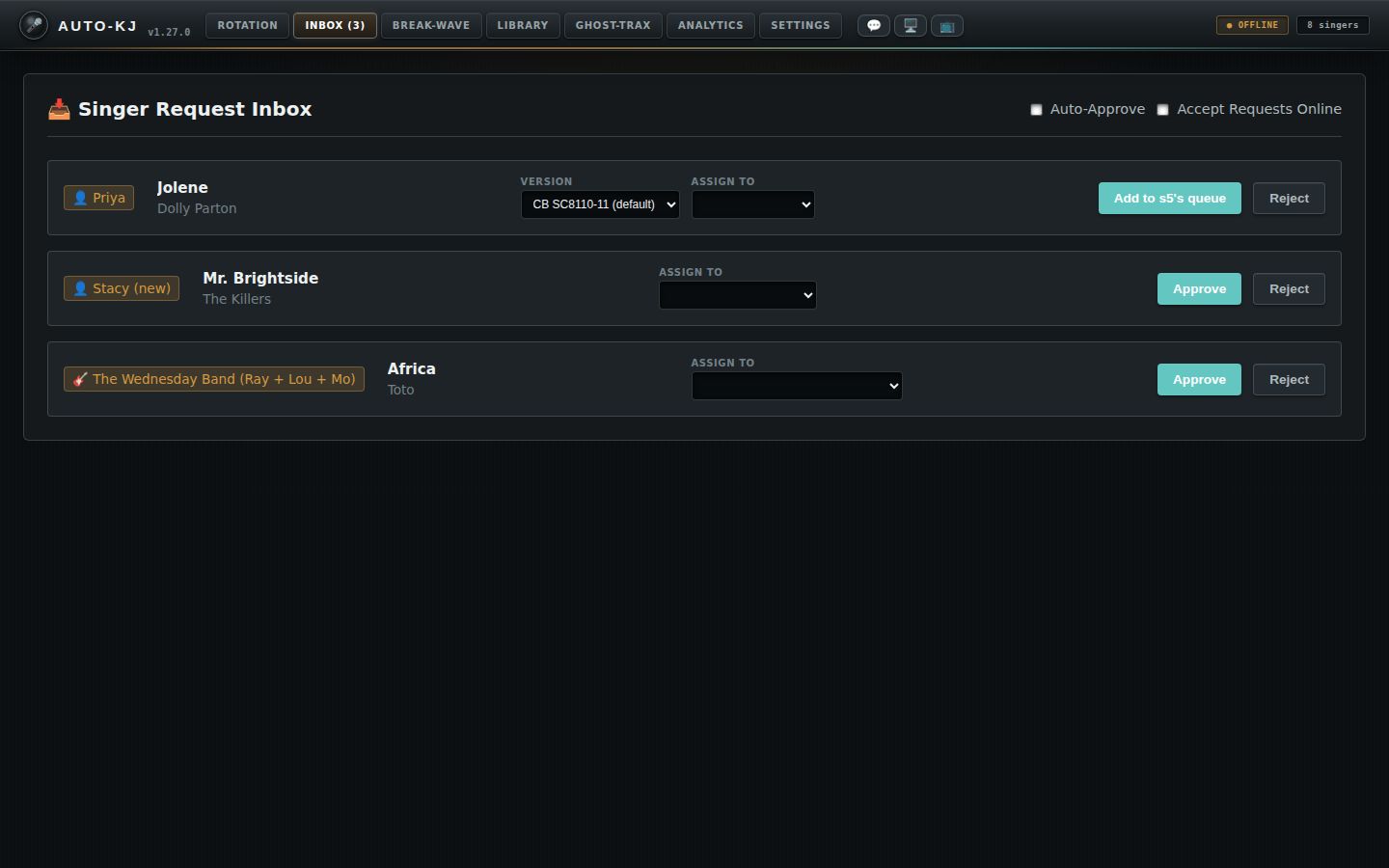
- 1Auto-Approve. When ticked, new requests skip the inbox and go straight into the rotation. Saved on this computer only.
- 2Accept Requests Online. Opens or closes phone requests for tonight. Phones see “Requests are now OPEN!” or a closed notice. If the server call fails, the box unticks itself.
- 3Who asked. The requesting singer. (new) means they aren't in tonight's line yet; approving adds them.
- 4Version. Shown when the library has more than one manufacturer version of the song. Pick which file will play.
- 5Assign to. Put the song on a different singer's queue. The button then reads “Add to X's queue”.
- 6Approve / Add to queue. Checks reserved DJ names (with Auto-Approve on, a reserved name is rejected and the phone is told why) and the duplicate policy, adds the singer if new, queues the song, removes the card and refreshes the line.
- 7Reject. Removes the card and tells the singer's phone the request was declined.
- 8Band or group request. 🎸 band name (members) or 👥 names. Approving queues one group song for every member.
Request approval
DJ Inbox (💬 in the header)
This is separate from the Inbox tab. The 💬 button opens a modal for direct messages from singers, "buy this song" requests and tip notices. Each has Dismiss, there's Clear All, and a Reply box sends a message back to that singer's phone.
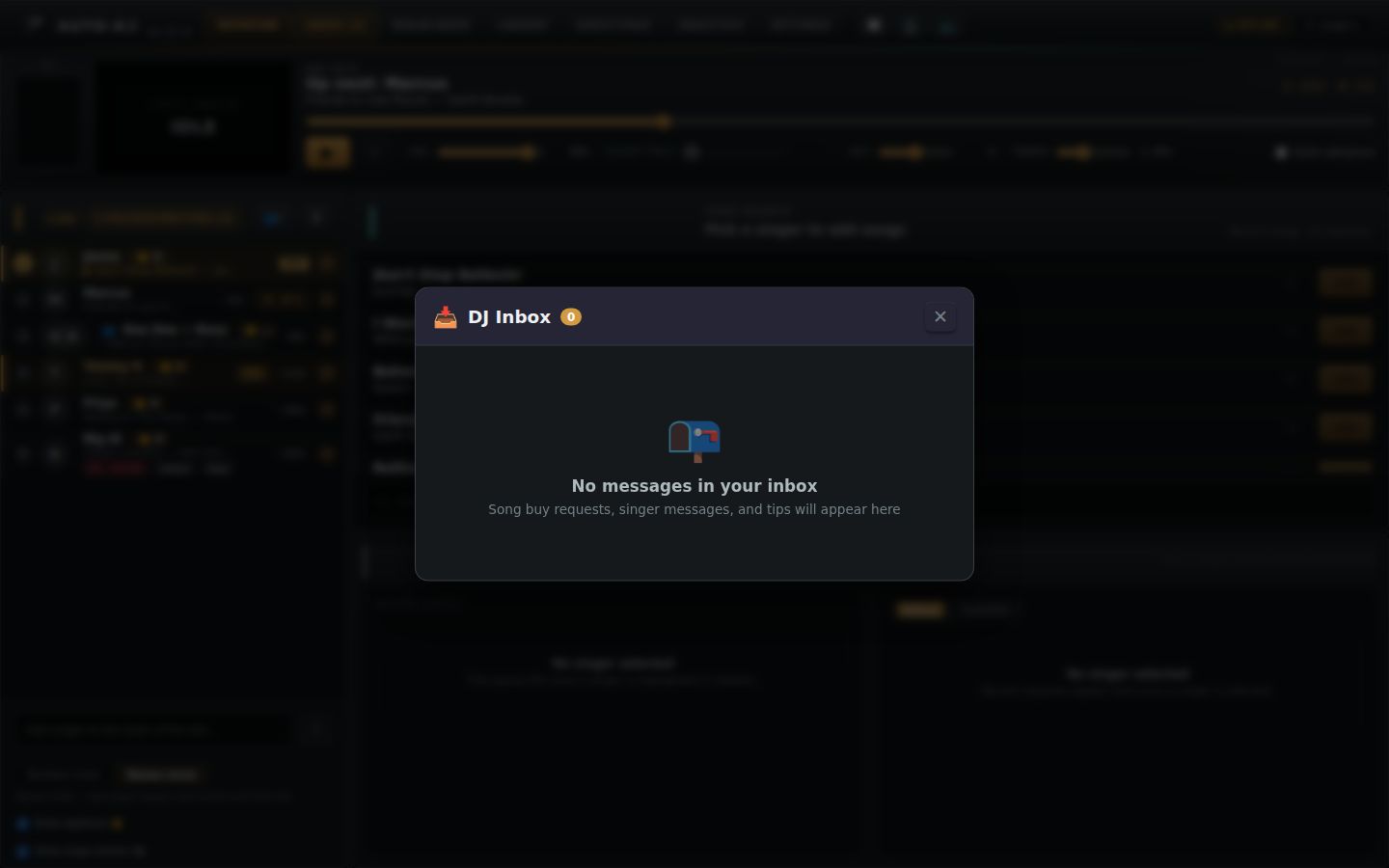
Full reference: Inbox controls, claims, departures, DJ Inbox
Purpose
The Inbox is the host's triage queue for things singers' phones send that need a host decision before touching the rotation: - Song requests from the singer PWA / kiosk (solo, group/duet, or band), to Approve (optionally reassigned to another singer and/or a different manufacturer version), Reject, or reorder. - Account claims (🪪): a logged-in PWA user asking to take over an "unclaimed" singer entry (e.g. one the host typed in at the desk). Never auto-approved. - GPS departure alerts (📍): a checked-in singer whose phone has been >200 m from the venue for 45+ minutes; the host decides to remove them (after a confirm) or keep them. - Two header toggles control whether singers can send requests at all ("Accept Requests Online") and whether clean requests skip the inbox ("Auto-Approve").
Messages, tips and "buy this song" requests do not land in this tab; they go to the separate DJ Inbox modal (lib/DjInbox.svelte), opened from the 💬 header button. That modal is documented at the end of this section because it is the other "inbox".
Layout (Inbox tab, App.svelte:4137-4284)
+--------------------------------------------------------------------+
| inbox-header:  "📥 Singer Request Inbox"      [x] Auto-Approve     |
|                                               [x] Accept Requests  |
|                                                   Online           |
+--------------------------------------------------------------------+
| inbox-list (vertical stack of cards, in this order):               |
|  1. Departure alert cards (📍 name ... [Remove from line][Keep them])|
|     -> after "Remove from line": "Remove X and their queued songs?" |
|        [Yes, remove][Cancel];  failure => ⚠️ error line under card   |
|  2. Claim cards (🪪 account ... "target" [Approve][Deny])          |
|  3a. Empty state (📥 "No pending requests" ...) if 0 requests AND   |
|      0 claims                                                      |
|  3b. else Request cards (draggable), each:                         |
|      [singer badge + song title/artist] [Version ▼][Assign to ▼]   |
|                                         [Approve | Add to X's queue][Reject] |
+--------------------------------------------------------------------+
Each card is a 3-column row: inbox-info (left), inbox-controls (middle, request cards only), inbox-actions (right).
Note: the empty state checks only requests and claims; departure alerts can show above the "No pending requests" empty state at the same time.
Controls
| Control | Region | Shown when | What it does | file:line |
|---|---|---|---|---|
| Tab button "Inbox" / "Inbox (N)" | Primary tab bar | Always | selectTab("inbox"); highlighted (attention) when N>0 and not on the tab |
App.svelte:237, 3315-3326, 3379-3392 |
| Checkbox "Auto-Approve" | Header, right | Always | handleToggleAutoApprove(checked): sets autoApprove, persists localStorage auto-kj-auto-approve, toast "Auto-approve requests enabled/disabled". Frontend-only: affects how future singer-request events are handled (see Flow I-6). Does not process cards already in the inbox. |
App.svelte:4142-4145, 2364-2368 |
| Checkbox "Accept Requests Online" | Header, right | Always | handleToggleAccepting(checked): optimistic flip + localStorage auto-kj-accepting-requests; invoke("toggle_requests_accepting", {accepting}) which broadcasts RequestsToggled to every connected server link (LAN + cloud). Toast "Accepting requests online!" / "Requests are shut off." On error: rolls checkbox + localStorage back, toast "Failed to enable/disable requests: …". Same value is re-pushed on connection init (toggle_requests_accepting) and on (re)connect via resend_show_state. |
App.svelte:4146-4149, 2370-2384, 2517, 2543, 3160, 3174; lib.rs:8988 |
| Departure card text "📍 {name} left the area 45+ minutes ago (phone reported >200m from the venue). Remove them from the line?" | Card, left | One per singer-departure-alert event (deduped by singer_id) |
Informational. Arrival also shows a 10 s toast "📍 {name} left the area 45+ min ago" | App.svelte:4154-4162, 2912-2918 |
| Button "Remove from line" | Departure card, right | Departure card present, not in confirm state | Sets departureConfirmId to this singer: the card's actions swap to the confirm row. Nothing is removed yet. |
App.svelte:4169, 197-198 |
| Confirm text "Remove {name} and their queued songs?" | Departure card, right | After "Remove from line" | Informational | App.svelte:4165 |
| Button "Yes, remove" | Departure card, right | Confirm state | departureRemove: clears confirm, invoke("delete_singer", {singerId}) then invoke("dismiss_departure_alert", {singerId}). On success: clears any stored error, removes the card, toast "Removed {name} from the line", refresh() rotation. On failure (e.g. backend error "{name} is singing right now — complete or skip their song before removing them", or "Singer not found"): card stays, error stored in departureErrors and shown as "⚠️ Couldn't remove {name}: …" under the card, plus the same text as a toast. |
App.svelte:4166, 200-217; lib.rs:2943 |
| Button "Cancel" (departure confirm) | Departure card, right | Confirm state | departureConfirmId = null; back to the two-button row. |
App.svelte:4167 |
| Button "Keep them" | Departure card, right | Departure card present, not in confirm state | departureDismiss: invoke("dismiss_departure_alert", {singerId}) (backend stops tracking that singer's presence; they keep their seat). Card removed regardless of the call's result (errors only logged). No confirm. |
App.svelte:4170, 219-226; lib.rs:9278 |
| Departure error line "⚠️ Couldn't remove …" | Departure card, bottom | departureErrors[singer_id] set |
Inline role="alert" text |
App.svelte:4173-4175 |
| Claim card text "🪪 {account_name} wants to claim the unclaimed singer "{target}" — their songs and spot in line transfer to the account." | Card, left | One per claim-request event (a newer claim from the same account for the same target replaces the old one) |
Informational; arrival toast "{account} wants to claim "{target}"" | App.svelte:4178-4186, 2919-2929 |
| Button "Approve" (claim) | Claim card, right | Claim card present | approveClaim: invoke("approve_claim", {accountId, targetName}). Backend links the seat to the account (or merges into the claimer's existing seat), broadcasts rotation, sends ClaimVerdict(accepted) to the phone. Success: card removed, toast ""{target}" now belongs to {account}", refresh(). Failure (e.g. target no longer in line / already linked to another account): toast "Claim failed: …", card stays. |
App.svelte:4188, 2307-2319; lib.rs:1758 |
| Button "Deny" (claim) | Claim card, right | Claim card present | denyClaim: invoke("deny_claim", …) sends ClaimVerdict(false) to the phone; card removed regardless. |
App.svelte:4189, 2321-2331; lib.rs:1805 |
| Empty state "📥 No pending requests — Requests sent by singers via the mobile PWA will appear here." | List | 0 requests and 0 claims | Static | App.svelte:4193-4198 |
| Request card (whole card) — drag | List | Each pending request | Draggable (title="Drag to reorder the inbox"). Drag start stores index; hovering another card shows drag-over-row highlight; drop calls moveInboxCard(from, to) → moveRequest splice. Purely local triage order; does not affect rotation placement. Order persists via the F3 mirror (below). |
App.svelte:4200-4232, 1366-1368; lib/inbox.ts:63-71 |
| Singer badge | Request card, left | Always on request card | Text only: 🎸 {band_name} ({names joined " + "}) for band requests; 👥 A + B + … for group requests (requester + de-duplicated co-performers); else 👤 {singer} |
App.svelte:4235-4242, 2147-2162 |
| Song title / artist | Request card, left | Always | Text only | App.svelte:4243-4246 |
| Select "Version" | Request card, middle | Only when background-loaded versions has >1 entry (loaded via get_versions_for_song_cmd on arrival) |
Binds req.selectedFilepath. Options: {manufacturer_code} {disk}-{track} plus " (default)" on the default version. The chosen version's filepath/title/artist are used on approve. |
App.svelte:4248-4261, 2866-2873 |
| Select "Assign to" | Request card, middle | Always | Binds req.assignTo. First option {requester} (requester), then every other current rotation singer. Changes the Approve button label and the approval target. |
App.svelte:4262-4270 |
| Button "Approve" / "Add to {assignTo}'s queue" | Request card, right | Always | approveRequest(req) (interactive). See Flow I-3 for full logic: reserved-DJ-name gate (may show confirm()), group vs solo path, add_singer if target new, add_song_request / add_group_song_request_by_names via invokeWithDuplicateConfirm (duplicate policy → confirm("…Add it anyway?")), removal of card, toast. |
App.svelte:4273-4277, 2178-2305; lib/dupConfirm.ts:8-25 |
| Button "Reject" | Request card, right | Always | rejectRequest: invoke("reject_singer_request", {singerName, reason: "Song request declined by host"}) → broadcasts RequestRejected to phones. Success: card removed, toast "Rejected request for {singer}". Failure: toast "Failed to reject: …". No confirm. |
App.svelte:4278, 2333-2345; lib.rs:8972 |
Non-click behaviors affecting the tab:
- singer-request event → new card (or auto-approve) + toast "New request from {singer}!" (App.svelte:2859-2874).
- singer-cancelled event → removes all of that singer's pending cards, toast "{singer} withdrew their request" (App.svelte:2930-2944).
- session-reset event → clears requests and claims (App.svelte:2845-2849).
- F3 persistence: every change to the request list is mirrored with invoke("sync_pending_requests") and restored at launch via get_persisted_pending_requests (App.svelte:2609-2617, 2763-2768). Claims and departure alerts are NOT persisted.
Flows (Inbox tab)
I-1 Open requests online
1. Click tab "Inbox".
2. Tick "Accept Requests Online" → toggle_requests_accepting(true) → toast "Accepting requests online!".
3. (If the backend call fails) checkbox reverts, toast "Failed to enable requests: …".
I-2 Receive a request (manual mode)
1. Singer submits on phone → backend emits singer-request.
2. autoApprove is off → card appended; toast "New request from X!"; Inbox tab label becomes "Inbox (N)" and highlights.
3. Background: get_versions_for_song_cmd → if >1 version, "Version" select appears on the card.
I-3 Approve a request
1. (Optional) choose "Version"; (optional) choose "Assign to" another singer (button relabels "Add to Y's queue").
2. Click Approve.
3. Reserved-name gate (resolveReservedName, App.svelte:2088-2131):
- Name already seated → pass.
- Name not reserved by a DJ profile → pass.
- Request from the phone account linked to that DJ profile (requester's own name only; req.account_id) → pass.
- Reserved by another (non-active) DJ profile → confirm("\"X\" is reserved by DJ P.\n\nIs that really P singing tonight?\n\nOK — yes, it's P\nCancel — someone else"). OK → pass; Cancel → forced rename.
- Reserved by the active host → forced rename without asking.
- Forced rename: picks name + random 1-999, invoke("notify_forced_rename", …) tells the phone.
4. Group path (co-performers present): each extra name goes through the same gate; then add_group_song_request_by_names (with band name if a band request; requester name for consent invites unless band). Toast "Approved: "Song" for A + B" or "…for 🎸 Band".
5. Solo path: if the target singer does not exist → add_singer; then add_song_request. Toast "Approved request for X" or "Approved: "Song" added to Y's queue (requested by X)".
6. Card removed by key; rotation refresh().
7. Error branches:
- Duplicate policy refusal → confirm("<msg>\n\nAdd it anyway?"). OK → retried with forceDuplicate: true. Cancel → reject_singer_request with reason ""Song" is already taken tonight — pick another song", card removed, toast "Duplicate refused: … — X was notified".
- Gig blocked-song list → reject_singer_request with "…not available at this show…", card removed, toast "Blocked song refused: …".
- Other error → toast "Failed to approve: …", card stays.
I-4 Reject a request: Click Reject → reject_singer_request → card removed → toast.
I-5 Reorder: Drag a request card onto another card → card moves to that index (local only).
I-6 Auto-Approve mode
1. Tick "Auto-Approve" (toast).
2. Each new singer-request runs approveRequest(req, interactive=false): no confirm dialogs. Duplicates go straight to the hard-refuse path (singer notified); blocklisted songs refused. Reserved names: a name reserved by another (non-active) DJ profile makes resolveReservedName return null, so autoRejectReservedName (App.svelte:2165-2176) calls reject_singer_request with "That name is reserved at this venue — please pick another name", drops the request and shows toast "Auto-rejected "X" — reserved DJ name" (for group requests the offending co-performer's name is the one reported). A name reserved by the ACTIVE host is not rejected: it is force-renamed (digits appended, phone notified) and approved. In auto mode the card is never added to the list, so nothing appears in the inbox either way. Claims and departure alerts are unaffected.
I-7 Account claim: claim-request → claim card → Approve (approve_claim, phone told accepted) or Deny (deny_claim, phone told denied).
I-8 Departure alert: singer-departure-alert → 10 s toast + card → "Remove from line" → confirm "Remove X and their queued songs?" → "Yes, remove" (delete_singer + dismiss_departure_alert, toast "Removed X from the line") or "Cancel"; on failure the card stays with "⚠️ Couldn't remove X: …". Or "Keep them" (dismiss_departure_alert).
DJ Inbox modal (messages, buy requests, tips) — lib/DjInbox.svelte
Purpose: a modal for free-form singer-to-host communication: chat messages, replies, "Ask the DJ to buy this song" requests, and tips. The host can dismiss items or reply to a singer.
How it opens: header button 💬 (class inbox-badge-btn, title "DJ Inbox (Messages, Buy Requests, Tips)") in the standard header (App.svelte:3407-3417) and, now, also in the Word95 skin header (App.svelte:3341-3351, next to 🖥️/📺). The click handler is openDjInbox (App.svelte:354-357); a red unread count badge shows when unreadDjMessagesCount > 0. Items come from singer-message-received events (App.svelte:2949-2979), newest first, each with a toast (💖 tip / 🎵 buy request / ↩ reply / 💬 message). Messages are in memory only (lost on restart). Unread tracking: new messages are read: false; openDjInbox and closeDjInbox both call markDjMessagesRead() (App.svelte:347-361), so the badge clears on open and again on close (covering messages that arrived while the modal was up). While the modal is open, newly arrived messages still bump the badge until it is closed.
Layout:
backdrop (click = close)
+------------------------------------------------+
| 📥 DJ Inbox [count]            [Clear All] [✕] |
+------------------------------------------------+
| empty: 📭 "No messages in your inbox"          |
|   or list of cards:                            |
|  [🎵 Buy Request|💰 Tip|✉ Message] Name [+$x] [✕]|
|  (buy: Title: … / Artist: …)                   |
|  message text                                  |
|  [↩ Reply to Name]  -- or reply box:           |
|  [textarea "Reply to Name…"]                   |
|  (success text) [Cancel] [Send Reply]          |
+------------------------------------------------+
Buy cards have a blue left border, tip cards green.
| Control | Region | Shown when | What it does | file:line |
|---|---|---|---|---|
💬 header button (+ unread badge) |
App header, screen-btns | All skins (standard and Word95) | openDjInbox(): marks all messages read (badge clears), showDjInboxModal = true |
App.svelte:3407-3417 (standard), 3341-3351 (Word95), 354-357 |
| Backdrop | Behind modal | Modal open | Click → onClose = closeDjInbox (marks read again, modal hides; messages kept) |
DjInbox.svelte:69; App.svelte:358-361 |
| "Clear All" | Modal header | items > 0 | onClearAll → djMessages = []. No confirm. |
DjInbox.svelte:79-81; App.svelte:4417-4419 |
✕ (Close inbox) |
Modal header | Always | onClose (closeDjInbox) |
DjInbox.svelte:82 |
✕ (Dismiss message) |
Card header, right | Per card | onDismiss(id) → removes that message |
DjInbox.svelte:113; App.svelte:4414-4416 |
| "↩ Reply to {name}" | Card footer | Not replying to this card | startReply: opens reply box on this card (only one card at a time) |
DjInbox.svelte:148-152, 57-61 |
| Reply textarea "Reply to {name}…" | Card, reply box | Replying to this card | Autofocused, 2 rows, binds replyText |
DjInbox.svelte:130-136 |
| "Cancel" | Reply box | Replying | Closes reply box, clears text; disabled while sending | DjInbox.svelte:141, 63-66 |
| "Send Reply" / "Sending…" | Reply box | Replying | Disabled when empty/sending. invoke("send_direct_message_cmd", {singerName, text, allowReply: true}) → DirectMessageToSinger broadcast to all server links. Success: green "Reply sent to {name}!", box closes after 1.5 s. Failure: alert("Failed to send reply: …"). The message itself stays in the inbox. |
DjInbox.svelte:142-144, 33-55; lib.rs:9001 |
Modal mount: {#if showDjInboxModal}<DjInbox …/> at App.svelte:4403-4422.
Flow D-1: 💬 → modal (badge clears) → "↩ Reply to X" → type → "Send Reply" → "Reply sent to X!" → (1.5 s) box closes → ✕ on the card to dismiss or ✕/backdrop to close the modal.
Host app
Break-Wave
A two-deck DJ console for the music between singers. It has its own audio engine and output, a mixer, a playlist, Automix, a 12-pad sound board, a drum machine with looper, and per-deck effects.
Master & Routing
The four hub tabs are Master & Routing, Soundboard, Drum Sequencer and Pro FX Rack. Master tempo and pitch affect both music decks; sound effects, drums and loops keep their own speed. Routes for soundboard, drums and looper are Main speakers, Headphones, Main + headphones, or Mute. Headphone choices require an active cue output. The hub limiter controls their combined level; the final engine safety limiter remains active. Sources: ProControlHub.svelte, HubMaster.svelte.
✨ New on this tab
- Break-Wave playlist (under Deck A): it is now the only break-music playlist. The old filler playlist and Deck B's hidden queue were merged into it once at startup, and Deck B has no separate list.
- Break music from a finished song or the phone remote: the rotation "crossfade to break" mode and the phone's Play Break / Skip Break / Stop Break buttons now play the Break-Wave playlist on the Break-Wave engine (Automix on a paid plan; the free tier plays the first track). Stop Break fades the decks out and never cuts a singer's song.
- ⚡ RESET DECK A / B (Pro Control Hub): now returns the deck to a fresh state: rate 1.00×, keylock OFF (it used to turn ON), EQ 0 dB, kills off, and that deck's FX rack off. The channel fader is left alone. The button sub-label now reads "FX OFF" and the confirmation message lists what was reset.
- 🎧 CUE (per channel) and the CUE/MASTER blend: headphone cue is free. The lock icon and "requires a paid plan" wording are gone, and the backend no longer refuses the toggle.
- 🔊 volume slider (Soundboard): the level is saved between runs and now also controls pads fired from the phone remote and from MIDI (before, the phone always played at a fixed level).
- MIDI controllers now work: MIDI starts when the app launches. Settings > MIDI Controllers & DJ Hardware has Learn, Clear and Reset to preset buttons for every action, saved per DJ profile. Presets exist for Pioneer DDJ-400 / FLX4, Numark Mixtrack Pro 3 / Platinum FX, Novation Launchpad Mini MK3 / X and Akai APC mini / APC40 / MPD218. Mappable controls include deck transport, EQ, faders, crossfader, AutoFade, Automix start/skip/stop, soundboard pads, drum sequencer start/stop and live pads, and the karaoke play/pause, stop and next singer.
- Drum sequencer (▶ START / ⏹ STOP, live pads): can now be driven by MIDI.
- Library dock and Deck A playlist: no visible change; the dead standalone "Filler Music & Break Tracks" page code was removed from
BreakTracks.svelte. - AUTOMIX (mixer panel) now re-orders the Break-Wave playlist itself: the separate "AUTOMIX PLAN" preview list and its Cancel button are gone. Pressing AUTOMIX (free) re-sequences the playlist under Deck A with a random seed, and a small summary line under the buttons shows "mix #xxxx", "N tracks ordered in the Break-Wave playlist" and the count of beat-locked hops (⚡ k/m).
- 🎲 New mix (new button): appears after AUTOMIX has been pressed and re-orders the playlist again with a fresh seed. It also appears in the "Applies to the next plan." hint after you flip the checkbox.
- Undo reorder (new button): appears whenever the playlist still holds an order that can be restored, and puts the playlist back the way it was before the last AUTOMIX or 🎲 New mix. Any hand edit to the playlist (add, remove, move, shuffle, load a saved playlist, ▶ next) or starting a set clears it.
- Allow same artist back-to-back (new checkbox): off by default, saved per DJ profile. Off means the same primary artist ("A feat. B" counts as "A") never plays back to back unless only that artist's tracks are left; artists are spread through the set either way. Changing it only affects the next plan.
- ▶ Start now plays the playlist exactly as it stands (no plan needed first), so hand re-ordering after AUTOMIX sticks. It is still paid; the free tier sees "Automix requires a paid plan" on the panel status line. The MIDI "Automix start" action, the phone's Play Break and end-of-song break music instead re-plan first with a fresh seed and the saved checkbox value.
- Running set follows the playlist: while a set plays, adding, removing, moving or shuffling rows in the Break-Wave playlist (or dock ⤒ Next / Add as next) immediately changes what plays next. The playing row is tagged NOW and the next row NEXT, a ⚡ (beat-locked) or ∿ (timed fade) icon sits on each row that has a planned hop into the row below, and every other row gets a ▶ next button. The old "Upcoming" list under the panel's NOW line is gone; the panel now shows a NEXT line instead.
- ▶ RESUME: now replays the playlist as it stands, minus the tracks the stopped set already played (it no longer re-plans them).
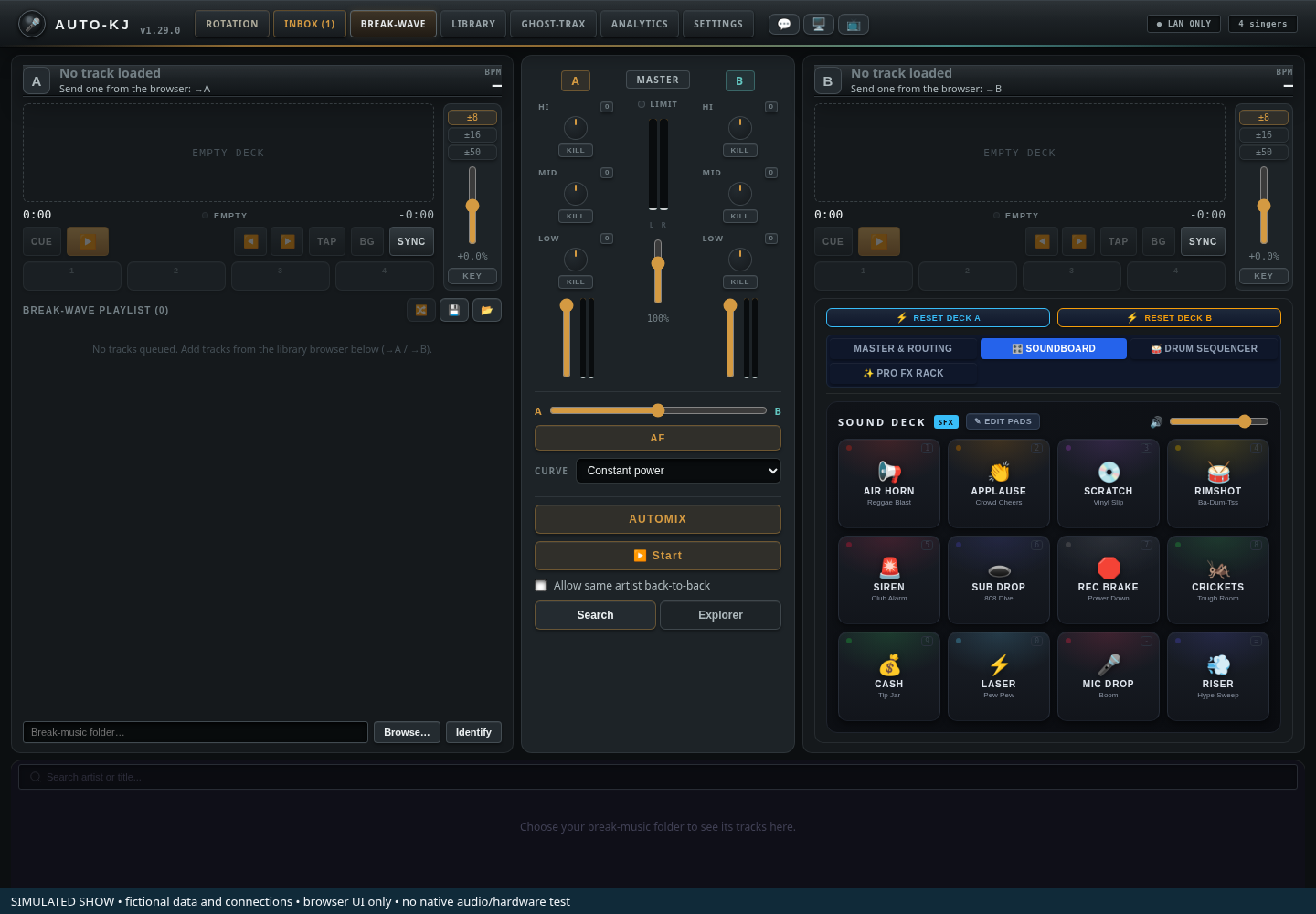
- 1Deck A and playlist. Deck A sits above the shared Break-Wave playlist.
- 2Mixer. Channel EQ, gain, crossfader and Automix controls.
- 3Deck B. A second independent music deck.
- 4Performance hub. Four tabs: Master & Routing, Soundboard, Drum Sequencer, Pro FX Rack. The capture shows Soundboard.
- 5Library dock. Browse or search break music below the decks.
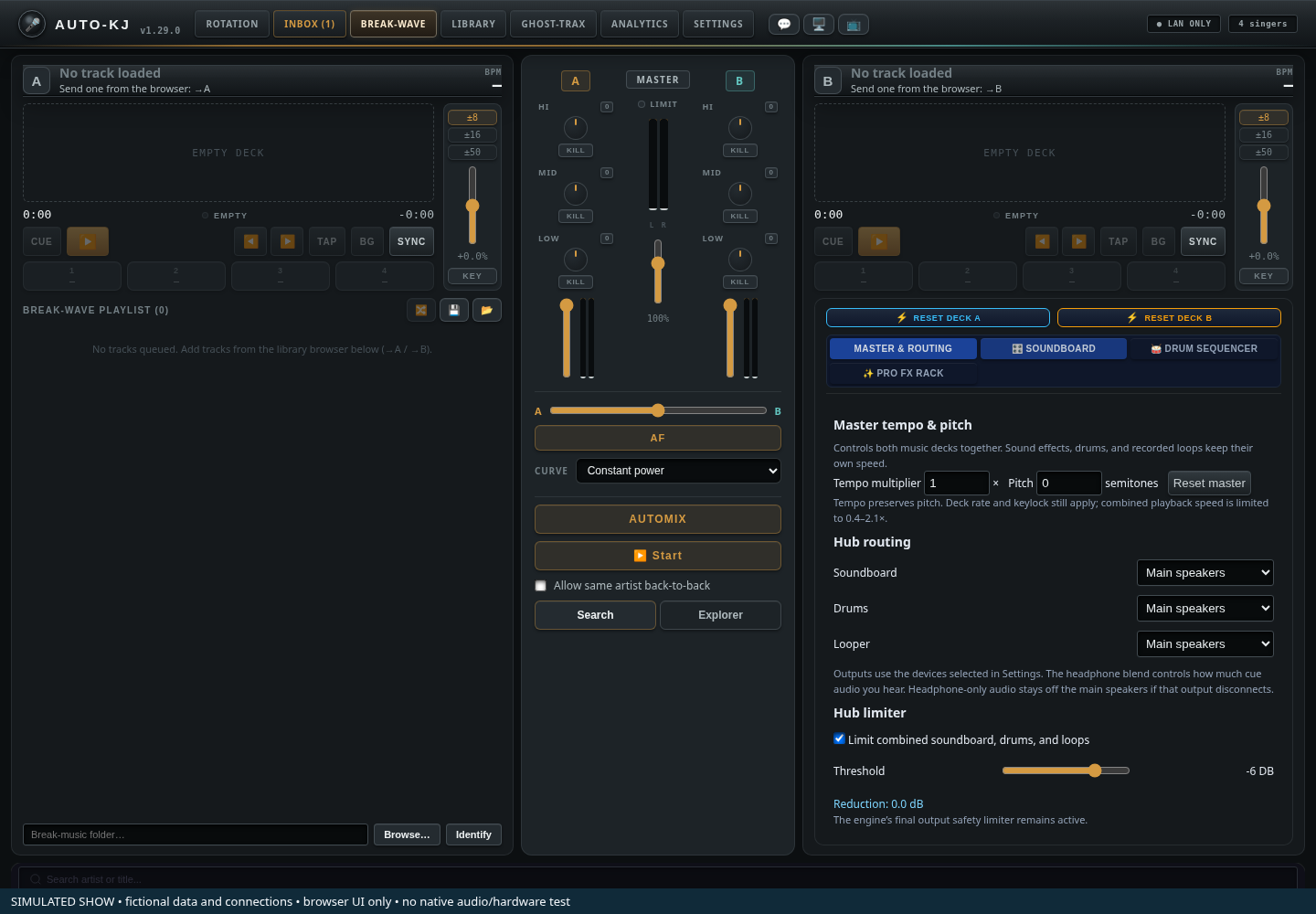
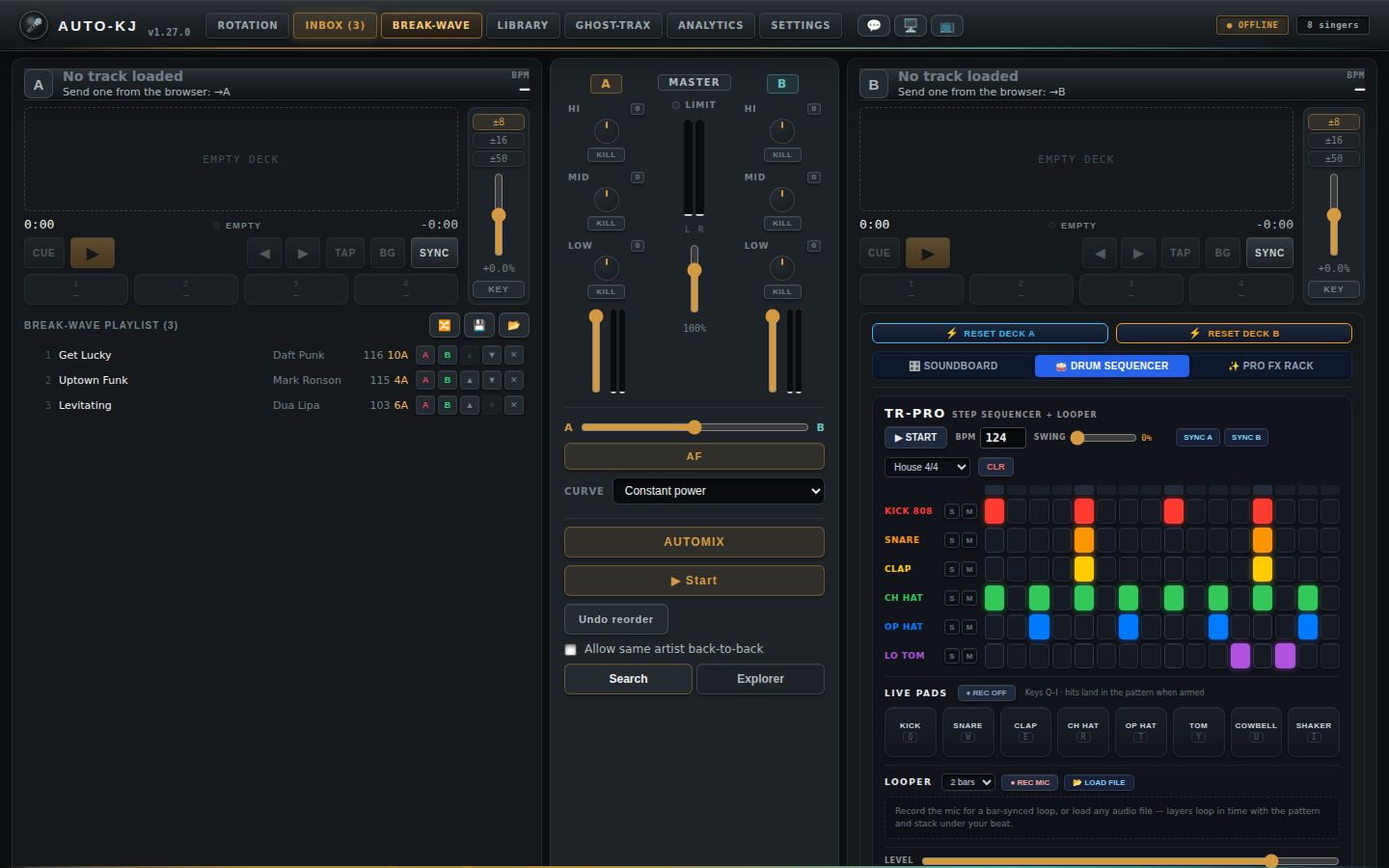
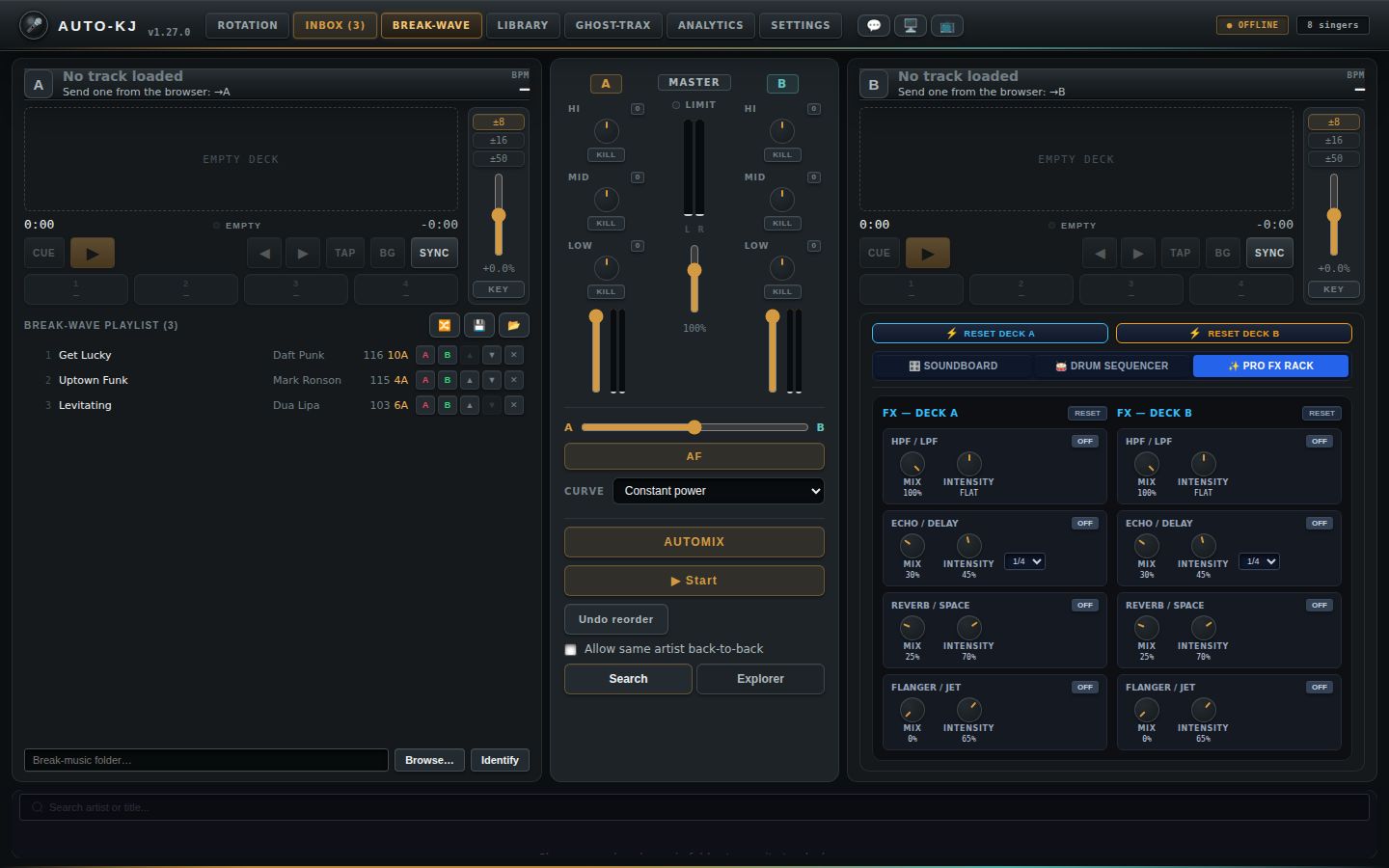
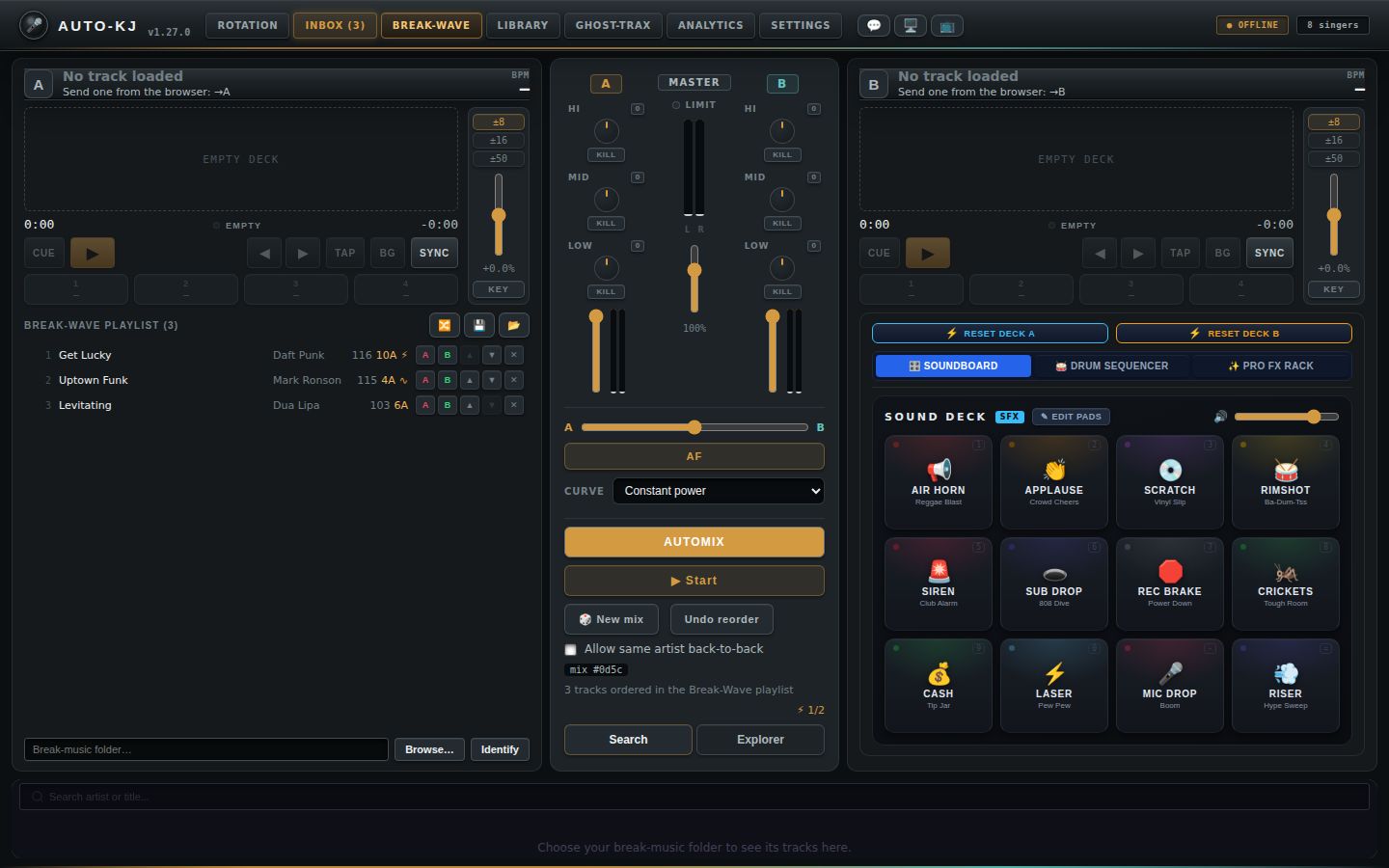
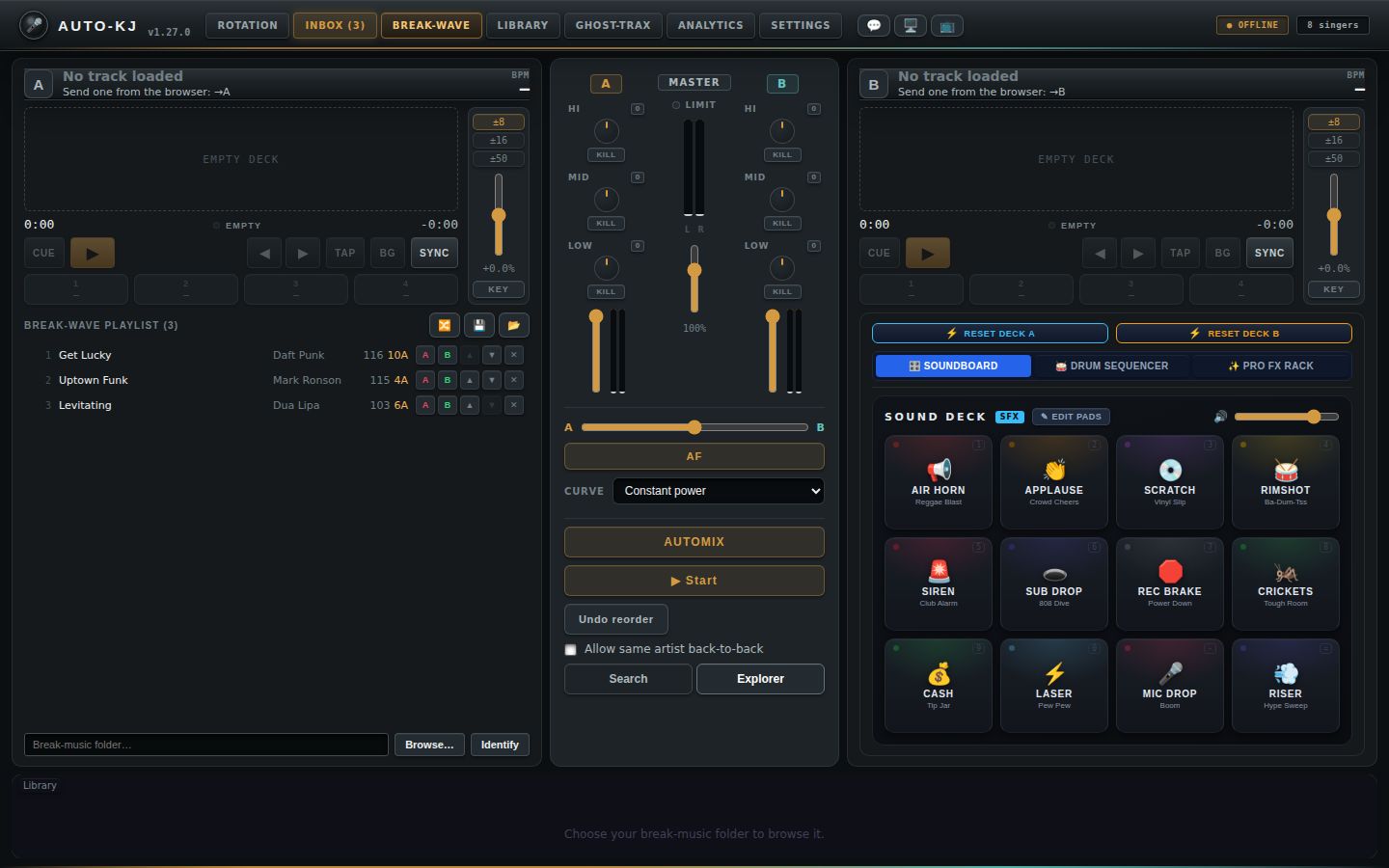
Manual mix from Deck A to Deck B
Automix
Full reference: decks, mixer, playlist, Automix, pads, drums, FX
All paths are relative to host-app/src/. Line numbers are 1-based and refer to the file named in each row. Rust rows: src-tauri/... means host-app/src-tauri/...; dj-engine/... is at the repo root.
Purpose
Break-Wave is the host app's DJ mode. When no one is singing (between singers, during breaks, before and after the show), the host (KJ) uses it to play "break music" (filler music) so the room is never silent. It is a two-deck DJ console with its own audio engine in Rust (dj_* Tauri commands). That engine plays on its own output device, which you pick in Settings > "Break-Wave (Deck) Output". The tab provides:
- Two decks (A and B). Each deck has load/eject, play/pause, CUE (go back to the start), a pitch/tempo fader, keylock, nudge, tap-tempo beatgrid correction, beatgrid re-analysis, SYNC, 4 saved hot-cue pads, and zoomed plus full-track waveforms.
- A center mixer. It has a 3-band EQ with kill buttons per channel, channel faders with VU meters, a master gain with VU meters and a limiter LED, a crossfader with a curve selector and AutoFade (AF), an optional headphone cue (PFL) with a cue/master blend, and the Automix panel. Automix plays a hands-free set: it re-orders the Break-Wave playlist by BPM, key, energy and artist spread (never the same artist back to back unless unavoidable, unless you tick the checkbox), then crossfades between tracks by itself.
- The Break-Wave playlist (shown under Deck A). It is the ONE break-music playlist for the whole app: the old karaoke-side filler playlist and Deck B's hidden queue were merged into it once at startup. You can edit, shuffle, save, load and analyze it. While an Automix set runs it IS the queue. Automix, the rotation "crossfade to break" mode and the phone remote's Play / Skip / Stop Break buttons all use it.
- The Pro Control Hub (shown under Deck B in place of a playlist). It has deck reset buttons (rate, keylock, EQ, kills and that deck's FX), a 12-pad SFX soundboard, a 16-step drum machine with live pads and a looper, and a per-deck FX rack (filter, delay, reverb, flanger).
- A library browser dock at the bottom (
lib/BreakTracks.svelteindockmode). It lists the break-music folder in Search or Explorer view, and from it you load tracks to a deck or queue them into the playlist. - MIDI controller support. MIDI starts at app launch (not just when Settings is opened). Built-in presets auto-apply by device name, and Settings > MIDI Controllers & DJ Hardware has a per-action MIDI Learn table (see the MIDI sections below). Mapped controls drive the decks, mixer, Automix, soundboard, drum sequencer and the karaoke transport.
The tab is opened from the main tab bar as "Break-Wave" (App.svelte:238, rendered at App.svelte:4131-4132), or with the default shortcut Alt+3 (lib/keyboardShortcuts.ts:55).
Engine lifecycle.
- On mount (lib/dj/DjMode.svelte:25-58), in order:
1. Start listening to the event stream: dj-state at 30 Hz, dj-analysis-ready, dj-analysis-failed, dj-engine-error, automix-state and dj-cue-error (lib/dj/djStore.ts:73-103).
2. invoke("dj_start"). If this fails, a red banner reads "Could not start the audio engine: … Check the Break-Wave output device in Settings."
3. dj_get_snapshot seeds the UI.
4. dj_get_restored_deck_paths handles crash recovery. Whatever was on each deck when the app last closed is re-loaded paused and never auto-played. This happens once per app run.
- On unmount (tab exit, DjMode.svelte:60-66): dj_release_if_idle. The engine stops only if no deck is playing, so a playing deck keeps the music going across tab switches (handoff rule H1).
- Break music started from outside this tab: the rotation "crossfade to break" completion mode and the phone remote's Play / Skip / Stop Break buttons no longer use a separate karaoke-side filler player (the old play_break_track path is gone). They call break_wave_play, break_wave_skip and break_wave_stop (src-tauri/src/dj.rs:1840-1977), which run this engine and the single Break-Wave playlist even when the tab is not open. See "Remote (tablet or cloud) triggers" for the exact rules.
- Karaoke wins over the decks: starting a rotation song stops any Automix run and fades both decks out, then pauses them (dj::on_karaoke_play, src-tauri/src/dj.rs:372-380; called from src-tauri/src/lib.rs:3770 and 4226).
Layout
The page is a vertical flex column that fills the window below the app chrome, with 8 px gaps (DjMode.svelte:85-106):
┌──────────────────────────────────────────────────────────────────────────────┐
│ [⚠️ DJ engine: <error>                                            ✕]  (only on error)
│ [status alert: "Failed to load track onto Deck A: …"]       (5 s, only on failure)
├───────────────────────────┬──────────────────┬───────────────────────────────┤
│ DECK A (1fr)              │ MIXER STRIP      │ DECK B (1fr)                  │
│                           │ (fixed 300 px)   │                               │
│ header: [A] Title ⏏ /     │ A | MASTER | B   │ header: [B] Title ⏏ / Artist  │
│   Artist  KEY  BPM TAPPED✕│ HI  [0] knob KILL│   KEY  BPM                    │
│ ┌wave column──────┬pitch┐ │ MID [0] knob KILL│ ┌wave column──────┬pitch┐     │
│ │zoom waveform 68px│±8  │ │ LOW [0] knob KILL│ │ same as Deck A  │rail │     │
│ │full waveform 34px│±16 │ │ (🎧 CUE)         │ └─────────────────┴─────┘     │
│ │0:00 ●playing -3:12│±50│ │ vfader+VU        │                               │
│ │CUE ▶ ◀ ▶ TAP BG  │fader│ │ MASTER: LIMIT   │ PRO CONTROL HUB               │
│ │ SYNC             │+0.0%│ │ LED, L/R VU,    │ [⚡RESET DECK A][⚡RESET DECK B]│
│ │[1][2][3][4] cues │KEY │ │ master fader %   │ [🎛️SOUNDBOARD][🥁DRUMS][✨FX]  │
│ │deck status line  │    │ │ ─────────────    │ (✓ reset msg · ● MIDI LIVE)   │
│ └──────────────────┴─────┘ │ A [crossfader] B │ ┌ active hub pane ─────────┐  │
│ BREAK-WAVE PLAYLIST (n)   │ [AF]             │ │ Soundboard / Drums / FX  │  │
│              🔀 💾 📂     │ Curve [select]   │ └──────────────────────────┘  │
│ (Save-as / Load popover)  │ (CUE ─── MASTER) │                               │
│ 1 [NOW] Title Artist BPM  │ mixer status     │                               │
│   Key ⚡ [▶next][A][B][▲][▼][✕]│ ─────────────    │                               │
│ …(25 visible, scroll)     │ AUTOMIX Start    │
│                           │ (🎲 New mix)(Undo)│
│                           │ [x] same artist  │                               │
│ [Break-music folder…]     │ mix #a3f9 summary│
│                           │ [Search|Explorer]│                               │
│ [Browse…] [Identify]      │                  │                               │
├───────────────────────────┴──────────────────┴───────────────────────────────┤
│ LIBRARY DOCK (BreakTracks dock; fills remaining height, scrolls)            │
│ (status alert)                                                              │
│ Search pane:  [🔍 Search artist or title...]                                │
│               "N tracks"  (batch status)  [⚡ Analyze All (k)]              │
│               rows: Title/Artist · BPM · Key · [⚡Analyze][→A][→B][⤒Next][+End]
│ Explorer pane: [Library] / sub / sub  [↑ Up]                                │
│               "F folders · T tracks" … [⚡ Analyze All (k)]                 │
│               📁 folder rows, then track rows (same buttons)                │
│ (identify progress bar while AcoustID identify runs)                        │
└──────────────────────────────────────────────────────────────────────────────┘
Region details
- Engine error banner (
DjMode.svelte:86-91). Shown only while$djErroris set. Sources: adj_startfailure, thedj-engine-errorevent (for example, device lost), ordj-cue-error, shown as "Headphone cue: …". - Load-failure alert (
DjMode.svelte:93-95). Transient (5 s). Only for loads started from the dock or by crash-restore. - Deck grid (
DjMode.svelte:97-101): three columns,Deck A | MixerStrip | Deck B(minmax(0,1fr) auto minmax(0,1fr)). - Deck (lib/dj/Deck.svelte:592-952). A vertical card:- Header row: deck badge (A/B; lit while playing), track info, KEY block, BPM block.
- Deck body: a 2-column grid, the wave column (flexible) and a pitch rail (64 px on the right).
- Wave column, top to bottom: zoom waveform (68 px) → full waveform (34 px); or a single dashed "empty deck" placeholder (108 px) when nothing is loaded. Then the time row (elapsed · beat LED + state word · remaining) → transport row → 4 cue pads → deck status line.
- Pitch rail, top to bottom: range buttons ±8/±16/±50 → vertical pitch fader (top = faster) → "+x.x%" readout → KEY (keylock) button.
- Below the body: Deck A shows the Break-Wave playlist; Deck B shows the Pro Control Hub.
- Mixer strip (
lib/dj/MixerStrip.svelte:364-481). Fixed 300 px wide: - A 3-column grid: channel A | MASTER | channel B.
- Each channel column: label → HI, MID, LOW cells (label + "0" reset, rotary knob, KILL) → optional 🎧 CUE → vertical fader with stereo VU.
- MASTER column: label → LIMIT LED → L/R VU → vertical master fader → "%" readout.
- Crossfader section: A–B horizontal slider → AF button → Curve select → optional CUE–MASTER blend.
- Mixer status line.
- Tools: Automix panel (embedded: idle = ▶ RESUME (if resumable), AUTOMIX, ▶ Start, 🎲 New mix, Undo reorder, the "Allow same artist back-to-back" checkbox and a plan summary; running = NOW / NEXT lines with SKIP / STOP / PANIC), then the Search/Explorer tab pair that controls the dock.
- Library dock (
DjMode.svelte:103-105→lib/BreakTracks.svelte:452-702withdock=true). One card that fills the rest of the height. The component now contains only the library browser (the old standalone page code was removed). The Search/Explorer tabs are NOT drawn in the dock; they live in the mixer strip. The folder path input is NOT in the dock; it lives in Deck A's playlist section.
Pro Control Hub (lib/dj/ProControlHub.svelte:49-103, under Deck B):
- A reset bar: two big buttons side by side (each also switches that deck's FX rack off), then 4 hub tabs.
- A reset alert.
- The content area. All four panes stay mounted and are hidden with CSS, so drum patterns, loops and FX survive tab switches inside the hub.
- Soundboard (SoundboardStreamDeck.svelte:709-773): header (SOUND DECK · SFX badge · ✎ EDIT PADS toggle | 🔊 volume slider) → optional edit hint → status line → a 4-column grid of 12 pads (3 rows).
- Drum sequencer (DrumSequencer.svelte:636-798):
- Header: TR-PRO brand; transport (▶ START/⏹ STOP, BPM number, SWING slider, SYNC A, SYNC B, preset select, CLR).
- Step matrix: left column of 6 track names with S/M buttons; right side has a 16-LED playhead row, then 6 rows × 16 step buttons.
- LIVE PADS section: REC arm, hint, then 8 pads in a row.
- LOOPER section: bars select, REC MIC, LOAD FILE, status, then the layer list.
- Footer: LEVEL slider.
- FX rack (DeckFxRack.svelte:118-237): two columns, "FX — DECK A" and "FX — DECK B". Each has a RESET button, then 4 stacked modules: HPF/LPF, ECHO/DELAY, REVERB/SPACE, FLANGER/JET. Each module has an ON/OFF toggle and knobs.
Context menus (lib/dj/ContextMenu.svelte). A fixed-position popup clamped to the viewport. It closes on an outside pointerdown, Escape, any scroll, or a window resize. Clicking an item runs it and then closes the menu. Used by the Deck A playlist rows and the dock library rows.
Controls
DjMode shell (lib/dj/DjMode.svelte)
| Control | Region | Shown when | What it does | file:line |
|---|---|---|---|---|
| ✕ (Dismiss engine error) | Engine error banner, right | $djError set |
clearDjError() clears the banner (UI only; the engine is not restarted) |
DjMode.svelte:89 |
| (none) status alert | Under banner | After a failed dock/restore load | Shows "Failed to load track onto Deck A/B: <err>" for 5 s | DjMode.svelte:93-95 |
loadTrack(deck, path) (callback given to the dock as onLoadToDeck) |
Dock →A/→B and menu items | always | invoke("dj_load_track",{deck,filepath}), then ensureWaveform(filepath) (dj_get_waveform). The backend auto-starts the engine and never auto-plays |
DjMode.svelte:68-76 |
Deck (lib/dj/Deck.svelte), identical for A and B unless noted
| Control | Region | Shown when | What it does | file:line |
|---|---|---|---|---|
| Deck badge "A"/"B" | Header, left | always | Display only. Glows (live) while playing |
Deck.svelte:594 |
| Track title / artist | Header | track loaded (else "No track loaded / Send one from the browser: →A") | Display only; full text in the tooltip | Deck.svelte:596-612 |
| ⏏ (Unload track from deck X) | Header, next to the title | track loaded | invoke("dj_unload",{deck}) empties the deck. The backend clears its stored deck path, so it will not be crash-restored |
Deck.svelte:599-606, 156-163 |
| KEY readout | Header | track has key_camelot |
Display only: Camelot key (e.g. "8A") | Deck.svelte:614-619 |
| BPM readout | Header | always | Effective BPM = bpm × rate to 1 decimal. A "?" suffix means analysis confidence is < 0.18 (SYNC would refuse). "—" while analysis is pending. When pitched, a small "<base> @ 1.00×" line appears below |
Deck.svelte:620-631, 43-44 |
| TAPPED ✕ chip | Header, under the BPM | track has a manual (tapped) beatgrid | invoke("dj_clear_manual_grid",{deck}) reverts to the automatic grid. Status: "Manual beatgrid cleared — using automatic analysis" |
Deck.svelte:632-640, 227-235 |
| Zoom waveform | Wave column, top | track loaded | Display only. A 15 s window centered on a fixed playhead, with beatgrid ticks and cue markers. Not clickable (no onSeek) |
Deck.svelte:647-659; Waveform.svelte:167-221 |
| Full-track waveform (click to seek) | Wave column, under the zoom | track loaded | Pointer-down anywhere seeks to that fraction of the track: invoke("dj_seek",{deck,positionSecs}). Played portion is drawn in the accent color; shows cue markers and the playhead. Seek only works once waveform data exists ("analyzing…" overlay before then). No drag-scrub: the seek happens on pointer-down only |
Deck.svelte:660-671, 173-178; Waveform.svelte:296-306 |
| "empty deck" placeholder | Wave column | no track | Display only | Deck.svelte:672-676 |
| Time row: elapsed / beat LED / state word / -remaining | Under the waveforms | always | Display only. The beat LED flashes for the first 15 % of each beat. The state word is empty/stopped/playing/paused | Deck.svelte:678-690 |
| CUE | Transport row, 1st | enabled when a track is loaded | dj_pause, then dj_seek to 0: back to the start, paused (Phase 1 CUE semantics) |
Deck.svelte:693-701, 166-171 |
| ▶ / ⏸ (Play/Pause) | Transport row, 2nd (primary) | enabled when a track is loaded | invoke("dj_play") if not playing, else invoke("dj_pause") |
Deck.svelte:702-709, 150-154 |
| ◀ (Nudge back, hold) | Transport row, nudge group | enabled when a track is loaded | Pointer-down: dj_nudge {offset:-0.02, active:true} (temporarily 2 % slower). Pointer up/leave/cancel: dj_nudge {offset:0, active:false}. Button shows held state |
Deck.svelte:711-723, 258-272 |
| ▶ (Nudge forward, hold) | Transport row, nudge group | enabled when a track is loaded | Same as above with +0.02 (temporarily 2 % faster) | Deck.svelte:724-736 |
| TAP / TAP n | Transport row | enabled when a track is loaded | invoke("dj_tap_beatgrid",{deck}). The deck must be playing; tap along with the beat. The count shows on the button. From 4+ taps the backend fits and persists a manual grid. Status: "Beatgrid set from taps — X BPM", or an error such as "Tap the beat while the deck is playing" |
Deck.svelte:738-746, 213-225 |
| BG ("…" while running) | Transport row | enabled when a track is loaded and not analyzing | invoke("dj_analyze_track",{deck}) forces a fresh automatic BPM/beatgrid/key analysis (a manual grid is kept). Status: "Beatgrid analyzed" or the error |
Deck.svelte:747-755, 239-251 |
| SYNC / 🔒 SYNC | Transport row, last | always clickable (lock icon on the free tier) | invoke("dj_sync",{deck}): this deck follows the other deck. It matches the rate and phase-aligns if both are playing. On success the pitch range auto-widens to the smallest of ±8/16/50 that fits. Status: "Synced — 1.023×, shifted 40 ms". Rejections ("requires a paid plan", "no reliable beatgrid", "load both decks") show on the status line |
Deck.svelte:760-768, 182-201 |
| Cue pads 1-4 | Under the transport row | disabled with no track | See CuePads table | Deck.svelte:771 |
| Deck status line | Under the cue pads | transient message present | Display only; auto-clears after 5 s | Deck.svelte:773-775 |
| ±8 / ±16 / ±50 | Pitch rail, top | always | Sets the pitch fader range (default ±8 %). Keeps the current rate if it fits, otherwise clamps it and sends dj_set_rate with the clamped rate |
Deck.svelte:779-789, 136-146 |
| Pitch fader (vertical) | Pitch rail, middle | always | Range -1..1, step 0.001; top = faster. rate = 1 + value × range. Sent debounced (100 ms) as invoke("dj_set_rate",{deck,rate}). Snapshot sync is held off for 600 ms after a drag. No double-click reset (use the Hub RESET) |
Deck.svelte:790-799, 130-134 |
| "+x.x%" readout | Pitch rail | always | Display only; dimmed at 0 % | Deck.svelte:800-802 |
| KEY (keylock) | Pitch rail, bottom | always | Toggles invoke("dj_set_keylock",{deck,on}). On = tempo changes keep the pitch; off = vinyl style. aria-pressed reflects the state |
Deck.svelte:803-814, 205-209 |
Deck A only: Break-Wave playlist (deck === 0, Deck.svelte:818-948). There is ONE Break-Wave playlist: deck 0's persisted queue. Every dj_*_deck_* / saved-playlist command still takes a deck argument, but the backend validates it and then always uses deck 0 (src-tauri/src/dj.rs:3064-3067). Deck B has no list of its own (its old rows were merged into Deck A's at startup). Automix (dj.rs:1313), the rotation "crossfade to break" mode and the phone remote all read this same list. While a set is running the rows are the queue: every playlist edit calls after_playlist_edit (dj.rs:1477), which re-syncs the running queue (sync_automix_queue_from_playlist, dj.rs:1483; dj-engine/src/automix.rs:1044) and clears the Undo-reorder snapshot. Rows above the playing row that already played are not re-queued; unplayed rows above it wrap round after the rows below it; during a transition the incoming track stays put.
| Control | Region | Shown when | What it does | file:line |
|---|---|---|---|---|
| "BREAK-WAVE PLAYLIST (n)" | Playlist head | Deck A | Display: count | Deck.svelte:821 |
| 🔀 (Shuffle) | Playlist head, right | disabled if < 2 tracks or busy | invoke("dj_shuffle_deck_playlist",{deck}), then reload |
Deck.svelte:823-830, 480-491 |
| 💾 (Save this playlist) | Playlist head | always | Opens the Save-as popover (closes Load) | Deck.svelte:831, 493-497 |
| 📂 (Load a saved playlist) | Playlist head | always | invoke("dj_list_saved_playlists"), then opens the Load popover |
Deck.svelte:832, 514-522 |
| "Playlist name…" text input | Save-as popover | popover open | Name entry; Enter = Save | Deck.svelte:838-844 |
| Save | Save-as popover | popover open; disabled if the name is blank or busy | invoke("dj_save_playlist_as",{deck,name}) creates a playlist or replaces one of the same name. Status: 'Saved playlist "X"'. The popover closes |
Deck.svelte:845-847, 499-512 |
| Cancel | Save-as popover | popover open | Closes the popover | Deck.svelte:848 |
| Saved playlist name (button) | Load popover row | popover open, ≥1 saved | invoke("dj_load_saved_playlist",{deck,playlistId}) REPLACES the live queue, reloads, and closes |
Deck.svelte:859, 524-536 |
| ✕ (Delete this saved playlist) | Load popover row, right | popover open, ≥1 saved | invoke("dj_delete_saved_playlist",{playlistId}), then refreshes the list. No confirmation |
Deck.svelte:860-862, 538-545 |
| "No saved playlists yet." | Load popover | none saved | Display only | Deck.svelte:855 |
| Close | Load popover | popover open | Closes the popover | Deck.svelte:866 |
| Empty hint | Playlist body | 0 tracks | "No tracks queued. Add tracks from the library browser below (→A / →B)." | Deck.svelte:870-873 |
| Playlist row (click / Ctrl-click / Shift-click / Enter / Space) | Playlist list (25 rows visible, then scroll) | ≥1 track | Selection only. A plain click selects just that row (clicking the lone selected row again deselects it); Ctrl/Cmd toggles; Shift selects a range from the last click. Clicks on the row's buttons don't change the selection | Deck.svelte:880-891, 329-356 |
| Row right-click | Playlist row | ≥1 track | If the row isn't selected, selects only it. Opens the context menu (below) at the cursor | Deck.svelte:890, 358-367 |
| NOW / NEXT tag (and row tint) | Row title, left of the title text | An Automix set is running; nowFp = automixState.current_filepath, nextFp = automixState.next_filepath |
Display only. The playing row gets a green "NOW" tag and tint, the row that will mix in next gets an accent "NEXT" tag and outline. Both follow the running queue, so hand edits move them | Deck.svelte:458-459, 883-884, 894 |
| BPM / key / ⏳ | Row meta | ⏳ while both BPM and key are missing | Display. Filled live by the dj-analysis-ready event |
Deck.svelte:897-904, 562-570 |
| ⚡ / ∿ (planned hop) | Row meta, after BPM / key | The row has a planned transition into the row directly below it. For the playing row while a set runs: the live plan's transition (automixState.transition) when the row below is the NEXT track. Otherwise: the hop from the last AUTOMIX / 🎲 New mix in this session (automixPlanHops store) while the row below is still that hop's target |
Display only. ⚡ = beat-locked into the next track, ∿ = timed fade; blank on the last row. A hand edit that changes the neighbour hides the stale icon. The store is cleared by Undo reorder, STOP and PANIC | Deck.svelte:461-470, 900; automixPrefs.ts:58-71; djStore.ts:36-40 |
| ▶ next | Row actions, first | An Automix set is running and this row is neither the NOW nor the NEXT row | invoke("automix_set_next",{filepath}): the backend moves this row to just below the playing row (move_below_current), emits deck-playlist-updated and re-syncs the running queue, so this track plays next. Errors (e.g. "Automix is not running") go to the deck status line. Replaces the old "Upcoming" list's ▶ next |
Deck.svelte:906-908, 472-478; src-tauri/src/dj.rs:2613-2637 |
| A (Load in Deck A) | Row actions | always | invoke("dj_load_track",{deck:0,filepath}) + ensureWaveform. Failure goes to the deck status |
Deck.svelte:909, 314-321 |
| B (Load in Deck B) | Row actions | always | Same, onto deck 1 | Deck.svelte:910 |
| ▲ (Move up) | Row actions | disabled on the first row | invoke("dj_move_deck_track",{deck,from:i,to:i-1}), then reload |
Deck.svelte:911, 443-452 |
| ▼ (Move down) | Row actions | disabled on the last row | Same with to = i+1 | Deck.svelte:912 |
| ✕ (Remove from playlist) | Row actions | always | invoke("dj_remove_deck_track",{deck,index}), then reload. No confirmation |
Deck.svelte:913, 434-441 |
| "N more below — scroll the list" | Under the list | > 25 tracks | Display only | Deck.svelte:918-920 |
| "Break-music folder…" text input | Browse row | always | On change: setBreakLibraryPath(value) saves it to localStorage setting_break_track_library_path. The dock subscribes and rescans (search or explorer) |
Deck.svelte:924-930; djStore.ts:314-321 |
| Browse… | Browse row | always | Native folder picker (@tauri-apps/plugin-dialog open({directory:true})); the chosen folder sets breakLibraryPath and the dock rescans |
Deck.svelte:931-933; djStore.ts:324-327 |
| Identify | Browse row | disabled on the free tier or while busy (tooltip "Requires a paid plan") | invoke("identify_tracks_start") runs AcoustID/MusicBrainz fingerprinting over the break library. Status: "Identifying N tracks…". The dock shows a progress bar driven by the identify-progress event. There is no cancel in dock mode. An AcoustID key must be set in Settings or the backend errors |
Deck.svelte:934-942, 76-88 |
Deck A playlist context menu (Deck.svelte:373-400, rendered at 945-947). The menu acts on the selection, or on the clicked row when nothing is selected. n = number of rows it acts on.
| Menu item | Shown when | What it does |
|---|---|---|
| Heading: "Artist — Title" or "n tracks selected" | always (not clickable) | caption |
| Load in Deck A / Load "Title" in Deck A | always | dj_load_track deck 0 with the right-clicked row (not the whole selection) |
| Load in Deck B / Load "Title" in Deck B | always | same, deck 1 |
| Analyze song / Analyze n songs (separator above) | disabled while an analysis batch is running | invoke("dj_analyze_batch",{filepaths}) (cache-or-analyze), then reload. Status: "Analyzed k tracks — BPM and key filled in", or "Already analyzed — BPM and key are up to date" |
| Remove from playlist / Remove n tracks from playlist (separator, red) | always | invoke("dj_remove_deck_tracks_by_path",{deck,filepaths}), clears the selection, reloads. No confirmation |
Deck B only: renders <ProControlHub /> in place of the playlist (Deck.svelte:949-951).
Background listeners in Deck:
- deck-playlist-updated (payload is the deck number) reloads the playlist. It fires after AUTOMIX / 🎲 New mix / Undo reorder re-order it, after automix_set_next, and after any add / remove / move / shuffle / load-saved. The AutomixPanel also listens to it to refresh whether Undo reorder is available.
- dj-analysis-ready patches BPM and key into the playlist rows (Deck.svelte:553-576).
- When the track changes, cues are fetched (dj_get_cues) and the TAP count resets (Deck.svelte:56-63).
CuePads (lib/dj/CuePads.svelte), 4 per deck
| Control | Region | Shown when | What it does | file:line |
|---|---|---|---|---|
| Pad 1-4 (click), labeled "n" + "m:ss.t" or "—". Colors: 1 orange #f5a623, 2 green #2ed573, 3 blue #4aa3ff, 4 red #e94560 | Deck wave column, under the transport row | always; disabled with no track | Empty pad: invoke("dj_set_cue",{deck,slot}) saves a cue at the current playhead (persisted per file) and patches the cache, so a marker appears on both waveforms. Filled pad: invoke("dj_jump_cue",{deck,slot}) jumps there with seek semantics (a playing deck keeps playing). Errors go to the deck status line |
CuePads.svelte:89-112, 35-49; djStore.ts:246-270 |
| Pad right-click | same | filled pad | invoke("dj_clear_cue",{deck,slot}) clears the slot |
CuePads.svelte:101-104, 51-54 |
| Pad long-press (600 ms) | same | filled pad | Same clear (touch parity). The synthetic click that follows is suppressed so the cue isn't immediately re-set | CuePads.svelte:105-108, 61-72 |
Waveform (lib/dj/Waveform.svelte)
| Control | Region | Shown when | What it does | file:line |
|---|---|---|---|---|
| Canvas pointer-down | Full-track strip only | onSeek given and data loaded |
Converts the x position to seconds (full: fraction × duration; zoom: window math, but zoom has no onSeek) and calls onSeek, which runs dj_seek |
Waveform.svelte:296-306, 310-315 |
| "analyzing…" overlay | either strip | no peaks yet | Display only. The waveform arrives via dj_get_waveform or the dj-analysis-ready event. After a failed fetch, retries back off for 15 s; an analysis failure stops retries |
Waveform.svelte:316-321; djStore.ts:163-205 |
MixerStrip (lib/dj/MixerStrip.svelte)
All continuous controls follow a debounced write-hold pattern: the invoke is sent 100 ms after the last move, and snapshot updates don't overwrite the control for 600 ms.
| Control | Region | Shown when | What it does | file:line |
|---|---|---|---|---|
| Channel label A / B | Channel column top | always | Display | MixerStrip.svelte:284 |
| "0" (Reset HI/MID/LOW EQ to 0.0 dB) | EQ cell head, per band per deck | always | setEqDb(d, band, 0) → invoke("dj_set_eq",{deck,band,gainDb:0}) |
MixerStrip.svelte:290-296 |
| EQ knob HI / MID / LOW (role=slider) | EQ cell, per band per deck | always | Drag up/down: 160 px of travel = the full -26…+6 dB range; rounded to 0.1 dB; sent debounced as dj_set_eq {deck,band,gainDb}. Double-click: reset to 0 dB. Keys: ↑/→ +1 dB, ↓/← −1 dB, PgUp +3, PgDn −3, Home = 0 dB, End = −26 dB. 0 dB points straight up. Tooltip shows the value |
MixerStrip.svelte:298-316, 212-260, 134-141 |
| KILL (per band per deck) | EQ cell bottom | always | Toggles invoke("dj_set_eq_kill",{deck,band,on}); lit when on |
MixerStrip.svelte:317-325, 143-150 |
| 🎧 CUE (per deck) | Channel column, under the EQ | only when a headphone cue device is configured (snapshot.cue.configured; set in Settings) |
Toggles invoke("dj_set_cue_enabled",{deck,on}) (PFL pre-listen). Free on every plan: the lock icon, the "requires a paid plan" tooltip and the backend paid check are gone (src-tauri/src/dj.rs:2663-2680). On rejection (e.g. no cue device, engine not running) it reverts and shows the error on the mixer status line. Dimmed with the tooltip "Cue device unavailable: …" when the cue device isn't active |
MixerStrip.svelte:329-343, 181-189 |
| Channel fader (vertical, 0-1) | Channel column bottom | always | invoke("dj_set_fader",{deck,gain}), debounced |
MixerStrip.svelte:345-356, 129-132 |
| Channel VU (L/R bars with peak line) | Next to the channel fader | always | Display: RMS bar plus peak marker, −60…0 dBFS | MixerStrip.svelte:357-359, 271-280 |
| "MASTER" / LIMIT LED | Master column | always | Display. The LED lights while the limiter reduces gain by > 0.1 dB | MixerStrip.svelte:369-374 |
| Master VU (L/R) | Master column | always | Display | MixerStrip.svelte:376-379 |
| Master fader (vertical, 0-150 %) | Master column | always | invoke("dj_set_master_gain",{gain}), debounced. Double-click: reset to 100 % |
MixerStrip.svelte:381-392, 176-179 |
| "NN%" | Master column | always | Display | MixerStrip.svelte:393 |
| Crossfader (A ←→ B) | Crossfader section | always | 0 (A) … 1 (B), step 0.005 → invoke("dj_set_crossfader",{value}), debounced. Double-click: center (0.5). A manual drag cancels an AutoFade in progress (backend) |
MixerStrip.svelte:400-415, 152-155 |
| AF (AutoFade) | Under the crossfader | always | invoke("dj_autofade",{fadeSecs}). The backend ramps the crossfader to whichever side is NOT currently favored. Duration = localStorage setting_crossfade_secs (the app's Crossfade Transition setting), default 3 s |
MixerStrip.svelte:416-418, 160-166 |
| Curve select: Constant power / Sharp cut / Linear | Crossfader section | always | invoke("dj_set_crossfader_curve",{curve}) |
MixerStrip.svelte:419-430, 168-174 |
| CUE ⟷ MASTER blend slider | Crossfader section | only when a cue device is configured | invoke("dj_set_cue_blend",{value}), debounced. 0 = headphones hear only the cued decks; 1 = master. Dimmed if the device is unavailable |
MixerStrip.svelte:432-453, 191-194 |
| Mixer status line | Under the crossfader | transient | Shows backend rejections (e.g. a cue toggle with no cue device) for 5 s | MixerStrip.svelte:456-458 |
| Automix panel | Mixer tools | always | See AutomixPanel (embedded mode hides the idle hint text) | MixerStrip.svelte:461 |
| Search (tab) | Mixer tools, bottom | always | setBreakLibraryPane("search") (saved in localStorage breakwave-library-pane). The dock switches to the Search pane and runs search_break_track_library_cmd |
MixerStrip.svelte:463-470; BreakTracks.svelte:173-178 |
| Explorer (tab) | Mixer tools, bottom | always | setBreakLibraryPane("explorer"). The dock switches to Explorer and runs list_break_track_dir_cmd |
MixerStrip.svelte:471-478 |
AutomixPanel (lib/dj/AutomixPanel.svelte, embedded in the mixer)
The panel now has two states: idle and running. There is no separate plan preview: AUTOMIX re-orders the Break-Wave playlist under Deck A in place (one list). The old "AUTOMIX PLAN - N tracks" list, its Cancel button, its plan rows and the "Upcoming" list were removed. $automixState comes from automix-state events; plan is local component state (the last automix_plan result, lost when the tab is closed).
| Control | Region | Shown when | What it does | file:line |
|---|---|---|---|---|
| ▶ RESUME | Idle row, first | not running and backend says resumable (a set was STOPped or PANICked) |
invoke("automix_resume",{startWith}). startWith = the audibly playing deck's file (if both decks are playing, the one the crossfader favors). Paid. The backend plays the playlist AS IT STANDS now minus the tracks the stopped set already played (an opener not on the list goes in front); it does not re-plan. The returned plan is ignored by the panel. Errors go to the panel status |
AutomixPanel.svelte:270-279, 177-191, 91-100; src-tauri/src/dj.rs:2488-2519, 1826-1838 |
| AUTOMIX / 🔒 AUTOMIX | Idle row | not running; disabled while planning; clickable on the free tier (lock icon) | requestPlan() -> invoke("automix_plan",{startWith,allowSameArtist}) (FREE). The backend (plan_playlist_blocking) sequences the WHOLE playlist with plan_set_with using a fresh random seed and the checkbox value, keeps the track already on the mic first (startWith), PERSISTS the new order to the playlist, remembers the old order for Undo, and emits deck-playlist-updated, so Deck A's list visibly re-orders. It refuses while a set is running ("Stop Automix before re-planning the playlist"; the button is hidden then anyway). Then the panel stores the hop icons (setAutomixPlanHops), refreshes Undo and shows a summary. Status "Break-Wave playlist is empty — queue tracks in the playlist first." if empty, or "k unreadable track(s) were skipped." (unreadable files stay at the end of the playlist) |
AutomixPanel.svelte:282-292, 104-128; src-tauri/src/dj.rs:2405-2424, 1442-1471 |
| ▶ Start / 🔒 Start | Idle row | not running; disabled while starting; always visible (no plan needed) | invoke("automix_start",{startWith}) with no replan: plays the playlist IN ITS CURRENT ORDER (rotated to start on the track on the mic, wrapping), builds a transition plan per adjacent pair, starts the engine, spawns the runner, and clears the Undo snapshot. Paid: the free tier gets "Automix requires a paid plan" on the status line. The panel switches to running on the next automix-state event |
AutomixPanel.svelte:293-303, 149-165; src-tauri/src/dj.rs:2459-2483, 2525-2586 |
| 🎲 New mix | Idle row, after Start; also inside the "Applies to the next plan." hint | plan is set (AUTOMIX has been pressed since this tab was opened and no undo / stop / panic cleared it); disabled while planning |
Same call as AUTOMIX, so the playlist is re-ordered again with a fresh seed | AutomixPanel.svelte:304-313, 328-333 |
| Undo reorder | Idle row, last | automix_can_undo is true: the playlist still holds an order set by AUTOMIX / New mix that has not been edited or started |
invoke("automix_undo_plan") restores the pre-plan order (persist_playlist_order), clears plan and the hop icons, status "Playlist order restored." The button is re-checked after every deck-playlist-updated. If nothing can be undone the backend says "Nothing to undo" |
AutomixPanel.svelte:314-322, 130-141, 57-63, 69-83; src-tauri/src/dj.rs:2429-2450 |
| "Allow same artist back-to-back" checkbox | Under the idle row | not running | Off by default (loadAllowSameArtist). On change: saved to localStorage auto-kj-automix-allow-same-artist (per DJ profile, not a rig key) and mirrored to the backend app_settings key automix_allow_same_artist via set_app_setting, so the phone remote, end-of-song break music and the MIDI start use the same rule. Also re-mirrored on mount. Off = the planner never puts the same primary artist back to back unless only that artist's tracks remain (primary_artist folds "feat./ft./&/x/vs/,/(...)" collaborators into the lead artist; tracks with no artist are unconstrained); artists are spread ~n/k slots apart either way (softer when on). It does NOT re-order anything by itself |
AutomixPanel.svelte:324-327, 143-146, 36, 69-71; automixPrefs.ts:10-45; src-tauri/src/dj.rs:1277-1283; dj-engine/src/automix.rs:425-459, 472-655 |
| "Applies to the next plan. [🎲 New mix]" | Under the checkbox | the checkbox was changed after the last plan (toggleStale) and not running |
Display plus a second 🎲 New mix button | AutomixPanel.svelte:328-333 |
| Plan summary: "mix #xxxx" · "N tracks ordered in the Break-Wave playlist" · "⚡ k/m" | Under the checkbox | plan has tracks, not running |
Display only. "mix #" is the last 4 hex digits of the planner seed; k/m = beat-locked transitions out of m | AutomixPanel.svelte:334-342; automixPrefs.ts:47-51 |
| (idle hint text) | Idle row | only when NOT embedded, so never in this tab | "Resuming set…/Ordering the playlist…/Set stopped — …/Automix re-orders the playlist; Start runs it top to bottom…" | AutomixPanel.svelte:343-355 |
| Live dot + "AUTOMIX" + countdown | Running head | running | Display: "mixing…" with a progress bar during a transition; "last track — nothing queued" at the end of the set; "Next: <title> in m:ss" (to the transition start); "loading next…" | AutomixPanel.svelte:357-372 |
| SKIP | Running head, right | running | invoke("automix_skip_next") starts the transition to the next track now |
AutomixPanel.svelte:374, 193-199 |
| STOP | Running head | running | invoke("automix_stop"). Automation stops but music keeps playing on the decks; clears the plan and hop icons; the set becomes resumable |
AutomixPanel.svelte:375, 167-175 |
| PANIC | Running head | running | invoke("automix_panic"). An instant clean cut to the current track (no confirmation), then stop; clears the plan and hop icons; resumable |
AutomixPanel.svelte:376, 201-210 |
| NOW: title · Deck A/B | Now-playing row | running | Display | AutomixPanel.svelte:379-383 |
| NEXT: title · ⚡/∿ | Now-playing row 2 | running | Display: the next track (from upcoming, else the last plan, else the bare file name) and its planned transition icon. Replaces the old Upcoming list |
AutomixPanel.svelte:384-388, 220-228 |
| Hint "The Break-Wave playlist is the queue — add, move or remove rows and the set follows. Use ▶ next on a row to play it next." | Running body | running | Display only (the rows and ▶ next are in Deck A's playlist) | AutomixPanel.svelte:389-392 |
| Panel status | Bottom | local message (6 s) or automixState.error |
Display | AutomixPanel.svelte:396-398 |
ProControlHub (lib/dj/ProControlHub.svelte, under Deck B)
| Control | Region | Shown when | What it does | file:line |
|---|---|---|---|---|
| ⚡ RESET DECK A ("RATE 1.0× · EQ 0 dB · FX OFF") | Reset bar, left | always | Fresh-deck state (constants in lib/dj/deckReset.ts). In sequence: dj_set_rate {deck:0, rate:1.0} → dj_set_keylock {on:false} (keylock OFF, the engine default; it used to be turned ON) → for HI/MID/LOW dj_set_eq {gainDb:0} + dj_set_eq_kill {on:false} → the FX rack's resetFx(0) (all Deck A FX modules OFF at defaults, pushed to the engine). The channel fader, the crossfader and the other deck are NOT touched. Alert: "DECK A RESET: rate 1.00×, keylock off, EQ 0 dB, kills off, FX off (fader untouched)" for 4 s, or "Error resetting Deck A: …". If an engine call fails, the steps after it (including the FX reset) are skipped |
ProControlHub.svelte:53-57, 23-46; deckReset.ts:1-23 |
| ⚡ RESET DECK B | Reset bar, right | always | Same for deck 1 (and resetFx(1)) |
ProControlHub.svelte:59-63 |
| 🎛️ SOUNDBOARD tab | Hub tabs | always | Shows the Soundboard pane (default) | ProControlHub.svelte:68-70 |
| 🥁 DRUM SEQUENCER tab | Hub tabs | always | Shows the Drums pane | ProControlHub.svelte:71-73 |
| ✨ PRO FX RACK tab | Hub tabs | always | Shows the FX pane | ProControlHub.svelte:74-76 |
| "✓ <reset msg>" + "● MIDI LIVE" | Reset alert | alert visible; the MIDI badge only if a MIDI input is connected (flashes on MIDI activity) | Display only | ProControlHub.svelte:80-87 |
SoundboardStreamDeck (lib/dj/SoundboardStreamDeck.svelte), Hub > Soundboard
Audio path: pad → masterGain (volume) → compressor limiter → shared Web Audio bus (webAudioBridge.ts). An AudioWorklet taps the bus and streams it to the Rust engine via invoke("dj_aux_push", …), so SFX come out of the Break-Wave output device, mixed in before the engine limiter. If the engine isn't running, the audio plays through the webview's default device (webAudioBridge.ts:1-124).
Sound source priority per pad:
1. The host-assigned file (read with invoke("dj_read_audio_file",{path}), then decoded).
2. The bundled /sfx/<id>.mp3.
3. The built-in synth patch.
| Control | Region | Shown when | What it does | file:line |
|---|---|---|---|---|
| ✎ EDIT PADS / ✓ DONE | Header, left | always | Toggles edit mode (shows the edit hint; pad clicks then assign files instead of playing) | SoundboardStreamDeck.svelte:714-717 |
| 🔊 volume slider (0-1, default 0.8) | Header, right | always | Sets masterVolume, the soundboard gain. The value is now saved (localStorage breakwave-soundboard-volume-v1) and shared with pads fired from the phone remote and from MIDI (soundboardAudio.ts reads the same value), so those pads follow the slider too, and it is remembered when the app restarts |
SoundboardStreamDeck.svelte:719-722, 14-26; soundboardAudio.ts:40-49; soundboardVolume.ts:1-34 |
| 12 pads (4×3): 📢 AIR HORN (Reggae Blast, key 1), 👏 APPLAUSE (Crowd Cheers, 2), 💿 SCRATCH (Vinyl Slip, 3), 🥁 RIMSHOT (Ba-Dum-Tss, 4), 🚨 SIREN (Club Alarm, 5), 🕳️ SUB DROP (808 Dive, 6), 🛑 REC BRAKE (Power Down, 7), 🦗 CRICKETS (Tough Room, 8), 💰 CASH (Tip Jar, 9), ⚡ LASER (Pew Pew, 0), 🎤 MIC DROP (Boom, -), 💨 RISER (Hype Sweep, =) | Pad grid | always | Normal mode: plays the sound (assigned sample, then bundled mp3, then synth). The pad flashes for 350 ms; failures go to the status line. Edit mode: opens a native file dialog "Pick a sound for this pad" (wav/mp3/ogg/flac/m4a/aac), decodes it, saves {path,name} in localStorage breakwave-soundboard-samples-v1, and the pad sublabel becomes the file name. Status "Pad sample set: X" |
SoundboardStreamDeck.svelte:638-651, 653-684, 737-771, 120-136 |
| ✕ on a pad (Remove custom sound) | Pad corner | edit mode and the pad has an assigned file | Removes the assignment and cache; the pad returns to the built-in sound. Status "Pad reset to built-in sound." (click or Enter) | SoundboardStreamDeck.svelte:753-769, 138-144 |
| Keyboard 1 2 3 4 5 6 7 8 9 0 - = | Global (window keydown) | only while the Soundboard pane is visible and focus is not in an input or textarea; no Ctrl/Meta/Alt | Triggers the pad with that key (in edit mode, opens the assign dialog) | SoundboardStreamDeck.svelte:692-707 |
| (remote highlight) | Pad grid | when a remote tablet triggers SFX | App.svelte listens for remote-trigger-soundboard → triggerSoundboardFx(pad_id) (soundboardAudio.ts). It accepts aliases (e.g. "sfx_", bassdrop→subdrop, cheer→applause, horn→airhorn, laugh→crickets) and dispatches soundboard-fx-triggered, which flashes the matching pad here |
App.svelte:3039-3042; soundboardAudio.ts:585-648; SoundboardStreamDeck.svelte:28-42 |
DrumSequencer (lib/dj/DrumSequencer.svelte), Hub > Drum Sequencer
All synthesized with Web Audio on the same shared bus as the soundboard, so it goes to the Break-Wave output. It uses a lookahead scheduler (120 ms lookahead, 25 ms tick).
| Control | Region | Shown when | What it does | file:line |
|---|---|---|---|---|
| ▶ START / ⏹ STOP | Transport | always | Starts or stops the 16-step loop at the BPM (16th-note steps). Step LEDs follow the audio (compensating for bridge latency) | DrumSequencer.svelte:644-646, 137-174 |
| BPM number input (50-220, default 124) | Transport | always | Tempo; changes take effect mid-play | DrumSequencer.svelte:648-651, 609-616 |
| SWING slider (0-100 %) + "%" | Transport | always | Delays every off-16th by up to 40 % of a step | DrumSequencer.svelte:653-657, 162 |
| SYNC A | Transport | always | Sets BPM = round(Deck A track BPM × rate). BPM only, no phase alignment; does nothing if Deck A has no BPM | DrumSequencer.svelte:660, 618-625 |
| SYNC B | Transport | always | Same from Deck B | DrumSequencer.svelte:661 |
| Preset select: House 4/4 · 90s Hip Hop · Trap Bounce · Disco Beat | Transport | always | Overwrites all 6 track patterns with the preset | DrumSequencer.svelte:664-670, 104-112 |
| CLR (Clear Pattern) | Transport | always | Clears all steps on all tracks | DrumSequencer.svelte:672, 114-116 |
| S (solo), per track: KICK 808, SNARE, CLAP, CH HAT, OP HAT, LO TOM | Step labels column | always | Toggles solo. If any track is soloed, only soloed tracks sound | DrumSequencer.svelte:682, 179-184 |
| M (mute), per track | Step labels column | always | Toggles mute | DrumSequencer.svelte:683 |
| Playhead LEDs (16) | Above the steps | always | Display: current step while playing; beat markers every 4 steps | DrumSequencer.svelte:690-698 |
| Step button (6 × 16) | Step matrix | always | Toggles that step on or off (lit in the track color; downbeats emphasized) | DrumSequencer.svelte:702-712, 118-120 |
| ● REC ARMED / ● REC OFF | Live Pads head | always | Toggles record-arm. While armed and running, pad hits are quantized into the nearest step | DrumSequencer.svelte:722-729 |
| Live pads: KICK (Q), SNARE (W), CLAP (E), CH HAT (R), OP HAT (T), TOM (Y), COWBELL (U), SHAKER (I) | Live pads row | always | Plays the drum instantly (lights for 140 ms). If REC is armed and the sequencer is playing, writes a step into the matching track (COWBELL and SHAKER are not recorded) | DrumSequencer.svelte:732-744, 385-413 |
| Keyboard Q W E R T Y U I | Global (window keydown) | only while the Drums pane is visible, not in an input, no modifiers, no key-repeat | Same as clicking the pad | DrumSequencer.svelte:434-445, 634 |
| (MIDI / external drum commands) | Window event autokj-drum |
the Drums pane is mounted (always, while the Break-Wave tab is open; the hub keeps hidden panes mounted) | Sent by MIDI actions via drumBus.ts. start / stop start or stop the pattern only if it isn't already in that state, toggle flips it (same togglePlay as ▶ START / ⏹ STOP), and pad 1-8 hits the matching live pad (same hitPad as the on-screen pads, so it records when REC is armed). Does nothing when the Break-Wave tab has never been opened, because the sequencer isn't mounted |
DrumSequencer.svelte:415-430; drumBus.ts:1-15 |
| Bars select: 1/2/4/8 bars (default 2) | Looper head | always | Length of the mic recording | DrumSequencer.svelte:752-757 |
| ● REC MIC / …NEXT BAR / ■ RECORDING | Looper head | always | Idle: asks for mic permission (getUserMedia, no echo cancellation, noise suppression or AGC). If the sequencer is playing, waits for the next bar ("Recording starts on the next bar…"), then records N bars with MediaRecorder, decodes, and adds a looping layer "Mic N bars" that starts immediately. Clicking while counting in or recording cancels ("Recording cancelled.") |
DrumSequencer.svelte:758-760, 472-531 |
| 📂 LOAD FILE | Looper head | always | Native dialog "Load a loop" (audio types) → invoke("dj_read_audio_file") → decode → adds a layer and starts it (bar-synced if the sequencer is running). Status "Loop loaded." |
DrumSequencer.svelte:761, 533-549 |
| Looper status | Looper head | message present | Display | DrumSequencer.svelte:763 |
| ▶ / ⏸ (layer) | Loop row | ≥1 layer | Starts (bar-aligned when the sequencer is running) or stops that loop layer | DrumSequencer.svelte:774-776, 565-592 |
| Layer name / length | Loop row | ≥1 layer | Display | DrumSequencer.svelte:777-778 |
| Layer gain slider (0-1, default 0.9) | Loop row | ≥1 layer | Sets the layer's volume live | DrumSequencer.svelte:779-786, 594-599 |
| ✕ (Remove layer) | Loop row | ≥1 layer | Stops and removes the layer | DrumSequencer.svelte:787, 601-605 |
| LEVEL slider (0-1, default 0.85) | Footer | always | Drum voice volume (sequencer and live pads; not loops) | DrumSequencer.svelte:794-797 |
DeckFxRack + FxKnob (lib/dj/DeckFxRack.svelte, lib/dj/FxKnob.svelte), Hub > Pro FX Rack
Every change sends the deck's FULL FX state: invoke("dj_set_fx",{deck, filter, filterOn, filterWet, delayWet, delayBeats, delayFeedback, delayOn, reverbWet, reverbSize, reverbOn, flangerWet, flangerDepth, flangerOn}). The FX run in the Rust engine, after the EQ and before the fader, so the headphone cue hears them too. If the engine is "not running", the call is retried every 1.5 s (DeckFxRack.svelte:56-90). The same set exists for "FX — DECK A" and "FX — DECK B".
| Control | Region | Shown when | What it does | file:line |
|---|---|---|---|---|
| RESET | Column header | always | Restores the defaults for that deck (also run by the Hub's ⚡ RESET DECK button for that deck, through the exported resetFx) (all modules OFF; filter 0, filter mix 100, delay mix 30/intensity 45/time 1/4, reverb mix 25/intensity 70, flanger mix 0/intensity 65), then pushes them |
DeckFxRack.svelte:124, 90-99, 26-40 |
| HPF / LPF: ON/OFF | Filter module head | always | Toggles filterOn |
DeckFxRack.svelte:131-133 |
| HPF / LPF: MIX knob (0-100 %, default 100) | Filter module | always | filterWet = value/100 | DeckFxRack.svelte:136-142 |
| HPF / LPF: INTENSITY knob (−100…+100, default 0; label "LPF −x" / "FLAT" / "HPF +x") | Filter module | always | filter = value/100 (negative = low-pass, positive = high-pass) | DeckFxRack.svelte:143-151 |
| ECHO / DELAY: ON/OFF | Delay module head | always | Toggles delayOn |
DeckFxRack.svelte:158-160 |
| ECHO / DELAY: MIX knob (default 30 %) | Delay module | always | delayWet | DeckFxRack.svelte:163-169 |
| ECHO / DELAY: INTENSITY knob (default 45 %) | Delay module | always | delayFeedback | DeckFxRack.svelte:170-176 |
| ECHO / DELAY: time select 1/8 · 1/4 · 1/2 · 3/4 · 1/1 | Delay module | always | delayBeats = 0.5/1/2/3/4 beats | DeckFxRack.svelte:177-181 |
| REVERB / SPACE: ON/OFF | Reverb module head | always | Toggles reverbOn |
DeckFxRack.svelte:188-190 |
| REVERB / SPACE: MIX (default 25 %) | Reverb module | always | reverbWet | DeckFxRack.svelte:193-199 |
| REVERB / SPACE: INTENSITY (default 70 %) | Reverb module | always | reverbSize = 0.5 + 0.47·(v/100) | DeckFxRack.svelte:200-206 |
| FLANGER / JET: ON/OFF | Flanger module head | always | Toggles flangerOn |
DeckFxRack.svelte:213-215 |
| FLANGER / JET: MIX (default 0 %) | Flanger module | always | flangerWet | DeckFxRack.svelte:218-224 |
| FLANGER / JET: INTENSITY (default 65 %) | Flanger module | always | flangerDepth | DeckFxRack.svelte:225-231 |
| Any FxKnob gesture | every knob above | always | Drag up/down: 90 px = full range. Double-click: reset to the knob's default. Keys: ↑/→ +step, ↓/← −step (step 5 for spans > 50), Home = min, End = max. Label and value are shown under the knob | FxKnob.svelte:32-68, 71-88 |
Library dock (lib/BreakTracks.svelte, dock=true)
This is the only place BreakTracks.svelte is used (its one import is DjMode.svelte:9). The component now holds only the library browser: the former standalone "Filler Music & Break Tracks" page (← Back, folder sidebar with "Load All Into Queue", "Play Random Filler Track", the Identify card with Cancel, the "Break Tracks Queue" table with drag-reorder / ▲▼ / Remove / 🔀 Shuffle) and its onBack prop were deleted, along with the legacy filler-playlist calls (get_break_track_playlist, add_break_track, add_all_break_tracks, ...). The dock prop is still declared and the only caller passes it; the right-click menu only works when it is true (BreakTracks.svelte:259-261).
The folder comes from breakLibraryPath (set in Deck A's playlist section). The pane comes from breakLibraryPane (set by the mixer's Search/Explorer tabs).
| Control | Region | Shown when | What it does | file:line |
|---|---|---|---|---|
| Status alert (fades) | Dock top | message present | Display ("Added …", "Library search failed…", identify results, etc.) | BreakTracks.svelte:454-456 |
| 🔍 "Search artist or title..." input | Search pane top | Search pane; disabled until a folder is set | Debounced 180 ms → invoke("search_break_track_library_cmd",{libraryPath,query}). An empty query lists the whole folder |
BreakTracks.svelte:465-478, 48-79 |
| "N tracks" count + batch status | Search toolbar | ≥1 result | Display | BreakTracks.svelte:480-486 |
| ⚡ Analyze All (k) | Search toolbar | ≥1 unanalyzed result; disabled while analyzing | Runs invoke("dj_analyze_file",{filepath}) one file at a time for every visible track missing BPM and key. Progress: "Analyzing (i/k): Title" |
BreakTracks.svelte:487-496, 370-383 |
| Empty / scanning hints | Results list | no folder / scanning / no files | "Choose your break-music folder to see its tracks here." / "Scanning…" / "No audio files found for …" / "No audio files (mp3, wav, m4a, ogg, flac) found in this folder." | BreakTracks.svelte:501-516 |
| Library row (click / Ctrl / Shift / Enter / Space) | Results list | results | Multi-select (same rules as the playlist). The selection is pruned when the results change | BreakTracks.svelte:522-531, 229-257, 274-285 |
| Library row right-click | Results list | results (dock only) | Selects the row if it isn't selected, then opens the context menu (below) | BreakTracks.svelte:530, 259-268 |
| BPM / key chips | Row meta | track analyzed | Display | BreakTracks.svelte:536-541 |
| ⚡ Analyze / ⚡ ... | Row actions | track has no BPM and no key | invoke("dj_analyze_file",{filepath}) fills in that row's BPM and key |
BreakTracks.svelte:543-552, 348-368 |
| →A (Load onto Deck A now) | Row actions | dock | onLoadToDeck(0, filepath) → DjMode loadTrack → dj_load_track (loaded paused) |
BreakTracks.svelte:554 |
| →B (Load onto Deck B now) | Row actions | dock | Same for deck 1 | BreakTracks.svelte:555 |
| ⤒ Next (Add as next) | Row actions | dock | invoke("dj_add_deck_track",{deck:0,track,position:0}) puts the track at the front of the Break-Wave playlist (moves it there if already queued). While a set is running the backend counts the position from just BELOW the playing row and re-syncs the running queue itself, so it really plays next (the dock no longer calls automix_set_next). Status '"Title" is next in the Break-Wave playlist.' |
BreakTracks.svelte:557, 119-130; src-tauri/src/dj.rs:3200-3242 |
| + End (Add at end) | Row actions | dock | invoke("dj_add_deck_track",{deck:0,track}) appends (left alone if already queued). Status "Added … to the end of the Break-Wave playlist." |
BreakTracks.svelte:558, 110-117 |
| "Showing the first 25 tracks — search to narrow the list." | Under the results | exactly 25 results | Display | BreakTracks.svelte:562-564 |
| Library (root crumb) | Explorer crumbs | Explorer pane; disabled with no folder | invoke("list_break_track_dir_cmd",{libraryPath,dirPath:libraryPath}) goes to the root |
BreakTracks.svelte:569, 180-211 |
| Sub-folder crumbs (/name) | Explorer crumbs | inside a sub-folder | Opens that ancestor folder | BreakTracks.svelte:570-573, 213-227 |
| ↑ Up | Explorer crumbs, right | has a parent inside the library | Opens the parent folder | BreakTracks.svelte:574-577 |
| "F folders · T tracks" + ⚡ Analyze All (k) | Explorer toolbar | folder not empty | Same as the Search toolbar, for this folder's tracks | BreakTracks.svelte:579-597 |
| 📁 folder row | Explorer list, top | sub-folders exist | Opens that folder | BreakTracks.svelte:612-621 |
| Explorer track row + buttons (⚡ Analyze, →A, →B, ⤒ Next, + End, right-click) | Explorer list | tracks exist | Identical to the Search rows | BreakTracks.svelte:622-662 |
| Explorer empty hints | Explorer list | no folder / loading / empty | "Choose your break-music folder to browse it." / "Opening folder…" / "This folder is empty." | BreakTracks.svelte:599-610 |
| Identify progress bar | Dock bottom | dock and identify running (started from Deck A "Identify") | Display: "d / t processed — i identified" or "Starting…". Driven by the identify-progress event. On completion the status shows "Identified i of t tracks." (or the failure / cancel text). The dock no longer reloads any playlist itself |
BreakTracks.svelte:671-698, 393-406 |
Library row context menu (BreakTracks.svelte:287-320). Acts on the selection, or on the clicked row.
| Menu item | Shown/enabled | What it does |
|---|---|---|
| Heading "Artist — Title" / "n tracks selected" | always | caption |
| Add as next / Add n as next | always | Single track: as ⤒ Next. Multiple: inserts track k at position k (order preserved). While a set is running the backend counts positions from just below the playing row and re-syncs the queue, so the order holds (no automix_set_next calls from the dock any more). Status "n tracks queued next in the Break-Wave playlist." |
| Add at end / Add n at end | always | Appends each via dj_add_deck_track deck 0. Status "Added n tracks to the end…" |
| Load in Deck A / Load "Title" in Deck A (separator) | disabled if no onLoadToDeck (always provided here) |
Loads the right-clicked row onto deck 0 |
| Load in Deck B / Load "Title" in Deck B | same | Loads the right-clicked row onto deck 1 |
| Analyze song / Analyze n songs (separator) | disabled while analyzing | invoke("dj_analyze_batch",{filepaths}), then re-runs the search listing. Status "Analyzed k tracks!" or "Already analyzed — BPM and key are up to date." |
MIDI mapping (lib/dj/MidiMapping.svelte, Settings > "🎛️ MIDI Controllers & DJ Hardware")
The card in Settings (Settings.svelte:2507-2541) shows the MIDI status dot and "MIDI ACTIVITY" chip, the list of available inputs, and then this panel. Learned bindings are stored in localStorage auto-kj-midi-mappings and follow the DJ profile (they are not a rig key, djProfiles.ts:152-155).
| Control | Region | Shown when | What it does | file:line |
|---|---|---|---|---|
| Warning "This window's webview does not expose Web MIDI…" | Panel top | midiSupported is false |
Display only | MidiMapping.svelte:44-46 |
| Device row: activity light · port name · "Preset: X" / "No built-in preset — use Learn" | Devices list | one row per connected input (else "No controller detected.") | Display. The light is on for ~120 ms after each message from that port. The preset is picked by port-name substring | MidiMapping.svelte:49-61; midiStore.ts:58-73 |
| Hint text | Toolbar | always | "Your Learn bindings override the preset. N custom bindings.", or "Move or press a control on your controller… (Esc to cancel)" while learning | MidiMapping.svelte:63-70 |
| Reset to preset | Toolbar, right | disabled when there are 0 custom bindings | resetToPreset(): drops every custom binding and any armed Learn, so the presets apply again. No confirmation |
MidiMapping.svelte:71; midiRouter.ts:53-56 |
| Group headers (collapsible): Deck A, Deck B, Deck A mixer, Deck B mixer, Mixer, Automix, Soundboard, Drum sequencer, Karaoke transport | Panel body | always | Each opens a table of that group's actions | MidiMapping.svelte:74-77 |
| Action row: label · binding text · "custom" / "preset" tag | Group table | always | Binding shown as "Note 36 · ch 1" / "CC 7 · any ch"; "—" if none; "Listening…" while that row is armed. The row is highlighted while learning | MidiMapping.svelte:79-98; midiMappings.ts:138-141 |
| Learn | Action row, right | not armed | startLearn(id) arms this action. The next note-on or CC from any device is bound to it (the port name, type, channel and number are saved) and Learn ends; note-offs are ignored. Binding a control that another action already uses unbinds the other action |
MidiMapping.svelte:94; midiRouter.ts:37-40, 61-77; midiMappings.ts:121-136 |
| Cancel (or Esc) | Action row, right | this row is armed | cancelLearn() disarms without binding. Esc works anywhere while a Learn is armed |
MidiMapping.svelte:92, 34-40 |
| Clear | Action row, right | disabled when the row shows "—" | clearBinding(id) stores an explicit null, so the action has no binding and its preset binding is hidden too |
MidiMapping.svelte:95; midiRouter.ts:47-51 |
Built-in presets (auto-selected by input port name, first match wins; lib/dj/midiPresets/):
- Pioneer DDJ-400 and DDJ-FLX4: per deck Play, Cue, Sync, EQ High/Mid/Low, channel fader, tempo slider as the Pitch fader, performance pads 1-4 as Hot cues 1-4; crossfader (pioneer.ts).
- Numark Mixtrack Pro 3 / Pro FX and Mixtrack Platinum FX: per deck Play, Cue, Sync only (numark.ts).
- Novation Launchpad Mini MK3 and Launchpad X (Programmer mode): bottom-left 4×3 block = soundboard pads 1-12, the columns to its right = drum live pads 1-8. No LED feedback (novation.ts).
- Akai APC mini: pad grid = soundboard 1-12 and drum live pads 1-8; faders = channel faders A/B, crossfader, master. Akai APC40: the same idea on clip pads and its track faders / crossfader / master. Akai MPD218: pads 1-12 = soundboard, pads 13-16 = drum live pads 1-4 (akai.ts).
ContextMenu (lib/dj/ContextMenu.svelte), shared
| Control | Region | Shown when | What it does | file:line |
|---|---|---|---|---|
| Menu item button | Floating menu | menu open | Runs the item's action, then closes. Disabled items and headings do nothing | ContextMenu.svelte:83-93, 63-67 |
| Heading | Floating menu | menu open | Non-clickable caption | ContextMenu.svelte:80-81 |
| Outside pointerdown / Escape / scroll / resize | Window | menu open | Closes the menu | ContextMenu.svelte:42-61 |
Keyboard and MIDI mappings (whole tab)
| Input | Scope | Effect | file:line |
|---|---|---|---|
| Alt+3 (default, remappable) | App-wide | Switches to the Break-Wave tab | keyboardShortcuts.ts:55 |
| Space (default playPause) | App-wide (not in inputs or buttons) | Controls the karaoke player (audio_*), NOT the DJ decks. There is no deck transport hotkey. With a song loaded it pauses/resumes it; a selected singer only starts when nothing is loaded |
App.svelte:1768-1774, 1799-1817 |
| 1-9, 0, -, = | Soundboard pane visible | Trigger SFX pads 1-12 | SoundboardStreamDeck.svelte:692-707 |
| Q W E R T Y U I | Drum pane visible | Live drum pads | DrumSequencer.svelte:434-445 |
| Arrows / PgUp / PgDn / Home / End | Focused mixer EQ knob | Adjust EQ (see MixerStrip) | MixerStrip.svelte:231-260 |
| Arrows / Home / End | Focused FX knob | Adjust FX (see FxKnob) | FxKnob.svelte:52-68 |
| Enter / Space | Focused playlist or library row | Select (same as click) | Deck.svelte:351-356; BreakTracks.svelte:252-257 |
| Enter | Save-as name input | Save playlist | Deck.svelte:843 |
| Escape | Context menu open | Close the menu | ContextMenu.svelte:47-49 |
| MIDI: startup and intake | Web MIDI (midiStore.ts) |
initMidi() now runs when the main window mounts (App.svelte:2695, main window only) and again, harmlessly, when Settings mounts (Settings.svelte:1558), so mapped controls work on every tab. Every input port is listened to and hot-plug is handled. Each message flashes midiActivity (the "● MIDI LIVE" badge in the Hub reset alert and the Settings "MIDI ACTIVITY" chip) and a per-device light, is re-dispatched as the window CustomEvent "autokj-midi", is parsed (note on/off and CC only; clock, sysex, pitch bend and program change are ignored) and is handed to the router. If the webview has no Web MIDI, midiSupported goes false |
midiStore.ts:76-122; midiMessage.ts:19-40 |
| MIDI: which action runs | midiRouter.ts, midiMappings.ts |
While a Learn is armed the next note-on / CC binds and nothing else fires. Otherwise: the user's Learn bindings win (a message that matches any of them triggers only those actions); if none match, the preset chosen from the device's port name applies; an action that was re-bound or cleared ignores its preset binding. button actions fire on press (note-on, or CC value > 0), hold actions (nudge) get press and release, absolute actions (faders, knobs) get the 0-1 position (a preset may invert it). A throwing action is logged and skipped |
midiRouter.ts:61-104; midiMappings.ts:78-95 |
| MIDI: mappable actions | midiActions.ts (same backend commands as the on-screen controls) |
Deck A / Deck B: Play/Pause, Cue (pause + seek to 0), Sync, Nudge −/+ (hold), Pitch fader (fixed ±8 % range, whatever the on-screen range button says), Key lock toggle, Hot cue 1-4 (empty slot = set, filled slot = jump). Deck A/B mixer: EQ High/Mid/Low (centre = 0 dB, bottom −26 dB, top +6 dB), EQ kill toggles, Channel fader. Mixer: Crossfader, Master gain (0-150 %), AutoFade (uses the Crossfade Transition setting). Automix: start (starts from the audibly playing deck; sends replan: true, so it first re-orders the playlist with a fresh seed and the saved same-artist checkbox, exactly like the phone remote, unlike the panel's ▶ Start which plays the list as it stands), skip, stop. Soundboard: pads 1-12. Drum sequencer: start, stop, live pads 1-8. Karaoke transport: Play/Pause, Stop/complete song, Next singer (they run the same handlers as the keyboard shortcuts, registered by App.svelte:2690-2694). Continuous controls are throttled to one send per 30 ms. Errors (for example the engine isn't running, or Automix start on the free tier) are only written to the console |
midiActions.ts:131-304; midiActionIds.ts:1-37 |
Remote (tablet or cloud) triggers and rotation completion affecting this tab (App.svelte:3039-3069, 1446, 1499):
- remote-trigger-soundboard plays an SFX through the shared bus and flashes the pad (at the saved soundboard volume).
- Rotation completion. When the completion mode is auto_crossfade_break, the end of a song and "Rotation complete" both call break_wave_play and show its message (or its error, e.g. the empty-playlist message) in the status bar.
- remote-play-break → break_wave_play (src-tauri/src/dj.rs:1840-1892, 1931-1943, decided by dj-engine/src/break_plan.rs:24-45). In order: an Automix set is already running → "Break-Wave automix is already running"; a deck is already playing → "Break-Wave is already playing"; the playlist is empty → error "Break-Wave playlist is empty — add tracks on the Break-Wave tab"; free tier → loads the first playlist track on Deck A and plays it; paid and a stopped set is resumable → resumes Automix with the remaining tracks (falls back to a fresh set of the whole playlist); paid otherwise → plan_and_start_fresh: re-orders the playlist with a fresh seed and the saved same-artist checkbox (the same planner as AUTOMIX; a failed re-plan is logged and the set still starts from the list as it stands), then starts the set. The new order is kept in the playlist. Starts the engine if needed.
- remote-skip-break → break_wave_skip (dj.rs:1894-1929, 1945-1957, break_plan.rs:59-69). Automix running → mixes to the next track now; empty playlist → the same empty-playlist error; free tier → error "Skipping break tracks needs Automix (paid plan)"; paid with no set running → pauses the decks instantly (no fade), clears the resumable set and starts a fresh set at the playlist track after the one playing (wrapping; the first track if unknown) via the same re-plan (plan_and_start_fresh), so the playlist is re-ordered here too.
- remote-stop-break → break_wave_stop (dj.rs:1961-1977). Stops any Automix run and fades both decks out over the Crossfade Transition length, then pauses them ("Break music stopped (fading out)"), or says "No break music is playing". It never touches the karaoke player, so a singer's song is not cut. (This differs from the panel's STOP button, which leaves the music playing.)
Flows
F1. First-time setup: point Break-Wave at a break-music folder
1. Open the Break-Wave tab (tab bar or Alt+3). The engine starts (dj_start). If it fails, a red banner points you to Settings > Break-Wave output device.
2. Under Deck A, at the bottom of the playlist section, click Browse… and pick a folder in the native dialog. (Or type a path in "Break-music folder…" and press Enter or blur the field.)
3. The path is saved (localStorage). The dock at the bottom scans it: in Search view, search_break_track_library_cmd lists every track; in Explorer view, list_break_track_dir_cmd shows sub-folders and tracks.
4. Optional: click ⚡ Analyze All (k) in the dock toolbar to compute BPM and key for the unanalyzed tracks.
5. Optional (paid, AcoustID key set in Settings): click Identify under Deck A. A progress bar appears at the bottom of the dock, and artist/title are filled in when it finishes.
F2. Load a track to Deck A and play it
1. In the dock, find the track: type in 🔍 Search, or switch to Explorer (mixer tab) and click 📁 folders or crumbs.
2. Click →A on the row, or right-click → Load in Deck A. This runs dj_load_track deck 0; the track loads paused.
3. The Deck A header shows the title, artist, KEY and BPM ("—" until analysis finishes). The waveforms show "analyzing…" and then draw.
4. Make sure the crossfader is toward A (or centered) and the A channel fader is up.
5. Click ▶ on Deck A (dj_play). The badge glows, the time runs, and the beat LED flashes.
6. Optional: click the full-track waveform to jump (dj_seek), or press CUE to go back to 0:00 paused.
F3. Crossfade manually from Deck A to Deck B 1. With A playing, load the next track to Deck B (dock →B, or playlist row B). 2. Optional: on Deck B press SYNC (paid) to match B's tempo and phase to A. Or match by ear with B's pitch fader, holding the ◀/▶ nudge buttons. 3. Optional: to pre-listen B, with a cue device configured, press 🎧 CUE on channel B and set the CUE⟷MASTER blend. 4. Press ▶ on Deck B. 5. Drag the crossfader from A to B. Alternatively press AF, which animates it to B over the Crossfade Transition time (default 3 s). 6. Optional: use B's EQ knobs or KILL during the blend. Double-click a knob or press "0" to return it to flat. 7. When A has faded out, press ⏸ or CUE on Deck A, or ⏏ to unload it.
F4. Build the Break-Wave playlist
1. In the dock, click + End to append a track, or ⤒ Next to put it at the top. For several tracks, Ctrl/Shift-click rows, right-click → Add n at end / Add n as next.
2. Deck A's "BREAK-WAVE PLAYLIST (n)" updates (deck-playlist-updated). BPM/key fill in as background analysis finishes (⏳ until then).
3. Reorder with ▲/▼, remove with ✕, or select and right-click → Remove n tracks from playlist. 🔀 shuffles.
4. Save: 💾, type a name, Save (or Enter).
5. Later, restore it: 📂, click a saved name. This REPLACES the current playlist. ✕ next to a name deletes the saved playlist.
6. From any playlist row: A / B, or right-click → Load in Deck A/B, loads that track directly onto a deck.
F5. Run an Automix set (hands-free breaks)
1. Build the playlist (F4). Optional: start a track on a deck first; the planner keeps it first and Automix adopts it as the opener.
2. In the mixer's Automix panel, click AUTOMIX (free). Deck A's playlist re-orders itself in place (automix_plan, seeded and artist-aware), and the panel shows "mix #xxxx · N tracks ordered in the Break-Wave playlist · ⚡ k/m". ⚡ / ∿ icons appear on the playlist rows that have a planned hop.
3. Optional: tick or untick Allow same artist back-to-back (default off), then click 🎲 New mix (also offered in the "Applies to the next plan." hint) to re-order with a fresh seed. Click Undo reorder to put the playlist back in its earlier order. Move rows by hand with ▲ / ▼ / ✕ if you like; that keeps your order but clears Undo.
4. Click ▶ Start (paid). It plays the playlist exactly as it stands now. On the free tier the status line says "Automix requires a paid plan"; stop here.
5. The panel switches to running: "Next: <title> in m:ss", then "mixing…" with a progress bar during each crossfade. NOW and NEXT lines show the current and next track; the playlist rows carry NOW / NEXT tags.
6. During the set:
- SKIP mixes to the next track now.
- ▶ next on any other playlist row makes that track the next one (it moves to just below the playing row).
- Adding from the dock (⤒ Next, + End, right-click menu), removing, moving, shuffling or loading a saved playlist changes the running queue immediately, because the playlist is the queue.
7. To end the set:
- STOP: automation stops and the music keeps playing.
- PANIC: an instant clean cut to the current track, then stop.
8. After STOP or PANIC, the idle row shows ▶ RESUME. Click it to continue with the playlist as it stands minus what already played, or click AUTOMIX to re-order the whole playlist again.
F6. Set and use hot cues
1. Load a track and play or seek to a point.
2. Click an empty cue pad (e.g. 1). dj_set_cue saves the current position. The pad fills with its color and time, and a colored marker appears on both waveforms.
3. Later, click the filled pad to jump there (dj_jump_cue). Playback state is kept.
4. To clear it, right-click the pad or press and hold for 600 ms (dj_clear_cue).
F7. Fix a wrong beatgrid
1. Look for a "?" after the BPM (low confidence) or beatgrid ticks in the zoom waveform that don't line up.
2. Option A: click BG to force a fresh automatic analysis.
3. Option B: play the deck and click TAP in time with the beat, 4 or more times. The grid is refit, the status says "Beatgrid set from taps — X BPM", and the header shows the TAPPED ✕ chip.
4. To undo taps, click TAPPED ✕ (dj_clear_manual_grid).
F8. Change pitch range and keylock 1. Click ±16 (or ±50) above the pitch fader for a wider range. 2. Drag the pitch fader (up = faster). The readout shows "+x.x%" and the BPM updates. 3. Toggle KEY to keep the vocal pitch natural while the tempo changes. 4. To return to neutral: ⚡ RESET DECK A/B in the Pro Control Hub. This sets rate 1.00×, keylock OFF, all EQs to 0 dB un-killed, and that deck's FX rack off; the channel fader is left where it is.
F9. Fire a sound effect 1. In the Deck B area, open 🎛️ SOUNDBOARD (default tab). 2. Click a pad (e.g. 📢 AIR HORN) or press its key (1). It plays through the Break-Wave output. 3. Adjust the 🔊 slider for soundboard level. The level is saved and also applies to pads fired from the phone remote or a MIDI controller. 4. To use your own sound: click ✎ EDIT PADS, click a pad, pick an audio file. The pad label becomes the file name. Click ✓ DONE. To revert, in edit mode click the pad's ✕.
F10. Drum machine and looper under break music 1. Open 🥁 DRUM SEQUENCER. 2. Pick a preset (e.g. "House 4/4"), or CLR and click step buttons. 3. Click SYNC A (or B) to copy the deck's current BPM. Optionally set SWING. 4. Click ▶ START. Use S/M per track and LEVEL for volume. 5. Finger-drum with the LIVE PADS (or keys Q–I). Arm ● REC to quantize hits into the pattern. 6. Looper: choose the bar count, click ● REC MIC. It waits for the next bar if the sequencer is running, then captures a looping layer. Or click 📂 LOAD FILE. Toggle, adjust or remove layers with ▶/⏸, the slider and ✕. 7. Click ⏹ STOP to stop the sequencer. Loop layers keep running until toggled off.
F11. Apply performance FX to a deck
1. Open ✨ PRO FX RACK.
2. In "FX — DECK A", click ON on a module (e.g. ECHO / DELAY).
3. Drag the MIX/INTENSITY knobs vertically and choose a delay time (1/8…1/1). Each change is sent to the engine immediately (dj_set_fx).
4. Double-click a knob to reset it, or click RESET to restore that deck's defaults (all modules OFF).
F12. Leaving the tab mid-set
1. Switch to another tab while a deck plays. dj_release_if_idle keeps the engine alive because a deck is playing, and the music continues.
2. Break music started elsewhere (rotation completion, the phone remote's Play / Skip / Stop Break) still runs on this engine and playlist. Starting a rotation song fades the decks out and pauses them.
3. Come back to Break-Wave. The UI re-seeds from dj_get_snapshot and the event stream. If no deck was playing when you left, the engine was released; it restarts on return.
4. After an app restart, the tracks that were on the decks reload paused (crash recovery, once per run).
F13. Break music when a song ends, or from the phone
1. Put tracks in the Break-Wave playlist (F4). It is the only break playlist; there is no separate filler list any more.
2. In Settings, choose the completion mode that crossfades to break music. When a song ends or the rotation completes, the app runs break_wave_play: the free tier plays the first playlist track on Deck A, a paid plan starts (or resumes) Automix; a fresh start first re-orders the playlist with a new seed and the saved same-artist checkbox. An empty playlist shows "Break-Wave playlist is empty — add tracks on the Break-Wave tab" in the status bar.
3. From the phone remote, Play Break does the same, Skip Break mixes to the next track (paid; the free tier is told Automix is needed) and Stop Break fades the decks out over the Crossfade Transition time and pauses them.
4. Starting the next singer's song fades the decks out under it and pauses them.
F14. Map a MIDI control 1. Plug in a class-compliant USB or Bluetooth MIDI controller. Nothing needs to be opened first; MIDI starts with the app. Known controllers get a preset automatically. 2. Open Settings and find "🎛️ MIDI Controllers & DJ Hardware". The device row shows its light and "Preset: …" (or "No built-in preset — use Learn"). 3. Open a group (e.g. "Deck A mixer"), click Learn on "EQ High", then turn the knob. The row shows the new "CC n · ch m" tagged "custom". Press Esc or Cancel to abort. 4. Clear removes a binding (and hides its preset binding); Reset to preset drops all custom bindings. Bindings are saved per DJ profile.
Quirks and observations
This document had no standing issue list before the previous release. The items below are problems noticed in the changed code; nothing from the Automix rework fixed an earlier item, so none were dropped.
- (new) MIDI errors are silent.
midiActions.tsruns every action throughcall()/fail(), which onlyconsole.warns (midiActions.ts:56-66). A paid-only action on the free tier (e.g. Automix start), or anydj_*command while the engine isn't running (the engine is only started by opening Break-Wave or by loading a track or starting a set), does nothing visible on stage. - (new) The MIDI Pitch fader action is hard-coded to ±8 % (
midiActions.ts:52, 167); it ignores the ±16 / ±50 range buttons on the deck. - (new) Several preset bindings are unverified guesses, flagged "TODO verify on hardware" in the code: the DDJ tempo-slider direction (may need
invert), the FLX4 numbers, the Numark note numbers, and the APC40 and MPD218 note / CC numbers (midiPresets/pioneer.ts:20-21, 43-44,numark.ts:10,akai.ts:42, 72). Users can fix any of them with Learn. - (new) Web MIDI is missing in some webviews (the code names WebKitGTK). The only sign is the warning line inside the Settings panel (
MidiMapping.svelte:44-46); the Break-Wave tab shows nothing. - (new) Break music started while the Break-Wave tab is closed leaves the engine's
tab_activeflag set.load_track_blockingandstart_automix_setset it to true (dj.rs:2099,2550), and only opening and then leaving the tab clears it (dj_release_if_idle,dj.rs:2006-2009). The emitter's idle release of the audio device requirestab_activeto be false (dj.rs:874), so after such a track or set ends the output device appears to stay held until the tab is visited. The comment atdj.rs:2098("Loading is only reachable from the dock inside the tab") is stale now. - (new) The free-tier Play Break path only loads and plays the first playlist track on Deck A (
dj.rs:1884-1890), and Skip Break is refused on the free tier, so nothing in this path queues a following track. - (new) Skip Break on a paid plan with no Automix running cuts the decks with
PauseAll(no fade) before starting the new set (dj.rs:1908-1914), unlike Stop Break, which fades. - (new) Stop Break (phone) and the Automix panel's STOP behave differently: the panel STOP keeps the current track playing, while the remote Stop fades everything out and pauses.
- (new) Stale wording left in code comments:
MixerStrip.svelte:186still says a cue toggle can be "rejected (free tier / no engine)", and the doc comment abovedj_set_cue_enabled(dj.rs:2662) still says "PAID". Only the no-engine and no-cue-device rejections remain. - (new) Leaving and re-opening the Break-Wave tab loses the panel's local
plan: the plan summary and the 🎲 New mix button disappear, while Undo reorder (backend state viaautomix_can_undo) and the hop icons on the rows (theautomixPlanHopsstore) survive. AUTOMIX has to be pressed again to get New mix back (AutomixPanel.svelte:28, 304). - (new) The MIDI "Automix start" action and the phone remote / end-of-song start silently re-order the playlist with a fresh seed (
replan: true,plan_and_start_fresh,dj.rs:1809-1823), and the new order is permanent. It records an Undo snapshot, but the set start then clears it (dj.rs:2564), so the old order cannot be restored. The on-screen ▶ Start does not re-order. A failed re-plan is only logged witheprintln!. - (new) The panel's ▶ Start on a playlist that was never planned just plays it in its saved order (no artist spreading and no hop icons except the live one on the playing row); only AUTOMIX / 🎲 New mix apply the artist rule.
- (new) The checkbox is saved and mirrored to the backend only when it changes or the panel mounts (
AutomixPanel.svelte:69-71, 143-146); if the mirror fails, the failure is only logged (automixPrefs.ts:42-44), and the phone / MIDI starts keep using the old backend value. - (new)
automix_set_nextand the playlist re-sync move rows in the saved playlist: ▶ next permanently re-orders Deck A's list (row moved to just below the playing row), and it also clears the Undo snapshot (dj.rs:2613-2637,1477-1481).
Host app
Library
Keeps an already-scanned karaoke collection healthy: stats, brand priority, duplicate versions, badly named files, loose MP3+CDG pairs, missing and corrupt files. Choosing the library folder and rescanning also happen here (or in the setup wizard on first launch). Nothing here deletes files: removed files go to a “Quarantine” folder next to the library.
✨ New on this tab
- Every bulk action now asks first. Remove All From Catalog, Quarantine All Flagged (N), Quarantine Extra Copies (N), Run Cleanup, Merge & rename files and Consolidate open a confirmation dialog that states how many items are affected, with Cancel and an action button.
- The folder watcher survives rescans. After Run Cleanup, Quarantine All Flagged or Quarantine Extra Copies rescans the library, a watcher that was running is restarted and the Watcher badge is updated (it used to stay "Active" while actually stopped).
- Duplicate Tracks list is paged. It shows 200 groups at a time with a Show more button instead of rendering every group.
- Clicking a duplicate takes you to its versions. The Version Options card scrolls into view and flashes briefly.
- New ↻ Refresh button in the header reloads the stats and every list, the watcher badge and the open version group.
- Library setup now lives on this tab. A new Library folder card sits under the header with the current folder path, the song count and the watcher state. Its Choose Folder… button picks a folder and scans it (with a live progress line and bar), and starts the folder watcher after a clean scan. This replaces the Choose Library Folder button that used to be under the song search on the Rotation tab.
- New Rescan now button on the Library folder card re-scans the current folder after a confirmation (Rescan the whole library? / Rescan); it leaves the folder watcher as it was (a stopped watcher stays stopped). It is disabled until a folder has been chosen.
- Relink Folder moved from the header into the Library folder card, next to Choose Folder… and Rescan now. It does the same thing as before. Choose Folder… and Relink Folder are disabled while a scan is running (Rescan now too, and also when no folder is set).
- Scan progress is shown on the card. While Choose Folder… or Rescan now runs, the card shows "Scanning… N / M files", "Importing… N / M changed songs" or "Walking library folder…" plus a progress bar. When the scan finishes, the App's song data and cloud sync refresh.
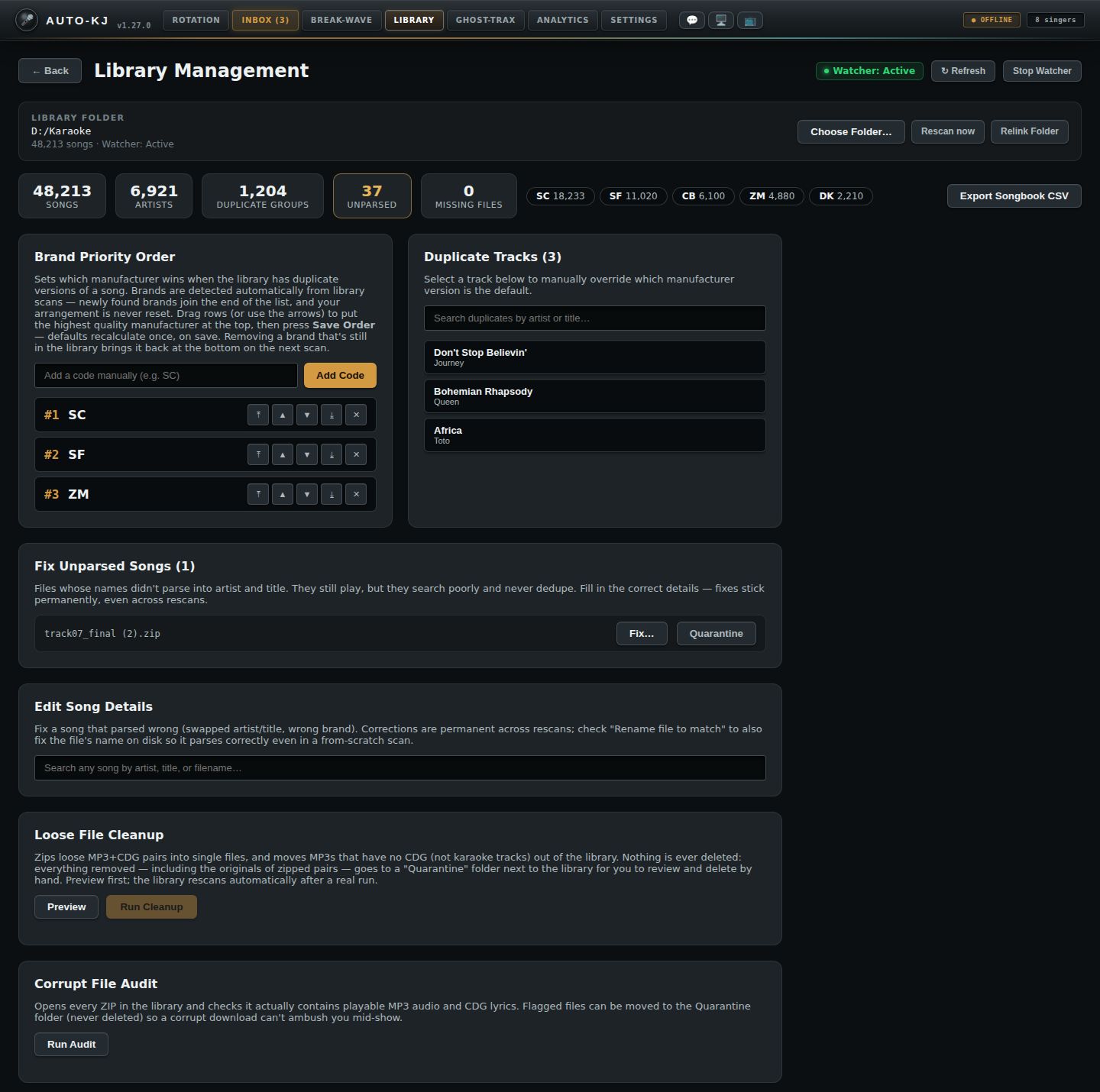
- 1← Back. Returns to the Rotation tab.
- 2Watcher & Refresh. Watcher: Active means new files in the library folder are picked up automatically, and it restarts itself after every rescan. ↻ Refresh reloads every card. Stop Watcher / Start Watcher toggles it.
- 3Library folder. Your karaoke folder and song count. Choose Folder… picks a folder and scans it; Rescan now re-reads the current folder (it asks first; nothing is deleted); Relink Folder points the catalog at a library that moved to a new drive or folder.
- 4Catalog stats. Songs, artists, duplicate groups, unparsed files (highlighted when not zero) and missing files.
- 5Top brands. The biggest manufacturers in the library and their song counts.
- 6Export Songbook CSV. Saves the whole catalog as a CSV songbook.
- 7Brand Priority Order. Which manufacturer wins when a song has several versions. Add a code, drag rows or use ⤒ ▲ ▼ ⤓, ✕ removes, then Save Order.
- 8Duplicate Tracks. Songs with more than one version. Click one to open its versions and pick the default by hand, with headphone preview.
- 9Fix Unparsed Songs. Files whose names didn't split into artist and title. Fix… opens an editor (with a suggestion); Quarantine moves the file out.
- 10Edit Song Details. Search any song and correct artist, title or brand. Optionally rename the file to match.
- 11Loose File Cleanup. Preview shows what would change; Run Cleanup zips MP3+CDG pairs and moves MP3s without lyrics to Quarantine, then rescans.
- 12Corrupt File Audit. Run Audit opens every zip and flags ones without playable audio and lyrics, with an option to quarantine them.
Choosing the default version of a duplicated song
Full reference: every Library card and dialog
Source: host-app/src/lib/LibraryManager.svelte (LM), mounted from host-app/src/App.svelte:4134-4135 as
<LibraryManager onBack={() => selectTab("rotation")} onLibraryChanged={handleScanComplete} /> — two props: onBack, and onLibraryChanged, called after a folder pick or Rescan now so the App refreshes its song data and syncs the library to the cloud (handleScanComplete, App.svelte:1519). Helpers: host-app/src/lib/libraryScan.ts (pickLibraryFolder, scanLibrary, onScanProgress, scanProgressText; shared with the Setup Wizard), host-app/src/lib/previewPopup.ts (ensurePreviewWindow), popup window host-app/src/lib/PreviewWindow.svelte. First-visit tour text: host-app/src/lib/onboarding.ts:114-136.
Reached by the Library tab in the main tab strip (App.svelte:239) or keyboard shortcut Alt+4 (keyboardShortcuts.ts:39,56, action tabLibrary). The first time it is opened, the TabTour overlay ("The Library tab", 5 steps) shows.
Purpose
The Library tab is the KJ's library-setup and catalog-maintenance console. The Library folder card at the top is where a folder is chosen and scanned (the first-run Setup Wizard does the same through the shared libraryScan.ts). The Rotation tab's song search no longer has a folder button: with an empty catalog it shows a "Set up your library" empty state that opens this tab (onOpenLibrary → selectTab("library"), App.svelte:3591). The rest of the tab keeps the scanned collection healthy:
- shows the library folder, song count and watcher state; picks or changes the folder (Choose Folder…), rescans it (Rescan now) and relinks it to a moved drive/folder without a rescan (Relink Folder);
- shows catalog stats (songs, artists, duplicate groups, unparsed, missing files, top brands) and exports a songbook CSV;
- sets the brand (manufacturer) priority that decides which copy of a song is the default when you own several;
- lets you override the default version of one song (clicking a duplicate scrolls to and flashes its Version Options card), audition versions in headphones (🎧 cue device, paid, with key shift), rename or quarantine individual files;
- repairs bad metadata (unparsed filenames, wrong artist/title/brand) and can rename the files to match;
- cleans up loose MP3+CDG pairs, removes catalog rows whose files are missing, audits zips for corruption, quarantines redundant exact copies, merges near-duplicate title spellings and consolidates artist spelling variants;
- reloads everything on demand (↻ Refresh);
- starts/stops the live folder watcher.
Throughout, nothing is deleted. "Quarantine" moves files to a sibling folder <LibraryName> - Quarantine/<reason>/ next to the library root (catalog/src/maintenance.rs:41-51; reasons used: host-quarantined, corrupt, duplicates). "Remove from catalog" only deletes DB rows.
The only progress bar on the tab is the one in the Library folder card, shown while Choose Folder… or Rescan now runs. Everything else is reported through one status banner (statusMessage, also used by Relink Folder and the Start/Stop Watcher button) and through button labels that change ("Saving…", "Working…", "Auditing…", "Searching…"). The Library folder card has its own status line (folderStatus) for pick/scan/rescan results, which never clears itself. Most banner messages clear themselves after 3–12 s. Every bulk action (remove all missing, quarantine flagged / extra copies, run cleanup, merge, consolidate, and Rescan now) first asks a confirmation ("bulk-confirm modal").
Layout
The whole page (section.library-page) scrolls vertically inside the console, with 24px padding (LM:1978-1984).
- Header row (flex, left to right) (LM:1056-1071)
-
← Backbutton - H1 "Library Management" - Header actions: Watcher badge (dot + "Watcher: Active/Stopped"; highlighted when active), ↻ Refresh button, Start Watcher / Stop Watcher button. (Relink Folder is no longer here; it moved to the Library folder card.) - Status banner (
div.status-alert, full width). Shown only whilestatusMessageis non-empty (LM:1073-1075). - Library folder card (
div.folder-card; new; LM:1077-1113): a two-column grid. Left: the label "Library folder"; the saved path (monospace, ellipsised, full path in the tooltip) or "No library folder chosen yet — pick the folder that holds your karaoke files."; and a meta line "N songs · Watcher: Active/Stopped". Right: Choose Folder… (accent button, label "Scanning…" while busy), Rescan now, Relink Folder. Full width below: the card status line (folderStatus, only when non-empty) and, while a scan is running and a progress event has arrived, a thin progress bar (an indeterminate sliding indicator while the total is still 0). - Stats row (flex-wrap; shown once
get_library_stats_cmdhas returned) (LM:1115-1129): tiles for songs, artists, duplicate groups, unparsed (warning style if >0), missing files (warning style if >0); then up to 10 brand chips ("SC 12,345"); then the Export Songbook CSV button. - Card grid (
div.library-grid): CSS grid withrepeat(auto-fit, minmax(400px, 1fr)), 20px gap, max width 1000px, so it is two columns on a wide window. Cards marked (full) span both columns. In DOM order: - Brand Priority Order (left half), always shown: description; unsaved bar (only when the order is changed: "Order changed — not saved yet." + 💾 Save Order + Revert); adder row (text input + Add Code); ranked list of draggable rows
#n CODE [⤒][▲][▼][⤓][✕](scrolls after about 25 rows). - Duplicate Tracks (N) (right half), always shown: description; filter input; scrollable list of buttons (bold title and artist below it); the selected group is highlighted. Renders the first 200 matching groups; when more match, a footer "Showing 200 of N. [Show more]" appears (each click adds 200; the count resets to 200 when the filter text changes).
- Fix Unparsed Songs (N) (full), always shown: rows of filename + [Fix…] [Quarantine]; a row in edit mode shows an optional 💡 suggestion note plus an inline editor (Artist, Title, Brand, ☑ Rename file to match, Save, Cancel). Capped at 200 rows, with a "Showing the first 200…" footer.
- Edit Song Details (full), always shown: search input; then "Searching…", "No songs match", or result rows ("Artist - Title" [BRAND badge] filename) + [Edit…], which expand into the same inline editor.
- Loose File Cleanup (full), always shown: description; [Preview] [Run Cleanup]; summary box after a run (bold count line, "Moved files go to: …", then per-file lines 📦 zipped / 📤 moved / ⚠️ skipped, or "Library is already clean").
- Missing Files (N) (full), only when missing files are >0: [Remove All From Catalog]; rows "Artist - Title" + filepath + [Remove]. Capped at 200 rows, with an "…and N more" footer.
- Corrupt File Audit (full), always shown: [Run Audit] and, when problems are found, [Quarantine All Flagged (N)]; result area ("Every zip opened cleanly…" or ⚠️ lines "path — reason").
- Library Health — some checks failed (full), only when a health report failed: one ⚠️ line per failed check.
- Redundant Copies (N groups) (full), only when exact duplicates exist: [Quarantine Extra Copies (N)]; optional "Showing the first X of Y" note; lines "✅ keep: path" / "📤 quarantine: path".
- Possible Duplicate Spellings (N) (full), only when near-duplicates exist: optional "Showing first X of Y"; rows with the artist (bold),
"Title A" (countA) vs "Title B" (countB), a merged-title text input, [Merge & rename files], and [Not a duplicate]. - Artist Spelling Variants (N) (full), only when clusters exist: optional "Showing first…"; rows with a radio group of spellings
Variant (count)+ [Consolidate]. - Version Options: Artist - Title (full), only after a Duplicate Tracks entry is clicked. It is the last card on the page; clicking a duplicate smooth-scrolls it to the top of the view and flashes it with an accent glow for about 1.8 s. It holds a preview bar ("🎧 Karaoke preview (cue device)" label, Key range slider −6…+6 in 0.5 steps with a signed value, [⏹ Stop preview] while previewing, and a red preview-error text when there is an error) and a versions table (columns: Default | Brand | Disk/Track | Filename | Action). The default row is highlighted with a DEFAULT badge. The Action cell has a 🎧/⏹ button and either [Make Default] or the "Selected" label. The table scrolls after about 25 rows. You can right-click a row.
- Overlays (fixed position, z-index 900/901, outside the section):
- Version context menu: appears at the cursor, clamped so it stays on screen (LM:1786-1833). The title is the filename. Items: ⭐ Make this the default version (only on a non-default row), ✏️ Rename file…, ☣️ Quarantine this file… (danger red). A transparent full-screen backdrop closes it on click or right-click.
- Rename file modal: centred (LM:1835-1861). H4 "Rename file", a hint, a text input (autofocus, pre-filled with the current filename), [Cancel] [Rename].
- Bulk-confirm modal (
.ver-modallook,aria-label="Confirm bulk action"; LM:1863-1874): shown before every bulk action. H4 = a counted question, a hint sentence, [Cancel] [action button]. Backdrop click or Cancel closes it without doing anything; there is no Escape handler. The action buttons are: "Remove them" (Remove N missing entries from the catalog?), "Quarantine them" (Move N files to Quarantine?, flagged files), "Quarantine extras" (Move N files to Quarantine?, redundant copies), "Run cleanup" (Clean up N loose file groups?, hint gives pairs to zip and bare MP3s to move), "Merge & rename" (Merge N files as "Title"?), "Consolidate" (Consolidate N songs under "Artist"?) and "Rescan" (Rescan the whole library?, hint "New and changed files are picked up; nothing is deleted."). Counts use thousands separators and singular/plural wording. - Quarantine confirm modal: centred (LM:1875-1889). H4 "Quarantine this file?", a hint naming the file, [Cancel] [Quarantine it]. - Preview popup window: a separate Tauri window (
PreviewWindow.svelte), a small always-on-top CDG monitor docked to the main window. The top bar shows the file name, a "🔇 silent" badge when there is no audio, and position / duration. Below it is the CDG frame or a placeholder ("Waiting for preview…", "No lyrics graphics in this file — audio preview only", or the error text in amber). The window has no buttons. Closing it with the OS close button callspreview_stopand hides the window instead of destroying it (PreviewWindow.svelte:34-41).
On mount (LM:1027-1052), the tab loads in parallel: get_manufacturer_prefs_cmd, get_duplicate_groups_cmd, get_unparsed_songs_cmd, the health set (get_library_stats_cmd, get_missing_files_cmd, get_exact_duplicates_cmd, get_near_duplicates_cmd, get_artist_variants_cmd, each independent so that one failure only adds a line to the "some checks failed" card), and get_library_watcher_status, and the Library folder card's get_library_path_cmd + get_song_count_cmd (loadLibraryFolder). It also subscribes to the preview-window-error event and to the backend scan-progress event (onScanProgress; ignored unless a Choose Folder…/Rescan now scan is running). ↻ Refresh (header) reloads the same data on demand (see Controls). Data also reloads after actions, or when you leave the tab and come back (the component remounts).
Controls
| Control | Region | Shown when | What it does | file:line |
|---|---|---|---|---|
| Library tab / Alt+4 | App tab strip | Always | Sets activeTab="library" and mounts LibraryManager. Shows the tab tour the first time. |
App.svelte:239, 4134-4135; keyboardShortcuts.ts:39,56 |
| ← Back | Header | Always | Calls onBack → selectTab("rotation") (goes to the Rotation tab). |
LM:1057; App.svelte:4135 |
| Watcher badge "Watcher: Active/Stopped" | Header | Always | Display only. Reflects get_library_watcher_status.running. |
LM:1060-1063 |
| ↻ Refresh (disabled while running) | Header | Always | New. refreshAll: in parallel reloads the brand prefs (get_manufacturer_prefs_cmd), duplicate groups, unparsed songs, the health set (stats, missing, redundant, near-duplicate, artist variants), the watcher status, the versions of the open Version Options group (get_song_versions_cmd), and the Edit Song Details results when the search box holds ≥2 chars. Meant for changes made outside this tab (Rotation scan, watcher, Ghost-Trax import). No status message. Note: it re-reads the brand list from the DB, so it overwrites unsaved brand-order edits (see Observations). |
LM:1010-1024, 1064-1066 |
| Start Watcher / Stop Watcher | Header | Always (label follows the state) | If running: stop_library_watcher, status "Library file watcher stopped." Otherwise: path = watcher path or get_library_path_cmd. If a path exists, runs start_library_watcher {libraryPath} → "Library file watcher started."; if not, shows "No library path configured to watch." Then reloads the status. The message clears after 4 s. Errors show "Watcher error: …". |
LM:897-916, 1067-1069 |
| Choose Folder… (label "Scanning…" and disabled while busy) | Library folder card | Always | New. chooseLibraryFolder: opens the OS folder picker (pickLibraryFolder, dialog.open({directory:true})); Cancel does nothing. Otherwise runFolderScan(scanLibrary(path, "always")): the card status reads "Scanning library…", then live progress from the scan-progress event ("Walking library folder…" / "Scanning… N / M files" / "Importing… N / M changed songs") with the progress bar, while scan_library_cmd {libraryPath} runs. After a clean scan (no backend warning) it starts the folder watcher (start_library_watcher), even if the KJ had stopped it. Result line: "Imported N songs", or "⚠ <warning>" if the backend flagged a likely-wrong folder (the path is then left unsaved and the watcher is not started), with " — but the folder watcher could not start: …" appended on a watcher failure; a failed scan shows "Error: …". It then updates the song count, reloads the path, runs refreshAll and calls onLibraryChanged (App refresh + cloud sync). |
LM:988-992, 962-986; libraryScan.ts:37-40, 42-66, 68-104; lib.rs:5196 |
| Rescan now | Library folder card | A folder path is saved (disabled while busy or when none) | New. askRescanNow opens the bulk-confirm modal "Rescan the whole library?" / "New and changed files are picked up; nothing is deleted." / button "Rescan". On confirm: runFolderScan(scanLibrary(path, "if-running")), the same scan, progress line and bar, refresh and onLibraryChanged as Choose Folder…, but the watcher is restarted only if it was running before (a stopped watcher stays stopped). |
LM:994-1004, 962-986; libraryScan.ts:68-104 |
| Relink Folder | Library folder card (moved from the Header) | Always (disabled while a Choose Folder…/Rescan now scan is running) | Opens the OS folder picker (dialog.open({directory:true})). Cancel does nothing. Otherwise the status shows "Verifying folder against your catalog…" and runs relink_library_root {newRoot}. The backend samples up to 500 relative catalog paths and validates them against the new root. Status: "Library relinked to X — M of S sampled files found." (clears after 6 s). Then reloads the watcher status and all health/dup/unparsed data. On failure: "Relink failed: …". No rescan. |
LM:1096-1098, 918-940, 1070-1072; lib.rs:5602 |
| Library folder path / song count / watcher meta | Library folder card | Always (path or the "No library folder chosen yet…" text) | New. Display only. Path from get_library_path_cmd, count from get_song_count_cmd, watcher state from the same status as the header badge. Reloaded on mount, after every pick/rescan and after a relink. |
LM:947-958, 1077-1088 |
| Card status line | Library folder card | folderStatus non-empty |
New. Display only. Progress, the result of the last pick/rescan, or an error. It is never cleared automatically, and is separate from the header status banner. | LM:1100-1102 |
| Scan progress bar | Library folder card | A scan started here is running and a progress event has arrived | New. Display only. Width = done/total; a sliding indeterminate bar while total is 0. Not shown for the Run Cleanup / quarantine rescans (see Observations). | LM:1103-1112, 1034-1039 |
| Status banner | Below header | statusMessage non-empty |
Display only. This is the single feedback and progress channel. | LM:1073-1075 |
| Stat tiles / brand chips | Stats row | Stats loaded | Display only. The unparsed and missing tiles turn to warning style when >0. Brand chips show the top 10. | LM:1117-1126 |
| Export Songbook CSV | Stats row, right | Stats loaded | OS Save dialog ("Export Songbook CSV", default songbook.csv, CSV filter). Cancel does nothing. Otherwise runs export_songbook_cmd {path} → "Songbook exported: N songs." (4 s). On failure: "Export error: …". |
LM:822-836, 1127 |
| 💾 Save Order (label "Saving…" while busy) | Brand Priority, unsaved bar | prefsDirty |
Status "Saving — recalculating default versions across the library…". Runs set_manufacturer_prefs_cmd {prefs:[[code, idx],…]}, then reloads the prefs. Clears the dirty flag → "Manufacturer preferences saved." (3 s). Recalculates default versions library-wide exactly once. Disables the whole pref editor while saving. |
LM:1146-1149, 234-249 |
| Revert | Brand Priority, unsaved bar | prefsDirty |
Reloads the prefs from the DB (get_manufacturer_prefs_cmd) and discards local edits. |
LM:1150-1152, 251-258 |
| "Add a code manually (e.g. SC)" input | Brand Priority, adder | Always (disabled while saving) | Text for a new brand code. Enter = Add Code. | LM:1157-1164 |
| Add Code | Brand Priority, adder | Always (disabled while saving) | Trims and uppercases the code. If it is already listed: "Manufacturer already exists in preferences." Otherwise appends it locally at the bottom and marks the list dirty (nothing is persisted until Save). | LM:1165, 188-199 |
| Pref row (drag) | Brand Priority list | Each brand; draggable unless saving | HTML5 drag-and-drop reorder. The drop target is highlighted (drag-over-row). Drop → movePrefTo(from, to) (local, marks dirty). Tooltip "Drag to reorder". |
LM:1170-1252, 219-232 |
| ⤒ Send to top | Pref row | Disabled on row #1 or while saving | Moves the row to index 0 (local, dirty). | LM:1207-1214 |
| ▲ Move Up | Pref row | Disabled on row #1 or while saving | Swaps the row with the one above (local, dirty). | LM:1215-1221, 206-217 |
| ▼ Move Down | Pref row | Disabled on the last row or while saving | Swaps the row with the one below (local, dirty). | LM:1222-1228 |
| ⤓ Send to bottom | Pref row | Disabled on the last row or while saving | Moves the row to the end (local, dirty). | LM:1229-1236 |
| ✕ Remove | Pref row | Disabled while saving | Removes the code locally (dirty). The description notes that a removed brand still in the library comes back at the bottom on the next scan. | LM:1237-1244, 201-204 |
| "Search duplicates by artist or title…" | Duplicate Tracks | Always | Client-side, case-insensitive substring filter on artist/title. The list shows "No duplicates match "q"" when nothing matches. | LM:1259-1265, 166-171 |
| Duplicate group button (Title / Artist) | Duplicate Tracks list | Per group (first 200 shown; Show more pages in 200 more) | Selects the group (highlighted). Sets the title "Artist - Title", loads the versions (get_song_versions_cmd {versionGroupId}), then smooth-scrolls the Version Options card to the top of the view and flashes it (~1.8 s). |
LM:1274-1283, 267-286 |
| Show more | Duplicate Tracks footer | Filtered duplicate groups > rows shown (footer "Showing N of M.") | New. Adds 200 to the rendered row count (dupShown). The count resets to 200 whenever the filter text changes. |
LM:1285-1291, 173-178 |
| Fix… | Fix Unparsed row | Row not in edit mode | Opens the inline editor for that song (only one editor open at a time across both cards). Pre-fills the stored values. If artist or title is blank, calls suggest_song_metadata_cmd {songId} and pre-fills the guess with a 💡 note ("Best guess — "X" matched an artist already in your catalog. Confirm or correct." / "Best guess from the filename…" / "Cleaned the filename up, but couldn't split artist from title — fill in the artist."). Also fills the brand if it is empty. |
LM:1349, 383-411 |
| Quarantine (unparsed row) | Fix Unparsed row | Row not in edit mode | Opens the Quarantine confirm modal for that file (tooltip: "Not a song (or junk)? …never deleted"). | LM:1350-1357 |
| Artist input | Inline editor (both cards) | Row in edit mode | Edits editArtist. Disabled while saving. |
LM:1316-1321, 1402 |
| Title input | Inline editor | Row in edit mode | Edits editTitle. Enter saves. |
LM:1322-1328, 1403-1409 |
| Brand input | Inline editor | Row in edit mode | Edits editMfr. Enter saves. |
LM:1329-1336, 1410-1417 |
| ☑ Rename file to match | Inline editor | Row in edit mode (default checked; the value is shared by both cards) | If checked, Save also renames the file on disk from the new metadata. | LM:1337-1340, 1418-1421, 111 |
| Save / "Saving…" | Inline editor | Row in edit mode | Requires both artist and title ("Artist and title are both required."). Runs update_song_metadata_cmd {songId, artist, title, manufacturerCode}, then, if Rename is checked, rename_song_file_cmd {songId} → "Song fixed and file renamed to "X"." (or "Metadata saved, but the file rename failed: …"). Unchecked: "Song fixed — it now searches and dedupes under the corrected name." (6 s). Closes the editor and reloads unparsed, duplicate groups, and the meta search results. Fixes persist across rescans. |
LM:1341-1343, 1422-1424, 413-509 |
| Cancel | Inline editor | Row in edit mode | Closes the editor (editingSongId=null). Nothing is saved. |
LM:1344-1346, 1425-1427 |
| "Search any song by artist, title, or filename…" | Edit Song Details | Always | Debounced 250 ms. With ≥2 chars: search_songs_cmd {query, page:1, pageSize:25}, then for each hit get_versions_for_song_cmd {songId} to expand to every version in its duplicate group (deduped by id). Shows "Searching…" while running, and "No songs match" when empty. |
LM:1378-1386, 120-163 |
| Edit… | Edit Song Details result row | Row not in edit mode | Opens the inline editor with the stored values (no suggestion call when artist and title are both present). | LM:1430 |
| Preview / "Working…" | Loose File Cleanup | Always (disabled while running) | Dry run: cleanup_loose_files_cmd {dryRun:true}. Fills the summary with "Preview: N pairs to zip, M bare MP3s to move out[, K skipped]" plus a per-file list. |
LM:1450-1452, 850-871 |
| Run Cleanup / "Working…" | Loose File Cleanup | Always. Enabled only after a Preview that found something to zip or move | Asks first (bulk-confirm modal "Clean up N loose file groups?", button "Run cleanup"; the hint gives the pair and bare-MP3 counts). On confirm: status "Cleaning up loose files…". Runs cleanup_loose_files_cmd {dryRun:false}: zips MP3+CDG pairs and moves bare MP3s (originals go to Quarantine). If anything changed: status "Cleanup done — rescanning…", then the rescan runs through rescanKeepingWatcher (see Observations: the watcher is restarted if it was running), then "Cleanup and rescan complete." (5 s) and reloads duplicate groups and unparsed. If nothing changed: "Nothing to clean up." |
LM:1453-1460, 620-629, 850-871 |
| Remove All From Catalog | Missing Files | Missing files >0 (disabled while healthBusy) |
Asks first (bulk-confirm modal "Remove N missing entries from the catalog?", "Only the catalog entries are removed — no file on disk is ever touched.", button "Remove them"). On confirm: remove_songs_from_catalog_cmd {songIds: all} → "N missing entries removed from the catalog (files on disk are never touched)." (5 s), then refreshes all data. |
LM:1507-1512, 588-597, 659-671 |
| Remove (per row) | Missing Files row | Per row (first 200) | The same, for one id. No confirmation (single row). | LM:1521-1523 |
| Run Audit / "Auditing…" | Corrupt File Audit | Always (disabled while running or busy) | audit_library_cmd opens every zip and checks for MP3 + CDG. Result: "Every zip opened cleanly…" or ⚠️ lines "path — reason". On failure: "Audit error: …". |
LM:1542-1544, 673-682 |
| Quarantine All Flagged (N) | Corrupt File Audit | After an audit that found issues | Asks first (bulk-confirm modal "Move N files to Quarantine?", button "Quarantine them"). On confirm: status "Moving flagged files to quarantine…". Runs quarantine_files_cmd {relPaths, reason:"corrupt"} → "N file(s) quarantined[, K skipped] — rescanning…". Then rescanLibrary (get_library_path_cmd + rescanKeepingWatcher, which restarts the watcher if it was running), clears the audit list → "Quarantine and rescan complete. Deleted nothing — review the Quarantine folder." (6 s), then refreshes. |
LM:1546-1550, 599-608, 684-704 |
| Quarantine Extra Copies (N) | Redundant Copies | Exact duplicates exist (disabled while busy) | Asks first (bulk-confirm modal "Move N files to Quarantine?", N = all redundant extras library-wide, button "Quarantine extras"). On confirm gets the full server-side list (get_redundant_extra_paths_cmd, not just the rendered page). Runs quarantine_files_cmd {reason:"duplicates"} → rescan (rescanLibrary, watcher restarted if it was running) → "Done. Nothing was deleted — review the Quarantine folder." Keeps the first copy of each cluster (shown as "✅ keep:"). |
LM:1583-1585, 610-618, 706-732 |
| Merged title input | Duplicate Spellings row | Per pair | Editable canonical title, pre-filled with title_a (the more common spelling). |
LM:1633-1639 |
| Merge & rename files | Duplicate Spellings row | Per pair (disabled while busy) | Blank title → "Type the title the merged song should use." (no modal). Otherwise asks first (bulk-confirm modal Merge N files as "Title"?, hint "All N will be retitled under Artist and renamed on disk to match.", button "Merge & rename"); on confirm runs merge_near_duplicate_cmd {songIds: ids_a+ids_b, artist, title, renameFiles:true} → "Merged as "X" — R song(s) retitled, F file(s) renamed[; E rename(s) failed: …]" (5 s, or 12 s on errors), then refreshes all. |
LM:1640-1646, 631-644, 755-784 |
| Not a duplicate | Duplicate Spellings row | Per pair (disabled while busy) | dismiss_near_duplicate_cmd {artist, titleA, titleB} persists the verdict. The row is removed immediately → "Noted — "A" and "B" stay separate songs." (4 s). |
LM:1647-1654, 734-753 |
| Spelling radio buttons | Artist Variants row | Per cluster (disabled while busy) | Chooses the canonical artist spelling (defaults to the first/most common variant). | LM:1680-1693 |
| Consolidate | Artist Variants row | Per cluster (disabled while busy) | Asks first (bulk-confirm modal Consolidate N songs under "Artist"?, N = songs under the other spellings, button "Consolidate"). On confirm, for every non-canonical variant: rename_artist_cmd {fromArtist, toArtist, renameFiles:true}. Sums the results → "N song(s) consolidated under "X", F file(s) renamed[; errors]", then refreshes. |
LM:1694-1696, 646-657, 786-820 |
| Key slider (−6…+6, step 0.5) | Version Options preview bar | Group selected | Sets previewKey. If a preview is playing, restarts it at the new key (re-render). The value shows as "+2", "-1.5", etc. |
LM:1712-1723, 92-96 |
| ⏹ Stop preview | Version Options preview bar | A preview is playing | preview_stop, clears the polling and the playing state. The backend hides the popup. |
LM:1725-1727, 84-90 |
| Preview error text | Version Options preview bar | previewError set |
Shows, for example, "🔇 Silent preview — the headphone cue is off or shares an output with karaoke/Break-Wave, so only the video window plays.", "Headphone preview requires a paid plan" (free tier; from the backend), a playback error, or "Preview is running but its window could not open: …". | LM:1728-1730 |
| Version row (right-click) | Versions table | Per version | Opens the version context menu at the cursor. | LM:1746-1749, 308-315 |
| 🎧 / ⏹ preview button | Versions table, Action | Per version | 🎧: preview_start {filePath, pitch: previewKey} (backend resolves the library-relative path; PAID; silent if no dedicated cue device). Marks the row as previewing (⏹). Polls preview_status every 1 s and clears itself when the track ends (showing any error). Then ensurePreviewWindow() polls preview_status for up to 8 s until a file is loaded and calls preview_show_window to show or dock the CDG popup. ⏹ on the playing row: stop. Clicking 🎧 on another row switches the preview. |
LM:1758-1768, 53-82; previewPopup.ts; lib.rs:7869 |
| Make Default | Versions table, Action | Row is not default | override_song_version_cmd {songId} switches the catalog default and tonight's queued copies → "Default version override updated — queued copies switch too." (3 s). Reloads the versions. |
LM:1769-1772, 288-301 |
| "Selected" label | Versions table, Action | Row is default | Display only. | LM:1773-1775 |
| ⭐ Make this the default version | Context menu | Row not default | Closes the menu and does the same as Make Default. | LM:1800-1811 |
| ✏️ Rename file… | Context menu | Always | Closes the menu and opens the Rename modal pre-filled with the filename. | LM:1812-1821 |
| ☣️ Quarantine this file… | Context menu | Always | Closes the menu and opens the Quarantine confirm modal. | LM:1822-1832 |
| Context-menu backdrop | Full screen | Menu open | Click or right-click closes the menu. | LM:1787-1797 |
| Rename input | Rename modal | Modal open | Autofocused. Enter submits, Escape cancels. | LM:1844-1853 |
| Cancel / backdrop click | Rename modal | Modal open | Closes the modal. | LM:1836, 1855 |
| Rename | Rename modal | Disabled if the input is blank | rename_song_file_to_cmd {songId, newName} → "Renamed to "X" — metadata re-read from the new name." (4 s). Reloads the versions of the selected group. The extension is kept. The filename is the metadata ("KV-1 - Artist - Title" style). Error: "Rename: …". |
LM:1856-1858, 329-344 |
| Cancel / backdrop click | Quarantine modal | Modal open | Closes the modal. | LM:1876, 1885 |
| Quarantine it | Quarantine modal | Modal open | Status "Moving "file" to quarantine…". Runs quarantine_song_cmd {songId} (moves the file to <Library> - Quarantine/host-quarantined/, removes it from the catalog, and switches queued copies to another version if one exists) → "Quarantined — moved to <path>. Nothing was deleted." (6 s). Drops the row from Unparsed, closes any open editor on it, and reloads versions, unparsed, and health. Error: "Quarantine: …". |
LM:1886, 346-362; lib.rs:6336 |
| Cancel / backdrop click | Bulk-confirm modal | Modal open | New. Closes the modal and discards the pending action; nothing runs. | LM:1864, 1869 |
| Remove them / Quarantine them / Quarantine extras / Run cleanup / Merge & rename / Consolidate (the modal's confirm button; label depends on the action) | Bulk-confirm modal | Modal open | New. Closes the modal, then runs the stored action (runBulkConfirm). |
LM:1870, 580-586 |
| Preview popup close (OS ✕) | Preview window | Popup visible | preview_stop, then the window is hidden (kept alive for reuse). |
PreviewWindow.svelte:34-41 |
Flows
F1. Get a library into the catalog (Library folder card)
1. Library tab (Alt+4) → Library folder card shows "No library folder chosen yet…" on a fresh install. (From the Rotation tab, the song search's "Set up your library" empty state opens this tab.)
2. Click Choose Folder… → OS folder picker (Cancel does nothing) → the card status reads "Scanning library…", then "Walking library folder…" / "Scanning… N / M files" / "Importing… N / M changed songs" with the progress bar; the buttons are disabled.
3. Success: the card shows "Imported N songs", the path and song count update, the folder watcher is started (the badge and the card meta read Active), and the stats, brand list (auto-detected brands appended) and health cards reload; App refreshes its song data and syncs to the cloud (onLibraryChanged). If the backend flags a likely-wrong folder the card shows "⚠ <warning>", the path stays unsaved and no watcher starts. A failed scan shows "Error: …".
4. Later: Rescan now → confirm "Rescan the whole library?" → Rescan (Cancel aborts) → same progress and refresh, and the watcher keeps whatever state it was in. Relink Folder (F12) is for a moved drive.
F2. Set brand priority 1. Brand Priority Order → drag rows, or use ⤒ ▲ ▼ ⤓, to put the best brand at #1. Optionally type a code + Add Code (Enter), or ✕ to remove one. 2. The "Order changed — not saved yet." bar appears. 3. Click 💾 Save Order. The banner reads "Saving — recalculating…", and the editor is disabled. 4. Success: "Manufacturer preferences saved." The bar disappears. (Or Revert at step 3 to discard.)
F3. Override which version of a song is used (fix duplicates by hand) 1. Duplicate Tracks → optionally type in the filter → click a song. 2. The page smooth-scrolls to the Version Options: Artist - Title card, which flashes briefly. 3. Optional: set Key, click 🎧 on a row → the CDG popup opens and audio plays on the headphone cue. Compare rows. Click ⏹ / ⏹ Stop preview to stop. 4. Click Make Default on the chosen row (or right-click → ⭐ Make this the default version). 5. The banner reads "Default version override updated — queued copies switch too." The DEFAULT badge moves.
F4. Headphone preview decision tree
1. Click 🎧 → preview_start.
2. Free plan → error "Headphone preview requires a paid plan" in the preview bar. End.
3. Paid, but the cue device is unset or shares karaoke/Break-Wave output → silent: popup video only, with the 🔇 message.
4. Paid with a dedicated cue device → audio in headphones + popup.
5. Popup not confirmed within 8 s, or preview_show_window fails → "Preview is running but its window could not open: …".
6. Track ends → the poll clears the playing state (and shows any error). Moving the Key slider while playing restarts at the new key.
F5. Rename or quarantine a single version file 1. Version Options table → right-click a row → the context menu opens. 2a. ✏️ Rename file… → edit the name → Rename (Enter). The banner shows the new name, and the table reloads with re-parsed metadata. Escape/Cancel aborts. 2b. ☣️ Quarantine this file… → confirm modal → Quarantine it. The banner shows the quarantine path, and the row disappears. Cancel aborts.
F6. Fix an unparsed song 1. Fix Unparsed Songs → Fix… on a row. 2. The editor opens with a 💡 best-guess suggestion if one is available. 3. Correct Artist / Title / Brand. Leave ☑ Rename file to match checked (recommended). 4. Save (or Enter in Title/Brand). If artist or title is missing, the banner says "Artist and title are both required." 5. Success: the row leaves the list, and the banner confirms the rename. Alternatively, at step 1, click Quarantine → confirm modal → Quarantine it for junk files.
F7. Correct a mis-parsed song anywhere in the catalog 1. Edit Song Details → type ≥2 chars → results appear after 250 ms (all versions of each hit). 2. Edit… on a row → change the fields → Save (same as F6 steps 3–5).
F8. Loose file cleanup 1. Loose File Cleanup → Preview (dry run) → summary with 📦/📤/⚠️ lines. 2. If there is something to do, Run Cleanup becomes enabled → click it → confirm "Clean up N loose file groups?" → Run cleanup (Cancel aborts). 3. The banner reads "Cleaning up…", then "rescanning…", then "Cleanup and rescan complete." The summary switches to "Done:".
F9. Remove missing-file entries 1. The Missing Files card appears automatically when files are gone. 2. Click Remove per row (no confirmation), or Remove All From Catalog → confirm "Remove N missing entries from the catalog?" → Remove them. The banner shows the count, all cards refresh, and the card disappears when the list is empty. 3. If the files are on a drive that moved instead: use F12 (Relink) rather than removing.
F10. Corrupt zip audit 1. Corrupt File Audit → Run Audit ("Auditing…"). 2. Clean → "Every zip opened cleanly". End. 3. Issues → ⚠️ list + Quarantine All Flagged (N) → click it → confirm "Move N files to Quarantine?" → Quarantine them. Files move to Quarantine/corrupt, then an automatic rescan runs, and the banner reads "Quarantine and rescan complete…".
F11. Duplicate cleanup: redundant copies, spellings, artist variants 1. Redundant Copies card (if shown): review the keep/quarantine lines → Quarantine Extra Copies (N) → confirm "Move N files to Quarantine?" → Quarantine extras. This quarantines all extras library-wide, then rescans (watcher restarted if it was running). 2. Possible Duplicate Spellings (if shown): for each pair either edit the merged title → Merge & rename files → confirm → Merge & rename, or Not a duplicate (hidden permanently). 3. Artist Spelling Variants (if shown): pick the radio for the correct spelling → Consolidate → confirm → Consolidate. 4. Each action refreshes all cards. Where the "Showing the first X of Y" notes appear, work through them and reopen the tab to load the next batch.
F13. Watcher 1. Header → Start Watcher. It uses the watcher path or the configured library path and starts live file watching. The badge turns Active. 2. Stop Watcher stops it. With no library path configured, the banner reads "No library path configured to watch."
F12. Library moved to a new drive/folder 1. Library folder card → Relink Folder → pick the new folder in the OS dialog. 2. The banner reads "Verifying folder against your catalog…". The backend samples up to 500 catalog paths. 3. Success: "Library relinked to X — M of S sampled files found." (in the header status banner, not the card). The watcher status, the card's path and song count, and all cards refresh, and no rescan is needed. Failure: "Relink failed: …".
F15. Refresh after outside changes 1. Header → ↻ Refresh (e.g. after a Rotation-tab scan or files arriving while the watcher was off). 2. Stats, brand list, duplicate groups, unparsed, health cards, the watcher badge, the open Version Options table and any active Edit Song Details search reload together. No banner message.
F14. Export songbook 1. Stats row → Export Songbook CSV → Save dialog → choose the path. 2. The banner reads "Songbook exported: N songs."
Observations / possible issues (for doc writers and QA)
- Bulk actions now ask a counted confirmation (Remove All From Catalog, Quarantine All Flagged, Quarantine Extra Copies, Run Cleanup, Merge & rename, Consolidate). Still unconfirmed: per-row Remove (Missing Files), Not a duplicate, Make Default, the single-file Rename (has its own modal), and Save Order.
scan_library_cmdstill drops the live watcher for the duration of the scan and expects its caller to restart it (lib.rs:5206-5209). That restart now lives in one place,scanLibrary(libraryScan.ts:68-104), which the Library folder card (Choose Folder…: policy "always", i.e. start after a clean scan; Rescan now and the three cleanup rescans: policy "if-running") and the Setup Wizard share.rescanKeepingWatcher(LM:556-565) is now a thin wrapper overscanLibrary(path, "if-running")used by Run Cleanup, Quarantine All Flagged and Quarantine Extra Copies: a watcher the KJ had stopped stays stopped, and the badge is reloaded. Rescan now uses the same policy but throughrunFolderScan.- (new) The comment above the watcher drop in
scan_library_cmd(lib.rs:5206-5209) still says the caller restarts it "(see SongSearch.svelte)"; SongSearch no longer scans, so the pointer is stale (it islibraryScan.tsnow). - (new) If the watcher restart fails after a rescan,
rescanKeepingWatchersets "Rescan finished, but the folder watcher could not restart: …" but the callers immediately overwrite it with "Cleanup and rescan complete." / "Quarantine and rescan complete…" / "Done…" (LM:856-859, 694-696, 719-721), so the failure is only visible through the badge switching to "Stopped". - (new) ↻ Refresh re-reads the brand list (
loadLibraryData) but does not clearprefsDirty: unsaved drag/arrow edits are silently replaced by the saved order while the "Order changed — not saved yet." bar stays up (LM:180-186, 1010-1024). It also does not close an open inline editor or clear a running preview. - (new) The bulk-confirm modal has no Escape handler (the Rename modal does); it closes only via Cancel or a backdrop click.
- The Fix Unparsed and Missing Files lists are capped at 200 rows with no "Show more" (only Duplicate Tracks has one); their footers say to fix/remove the visible rows and reopen the tab. Redundant Copies / Near-duplicate / Artist-variant cards keep their server-side "Showing the first X of Y" notes.
- The inline metadata editor state (
editingSongId, fields, and the Rename checkbox) is shared between Fix Unparsed and Edit Song Details, so opening one closes the other. - (new) Choose Folder… (policy "always") restarts the watcher even if the KJ had deliberately stopped it, while Rescan now (policy "if-running") leaves a stopped watcher stopped. Picking a new folder therefore silently turns the watcher back on.
- (new)
refreshAll(LM:1010-1025) is also the tail ofrunFolderScan, so finishing Choose Folder… or Rescan now re-reads the brand list and, like ↻ Refresh, overwrites unsaved Brand Priority edits while leaving the "Order changed — not saved yet." bar up. - (new) The scan progress line and bar come only from Choose Folder… / Rescan now (the
scan-progresslistener ignores events unlessfolderBusy). Run Cleanup, Quarantine All Flagged and Quarantine Extra Copies also trigger scans but only show their banner text, with no progress. Start Watcher / Stop Watcher and ↻ Refresh stay enabled during a card scan (only the three card buttons are disabled), so Start Watcher can be clicked mid-scan. - (new) The card status line (
folderStatus) is never cleared: a result like "Imported N songs" or an error stays until the next pick/rescan or leaving the tab. Relink Folder reports through the header banner instead, so the card's pick/rescan messages and relink results appear in two different places. - (new) A scan that ends with a backend warning (likely wrong folder) still runs
refreshAllandonLibraryChanged, and shows "⚠ …" in the card while the path shown stays the old one (the new path is not saved).
Host app
Ghost-Trax
Turns any song file into a karaoke track through the ghost-trax.com service: an instrumental, word-synced CDG lyrics, and the original vocal as a guide stem singers can dial in with the player's 👻 slider.
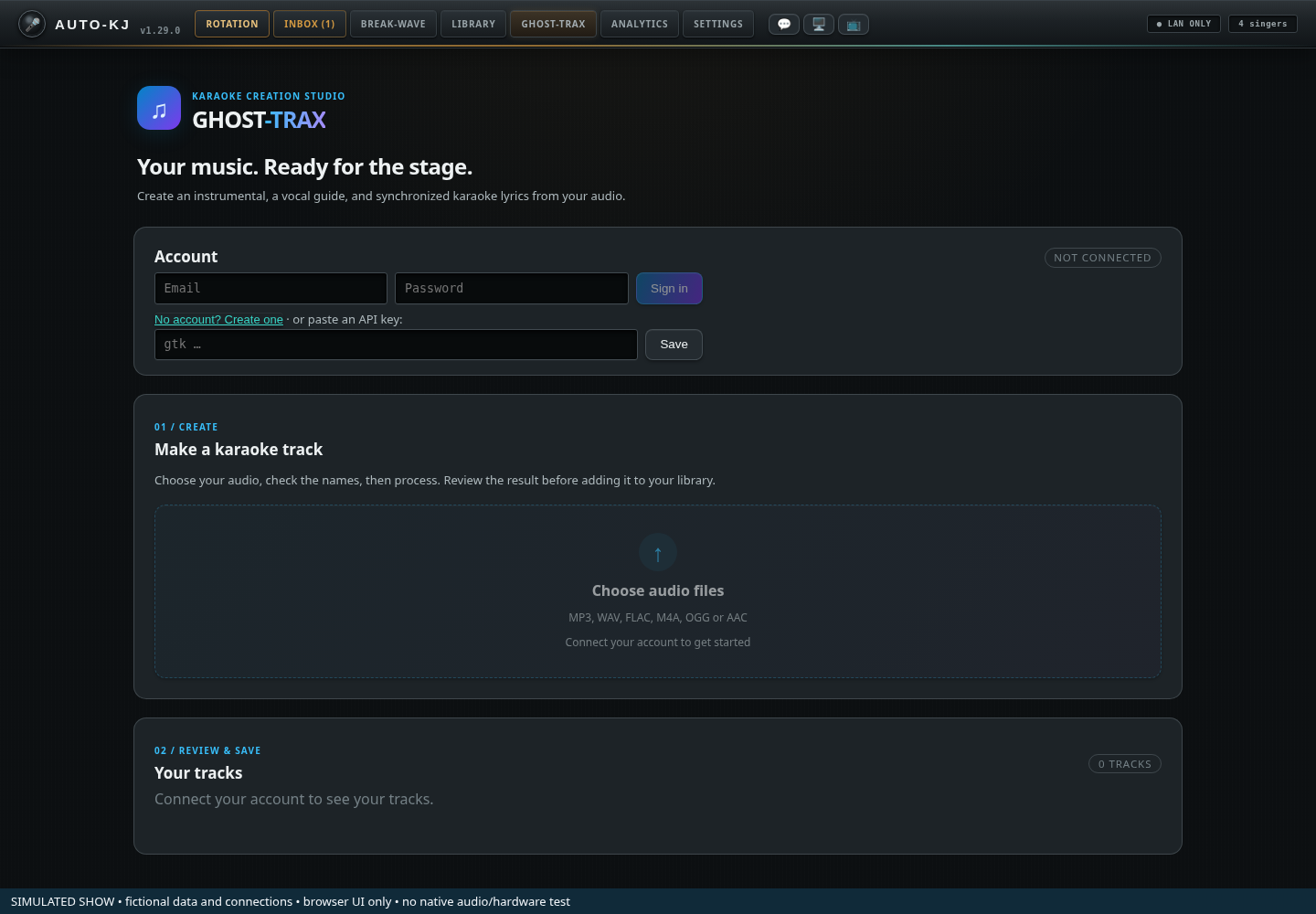
- 1Email sign-in. Enter email and password, then Sign in. Create account switches the same form to registration.
- 2API key alternative. An existing API key can still be pasted and saved.
- 3Connection badge. Not connected, Connecting, or Connected with the account email.
- 4Choose audio files. Choose rights-cleared audio after connecting. Review artist and title before processing.
- 5Your tracks. Review progress and completed tracks. Edit & downloads opens the richer studio for a completed track.
Completed-track editing studio
Edit & downloads opens the completed track’s package, video (when available), instrumental and vocal stem downloads; harmony appears for duet-mode tracks. Look, Branding & Intro Screen edits title style, lyric colors, font and supplied artwork. Waveform Lyric Timing Studio switches vocal/instrumental waveforms, zooms, edits words and their boundaries, and offers Save & Re-render CDG. Rendering and downloading require the service in normal use; the screenshots only demonstrate a simulated completed job. Sources: gt/GtStudio.svelte, gt/LookControls.svelte, gt/TimingEditor.svelte.
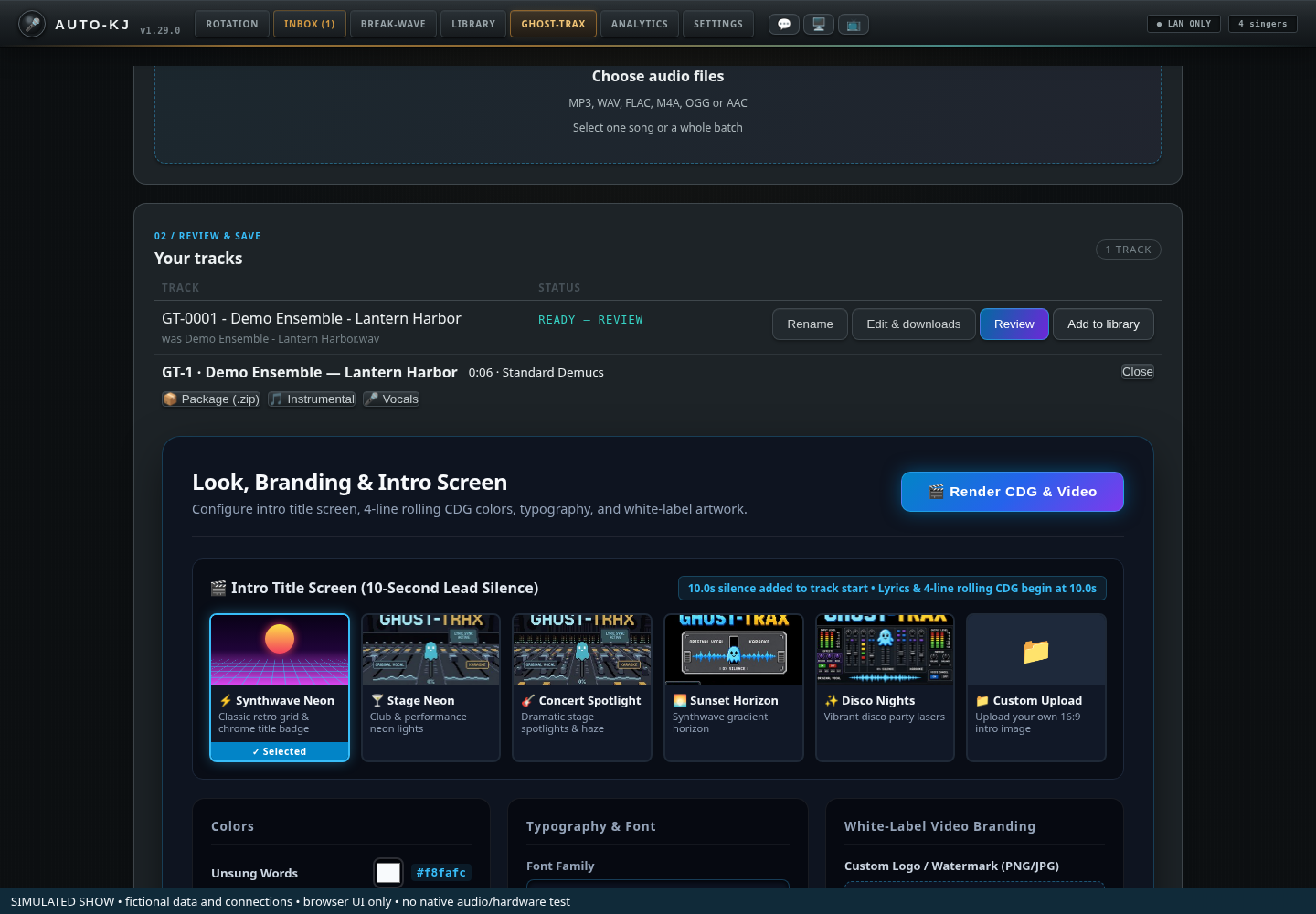
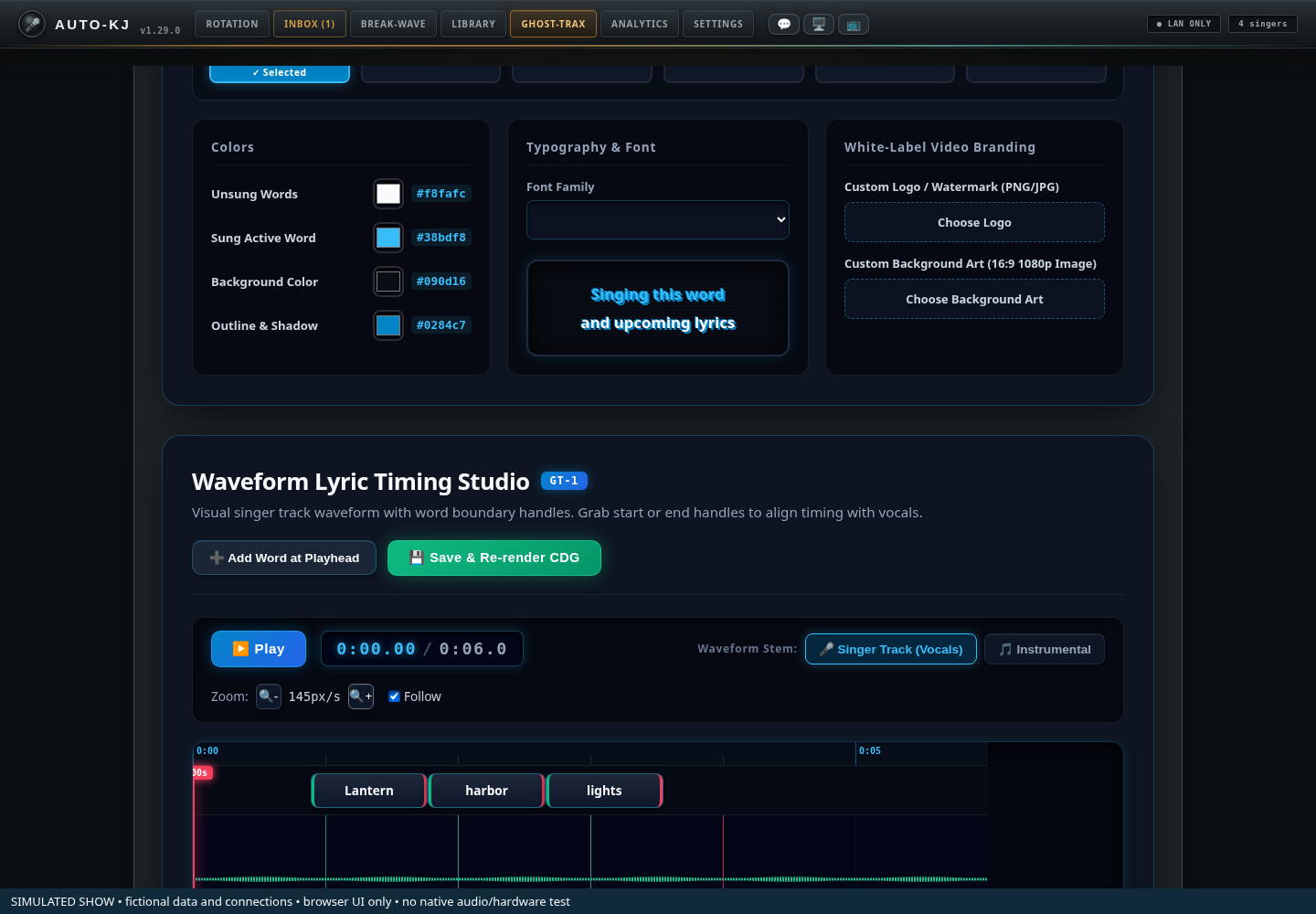
Making a track
Full reference: Ghost-Trax controls
Purpose
An integration with the Ghost-Trax cloud service (api.ghost-trax.com) that turns ordinary audio files into karaoke tracks: instrumental, word-synced CDG lyrics, and the original vocal as a guide stem (optionally with a separate backing-vocal "harmony" guide). The host signs in with email and password (or supplies an existing API key), stages songs with artist/title, and processes them; the queue of songs is persisted and uploaded by a backend worker (max 4 processing at once, the rest wait in the backend queue, even with the tab closed or after a restart). The host reviews/corrects the title screen and transcribed lyrics when a track reaches "ready to review", generates the final render, then Reviews the finished zip (downloaded to a holding folder outside the library, auditioned in the headphone mini window or the main player) and adds it to <library>/Ghost-Trax/ (where the library watcher imports it) or discards it. Tracks are named GT-#### - Artist - Title. Billing is on the Ghost-Trax plan.
Lifecycle on mount: get_app_setting("ghost_trax_api_key") → refresh() (gt_cloud_account, gt_cloud_tracks (purged filtered out), gt_track_meta, gt_local_state); gt_queue_list loads the upload queue and a gt-queue-changed event listener mirrors backend queue changes (refreshing the track list when an upload finishes) (GhostTrax.svelte:203-225). Polling: every 5 s while any track is queued/separating/transcribing/rendering, else every 20 s; stops on unmount (GhostTrax.svelte:183-201). Only an HTTP 401/403 or "is not set" error disconnects; network blips keep the last list (GhostTrax.svelte:146-181). Unmounting also stops the preview poll but does not stop audio.
Backend upload worker (gt_cloud.rs:961-1086, started at launch, lib.rs:9589-9593): every tick (0.5 s after progress, 15 s while all 4 slots are busy, 30 s after an error, 10 min idle; woken immediately by gt_queue_add) it takes the front queue item, lists cloud tracks, and if fewer than 4 are active uploads the file (gt_cloud_upload path with artist/title/harmony, review=1), then names it via gt_set_track_meta (only if artist and title are both non-empty) and removes it from the queue. Missing file → item dropped with "Skipped … — the file no longer exists". Missing key / network / upload errors set lastError and retry after 30 s. Queue file: <app data>/gt_upload_queue.json (gt_queue.rs).
Status → progress bar: queued 12 %, separating 45 %, transcribing 75 %, rendering 92 % (GhostTrax.svelte:85-91). Other statuses: awaiting_review (shown "ready to review"), done (shown "Ready — review" until the zip is in the library, then "✓ In your library"; lib/ghostTraxState.ts), failed, canceled.
Local file state (gt_local_state, checked against the disk so it survives restarts): absent = not downloaded, pending = held in <app data>/Ghost-Trax Pending for review, library = present in <library>/Ghost-Trax/ (library wins if both exist) (gt_paths.rs, gt_cloud.rs:727-760).
Layout (top to bottom)
+------------------------------------------------------------------+
| GHOST-TRAX wordmark + tagline                                    |
+------------------------------------------------------------------+
| Card "Account"                  [badge Connected — email /       |
|                                  Connecting… / Not connected]    |
|  connected: "Signed in — your key is saved…" [Change key]        |
|  else: [Email] [Password] [Sign in / Create account]              |
|        [password gtk_…] [Save|Saved ✓] [Cancel (if connected)]   |
|  (key error) (quota: "<Plan> plan · R of I tracks left · N credits")|
+------------------------------------------------------------------+
| Card "Make a track"                          [Choose audio files]     |
|  description                                                     |
|  staged rows: filename | [Artist] | [Title] | [ ] Split backing  |
|               vocals | [✕]                                       |
|  naming note; [Process N songs]                                  |
|  "⏳ N songs waiting to upload — continues in the background"    |
|  queue rows: "Artist — Title" (uploading…) | [✕]                 |
|  (Upload queue: <lastError>); status msg; error msg              |
+------------------------------------------------------------------+
| Card "Your tracks" (grows)                                       |
|  table: Track | Status (+error, progress bar) | actions          |
|   actions: awaiting_review → [Title Screen][Lyrics]              |
|            done → [Rename] [Edit & downloads] +               |
|                   [Review][Add to library][Discard (if held)] /  |
|                   in-progress:[Cancel]                           |
|   expanded preview row (colspan 3, done tracks): choose where to |
|     preview / interrupt question / previewing controls           |
|   expanded review row (colspan 3): [Title Screen][Lyrics] tabs,  |
|     Artist/Title inputs OR lyrics textarea,                      |
|     [Generate][Close][Cancel track]                              |
|   inline rename row: [Artist][Title][Save][Cancel]               |
+------------------------------------------------------------------+
Controls
| Control | Region | Shown when | What it does | file:line |
|---|---|---|---|---|
| Tab button "Ghost-Trax" | Tab bar | Always | selectTab("ghost-trax"); mounts <GhostTrax /> |
App.svelte:240, 4135-4136 |
| Status badge | Account card header | Always | "Connected — {email}" / "Connecting…" (first refresh in flight) / "Not connected" | GhostTrax.svelte:616-625 |
| "Change key" link-button | Account card | connected and not editing | editingKey = true → shows key entry row |
GhostTrax.svelte:626-630 |
| Email, password, Sign in / Create account | Account card | not connected, or editing | Sign in uses gt_cloud_login; the account-mode link switches to registration. An API-key entry remains below as an alternative. Account registration requires email verification before downloading. |
GhostTrax.svelte: signIn and account form |
| API key input (password, placeholder "gtk_…") | Account card key row | not connected, or editing | Binds apiKey; Enter → saveKey() |
GhostTrax.svelte:638-644 |
| "Save" / "Saved ✓" | Key row | same | saveKey: trims, invoke("set_app_setting", {key:"ghost_trax_api_key", value}), shows "Saved ✓" 1.5 s, then refresh() (connect/validate). Save error → red keyError. Auth failure from refresh → "Not connected" + red error in Make-a-track card. Saving an empty key → disconnected state. |
GhostTrax.svelte:645, 131-144 |
| "Cancel" (key edit) | Key row | editing while connected | editingKey = false (hides entry; typed value stays in apiKey unsaved) |
GhostTrax.svelte:646-648 |
| Quota line | Account card | usage present |
"{plan} plan · {remaining} of {included} tracks left this month · {credits} credit(s)" (middle part only if included > 0) | GhostTrax.svelte:652-658 |
| "Choose audio files" | Make-a-track header | Always; disabled when not connected | Native multi-file open dialog (Audio: mp3, wav, m4a, flac, ogg, aac). Adds each to staged with artist/title guessed from "Artist - Title.ext" (else whole stem as title), harmony off. Nothing uploads yet. |
GhostTrax.svelte:664-666, 289-303, 280-287 |
| Staged filename | Staged row | staged > 0 | Text; hover shows full path | GhostTrax.svelte:680 |
| Artist input / Title input | Staged row | staged > 0 | Bind the staged item's artist/title (sent with upload; used for GT naming) | GhostTrax.svelte:681-682 |
| Checkbox "Split backing vocals" | Staged row | staged > 0 | Binds harmony; tooltip "Duet / harmony split — also separate the backing vocals into their own guide track (GHOST-TRAX 2 slider)". Sent as harmony=1 on upload. |
GhostTrax.svelte:683-689 |
✕ (Remove {file}) |
Staged row | staged > 0 | unstage(path) removes the row |
GhostTrax.svelte:690, 305-307 |
| "Process N song(s)" | Below staged list | staged > 0; disabled when not connected | processStaged: invoke("gt_queue_add", {items}) hands all staged items to the backend queue, clears staged, status "Queued — uploads continue in the background, even if you leave this tab." Error → red errorMsg and staged list kept. See Flow G-2. |
GhostTrax.svelte:698-700, 309-328; gt_cloud.rs:1091 |
| Queue notice "⏳ N songs waiting to upload — this continues in the background (uploading now)." | Make-a-track card | queue items > 0 | Informational; mirrors backend queue (queue.items, queue.uploading) |
GhostTrax.svelte:702-706 |
| Queue row label ("Artist — Title" or filename; "uploading…") | Make-a-track card | queue items > 0 | Text; hover shows full path | GhostTrax.svelte:709-713 |
✕ (Remove {file} from the queue) |
Queue row | queue items > 0; disabled for the item uploading now | removeQueued(id): invoke("gt_queue_remove", {id}); backend refuses "That song is uploading right now" (shown as red errorMsg) |
GhostTrax.svelte:714-719, 266-272; gt_cloud.rs:1111 |
| Queue error "Upload queue: {lastError}" | Make-a-track card | backend has an error | Red text: missing key, network failure, upload failure, or "Skipped … — the file no longer exists". Cleared by the next successful upload or gt_queue_add. |
GhostTrax.svelte:723 |
| Status / error messages | Make-a-track card | when set | "Queued — uploads continue…", rename/generate/cancel/add/discard results ("Added to your library.", "Discarded — the track is still in your Ghost-Trax account.", "Already in your library.", silent-preview notice); red errors | GhostTrax.svelte:725-726 |
| Empty states | Your tracks | not connected / no tracks | "Connect your account to see your tracks." / "Nothing yet. Upload a song above." | GhostTrax.svelte:731-734 |
| Track name cell | Tracks table | per track | GT-#### - Artist - Title if local meta exists (+ "was {original filename}"), else server filename |
GhostTrax.svelte:765-770, 227-234 |
| Status cell | Tracks table | per track | Status text ("Ready — review" / "✓ In your library" for done, plus duration and "· downloaded for review" when held; "ready to review" for awaiting_review; raw status otherwise), inline red error, progress bar for active states | GhostTrax.svelte:772-787; ghostTraxState.ts:8-20 |
| "Title Screen" (row) | Actions | status awaiting_review; disabled while revBusy |
openReview(t, "title"): if not already open, invoke("gt_review_get", {jobId}) → fills artist/title (local meta preferred) and lyrics (words joined); expands review row on Title view |
GhostTrax.svelte:789-792, 370-389 |
| "Lyrics" (row) | Actions | status awaiting_review |
Same, opening Lyrics view | GhostTrax.svelte:793-795 |
| "Rename" | Actions | status not awaiting_review and not currently renaming | startRename: inline Artist/Title editors prefilled from local meta |
GhostTrax.svelte:797-799, 330-335 |
| Rename Artist / Title inputs | Track name cell | renaming this row | Bind renArtist/renTitle; Enter → saveRename |
GhostTrax.svelte:744-757 |
| Rename "Save" / "…" | Track name cell | renaming | saveRename: invoke("gt_set_track_meta", {jobId, artist, title}) (both required; assigns GT seq if new; if already in the library, renames the zip in <library>/Ghost-Trax/ and kicks off a background cloud retitle of the CDG title screens; a copy held for review is renamed when it is added). Status "Renamed to {name}." then refresh; error → red |
GhostTrax.svelte:758-760, 337-355; gt_cloud.rs:413-501 |
| Rename "Cancel" | Track name cell | renaming | renamingId = null |
GhostTrax.svelte:761-763 |
| "Review" | Actions | status done and file not in library; disabled while busy |
openChoice(id): toggles the preview panel for this row (clears error, closes any interrupt question) |
GhostTrax.svelte:800-803, 526-530 |
| "Add to library" / "…" (row) | Actions | status done and file not in library; disabled while busy |
downloadTrack: if the zip is held (pending) → invoke("gt_pending_add_to_library", {jobId}) (moves it into <library>/Ghost-Trax/, unique name, background CDG retitle if the name changed); else invoke("gt_cloud_download", {jobId, dest: "library"}) downloads straight into the library. Status "Added to your library." then refresh. Error e.g. "No karaoke library folder is set — scan your library first (Library tab → Choose Folder…)" or "Track is not ready to download yet". Does not stop a running preview of that track. |
GhostTrax.svelte:804-806, 452-469; gt_cloud.rs:581-720, 810-878 |
| "Discard" (row) | Actions | status done, not in library, and a held copy exists (localState === "pending"); disabled while busy |
discardReviewed(id): stops that track's preview, invoke("gt_pending_discard", {jobId}) deletes the held file; status "Discarded — the track is still in your Ghost-Trax account."; state reloaded |
GhostTrax.svelte:807-811, 589-603; gt_cloud.rs:883-896 |
| "Cancel" / "…" (row) | Actions | status queued/separating/transcribing/rendering | cancelTrack: invoke("gt_cloud_cancel", {jobId}); status "Canceled — the credit is back on your account." No confirm. |
GhostTrax.svelte:812-816, 438-449; gt_cloud.rs:270 |
| Preview panel: "Preview in headphones (mini window)" / "…" | Preview row | Panel open, not previewing, no interrupt question | startPreview(id, "headphones"): downloads the zip to the holding folder if not held (gt_cloud_download dest pending, then a synchronous CDG retitle attempt), stops any current preview, gt_pending_path → preview_start (headphone cue). Sets previewing, starts a 1 s poll of preview_status; a silent preview shows a "🔇 Silent preview — the headphone cue is off or shares an output…" status; ensurePreviewWindow() opens the video mini window (its message, if any, goes to errorMsg). |
GhostTrax.svelte:854-856, 532-581 |
| Preview panel: "Preview in main window" | Preview row | same | startPreview(id, "main"): if the main player state is not "stopped" (audio_get_info) it opens the interrupt question instead of playing; otherwise downloads if needed and gt_preview_main plays it through the main player (as a break track, no rotation entry); polls audio_get_info until stopped |
GhostTrax.svelte:857-859, 532-574; gt_cloud.rs:781-804 |
| Interrupt question "A song is playing — interrupt it to preview?" + "Interrupt and preview" / "Cancel" | Preview row | Main-window preview requested while audio is not stopped | "Interrupt and preview" → startPreview(id, "main", true); "Cancel" → interruptId = null |
GhostTrax.svelte:840-847 |
| Preview panel: "Add to library" / "Discard" | Preview row | Panel open, not previewing, held copy exists (canDiscard) |
addReviewed(id) (stops preview if this track, closes panel, then downloadTrack) / discardReviewed(id) |
GhostTrax.svelte:860-866, 583-603 |
| Preview panel "Close" | Preview row | Panel open, not previewing | choiceId = null |
GhostTrax.svelte:868 |
| Previewing state text "🎧 Previewing in your headphones (mini window)." / "▶ Previewing in the main window. Happy with it? Add it to your library, or discard it." | Preview row | This track is previewing |
Informational | GhostTrax.svelte:824-830 |
| Previewing: "Add to library" / "Discard" / "⏹ Stop preview" | Preview row | This track is previewing |
addReviewed / discardReviewed / stopPreview (preview_stop for headphones, audio_stop for main; clears previewing) |
GhostTrax.svelte:832-838, 514-524 |
| Review "Title Screen" / "Lyrics" sub-tabs | Review panel | review open for this row | Switch reviewView |
GhostTrax.svelte:879-889 |
| Review Artist / Title inputs | Review panel (Title view) | Title view | Bind revArtist/revTitle ("What the CDG title screen (and the track name) will say.") | GhostTrax.svelte:891-898 |
| Lyrics textarea (10 rows) | Review panel (Lyrics view) | Lyrics view | Binds revLyrics; help text explains same word count keeps timings exact, else timings re-spread | GhostTrax.svelte:899-905 |
| "Generate" / "…" | Review actions | review open; disabled while revBusy | generateTrack: remaps edited words onto original timings (1:1 if same count, proportional otherwise), invoke("gt_review_render", {jobId, artist, title, words}); then gt_set_track_meta if artist & title non-empty; status "Rendering your track — it'll be done in a minute or two."; closes review; refresh |
GhostTrax.svelte:908-910, 407-436; gt_cloud.rs:245 |
| "Close" | Review actions | review open | reviewId = null (edits discarded) |
GhostTrax.svelte:911-913 |
| "Cancel track" | Review actions | review open | Closes review and cancelTrack(id) (gt_cloud_cancel), no confirm. Note: the row-level Cancel is not offered for awaiting_review; this is the only way to cancel at that stage. |
GhostTrax.svelte:914-916 |
Flows (Ghost-Trax)
G-1 Connect account
1. Open Ghost-Trax tab → badge "Connecting…" → "Not connected" (no key).
2. Enter email and password → Sign in; No account? Create one switches to registration. Registration requires email verification before downloading.
3. Alternatively, paste an existing key into "gtk_…" → Save (or Enter) → set_app_setting → "Saved ✓" → refresh().
4. Success → badge "Connected — email", quota line, track list, key row hidden. Failure (401/403) → "Not connected" + red error.
5. Later: "Change key" → edit → Save or Cancel.
G-2 Make tracks (batch)
1. "Choose audio files" → OS file picker (multi-select audio).
2. For each staged row: fix Artist / Title; optionally tick "Split backing vocals"; ✕ to drop a file.
3. "Process N songs" → gt_queue_add → items saved to the backend queue file; status "Queued — uploads continue in the background, even if you leave this tab." The queue list ("⏳ N songs waiting…") shows each item.
4. The backend worker uploads the front item whenever fewer than 4 cloud tracks are active (gt_cloud_upload logic: file bytes + artist/title, review=1, harmony), then gt_set_track_meta names it GT-####; the tab hears gt-queue-changed and refreshes. This continues on any tab, with the tab closed, and after an app restart (queue is persisted).
5. Errors (no key, offline, upload failed) show as "Upload queue: …" and the worker retries the same item every 30 s. Use the queue row ✕ to drop a stuck item (not possible while it is uploading).
G-3 Review and generate
1. Track reaches "ready to review" → row shows [Title Screen][Lyrics].
2. Click either → gt_review_get → review panel expands under the row.
3. Title Screen tab: correct Artist/Title. Lyrics tab: fix misheard words.
4. Generate → gt_review_render (+ local rename) → "Rendering your track…" → status progresses (rendering 92 %) → "done" (status text "Ready — review").
- Alternatives: Close (discard edits) or Cancel track (gt_cloud_cancel, credit refunded).
G-4 Review a finished track, then add or discard
1. Status "Ready — review · Xm Ys" once the cloud job is done. Row shows [Rename][Review][Add to library].
2. Click "Review" → panel "Where do you want to preview it?".
3. Choose "Preview in headphones (mini window)" or "Preview in main window". The zip is downloaded to the holding folder <app data>/Ghost-Trax Pending (not the library, so singers cannot search it); row status gains "· downloaded for review". For the main window, if a song is playing you are asked "Interrupt and preview" / "Cancel".
4. While previewing: "Add to library" (stops the preview, moves the zip into <library>/Ghost-Trax/ → status "Added to your library." → library watcher imports it; status becomes "✓ In your library" and Review / Add buttons disappear), "Discard" (deletes the held file), or "⏹ Stop preview".
5. Shortcut: the row's "Add to library" skips the preview (downloads straight into the library, or moves the held copy).
6. If no library root is set → error telling the host to scan a library first.
G-5 Rename a track: Rename → edit Artist/Title → Save (Enter) → gt_set_track_meta → "Renamed to GT-#### - A - T." (a zip already in the library is renamed on disk and its CDG title screen re-rendered in the background; a held zip takes the new name when added) / Cancel.
G-6 Cancel an in-progress track: row "Cancel" (queued..rendering) → gt_cloud_cancel → "Canceled — the credit is back on your account."
Host app
Analytics
Tonight's numbers at the top; the permanent history of every show (including imported history from other karaoke software) and venue report exports below.
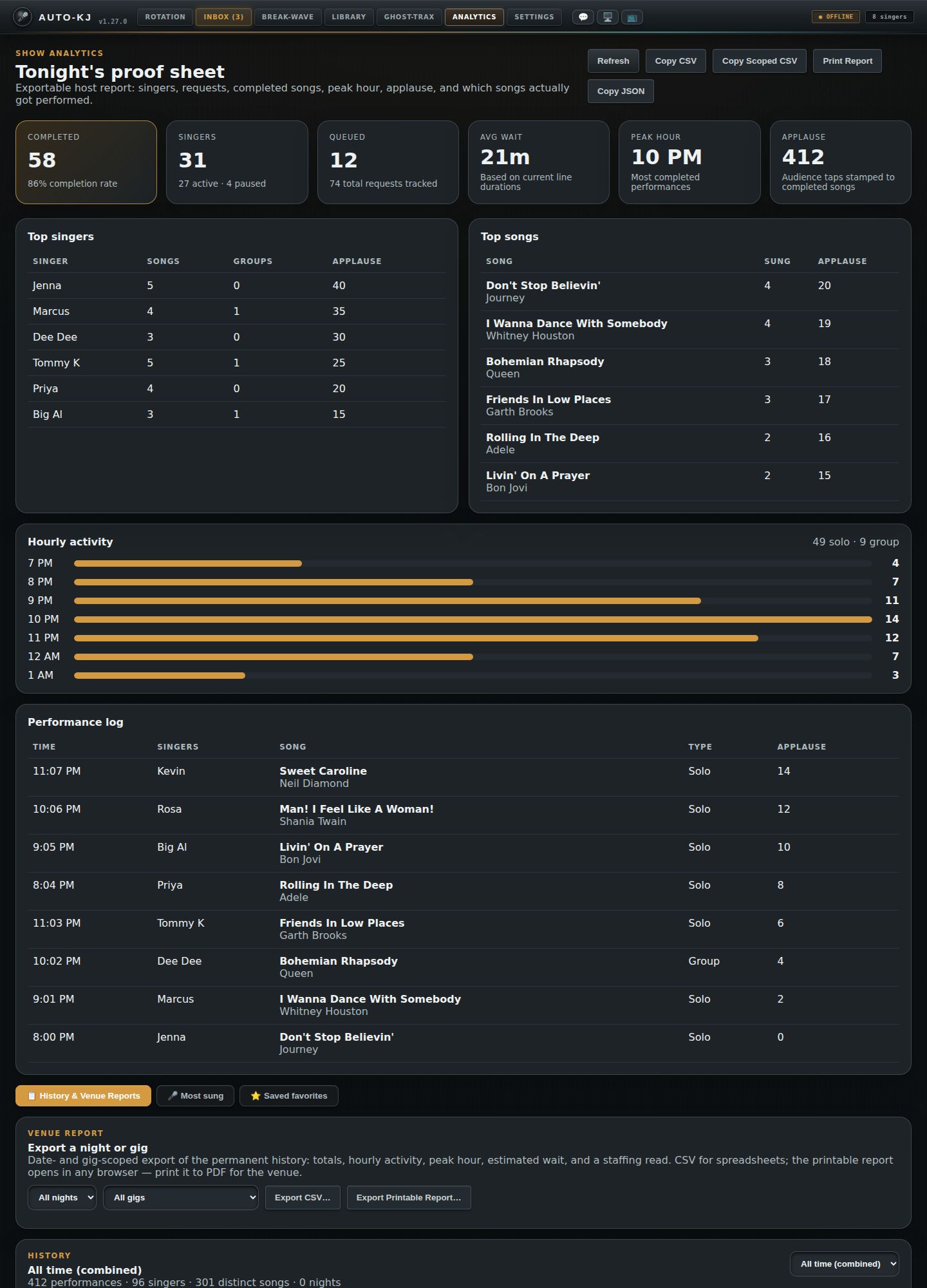
- 1Export buttons. Refresh reloads. Copy CSV / Copy Scoped CSV / Copy JSON put tonight's report on the clipboard. Print Report opens a printable page.
- 2Tonight at a glance. Completed songs and completion rate, singers (active and paused), queued requests, average wait, peak hour, total applause.
- 3Top singers. Most songs tonight, with group songs and applause.
- 4Top songs. Most-performed songs tonight and their applause.
- 5Hourly activity. Performances per hour, with the solo/group split.
- 6Performance log. Every song performed tonight: time, singers, song, solo or group, applause.
- 7Lower panels. History & Venue Reports; Most sung (what each regular sings most, with counts); Saved favorites (the ⭐ favorites singers saved in the phone app, for songs in your catalog).
- 8Venue report. Pick a night and a gig, then Export CSV… or Export Printable Report… (saves a file you can open in any browser and print to PDF).
- 9History browser. All time or one night: totals, top songs, artists and singers, a bar per night (click to open it) and the full log.
Full reference: Analytics controls
Purpose
A reporting tab with two scopes:
1. Tonight ("Tonight's proof sheet"): live metrics for the current show from get_show_analytics (completed songs, singers, queue, wait, peak hour, applause, top singers/songs, hourly bars, performance log), with clipboard/print exports.
2. Permanent history (all past shows, including imported OpenKJ/CSV histories) via get_history_detail: pick a single night or all time, per-night bar chart, top songs/artists/singers, set list, and date/gig-scoped venue report file exports (CSV, printable HTML).
Plus two singer-preference views under the history tabs: 🎤 Most sung (a filterable, aggregated table over the history log) and ⭐ Saved favorites (singers' starred songs from the cloud).
Props: gigId = selectedGigId, gigName = currentGig.venue_name ?? currentVenueName (App.svelte:4286). Used only for the "Copy Scoped CSV" / "Print Report" scope labels.
On every mount (i.e. every time the tab is opened): get_show_analytics, get_history_detail {date:null}, list_history_gigs_cmd (Analytics.svelte:136-140). Saved favorites are fetched lazily the first time the "⭐ Saved favorites" tab is opened (Analytics.svelte:92-96). No auto-refresh while viewing; use Refresh (which reloads tonight's data only).
Layout (top to bottom)
+-------------------------------------------------------------------+
| header: eyebrow "Show analytics" / H2 "Tonight's proof sheet" /    |
|   muted blurb              [Refresh][Copy CSV][Copy Scoped CSV]    |
|                            [Print Report][Copy JSON]               |
+-------------------------------------------------------------------+
| (error banner) (copied confirmation banner)                        |
+-------------------------------------------------------------------+
| metric grid (6 cards): Completed(hero) | Singers | Queued |        |
|                        Avg wait | Peak hour | Applause             |
+-------------------------------------------------------------------+
| split grid: [Top singers table] [Top songs table]                  |
+-------------------------------------------------------------------+
| Hourly activity panel (label | bar | count), "N solo · M group"    |
+-------------------------------------------------------------------+
| Performance log table (latest 50, newest first)                    |
+-------------------------------------------------------------------+
| (only once history loaded) view tabs:                              |
|   [📋 History & Venue Reports] [🎤 Most sung] [⭐ Saved favorites]  |
| History view:                                                      |
|   Venue report panel: [All nights ▼][All gigs ▼]                   |
|                       [Export CSV…][Export Printable Report…]      |
|                       (gig note) (status line)                     |
|   History panel: H3 date / "All time (combined)"  [night ▼]       |
|     stats line; per-night clickable bar chart (latest 30)          |
|   split grid: [Songs] [Artists] [Singers]  (if performances > 0)   |
|   Set list / Latest performances table                             |
| Most sung view:                                                    |
|   panel header + [Search singer, artist, or song…] filter input    |
|   table Singer | Song (title/artist) | Times sung | Last Performed |
| Saved favorites view:                                              |
|   panel header + [Search singer, artist, or song…] filter input    |
|   loading / error + [Retry] / empty text / table                   |
|   table ⭐ Song (title/artist) | Saved by (count) | Singers        |
+-------------------------------------------------------------------+
Controls
| Control | Region | Shown when | What it does | file:line |
|---|---|---|---|---|
| Tab button "Analytics" | Tab bar | Always | selectTab("analytics"); mounts component → loads 3 datasets |
App.svelte:241, 4285-4286 |
| "Refresh" / "Refreshing…" | Header actions | Always; disabled while loading | refreshAnalytics: clears error/copied, invoke("get_show_analytics"); error shown in red banner. Does NOT reload history, gig list or saved favorites. |
Analytics.svelte:294, 142-153 |
| "Copy CSV" | Header actions | Always; disabled if tonight has 0 performances | copyCsv → copyToClipboard(makeCsv(), …): copies tonight's performance CSV (performed_at,singers,title,artist,is_group,applause); banner "Copied CSV report". If the clipboard write is refused: red error banner "Couldn't copy to clipboard: …". |
Analytics.svelte:295, 171-184, 196-205, 229-231 |
| "Copy Scoped CSV" | Header actions | Always | copyScopedCsv: copies makeScopedAnalyticsCsv: scope rows (date = first performance date or generated_at date; gig = gigName/gigId/"No gig selected"), metric rows, hourly rows, performance rows. Banner "Copied scoped CSV report"; same clipboard-error banner on failure. |
Analytics.svelte:296, 186-194, 207-209; analyticsReport.ts:38-71 |
| "Print Report" | Header actions | Always | Builds plain-text makePrintableAnalyticsReport (date, gig, totals, avg wait, peak, hourly, staffing sentence), opens window.open("", "_blank"), writes an HTML <pre> page, calls print(). If pop-up blocked: red banner "Allow pop-ups to open the printable report." |
Analytics.svelte:297, 211-223; analyticsReport.ts:26-36, 79-103 |
| "Copy JSON" | Header actions | Always | copyJson: copies the full ShowAnalyticsView JSON; banner "Copied JSON report"; same clipboard-error banner on failure |
Analytics.svelte:298, 225-227 |
| Error banner | Below header | error set |
Shows analytics load error / pop-up message / clipboard failure ("Couldn't copy to clipboard: …"). A successful copy clears it. | Analytics.svelte:302-304, 196-205 |
| Copied banner | Below header | after a copy | Shows copy confirmation (cleared by next Refresh or by a failed copy) | Analytics.svelte:305-307 |
| Metric cards (6) | Metric grid | Always | Read-only: Completed + completion %; Singers + active/paused; Queued + total requests; Avg wait (s/m or —); Peak hour; Applause | Analytics.svelte:309-340 |
| Top singers table | Split grid left | Always ("No completed singers yet." when empty) | Read-only, top 12: Singer, Songs, Groups, Applause | Analytics.svelte:343-362 |
| Top songs table | Split grid right | Always (empty text) | Read-only, top 12: Song/artist, Sung, Applause | Analytics.svelte:364-385 |
| Hourly activity bars | Panel | Always (empty text) | Read-only bar per hour, scaled to max | Analytics.svelte:388-407 |
| Performance log | Panel | Always (empty text "Complete a song and it will appear here.") | Read-only, newest 50: Time, Singers, Song, Type (Group/Solo), Applause | Analytics.svelte:409-429 |
| "📋 History & Venue Reports" | View tabs | history loaded | activeViewTab = "history" (default) |
Analytics.svelte:433-439 |
| "🎤 Most sung" | View tabs | history loaded | activeViewTab = "mostsung" |
Analytics.svelte:440-446 |
| "⭐ Saved favorites" | View tabs | history loaded | openSavedTab: activeViewTab = "saved"; if not yet loaded and not loading, loadSavedFavorites() |
Analytics.svelte:447-453, 92-96 |
| Select report night ("All nights" + each night, full date) | Venue report panel | History view | Binds reportNight (export scope only) |
Analytics.svelte:470-475 |
Select report gig ("All gigs" + gigs from list_history_gigs_cmd) |
Venue report panel | History view | Binds reportGigId (export scope only) |
Analytics.svelte:476-481 |
| "Export CSV…" | Venue report panel | History view | exportReport("csv"): native Save dialog (default autokj-report-<gig-slug or all-gigs>-<date or all-nights>.csv, CSV filter). Cancel → nothing. Else status "Exporting…" → invoke("export_show_report_csv", {destPath, date, gigId, gigLabel}) writes file → status "Report saved to <path>" or "Export failed: …" |
Analytics.svelte:482, 249-283; lib.rs:7222 |
| "Export Printable Report…" | Venue report panel | History view | Same as above with .html and export_show_report_html; success status appends " — open it in a browser and print to PDF for a venue hand-off." |
Analytics.svelte:483, 249-283; lib.rs:7235 |
| Gig-scoping note | Venue report panel | No gigs in history | Static explanation | Analytics.svelte:485-490 |
| Report status line | Venue report panel | after an export | Export result text | Analytics.svelte:491-493 |
| Select history night ("All time (combined)" + "{date} — N songs") | History panel header | History view; disabled while loading | selectNight(value) → invoke("get_history_detail", {date or null}); heading and all tables below switch scope (and so does the Most sung view, which reads the same history.log) |
Analytics.svelte:502-512, 112-115 |
| Per-night bar (button per night) | History panel chart | >1 night in latest 30 | Click toggles: select that night (load it) or, if already selected, back to all time. Tooltip "{date}: N performances, M singers — click to view". Selected bar highlighted. | Analytics.svelte:524-538 |
| Songs / Artists / Singers tables | Split grid | history.performances > 0 | Read-only top 12 for the scope ("that night" vs "All-time") | Analytics.svelte:542-582 |
| Set list / Latest performances table | Panel | history.performances > 0 | Read-only: time (or date+time for all-time), singer, song, source | Analytics.svelte:584-603 |
| Filter input "Search singer, artist, or song…" (Most sung) | Most sung panel header | Most sung view | Binds the shared favoriteFilter; case-insensitive filter over singer/title/artist; shows up to 100 rows; "No songs matching …" when none |
Analytics.svelte:613-620, 630-634, 648 |
| Most sung table | Most sung panel | Most sung view, history.log non-empty ("No performances recorded yet." otherwise) |
Read-only: Singer, Song (title/artist), "Times sung" (N×), Last Performed. Rows come from aggregateMostSung(history.log): singer+artist+title collapsed (case-insensitive) with a count, most-sung first, ties most recent first. Copy states this is the performance log, not saved favorites. |
Analytics.svelte:622-659; analyticsFavorites.ts:28-52 |
| Filter input "Search singer, artist, or song…" (Saved) | Saved favorites panel header | Saved favorites view | Binds the same favoriteFilter; filterSavedFavorites matches title, artist or any singer name |
Analytics.svelte:669-676, 695; analyticsFavorites.ts:84-93 |
| Saved favorites states | Saved favorites panel | Saved favorites view | "Loading saved favorites…" while fetching; on error the message + Retry button; empty text "No saved favorites yet — none of the N singers who've been to your shows have starred a song in your library…" when no rows; "No songs matching …" when the filter has no hits | Analytics.svelte:683-698 |
| "Retry" | Saved favorites panel | Saved favorites view, savedError set |
loadSavedFavorites() again |
Analytics.svelte:687, 75-90 |
| Saved favorites table | Saved favorites panel | Saved favorites view, songs > 0 | Read-only: "⭐ title / artist", "Saved by" (distinct singer count), "Singers" (names joined ", "). Data: GET https://api.auto-kj.com/api/host/singer-favorites with the license token as bearer (fetchSavedFavorites, aborts after 8 s via cloudFetchSignal); scoped server-side to singers who performed or checked in at this host's shows and to songs in this host's catalog. With no license token: "Sign in to your Auto-KJ account to see singers' saved favorites."; network/HTTP failure: "<error>. Saved favorites need an internet connection." |
Analytics.svelte:75-90, 694-717; analyticsFavorites.ts:67-82 |
Flows (Analytics)
A-1 Tonight's clipboard report: Analytics tab → (Refresh) → Copy CSV / Copy Scoped CSV / Copy JSON → green "Copied …" banner → paste elsewhere. If the OS/webview refuses the clipboard write, a red "Couldn't copy to clipboard: …" banner appears instead.
A-2 Print tonight: Print Report → new window with plain-text report → OS print dialog. (Pop-up blocked → error banner.)
A-3 Venue report file: History & Venue Reports (default) → pick night (or All nights) → pick gig (or All gigs) → Export CSV… or Export Printable Report… → Save dialog → (Cancel: stop) → "Exporting…" → "Report saved to <path>" / "Export failed: …".
A-4 Browse a past night: choose a night in the history select OR click its bar → tables reload for that night → click the same bar again (or choose "All time (combined)") to return.
A-5 Most-sung lookup: 🎤 Most sung → type in the search box → table filters live (same box text carries over to Saved favorites).
A-6 Saved favorites: ⭐ Saved favorites → first open fetches from the cloud ("Loading saved favorites…") → table of starred songs with who saved them → type to filter by song, artist or singer → on failure use Retry.
Host app
Settings
One long page of cards in seven groups. There are no sub-tabs; the screenshots below follow the page from top to bottom. While no license key is entered, the License Activation card sits at the very top; once activated it moves to the bottom.
✨ New in Settings
- Blocked Songs card is now one list saved to your Auto-KJ account, per gig. The typed Artist / Title boxes and the Block Song button are gone. You search your library in Search your library to block a song… and press Block on a result. One row covers every library version of a song, and Unblock removes them all. Nothing can be edited without a gig selected or while offline. Offline, the last saved list is shown and still enforced.
- Blocked Songs card, old local entries: entries typed under the old system are moved to your account automatically. Ones that match no library song stay listed as "not in library — enforced on this computer only" with a Remove button. A note under the list reports what was moved.
- Browse Before You Go checkbox now flips back and shows a red "Couldn't save…" line if the save fails. Before, it kept the new state regardless.
- ⬆ Check for Updates no longer installs by itself. It shows the version and release notes, and a new ⬇ Install & restart button does the install. If a song or a deck is playing, a new "A song is playing. Restart now anyway?" dialog offers Restart now or Wait until the song ends. A Cancel button appears while it waits.
- MIDI Controllers & DJ Hardware card gained a MIDI Learn table. It has a per-controller preset label and activity light, a Reset to preset button, and a collapsible group per action category with Learn / Clear buttons per action. Bindings are saved per DJ profile. The card text now lists the built-in controller presets.
- Headphone Cue hint no longer says "Requires a paid plan" (the select was never gated).
- Skin Creator & Market → 💳 Unlock $5.00 / Complete Purchase now opens a Stripe checkout in the browser instead of unlocking instantly. A new I've paid — check now button appears afterwards. VIP / Infinite Play tiers still get 👑 Claim Free VIP Perk.
- Skin Creator → Skin Studio: 👁️ Preview on App and 💾 Save & Apply always work on a real skin (a draft id exists from the start). Repeat saves update the same skin. Closing the modal now ends a live preview and restores your theme.
- Guides & Help has a new 🗺️ Field Manual (every tab, with screenshots) button.
Source root: host-app/src/. All file:line references are relative to it. "S" = lib/Settings.svelte, "MM" = lib/dj/MidiMapping.svelte, "SCM" = lib/skins/SkinCreatorModal.svelte.
| Group | Cards | Use it to… |
|---|---|---|
| Show night | Show Screens · Pre-show Check · Shows · LAN network · Remote Control | Launch and size the stage screens, run a readiness check, pick tonight's gig, pair a phone as a remote. |
| Rotation & playback | Automation & Playback · Fairness Rules | What happens when a song ends, crossfade time, repeat-song and group-song rules. |
| Singers | Singer Phones · Blocked Songs · Banned Singers · Browse Before You Go | On-deck message and tip links, songs not allowed at a gig (one list, saved to your Auto-KJ account and shared with the dashboard), unbanning, pre-show song browsing. |
| DJ / host | DJ Profiles · Keyboard Shortcuts | Several DJs sharing one rig, each with their own settings and shortcuts. |
| Audio & hardware | Audio Devices · MIDI Controllers | Karaoke output, Break-Wave output, headphone cue (free on every plan); MIDI controllers with ready-made layouts and MIDI Learn, saved per DJ profile. |
| Appearance | Skins, Skin Creator & Market, window scale | 11 built-in themes, 6 Signature skins, custom skins. |
| Library, data & help | Track Identification · Session & Data · Guides & Help · License | AcoustID key, new night, history import/export, backups, updates, docs, license. |
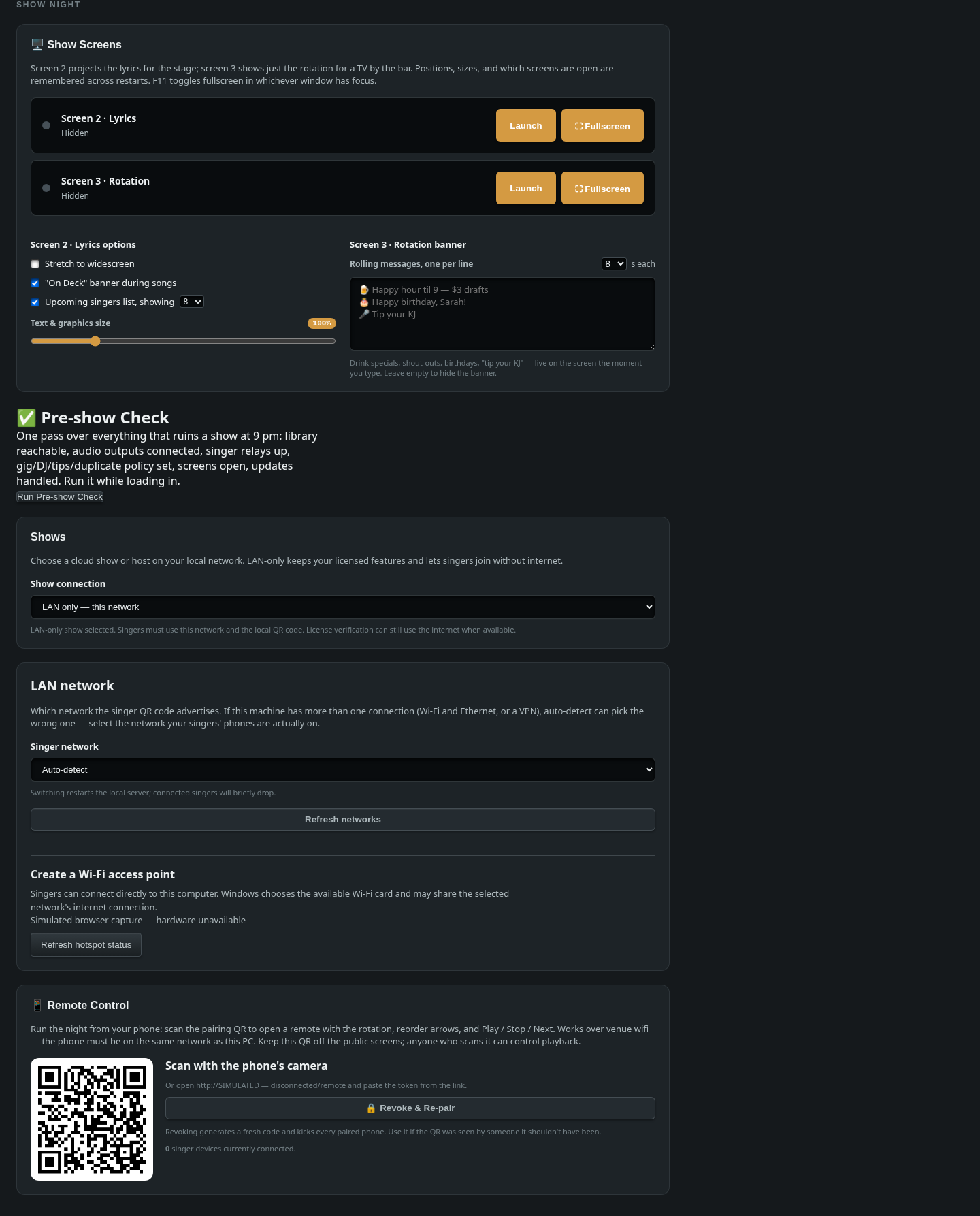
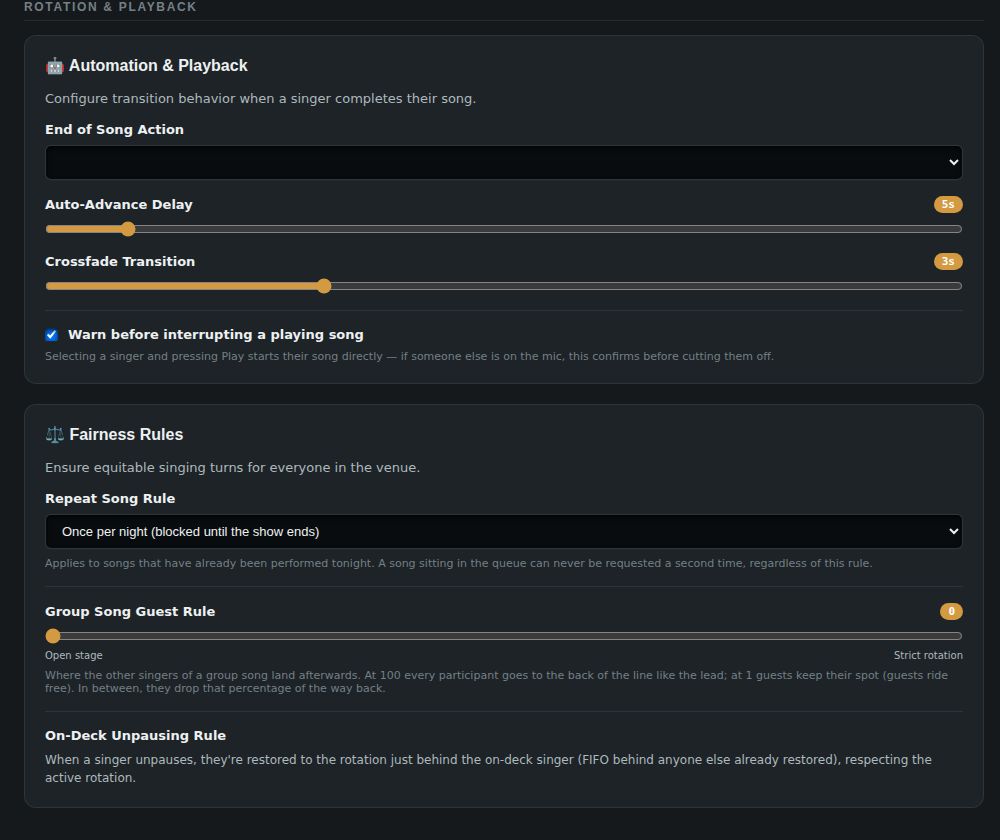
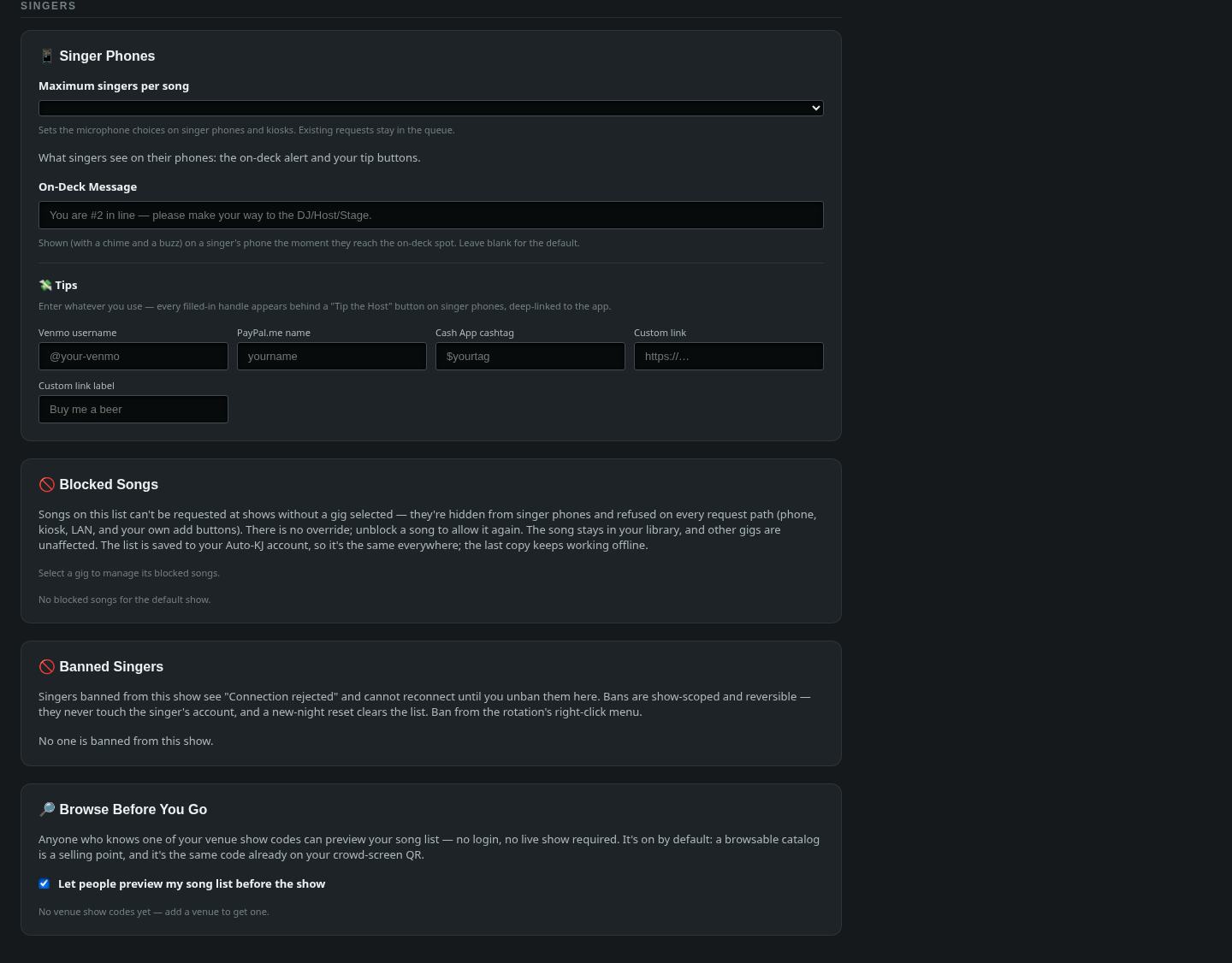
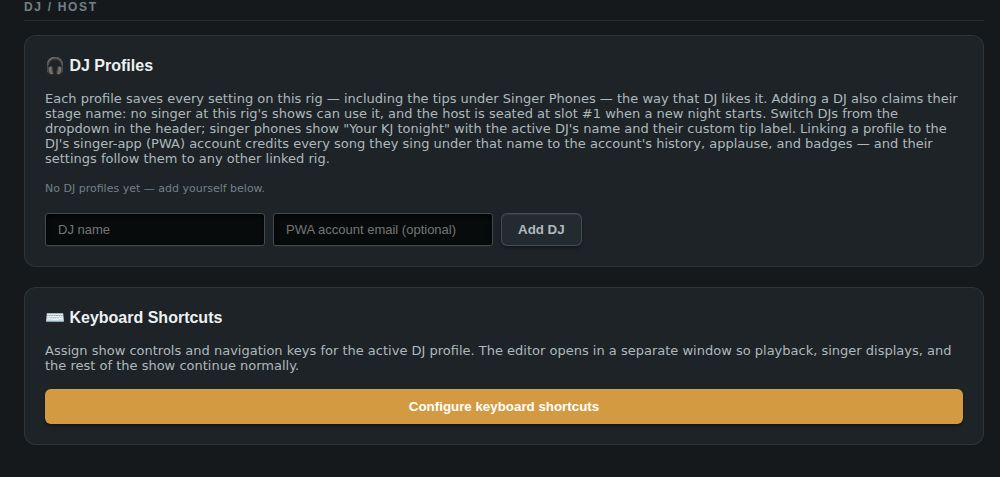
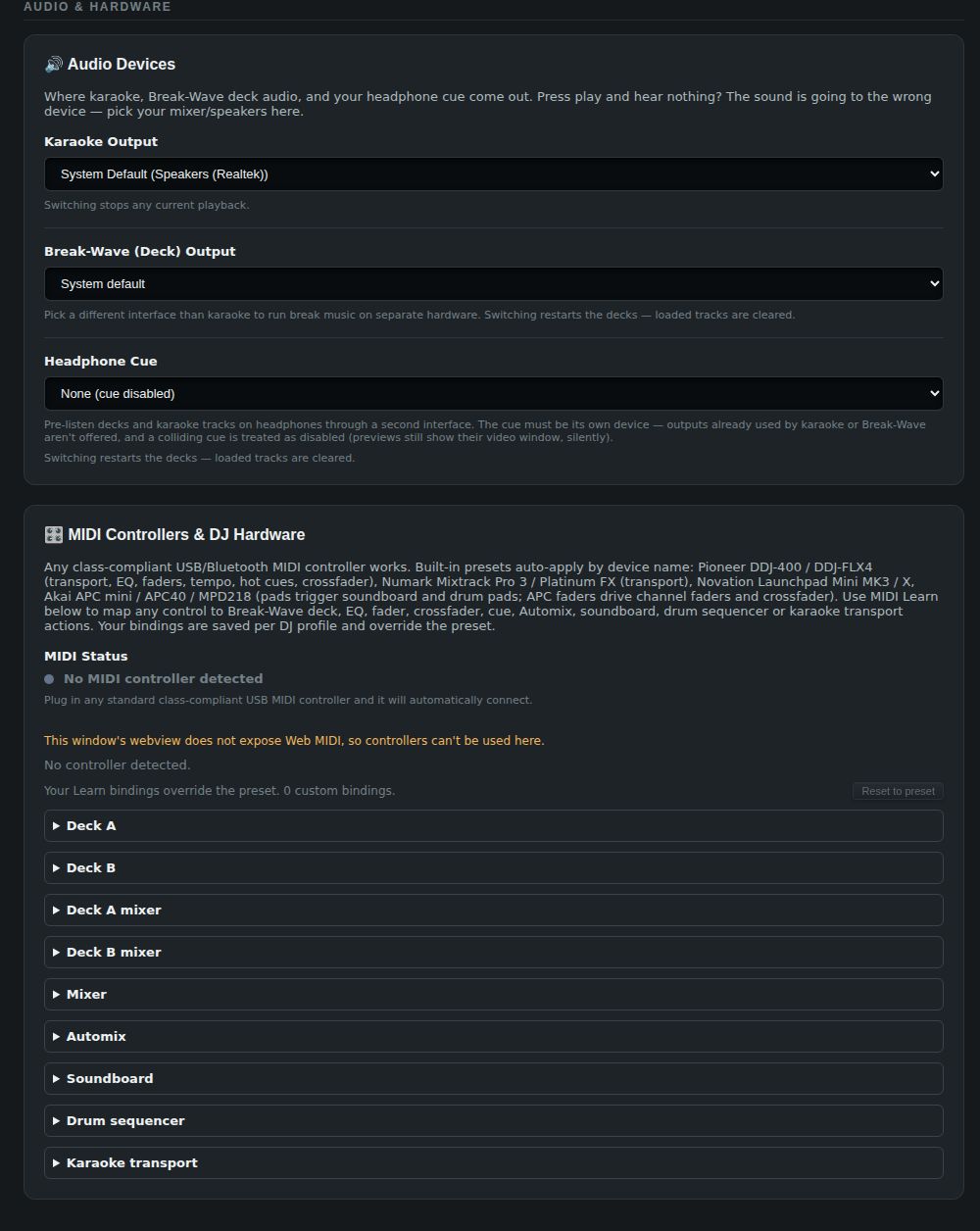
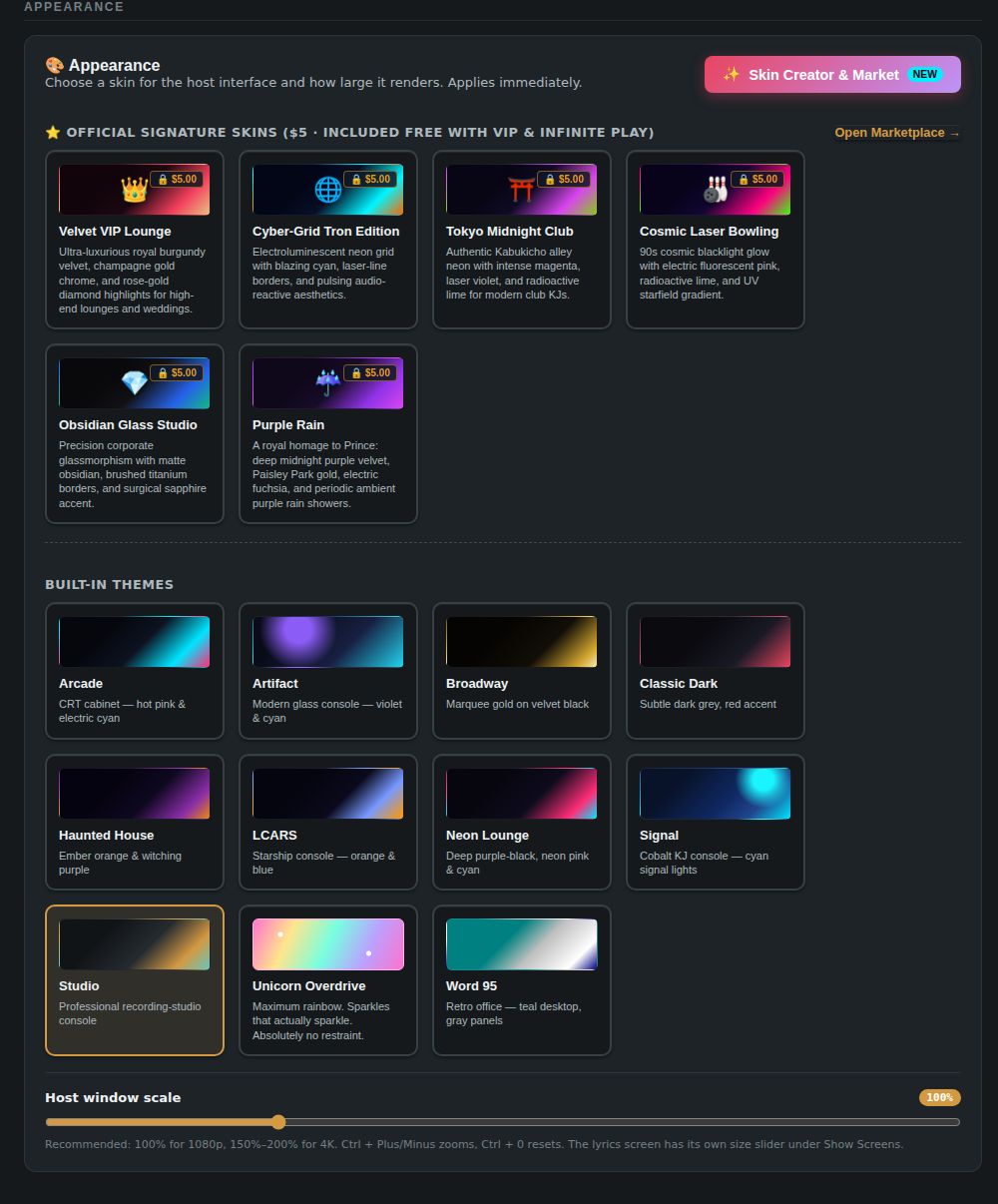
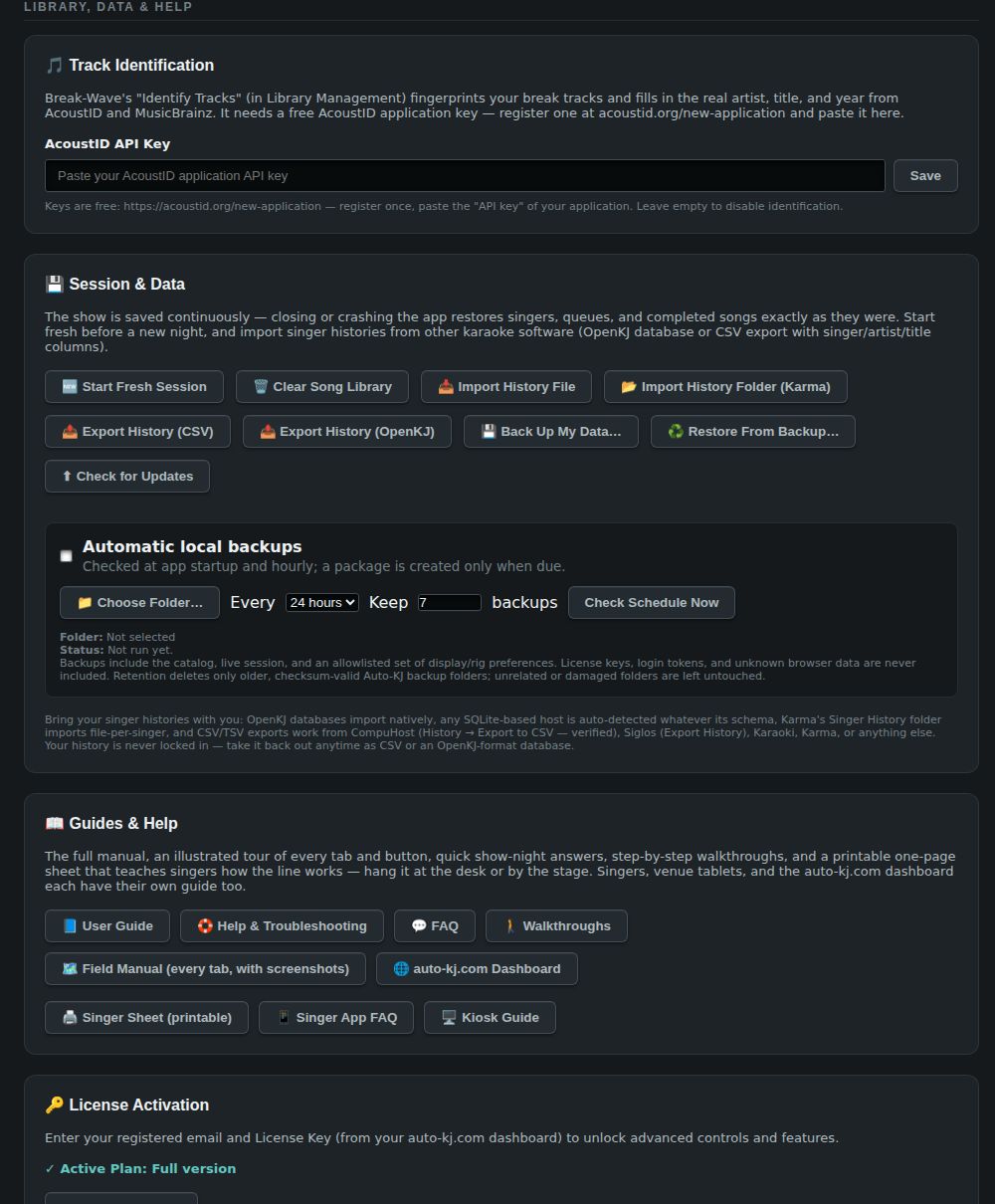
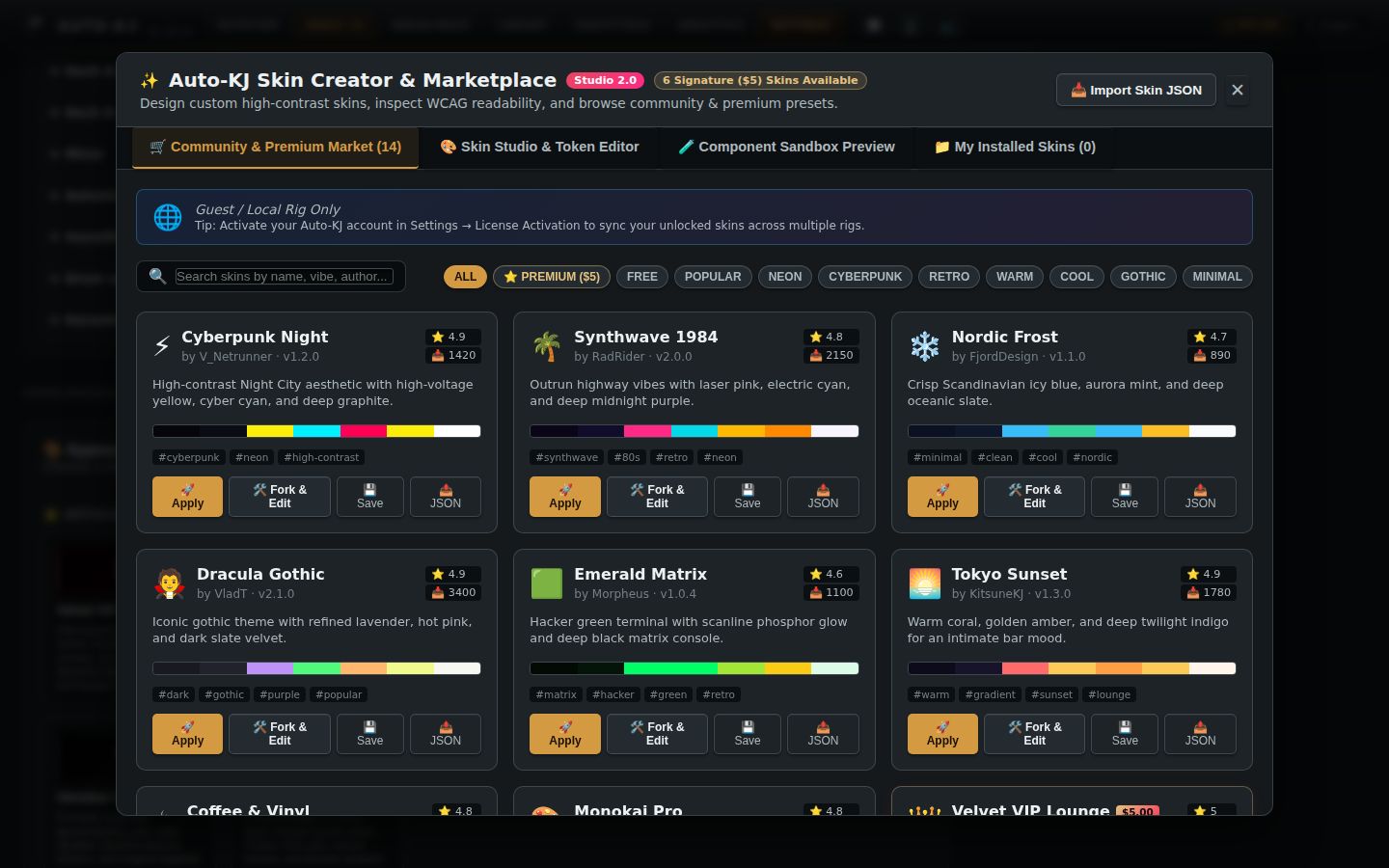
Getting a show online
Full reference: every Settings card
Entry point and page shell
Purpose. Settings is the "set-and-forget" page for the host (KJ): screens, fairness rules, singer-phone content, DJ profiles, audio hardware, skins, data/backup, license. It is one long scrolling page. There are no sub-tabs. Cards are grouped under <h3 class="settings-group"> headings, ordered by how often a host touches them on a show night.
How to reach it.
- Main tab bar → Settings. The tab id is "settings" (App.svelte:208), rendered at App.svelte:3996–3997:
<Settings onBack={() => selectTab("rotation")} {gigs} {selectedGigId} {cloudConnected} onGigChange={handleGigChange} />
- Keyboard shortcut Alt+7 (tabSettings, lib/keyboardShortcuts.ts:42, 60).
- selectTab() (App.svelte:529) also calls refreshDisplayWindows(), because Settings keeps its own copy of the lyrics/rotation window toggles. On the first visit it starts the Settings tab tour (lib/onboarding.ts:184–213, 5 steps; seen-flag auto-kj-tour-seen-settings).
- Settings unmounts on every tab switch. Timers, including the update "wait until the song ends" poll, are cleared in onDestroy (S:519–524).
Props passed from App.svelte. gigs (cloud gig list, or the cached list auto-kj-cached-gigs when offline), selectedGigId, cloudConnected, onGigChange → handleGigChange (App.svelte:2072), onBack.
Loads on mount (S:1555–1571):
- loadSettings() (S:795) runs the invokes get_guest_tax, get_show_config, get_auto_advance_delay, get_completion_mode, get_lyrics_window_visible, get_rotation_window_visible, audio_list_output_devices and list_network_interfaces, and reads the localStorage keys setting_crossfade_secs, setting_cooldown_hours, setting_duplicate_mode, auto-kj-audio-device, auto-kj-network-ip and auto-kj-warn-interrupt.
- loadScaleSettings() (S:1111).
- initMidi(). App.svelte:2695 now also starts MIDI at app launch, so this is a re-run.
- loadBannedSingers(), then polls list_banned_singers every 5 s.
- A storage listener for the scale keys.
- Separate onMounts: loadRemoteInfo (S:441), loadDjProfiles (S:533), loadDjOutputSettings (S:882), loadAcoustidKey (S:919), loadCueDeviceSetting (S:962).
- Reactive loads: loadBlocklist(selectedGigId) (fn S:211, reactive call S:244) and loadCatalogPreviewSettings() once a license token exists (fn S:350, trigger S:421). loadBlocklist now also fetches the gig's cloud list (see Blocked Songs).
Page-level gating.
- isLicensed = activeTier && activeTier !== "FREE PLAY" && activeTier !== "None" (S:131).
- $isFree is derived in lib/licenseStore.ts:25. When free, S:484–488 forces crossfade 0, auto-advance 0 and completion "silence". licenseStore.ts:112–122 also pushes set_auto_advance_delay(0), set_completion_mode("silence") and set_crossfade_secs(0) to the backend.
Layout (top to bottom).
1. Header: ← Back + "Host Preferences & Settings".
2. License Activation card. Only here while unlicensed; otherwise it moves to the bottom.
3. Show night: Show Screens, Pre-show Check, Shows, LAN network (separate card), Remote Control.
4. Rotation & playback: Automation & Playback, Fairness Rules.
5. Singers: Singer Phones, Blocked Songs, Banned Singers, Browse Before You Go.
6. DJ / host: DJ Profiles, Keyboard Shortcuts.
7. Audio & hardware: Audio Devices, MIDI Controllers & DJ Hardware (status plus the MIDI Learn table).
8. Appearance: Appearance (skins + host window scale).
9. Library, data & help: Track Identification, Session & Data, Guides & Help.
10. License Activation card, only here once licensed.
11. The update-confirm dialog ("A song is playing. Restart now anyway?"), mounted only while showUpdateConfirm is true (S:2905–2925).
12. The Skin Creator & Marketplace modal, mounted always and opened by flag (S:2927).
Controls
| Control | Shown when | What it does | file:line |
|---|---|---|---|
| ← Back button | Always | Calls onBack → selectTab("rotation"), which returns to the Rotation tab. |
S:1576; App.svelte:3997 |
License Activation (🔑)
Purpose. Enter the auto-kj.com dashboard email and License Key to unlock paid features. The same card can also start a 60-day Full-version trial, or drop back to Free. Plan codes are shown through displayPlanName: HOST → "Full version", FREE PLAY/None → "Free version" (licenseStore.ts:30).
Layout. Defined as a {#snippet licenseCard()} (S:1579–1631). It renders at the top of the page when !isLicensed (S:1633) and at the very bottom when isLicensed (S:2900). The page shows one of two states:
- Active: "✓ Active Plan: <plan>" with a Deactivate License button.
- Entry form: Email + Key fields and an Activate License button.
Below either state come a status line, the embedded <TrialActivation/> (lib/TrialActivation.svelte), and a Use Free version button when the current license is a trial.
Controls
| Control | Shown when | What it does | file:line |
|---|---|---|---|
| "✓ Active Plan: …" label | isLicensed && licenseSnapshot.source !== 'trial' |
Read-only display of the plan name. | S:1588 |
| Deactivate License | Same as above | deactivateLicense() (S:1088). Invokes deactivate_license; on error the status reads "Could not deactivate this license. Please try again." On success: activeTier="FREE PLAY", licenseSnapshot=null, removes license_auth_kind, and clears licenseEmail/licenseToken (which removes the localStorage keys license_email/license_token). Status: "License deactivated. App reverted to Free version." No confirmation. |
S:1590 |
| Registered Email text input | Not active paid (unlicensed, or on a trial) | Bound to localEmail, which is pre-filled from the licenseEmail store. Placeholder "e.g. host@venue.com". |
S:1596–1604 |
| License Key password input | Same | Bound to localToken. Placeholder "License Key from Dashboard". |
S:1607–1615 |
| Activate License | Same | activateLicense() (S:1070). If either field is empty: "Please enter both email and token." Otherwise shows "Verifying..." and invokes refresh_license {email, token} → plan. Then saveLicenseCredentials(email, token, 'paid'), which writes license_auth_kind=paid, license_email and license_token. Sets activeTier, calls syncNativeLicense() (invoke get_license_snapshot), shows "License activated! Plan: X" and reloads settings. On error: "Verification failed: <err>". Activation also triggers the skin-entitlement sync (customSkinsStore.ts:817–826 → GET /api/license/skins). |
S:1617 |
| Status line | verificationStatus non-empty |
Shows the result text. | S:1621–1623 |
| Use Free version | licenseSnapshot.source === 'trial' |
Same deactivateLicense() as above; ends the trial use on this rig. |
S:1625–1627 |
| (TrialActivation sub-panel, below) | VITE_APP_TRIAL_ENABLED === 'true' at build time |
See the next table. | lib/TrialActivation.svelte:52 |
TrialActivation sub-panel — "Try Full version for 60 days" (lib/TrialActivation.svelte). It is informational text plus a multi-step flow. Every step runs through perform(), which sets busy → "Working…" and shows errors inline in an aria-live status line.
| Control | Shown when | What it does | file:line |
|---|---|---|---|
| Expiry notice "Ends <date> — this deadline never restarts." | Trial active with expires_at |
Read-only. | TA:58–60 |
| "Your paid plan takes precedence." | source==='paid' |
No controls are shown. | TA:62–63 |
| Refresh trial status | source==='trial' and a token exists |
Invokes refresh_trial {email, token} → applyLicenseSnapshot (writes license_tier and upgrades license_auth_kind to paid if applicable). |
TA:64–69 |
| Account email input | No session yet | Bound to email, pre-filled from licenseEmail. |
TA:71–72 |
| Account password input or Existing license key input | No session. Which one depends on the useKey toggle |
Password or key used for sign-in. | TA:73–79 |
| Sign in | No session. Disabled until email plus password/key are filled | With a key: session = key. Otherwise invokes trial_sign_in {email, password} → token. Password and key are cleared afterwards. |
TA:81 |
| Use an existing license key / Use account password | No session | Toggles useKey and clears both secret fields. |
TA:82 |
| Create an account on auto-kj.com | No session | Invokes open_external {url:'https://auto-kj.com'}. |
TA:83 |
| "Account: <email>" | Session exists | Read-only. | TA:86 |
| Send verification code | Session exists | Invokes request_trial_email {token, email}. The result must contain retention_days ≥ 60 and a disclosure, otherwise it errors with "server has not supplied its retention policy". Sets sent and shows the disclosure. |
TA:88–92 |
| Check existing trial | Session exists | Invokes refresh_trial {email, token: session} → accept(). Credentials are saved as trial (or paid) unless a paid license is already present (preservePaid). |
TA:93–96 |
| Change account | Session exists | Resets session, code, sent, verified, consent, message and disclosure. | TA:97 |
| Email verification code input | sent && !verified |
Takes a 64-hex-char code. | TA:100–101 |
| Verify email | Same. Enabled only if the code matches /^[a-f0-9]{64}$/ |
Invokes confirm_trial_email {token, code, email}. It must return verified:true, otherwise errors with "Request a new code." |
TA:102–107 |
| Consent checkbox "I agree to device recognition and to start the fixed 60-day trial now…" | Session exists. Enabled only once verified and a disclosure is present | Sets consent. |
TA:110–112 |
| Start my 60-day trial | Session exists. Enabled when verified, consent given and disclosure present | Invokes activate_trial {email, token, consent:true} → accept(). Saves credentials as trial, applyLicenseSnapshot sets the tier, and the result message is shown. |
TA:113–116 |
Show night → Show Screens (🖥️) — id="card-lyrics"
Purpose. Launches and controls the two extra display windows: Screen 2 · Lyrics (the stage/CDG window) and Screen 3 · Rotation (the bar-TV list). It also holds their display options. Window positions and open state are remembered across restarts. F11 toggles fullscreen in whichever window has focus.
Layout. There are two status rows. Each has an indicator dot, a "Showing"/"Hidden" label, Launch/Hide and ⛶ Fullscreen. Below them are two option columns: "Screen 2 · Lyrics options" and "Screen 3 · Rotation banner".
Controls
| Control | Shown when | What it does | file:line |
|---|---|---|---|
| Screen 2 Launch / Hide | Always. Label follows state | Invokes toggle_lyrics_window → the new visibility. |
S:1660–1662 (fn S:1034) |
| Screen 2 ⛶ Fullscreen | Always. Disabled while the lyrics window is hidden | Invokes toggle_window_fullscreen {label:"lyrics"}. |
S:1663–1665 (fn S:1150) |
| Screen 3 Launch / Hide | Always | Invokes toggle_rotation_window. |
S:1678–1680 (fn S:1051) |
| Screen 3 ⛶ Fullscreen | Always. Disabled while hidden | Invokes toggle_window_fullscreen {label:"rotation"}. |
S:1681–1683 |
| ☐ Stretch to widescreen | Always | Writes localStorage auto-kj-lyrics-stretch. The lyrics window picks it up through its storage event. It fills a 16:9 TV instead of letterboxing 4:3. |
S:1691–1698 (fn S:1145) |
| ☐ "On Deck" banner during songs | Always | Writes localStorage auto-kj-lyrics-show-ondeck. |
S:1699–1706 (fn S:1140) |
| ☐ Upcoming singers list, showing | Always | Writes localStorage auto-kj-lyrics-show-queue. |
S:1708–1715 (fn S:1135) |
| Upcoming count select (1–10, 12, 15, 20, All) | Always. Disabled when the list checkbox is off | Writes localStorage auto-kj-lyrics-upcoming-count (clamped 1–20, or "all"). Default 8. |
S:1716–1726 (fn S:1158) |
| Text & graphics size slider (50–300 %, step 5) | Always | Writes localStorage auto-kj-lyrics-scale. The % badge updates live. |
S:1728–1740 (fn S:1181) |
| Rolling messages … s each select (5, 8, 10, 15, 20, 30, 60) | Always | Writes localStorage auto-kj-rotation-ticker-secs (clamped 3–120, default 8). |
S:1747–1757 (fn S:1062) |
| Rolling messages, one per line textarea | Always | On every keystroke writes localStorage auto-kj-rotation-ticker-messages. The rotation window updates live. Empty = the banner is hidden. |
S:1759–1766 (fn S:1058) |
Show night → Pre-show Check (✅) — id="preshow-card" (lib/PreShowCheck.svelte)
Purpose. A one-click readiness check before doors open. It covers library, audio, relays, gig, DJ, tips, duplicate policy, screens and updates. Each failing or warning row offers a "fix" button. Most fix buttons scroll to the right Settings card.
Layout. A button, then a summary ("All clear — have a great show. 🎤" or "N blocking, M worth a look (checked HH:MM)"), then a list of rows. Each row shows 🟢/🟡/🔴 + label + detail + an optional fix button.
Controls
| Control | Shown when | What it does | file:line |
|---|---|---|---|
| Run Pre-show Check / Run Again / Checking… | Always | runCheck(). It first runs a quiet updater check() (@tauri-apps/plugin-updater). It then invokes run_preshow_check {frontend:{savedKaraokeDevice, selectedGig, acceptingRequests, lyricsWindowOpen, rotationWindowOpen, updateAvailable, updateCheckError}}, reading auto-kj-audio-device and auto-kj-accepting-requests from localStorage. |
PSC:90 (fn PSC:54) |
Per-row fix button (label from ACTION_LABELS) |
Row status ≠ pass and the row has an action | Calls onAction(id) → Settings handlePreshowAction (S:135). See the mapping below. |
PSC:113–117 |
Fix mapping (S:135–165):
- audio-device "Pick audio output" → scrolls to card-audio.
- dj-device "Pick Break-Wave output" → scrolls to card-dj-audio.
- network → scrolls to card-network.
- gig "Choose gig" → scrolls to card-gig.
- dj-profile → scrolls to card-dj-profiles.
- tips "Set up tip links" → scrolls to card-singer-app.
- screens → scrolls to card-lyrics.
- update "Install update" → scrolls to card-session.
- relink-library "Locate library folder…" → opens a folder picker, then invokes relink_library_root {newRoot}. It reports "Library relinked to X — m of n sampled files found there", or "Relink failed".
- scan-library / library-missing → shows a status message pointing to the Library tab and scrolls to card-session.
- requests → shows a message that the Accepting Requests toggle is in the Inbox tab header.
Show night → Shows — id="card-gig"
Show connection always offers LAN only — this network. Licensed accounts also see Cloud — default show and their available gigs. LAN-only keeps licensed features and uses the local network and QR code; license verification may still use internet when available. When cloud mode is selected but disconnected, the card explains that local requests remain available.
The selected connection is handled by onGigChange in Settings and handleGigChange in App. Venues are managed on the dashboard, not created in this card. Source: Settings.svelte, showConnection.ts.
Show night → LAN network — id="card-network"
This is a separate card immediately after Shows. Singer network offers automatic detection or a listed interface and address. Changing it restarts the local server; connected singers briefly drop. Refresh networks reloads the interfaces.
Create a Wi-Fi access point reports platform/hardware support and exposes hotspot controls when available. The screenshots use a reserved sample address and explicitly unavailable simulated hardware. Neither the screenshots nor the walkthrough establish that a real access point works. Sources: Settings.svelte, HotspotSettings.svelte.
Show night → Remote Control (📱)
Purpose. Pairs a phone as a remote for the KJ console (rotation, reorder, Play/Stop/Next) over the venue LAN. The QR is a secret, so it should stay off the public screens.
Controls
| Control | Shown when | What it does | file:line |
|---|---|---|---|
| Pairing QR image + "Or open http://<addr>/remote…" | remoteInfo loaded (local server running) |
QR of remoteInfo.url from invoke get_remote_pairing_info (S:441). |
S:1830–1834 |
| 🔒 Revoke & Re-pair → "Click again to confirm — disconnects all remotes" | remoteInfo loaded |
Two-click confirm with a 4 s window (S:455). The second click invokes regenerate_remote_token, which creates a new URL/QR and kicks every paired phone. |
S:1835–1837 |
| "N singer device(s) currently connected." | Count known | Read-only, from invoke get_connected_singers (fetched on load and after re-pair). |
S:1839–1841 |
| Hint "Start the local server (Rotation tab) to enable remote pairing. (err)" | No remoteInfo |
Informational. | S:1847 |
| ↻ Check Again | No remoteInfo |
Re-runs loadRemoteInfo(). |
S:1848 |
Rotation & playback → Automation & Playback (🤖)
Purpose. Controls what happens when a singer's song ends: wait, auto-advance, or play break music. Also sets the crossfade length and a safety prompt before interrupting a song. On the Free plan the card is greyed out (disabled-overlay) and a banner reads "🔒 Upgrade plan to unlock transition and auto-advance controls."
Controls
| Control | Shown when | What it does | file:line |
|---|---|---|---|
End of Song Action select: "Wait for Host (Manual)" (silence), "Auto-Advance to Next Singer" (delay_then_auto_play), "Play Break Track Playlist" (auto_crossfade_break) |
Always. Disabled when Free | Invokes set_completion_mode {mode}. It is a no-op when Free. |
S:1866–1880 (fn S:1028) |
| Auto-Advance Delay slider 0–60 s | Always. Disabled when Free | Invokes set_auto_advance_delay {delaySecs} on every input. Badge shows "Ns". |
S:1885–1897 (fn S:1022) |
| Crossfade Transition slider 0–10 s, step 0.5 | Always. Disabled when Free | Writes localStorage setting_crossfade_secs and invokes set_crossfade_secs {secs}. |
S:1902–1914 (fn S:1003) |
| ☐ Warn before interrupting a playing song | Always (every tier) | Writes localStorage auto-kj-warn-interrupt (default true). When on, Play on a selected singer asks for confirmation before cutting off the current singer. |
S:1918–1929 (fn S:841) |
Rotation & playback → Fairness Rules (⚖️) — id="card-fairness"
Purpose. Rules for equitable turns. Unlocked for every tier (SPEC 6.10).
Controls
| Control | Shown when | What it does | file:line |
|---|---|---|---|
Repeat Song Rule select: "Once per night…" (session), "Cooldown timer…" (cooldown), "Off (repeats allowed)" (off) |
Always | Writes localStorage setting_duplicate_mode and invokes set_duplicate_policy {mode, minutes: round(cooldownHours*60)}. A song already queued can never be requested twice, whatever this rule says. |
S:1942–1956 (fn S:996, 861) |
| Song Cooldown slider 0.5–12 h, step 0.5 | duplicateMode === "cooldown" |
Writes localStorage setting_cooldown_hours. If the mode is cooldown it re-invokes set_duplicate_policy. |
S:1960–1975 (fn S:1015) |
| Group Song Guest Rule slider 1–100 ("Open stage" ↔ "Strict rotation") | Always | Invokes set_guest_tax {percent}; the backend echoes back the stored value. 100 sends every group-song participant to the back of the line. 1 lets guests keep their spot. Values in between drop guests that percentage of the way back. The badge tooltip at 100 reads "Correct." |
S:1980–2001 (fn S:492) |
| On-Deck Unpausing Rule | Always | Read-only explanation: an unpaused singer is restored just behind the on-deck singer, FIFO behind other restores. | S:2005–2009 |
Singers → Singer Phones (📱) — id="card-singer-app"
Purpose. Sets what singers see on their phones: the on-deck alert text and the "Tip the Host" handles. These fields form the backend show config, which is broadcast with every rotation update. kj_name is round-tripped but owned by DJ Profiles.
Controls
| Control | Shown when | What it does | file:line |
|---|---|---|---|
| On-Deck Message text input | Always | Stored in showConfig.on_deck_message. On change it invokes set_show_config {config} and flashes "saved ✓" for 1.5 s. Blank = default message. |
S:2022–2036 (fn S:784) |
| Venmo username | Always | tip_venmo → set_show_config on change. |
S:2046–2050 |
| PayPal.me name | Always | tip_paypal → set_show_config. |
S:2051–2055 |
| Cash App cashtag | Always | tip_cashapp → set_show_config. |
S:2056–2060 |
| Custom link | Always | tip_custom_url → set_show_config. |
S:2061–2065 |
| Custom link label | Always | tip_custom_label → set_show_config. |
S:2066–2070 |
Singers → Blocked Songs (🚫) — per gig
Purpose. A per-gig list of songs that can never be requested, on any path (phone, kiosk, LAN or the host's own add buttons). There is no override. It is ONE list: the gig's cloud list (GET/PUT /api/gigs/{id}/song-blocks, by catalog song id), saved to the host's Auto-KJ account. The title reads "Blocked Songs (this gig)" when a gig is selected. The card is managed only for a selected gig; with no gig selected it shows "Select a gig to manage its blocked songs." (any leftover local entries are still listed). Songs are picked from the library rather than typed, and there is one row per artist+title. Blocking or unblocking a row affects every catalog version (song id) of it.
Controls
| Control | Shown when | What it does | file:line |
|---|---|---|---|
| Hint "Select a gig to manage its blocked songs." | No gig selected | Informational. The search box and results are hidden. | S:2086–2087 |
| Hint "Offline — showing the last saved list (still enforced). Reconnect to make changes." | Gig selected and blocklistOffline (no license token, or the cloud fetch failed/timed out) |
Informational. The list comes from get_gig_blocklist_cache. |
S:2089–2091 (fn S:211) |
| Search your library to block a song… input | Gig selected. Disabled while offline | onBlockQueryInput() (S:260): after 250 ms, with 2 or more characters, invokes search_songs_cmd {query, page:1, pageSize:8} and shows the results. A stale response is ignored. |
S:2092–2101 (fn S:260, 270) |
| "Searching…" / 'No library songs match "q".' | Searching / no results for a query of 2 or more characters | Informational. | S:2102–2106 |
| Result row "Artist — Title" + Block | Gig selected and results exist | addBlockedSong(song) (S:288): invokes resolve_song_ids_by_meta {pairs:[[artist,title]]} to get every version id (falling back to just the clicked id). It then merges them into the current list and PUTs the full list through saveGigBlocklist (which also pushes the ids to the LAN via replace_local_blocked_song_ids). It invokes cache_gig_blocklist {entries} and shows 'Blocked "T" for this gig.' The button reads Blocked and is disabled if the song is already listed. It is also disabled while busy or offline. On failure: "Failed to block song: …". |
S:2107–2120 (fn S:288) |
| List row "Artist — Title" + Unblock | One row per blocked artist+title (cloud list). Disabled while busy or offline | removeBlockedGroup(group) (S:312): drops all the row's ids, PUTs the new list, updates the cache and shows 'Unblocked "T".' No confirmation. On failure: "Failed to unblock song: …". |
S:2126–2136 (fn S:312) |
| Legacy row "Artist — Title not in library — enforced on this computer only" (or "this computer only (no gig selected)") + Remove | Old local artist/title entries remain (the ones that could not be matched to a library song). Not gated by offline | removeLegacyBlocked(entry) (S:328): invokes remove_blocked_song {artist, title}. Shows 'Removed "T".' No confirmation. |
S:2137–2151 (fn S:328) |
| Empty hint "No blocked songs for this gig / the default show." | No cloud rows and no legacy rows | Informational. | S:2122–2123 |
| Migration note "Moved N old blocked songs to your account. M couldn't be matched to a library song and stay listed as "not in library"." / "Couldn't move your old local blocked songs to your account yet (err); they're still enforced here and will retry." | blocklistMigrationReport has migrated > 0, unresolved entries or an error |
Informational. The report is written by App.svelte refreshGigBlocklist (App.svelte:1916–1928) via migrateLegacyBlocklist. It saves resolvable entries to the cloud FIRST, then removes them locally. |
S:2154–2165 |
| Status line | After an action | Shows the result text of the last block, unblock or remove. | S:2166–2168 |
Loading (loadBlocklist, S:211): invokes set_active_gig, then get_gig_blocklist (this is now only the LEGACY local list). With a gig it calls loadGigBlocklist (GET /api/gigs/{id}/song-blocks, 8 s timeout, needs $licenseToken), which also pushes the ids to the LAN. If that fails it falls back to get_gig_blocklist_cache and goes into the offline state. lib/gigBlocklist.ts supplies loadGigBlocklist, saveGigBlocklist, groupBlockedSongs (case-insensitive artist+title grouping, sorted) and migrateLegacyBlocklist.
Singers → Banned Singers (🚫)
Purpose. Show-scoped moderation. Banned singers see "Connection rejected" and cannot reconnect. Bans are made from the rotation's right-click menu, not here, and a new-night reset clears them.
Controls
| Control | Shown when | What it does | file:line |
|---|---|---|---|
| "No one is banned from this show." | Empty list | Informational. | S:2181 |
| Row: name + match type ("account" / "device" / "name only") | Per ban | Read-only. The list is refreshed every 5 s via invoke list_banned_singers. |
S:2184–2188 |
| Unban… | Row not pending | Sets pendingUnban = name, which shows "Let them reconnect?" |
S:2194 |
| Unban (danger) | Row pending | Invokes unban_singer {name} → the new list. |
S:2191 (fn S:1546) |
| Keep banned | Row pending | Cancels (pendingUnban = null). |
S:2192 |
Singers → Browse Before You Go (🔎)
Purpose. An opt-out setting that lets anyone with a venue show code preview the host's song catalog before a show. It shows a QR per venue linking to https://singer.auto-kj.com/?venue=<code>.
Visibility. isLicensed (S:2202). Data loads when a license token exists: GET https://api.auto-kj.com/api/host/profile (reads catalog_preview_enabled) and GET /api/venues, each with an 8 s timeout via cloudFetchSignal() (S:350).
Controls
| Control | Shown when | What it does | file:line |
|---|---|---|---|
| ☐ Let people preview my song list before the show | Licensed. Disabled while saving | Optimistically flips catalogPreviewEnabled, then POSTs https://api.auto-kj.com/api/host/catalog-preview {enabled} with a Bearer license token. If the response is not OK, or the request throws, the checkbox reverts to its previous state and the error line below appears. |
S:2211–2219 (fn S:391) |
| Error line "⚠️ Couldn't save — sign in again" (401/403), "⚠️ Couldn't save (status)" or "⚠️ Couldn't save — you're offline" | catalogPreviewError non-empty (cleared on the next attempt) |
Informational, in the accent-hover colour. | S:2221–2223 |
| Venue QR tiles (name, "Code: X") | Enabled and venues with codes exist | Read-only QR images, 120 px. | S:2224–2235 |
| "No venue show codes yet — add a venue to get one." | Enabled, no codes | Informational. Venues are created on the auto-kj.com dashboard, not in the app. | S:2236–2237 |
DJ / host → DJ Profiles (🎧) — id="card-dj-profiles"
Purpose. Sets up multiple DJs on one rig.
- Each profile snapshots every DJ-owned localStorage preference plus the show config (tips, on-deck message). The store is persisted via invoke set_app_setting {key:"dj_profiles"}.
- Adding a DJ claims their stage name: set_reserved_names means no singer can use it, and the host is seated at slot #1 on a new night.
- A profile can be linked to the DJ's singer-app (PWA) account. Performances then credit that account and settings sync across linked rigs.
- Switching the active DJ happens in the header dropdown (switchProfile, djProfiles.ts:412), not in this card.
- Rig-level keys (license, gig, audio device, NIC, backups, onboarding…) never follow a profile (djProfiles.ts:156).
Controls
| Control | Shown when | What it does | file:line |
|---|---|---|---|
| Profile row: name, "active" tag, "🔗 email" linked tag | One per profile | Read-only. The link tooltip explains the exclusive link. | S:2291–2305 |
| Link PWA account | Profile not linked | startLink(name). If the rig has no license token: alert "Linking needs this rig signed into its Auto-KJ license first." Otherwise opens the inline link form, pre-filled with the profile's email. |
S:2311–2313 (fn S:645) |
| Unlink | Profile linked | Confirm "Unlink … Performances stop crediting…". Then DELETE https://api.auto-kj.com/api/dj-link {stage_name} with Bearer license token. If that fails: alert "Couldn't reach the cloud…" and the profile stays linked. On success clears linked_account and saves profiles. |
S:2307–2309 (fn S:751) |
| Delete (danger) | Every row | Confirm 'Delete DJ profile "X"? Their saved settings are lost.' (plus " This also unlinks their PWA account." if linked). A linked profile gets a best-effort DELETE /api/dj-link. Then deleteProfile: if it was the active profile, clears kj_name in the show config via get_show_config/set_show_config. Saves via set_app_setting + set_reserved_names and emits dj-profiles-changed. Finally refreshes the show config. |
S:2315–2317 (fn S:604; djProfiles.ts:379) |
| Link form: PWA account email | linkingDj === row |
Bound to linkEmail. Disabled while busy. |
S:2326–2332 |
| Link form: Password (Enter submits) | Same | Bound to linkPassword. |
S:2333–2340 |
| Link form: Link account / Linking… | Same. Disabled until both fields are filled or while busy | submitLink() (S:657):<br>1. POST /api/singer/login {email, password}. A 401 shows "Wrong email or password."<br>2. POST /api/dj-link {singer_token, stage_name} with Bearer license token → {singer_id, display_name, email, sync_token, has_cloud_profile}.<br>3. If has_cloud_profile, confirm "OK — pull those settings onto this rig / Cancel — keep this rig's settings and make them the cloud copy". Pull = GET /api/dj-link/profile (Bearer sync_token). Otherwise it snapshots the live settings if this is the active DJ, then PUT /api/dj-link/profile.<br>4. Saves profiles. If it pulled for the active DJ, it runs applySettings + pushShowConfig + window.location.reload(). |
S:2345–2351 |
| Link form: Cancel | Same | Closes the form. | S:2352–2354 |
| DJ name input (Enter = add) | Always | Bound to newDjName. |
S:2364–2370 |
| PWA account email (optional) input | Always | Bound to newDjEmail. |
S:2371–2377 |
| Add DJ | Always. Disabled if the name is blank | addDj() (S:538):<br>1. A duplicate name shows alert '"X" is already claimed by a DJ on this rig.'<br>2. Invokes stage_name_history_count {name}. If >0, confirm "claim and keep history". Cancel leads to a second confirm "archive…", which invokes archive_stage_name_history {name}. Cancelling again aborts.<br>3. addProfile: captures the outgoing DJ's settings and pushes their cloud copy, snapshots the current settings into the new profile, makes it active, pushShowConfig stamps kj_name, and saves.<br>4. If an email was given, stores account_email and opens the link form automatically.<br>5. Refreshes the show config. |
S:2378–2380 |
| Empty hint "No DJ profiles yet — add yourself below." | No profiles | Informational. | S:2359–2361 |
DJ / host → Keyboard Shortcuts (⌨️) — id="card-keyboard-shortcuts"
Purpose. Edits the active DJ profile's show hotkeys in a separate native window (label shortcuts), so the show keeps running.
Controls (Settings card)
| Control | Shown when | What it does | file:line |
|---|---|---|---|
| Configure keyboard shortcuts | Always | openShortcutSettingsWindow() (lib/shortcutWindow.ts): Window.getByLabel("shortcuts") → show, unminimize, focus. On failure shows "Could not open keyboard shortcuts: <err>" in red. |
S:2392–2397 (fn S:116) |
Shortcut Settings window (lib/ShortcutSettings.svelte). Title "<DJ>'s keyboard shortcuts". There are three categories: Live controls, Navigation and Displays. Every save persists to the active DJ profile via saveActiveProfileSetting(..., "auto-kj-keyboard-shortcuts", json), which writes set_app_setting dj_profiles and localStorage auto-kj-keyboard-shortcuts. The window hides instead of closing, and it reloads profile state whenever it gains focus.
Actions and their defaults (keyboardShortcuts.ts:32–63):
| Category | Action | Default |
|---|---|---|
| Live controls | Play / Pause / Start | Space |
| Live controls | Stop / Complete | Ctrl+Shift+S |
| Live controls | Next singer | Ctrl+Shift+N |
| Live controls | Focus song search | Ctrl+F |
| Navigation | Open Rotation / Inbox / Break-Wave / Library / Ghost-Trax / Analytics / Settings tab | Alt+1 … Alt+7 |
| Displays | Toggle Lyrics display | Ctrl+Shift+L |
| Displays | Toggle Rotation display | Ctrl+Shift+R |
| Displays | Toggle fullscreen | F11 |
Reserved keys, which are rejected: Alt+F4, Ctrl+W/Q/R/C/X/V/Z/Y/A, F5.
| Control | Shown when | What it does | file:line |
|---|---|---|---|
| Close | Always | Hides the window. | SS:173 |
| Error notice "Select or create a DJ profile in the main Settings window…" | No active profile | Every edit control is disabled. | SS:176–178 |
| Per-action Record / Listening… | Per action. Disabled without a profile or while busy | Enters recording. The next keydown is captured:<br>• Esc cancels ("Recording cancelled.").<br>• A reserved key shows an error.<br>• A key that conflicts with another action shows "X is already assigned to Y."<br>• Otherwise it saves "Saved <action> as <key>." | SS:194–199 (fn SS:94, 101) |
| Per-action Clear | Per action. Disabled if unassigned | Sets the binding to "" and saves "Cleared X." | SS:200–206 |
| DJ profile select (Import from another DJ) | Other profiles exist | Picks the source profile. | SS:219–221 |
| Import shortcuts | Same | importProfileSetting copies only that DJ's shortcut key, or the defaults if they have none. Message "Imported X's keyboard shortcuts. No other settings were changed." |
SS:222 |
| Reset defaults | Active profile exists | Saves DEFAULT_SHORTCUTS. No confirmation. |
SS:230 |
Audio & hardware → Audio Devices (🔊) — id="card-audio"
Purpose. Routes the three audio paths: Karaoke Output, Break-Wave (Deck) Output and Headphone Cue. The cue must be its own device.
Controls
| Control | Shown when | What it does | file:line |
|---|---|---|---|
Karaoke Output select: "System Default (<first device>)", "<saved> (not connected)" when missing, then devices from audio_list_output_devices |
Always | Writes localStorage auto-kj-audio-device (a rig key) and invokes audio_set_output_device {device \| null}. Switching stops current playback. |
S:2412–2427 (fn S:857) |
| Missing-device warning + Use System Default | Saved device is not in the list | The button calls saveAudioDevice(""). |
S:2428–2437 |
Break-Wave (Deck) Output select (id="card-dj-audio"): "System default" + devices from dj_list_output_devices, plus "(not connected)" |
Always | Invokes dj_set_output_device {device \| null}, persisted in backend app_settings dj_output_device. This restarts the decks and clears loaded tracks. Errors show as "⚠️ <err>". |
S:2440–2464 (fn S:943) |
| Headphone Cue select: "None (cue disabled)" + DJ devices excluding the karaoke and deck devices, plus "(not connected)" | Always | Invokes dj_set_cue_device {device \| null} (app_settings dj_cue_device), which restarts the decks. It warns if the cue collides with another output or is missing. The select is not gated by plan, and the hint no longer claims it is. |
S:2467–2503 (fn S:972) |
Audio & hardware → MIDI Controllers & DJ Hardware (🎛️)
Purpose. Shows MIDI status and lets the host map controller controls to app actions with MIDI Learn. Controllers auto-connect through initMidi() (lib/dj/midiStore), which App.svelte also runs at launch (App.svelte:2695). The description text lists the built-in presets, which apply automatically by device name:
- Pioneer DDJ-400 / DDJ-FLX4 (transport, EQ, faders, tempo, hot cues, crossfader).
- Numark Mixtrack Pro 3 / Platinum FX (transport).
- Novation Launchpad Mini MK3 / X.
- Akai APC mini / APC40 / MPD218 (pads trigger soundboard and drum pads; the APC faders drive channel faders and the crossfader).
Bindings made with Learn are saved per DJ profile in localStorage auto-kj-midi-mappings (not a rig key: djProfiles.ts:154), override the preset, and follow the DJ when the profile switches (a switch reloads the window).
Layout. The card has the status block (S:2518–2540) and, below it, the <MidiMapping/> component (S:2541; lib/dj/MidiMapping.svelte, "MM").
Controls
| Control | Shown when | What it does | file:line |
|---|---|---|---|
| Green/grey dot + "Connected: <device>" / "No MIDI controller detected" | Always | Read-only status (midiConnected, midiDeviceName). |
S:2521–2526 |
| "MIDI ACTIVITY" pill | Connected | Flashes on messages (midiActivity). |
S:2527–2533 |
| "Available inputs: …" / plug-in hint | Always | Read-only (midiDevices). |
S:2535–2539 |
| Warning "This window's webview does not expose Web MIDI, so controllers can't be used here." | !$midiSupported |
Informational. | MM:45–47 |
| Device rows: activity light, device name, "Preset: X" or "No built-in preset — use Learn" | One per detected input (midiDeviceInfos). Otherwise "No controller detected." |
Read-only. The light follows midiDeviceActivity[name]. |
MM:49–61 |
| Hint text: "Your Learn bindings override the preset. N custom binding(s)." / "Move or press a control on your controller… (Esc to cancel)" | Always. The second text shows while learning | Informational. | MM:63–70 |
| Reset to preset | Always. Disabled when there are 0 custom bindings | resetToPreset() (midiRouter.ts:53) clears every custom binding. No confirmation. |
MM:71 |
Collapsible group per action category (MIDI_ACTION_GROUPS: "Deck A", "Deck A mixer", "Deck B", "Deck B mixer", "Mixer", "Automix", "Soundboard", "Drum sequencer", "Karaoke transport") |
Always. <details>, collapsed by default |
Each contains a table of the actions in that category, from the registry in lib/dj/midiActions.ts (per-deck Play/Cue/Sync/Nudge/Pitch/Key lock/Hot cues, EQ and kills, channel faders, Crossfader, Master gain, AutoFade, Automix start/skip/stop, Soundboard pads, drum sequencer and karaoke transport). | MM:74–103 |
| Action row: label, current binding text plus a "preset" / "custom" tag (or "—") | Per action | The effective binding is a user override, else the preset of a connected controller. While learning: "Listening…". The row is highlighted. | MM:81–89 |
| Learn | Row not learning | startLearn(actionId) (midiRouter.ts:37): the next MIDI message from any controller becomes this action's binding. |
MM:94 |
| Cancel | Row is learning | cancelLearn(). Pressing Esc anywhere in the window does the same (a window-level keydown handler). |
MM:92; Esc handler MM:34–39, bound at MM:42 |
| Clear | Row not learning. Disabled when no binding (—) |
clearBinding(actionId) stores a null override. That also hides the action's preset binding, so the row shows "—" (and counts toward "N custom bindings"). Reset to preset brings the preset back. |
MM:95 |
Appearance (🎨)
Purpose. Choose the host-UI skin and the host window zoom. A skin is stored in themeStore (lib/themeStore.ts). It writes localStorage app-theme, sets <html data-theme>, and emits the Tauri event app-theme-changed so the lyrics and rotation windows follow. The default is studio. Custom skins use the id custom:<id> and inject CSS through injectCustomSkinsCss().
Layout. Header with the ✨ Skin Creator & Market NEW button, then: 1. "My Custom & Installed Skins (N)" grid, only if there are any. 2. "⭐ Official Signature Skins ($5 · Included Free with VIP & Infinite Play)" grid. 3. "Built-in Themes" grid (11). 4. Host window scale slider.
Controls
| Control | Shown when | What it does | file:line |
|---|---|---|---|
| ✨ Skin Creator & Market | Always | Opens the SkinCreatorModal (showSkinCreator = true). |
S:2553–2557 |
| Open Studio → link | Custom skins exist | Opens the modal on its current or last tab (default Market), not directly on the Studio tab. | S:2564 |
| Custom-skin swatch (emoji, name, description; highlighted if active) | One per $customSkins entry (localStorage auto-kj-custom-skins) |
themeStore.set('custom:'+id). |
S:2567–2584 |
| Open Marketplace → link | Always | Opens the modal. | S:2593 |
| Signature-skin swatch (emoji; "🔒 $5.00" chip if locked, "ACTIVE" chip if selected, "UNLOCKED" tag) | 6 premium presets: Velvet VIP Lounge, Cyber-Grid Tron Edition, Tokyo Midnight Club, Cosmic Laser Bowling, Obsidian Glass Studio, Purple Rain | handleSelectSignatureSkin (S:76). If unlocked (VIP/INFINITE tier, or id in unlockedSkinIds) → themeStore.set('custom:'+id). If locked → opens the Skin Creator modal. |
S:2596–2625 |
| Built-in theme swatch | 11 themes: Arcade, Artifact, Broadway, Classic Dark (default), Haunted House, LCARS, Neon Lounge, Signal, Studio, Unicorn Overdrive, Word 95 |
themeStore.set(id). Word 95 also shows the Clippy overlay (App.svelte:3999). |
S:2632–2643 |
| Host window scale slider 50–250 % | Always | Writes localStorage auto-kj-ui-scale and applies document.body.style.zoom plus the CSS var --ui-scale. Other windows update via the storage event. The hint mentions Ctrl +/−/0. |
S:2648–2664 (fn S:1175) |
Skin Creator & Marketplace modal (lib/skins/SkinCreatorModal.svelte, "SCM")
Purpose. Browse free and premium skin presets, buy the $5 "Signature" skins through Stripe checkout, build and edit custom skins with a colour-token editor and WCAG contrast checks, test in a sandbox, and import/export skins as JSON.
Layout. - Backdrop: clicking it closes the modal. - Header: title "Auto-KJ Skin Creator & Marketplace", badges "Studio 2.0" and "6 Signature ($5) Skins Available", an Import button and ✕. - Four tabs: 🛒 Community & Premium Market (14), 🎨 Skin Studio & Token Editor, 🧪 Component Sandbox Preview, 📁 My Installed Skins (N). - A nested checkout dialog. - A toast that lasts 3.5 s.
| Control | Shown when | What it does | file:line |
|---|---|---|---|
| Backdrop click | Modal open | onClose closes the modal. If a live preview is on, closing now ends it and restores the theme captured when the modal opened (reactive block SCM:82–91); onDestroy (SCM:93–98) still does the same on Settings unmount. The skin saved by the preview stays in My Skins. |
SCM:407 |
| 📥 Import Skin JSON | Always (header) | Clicks the hidden <input type=file accept=.json>. The FileReader passes the text to importSkinFromJson, which validates name and tokens, merges with the default tokens, uses id imported-<ts> if none is given, and saves to auto-kj-custom-skins. The imported skin then loads into the Studio. On error the toast reads "❌ Import failed: …". |
SCM:425–434 (fn SCM:336, 274) |
| ✕ close | Always | onClose. |
SCM:435 |
| Tab buttons (4) | Always | Switch activeTab. |
SCM:441–468 |
| Market: account banner "Auto-KJ Dashboard Account: <email>" / "Guest / Local Rig Only"; "👑 VIP / INFINITE PERK…" | Market tab | Read-only. The VIP pill shows if the tier contains VIP or INFINITE. | SCM:477–498 |
| 🔄 Sync Account Rigs / ⏳ Syncing Rigs... | Market tab and licenseEmail set |
syncSkinEntitlements: GET https://api.auto-kj.com/api/license/skins?email&token (Bearer). Merges unlocked_skins into localStorage auto-kj-account-skins:<email> and auto-kj-unlocked-skins. Toast "✅ Synced with account! N skin(s)…". |
SCM:502–513 (fn SCM:213) |
| Search input "Search skins by name, vibe, author..." | Market | Filters presets by name, author, description or tags. | SCM:521–526 |
| Tag chips: ALL, ⭐ PREMIUM ($5), FREE, POPULAR (rating ≥ 4.8), NEON, CYBERPUNK, RETRO, WARM, COOL, GOTHIC, MINIMAL | Market | Sets selectedTag (filter). |
SCM:530–543 |
| Preset card (emoji, name, price tag, author/version, rating, downloads, palette ribbon, tags) | 14 presets: 8 free + 6 premium | Read-only. | SCM:550–590 |
| 🚀 Apply | Free, or premium and unlocked | handleApplySkin: themeStore.set('custom:'+id) and sets it as the new "original" theme. Toast "Applied skin to host window!" |
SCM:594–600 (fn SCM:287) |
| 🛠️ Fork & Edit | Same | loadSkinIntoStudio: copies the preset into the editor with id fork-<id>-<rand> and name "<name> (Custom)", then switches to Studio. |
SCM:601–607 (fn SCM:113) |
| 💾 Save | Same | handleInstallPreset → installMarketPreset saves the preset as a market-<id> custom skin in My Skins. |
SCM:608–614 (fn SCM:277) |
| 💳 Unlock $5.00 | Premium and locked | Opens the checkout dialog (pendingPurchaseSkin). |
SCM:617–623 |
| 🧪 Test Drive | Premium and locked | Loads the tokens into the Sandbox tab without saving. | SCM:624–630 (fn SCM:132) |
| 📤 JSON | Every preset | Downloads <name>-skin.json through a blob link. |
SCM:632–638 (fn SCM:324) |
| Studio: 👁️ Preview on App / Live Preview ON | Studio tab | toggleLivePreview. ON saves the skin (saveCurrentSkin(false)) and sets the theme to custom:<editId>. editId always holds a draft id (custom-<ts> from component load, SCM:43), so this targets a real skin. OFF (or closing the modal) restores the theme that was active before. |
SCM:656–664 (fn SCM:265) |
| 📤 Export .json | Studio | Downloads the current editor state as JSON. | SCM:665–667 (fn SCM:300) |
| 💾 Save & Apply | Studio | saveCurrentSkin(true). Requires a name ("⚠️ Please provide a skin name."). Reuses the current editId (written back to editId), so repeat saves update the same skin and keep its original createdAt. Saves to auto-kj-custom-skins, injects CSS and sets the theme. |
SCM:668–670 (fn SCM:227) |
| Metadata inputs: Skin Name, Author, Emoji Icon (max 4 characters), Version, Description, Tags (comma separated) | Studio | Bound to the edit fields. They are saved with the skin. | SCM:676–699 |
| Colour tokens (each is a colour picker plus a hex text input). Background Colors: Base Background, Surface / Card, Raised / Modals, Input / Fields. Accent & Highlights: Primary Accent, Accent Hover, Accent Button Text. Status & Singer States: Active / Singing, Active Badge Text, Playing / On Deck, Warning / Blocker, Warning Text, Danger / Remove. Text Hierarchy & Borders: Primary Text (tx-1), Secondary Text (tx-2), Border Default | Studio | Bound to editTokens.*. The mini preview and WCAG panel update live. |
SCM:705–840 |
| Border Radius select: Sharp (2px), Modern Rounded (8px), Smooth Pill (14px) | Studio | editTokens.borderRadius. |
SCM:842–847 |
| WCAG Contrast Health panel (tx1/base, accentFg/accent, activeFg/active, warnFg/warn → ratio + AAA/AA/Fail) | Studio | Read-only. | SCM:856–897 |
| Mini preview "Next Track" / "Pause" buttons | Studio | Decorative, no handler. | SCM:933–934 |
| Sandbox: ☔ Shower Now | Sandbox tab, when the name or id contains "purple rain" / "purple-rain" | Dispatches the window event autokj:trigger-purple-rain, which runs the PurpleRain animation. |
SCM:949–957 |
| Sandbox simulated player, queue and search | Sandbox | Decorative only: the buttons have no handlers and the search is read-only. | SCM:962–1067 |
| My Skins: ✨ Create New Skin from Scratch | My Skins tab | startNewSkin: new id custom-<ts>, default tokens, switches to Studio. |
SCM:1073–1075 (fn SCM:100) |
| 📥 Import from JSON | My Skins | Same as the header import. | SCM:1076–1078 |
| Browse Community Market | My Skins, empty | Switches to the Market tab. | SCM:1086–1088 |
| Skin row (emoji, name, vN, "ACTIVE THEME" badge, description, swatches) | Per custom skin | Read-only. | SCM:1094–1112 |
| 🚀 Apply | Per row | handleApplySkin(id). |
SCM:1114–1119 |
| 🛠️ Edit | Per row | loadSkinIntoStudio. User skins keep their id, so saving overwrites the skin. |
SCM:1120–1125 |
| 📤 Export | Per row | Downloads the JSON. | SCM:1126–1131 |
| 🗑️ delete | Per row | Confirm 'Delete custom skin "X"? This cannot be undone.' If it was the active skin, the theme reverts to studio. Removed from auto-kj-custom-skins. |
SCM:1132–1137 (fn SCM:361) |
| Checkout dialog: backdrop / ✕ / Cancel | pendingPurchaseSkin set |
Close the dialog. (An in-flight browser checkout is remembered in awaitingPaymentSkin, so reopening the same skin shows the "I've paid" step.) |
SCM:1149, 1159, 1200 |
| Checkout: VIP benefit card or pricing card ("$5.00 ONE-TIME UNLOCK", perks, account email) | Same | Read-only. | SCM:1175–1197 |
| 🧪 Test Drive in Sandbox | Same | Closes the dialog and runs testDriveInSandbox. |
SCM:1203–1211 |
| 👑 Claim Free VIP Perk | Same, and the tier contains VIP or INFINITE (isVipTier) |
completePurchase(skin, true): since isSkinUnlocked is true for the tier, it just runs installMarketPreset, injects the CSS, closes the dialog, applies the skin and toasts "🎉 Applied …". No network call. |
SCM:1213–1220 (fn SCM:148) |
| 💳 Complete Purchase ($5.00) / "Opening checkout…" | Same, non-VIP, no checkout started yet for this skin | completePurchase: with neither license email nor token it toasts "⚠️ Sign in first: Settings → License Activation." Otherwise POSTs https://api.auto-kj.com/api/billing/skin-checkout {email, token, skin_id, skin_name} (Bearer token when present). It then invokes open_external {url} with the returned Stripe checkout URL and sets awaitingPaymentSkin. Errors toast "⚠️ Couldn't start checkout: …". Nothing unlocks locally; the skin unlocks only after the cloud records the payment (webhook). |
SCM:1230–1237 (fn SCM:148) |
| Hint "Finish checkout in your browser — the skin unlocks once payment completes." + I've paid — check now / "Checking..." | awaitingPaymentSkin matches this skin (non-VIP) |
checkPaymentNow() (SCM:192): syncSkinEntitlements (GET /api/license/skins). If the skin is now unlocked: install it, inject CSS, clear both flags, apply and toast "🎉 Unlocked & Applied …". Otherwise "Payment not confirmed yet. Finish checkout in your browser, then try again." |
SCM:1221–1229 (fn SCM:192) |
Library, data & help → Track Identification (🎵)
Purpose. Stores the AcoustID API key used by Break-Wave's "Identify Tracks" (fingerprint → artist/title/year via AcoustID + MusicBrainz). The field itself is not license-gated.
| Control | Shown when | What it does | file:line |
|---|---|---|---|
| AcoustID API Key text input (Enter = save) | Always | Bound to acoustidKey, loaded via invoke get_app_setting {key:"acoustid_client_key"}. |
S:2685–2693 |
| Save | Always | Trims the key and invokes set_app_setting {key:"acoustid_client_key", value}. Shows "saved ✓" for 1.5 s, or "⚠️ err". An empty value disables identification. |
S:2694 (fn S:929) |
Library, data & help → Session & Data (💾) — id="card-session"
Purpose. Night reset, catalog wipe, history import/export (OpenKJ, CompuHost, Karma, CSV…), manual and automatic backups, validated restore, and the app updater. All results appear in the shared importStatus / updateStatus hint lines.
| Control | Shown when | What it does | file:line |
|---|---|---|---|
| 🆕 Start Fresh Session → "Click again to confirm — clears the rotation" | Always | Two-click confirm with a 5 s window. Invokes reset_session and clearHiddenPhotoAccounts() (removes localStorage host-hidden-photo-accounts). Status "Started a fresh session — rotation cleared." |
S:2716–2718 (fn S:1251) |
| 🗑️ Clear Song Library → "Click again to confirm — empties the song catalog" → "Clearing…" | Always. Disabled while clearing | Two-click confirm with a 5 s window. Invokes clear_song_library_cmd → {songs_removed, versions_removed}. History, favourites and settings are untouched, and no files are deleted. |
S:2719–2730 (fn S:1273) |
| 📥 Import History File | Always | File dialog filtered to db, sqlite, sqlite3, csv, tsv, txt, log, mdb, accdb, tps, json (or all files). Invokes import_history_file {filePath} → detail text. |
S:2731–2733 (fn S:1467) |
| 📂 Import History Folder (Karma) | Always | Folder dialog → invoke import_history_folder {dirPath}. |
S:2734–2736 (fn S:1496) |
| 📤 Export History (CSV) | Always | Save dialog (auto-kj-history.csv) → invoke export_history_csv {destPath}. |
S:2737–2739 (fn S:1511) |
| 📤 Export History (OpenKJ) | Always | Save dialog (auto-kj-history-openkj.db) → invoke export_history_openkj {destPath}. |
S:2740–2742 |
| 💾 Back Up My Data… | Always | Folder dialog → invoke backup_data {destDir, frontendPreferences: collectBackupPreferences()}. Only allow-listed localStorage keys are sent (backupPreferences.ts:5–34: theme, audio/network, lyrics/rotation display, fairness, layout…). License and token keys are never sent. |
S:2743–2745 (fn S:1299) |
| ♻️ Restore From Backup… | Always | Folder dialog → invoke inspect_backup_cmd {backupDir}. Validates the manifest and checksums, then shows the restore-confirm panel. On failure: "Backup validation failed: …". |
S:2746–2748 (fn S:1331) |
| ⬆ Check for Updates | Always | checkForUpdates() (S:1386): clears pendingUpdate, then @tauri-apps/plugin-updater check(). If an update exists it only records it (pendingUpdate) and shows "Version X available". It does NOT download yet. Otherwise "You're on the latest version." |
S:2749–2751 (fn S:1386) |
| Release notes box | pendingUpdate.body present |
Read-only <pre> with the update's notes. |
S:2858–2860 |
| ⬇ Install & restart / "Installing…" | pendingUpdate set. Disabled while installing or waiting for idle |
requestInstallUpdate() (S:1422): if isPlaybackActive() (invoke audio_get_info state is playing/paused, or any Break-Wave deck in djSnapshot is playing) it opens the confirm dialog below; otherwise installPendingUpdate() runs straight away: "Version X — downloading…" → downloadAndInstall() → "Update installed — restarting…" → relaunch(). On error: "Update failed: …" and the button re-enables. |
S:2862–2864 (fn S:1422, 1451) |
| Cancel (update wait) | waitingForIdle |
stopIdlePoll() (S:1415): stops the 2 s poll and restores "Version X available". |
S:2865–2867 |
Update-confirm dialog "A song is playing. Restart now anyway?" (modal, role=dialog; Esc sets showUpdateConfirm=false, there is no backdrop-click close) |
showUpdateConfirm |
Explains that installing restarts Auto-KJ and cuts off the current song. | S:2905–2925 |
| Dialog Restart now | Same | restartNowAnyway() (S:1446): closes the dialog and installs at once. |
S:2920 |
| Dialog Wait until the song ends (highlighted) | Same | waitForSongEnd() (S:1431): closes the dialog, shows "Version X will install when the song ends…" and polls isPlaybackActive() every 2 s. When playback is idle it calls installPendingUpdate(). |
S:2921 |
| ☐ Automatic local backups | Always | Writes localStorage auto-kj-backup-enabled, plus destination, interval and retention. Turning it on immediately runs runAutomaticBackupNow(). The app also checks at startup and hourly (App.svelte). |
S:2754–2764 (fn S:1245) |
| 📁 Choose Folder… / Change Folder… | Always | Folder dialog → localStorage auto-kj-backup-destination. |
S:2766–2768 (fn S:1216) |
| Every select: 6 h, 12 h, 24 h, 3 days, 7 days | Always | localStorage auto-kj-backup-interval-hours. |
S:2769–2784 |
| Keep [n] backups number input 1–100 | Always | localStorage auto-kj-backup-retention (default 7). |
S:2785–2799 |
| Check Schedule Now | Always. Disabled with no folder | Invokes run_automatic_backup {destDir, intervalHours, retention, frontendPreferences} → {created, message}. The message is stored in auto-kj-backup-last-status. |
S:2800–2802 (fn S:1224) |
| Folder / Status hints | Always | Read-only. | S:2804–2805 |
| Restore confirm panel: "Restore this backup? Made <date> by Auto-KJ <ver> — N songs, includes a live-show snapshot (KB, checksums verified)" | restoreSummary set |
Read-only summary. | S:2813–2829 |
| Yes, Restore and Restart / Restoring… | Same | Invokes restore_backup_cmd {backupDir, expectedCreatedAt, currentFrontendPreferences}. The backend takes a pre-restore snapshot first. Then applyBackupPreferences(report.frontend_preferences) (allow-list only) and relaunch(). On failure: "Restore failed (your current data is untouched)". |
S:2831–2833 (fn S:1346) |
| Cancel (restore) | Same | Clears restoreSummary. |
S:2834–2838 |
Library, data & help → Guides & Help (📖)
Purpose. Opens hosted documentation in the system browser. Every button invokes open_external {url: "https://singer.auto-kj.com/docs/<page>"}. On failure it shows the URL to open manually (S:910).
| Control | Page | file:line |
|---|---|---|
| 📘 User Guide | user-guide.html | S:2881 |
| 🛟 Help & Troubleshooting | help.html | S:2882 |
| 💬 FAQ | faq.html | S:2883 |
| 🚶 Walkthroughs | walkthroughs.html | S:2884 |
| 🗺️ Field Manual (every tab, with screenshots) | field-manual/index.html | S:2885 |
| 🌐 auto-kj.com Dashboard | dashboard-guide.html | S:2886 |
| 🖨️ Singer Sheet (printable) | singer-guide.html | S:2889 |
| 📱 Singer App FAQ | singer-faq.html | S:2890 |
| 🖥️ Kiosk Guide | kiosk-guide.html | S:2891 |
Storage cheat-sheet (written from the Settings tab)
localStorage
- Lyrics screen: auto-kj-lyrics-stretch, -show-ondeck, -show-queue, -upcoming-count, -scale.
- Rotation ticker: auto-kj-rotation-ticker-messages, -secs.
- Playback and fairness: setting_crossfade_secs, setting_cooldown_hours, setting_duplicate_mode, auto-kj-warn-interrupt.
- Rig hardware: auto-kj-audio-device, auto-kj-network-ip.
- Appearance: auto-kj-ui-scale, app-theme.
- Gig: auto-kj-selected-gig-id (via App).
- Automatic backups: auto-kj-backup-enabled, -destination, -interval-hours, -retention, -last-status.
- License: license_email, license_token, license_tier, license_auth_kind.
- Skins: auto-kj-custom-skins, auto-kj-account-skins:<email>, auto-kj-unlocked-skins.
- Shortcuts: auto-kj-keyboard-shortcuts.
- MIDI Learn: auto-kj-midi-mappings (per DJ profile).
- Cleared by reset: host-hidden-photo-accounts.
Backend app_settings (via get_app_setting/set_app_setting or dedicated commands): dj_profiles, acoustid_client_key, dj_output_device, dj_cue_device, and the per-gig blocklist keys: gig_blocklist:<gig id | default> (legacy local artist/title entries) and gig_blocklist_cache:<gig id | default> (offline copy of the cloud list, written by cache_gig_blocklist). The guest tax, show config, duplicate policy, completion mode and auto-advance delay each have their own dedicated command.
Cloud endpoints used from this tab (all at https://api.auto-kj.com):
- /api/host/profile, /api/host/catalog-preview, /api/venues.
- /api/singer/login, /api/dj-link (POST/DELETE), /api/dj-link/profile (GET/PUT).
- /api/license/skins (GET sync), /api/billing/skin-checkout (POST, opens Stripe). The old /api/license/skins/unlock call is gone from the app.
- /api/gigs/{id}/song-blocks (GET/PUT, now also directly from the Blocked Songs card). Via App: /api/gigs.
Flows
- Activate a paid license. Settings tab (Alt+7) → License Activation card (top of page while unlicensed) → type Registered Email → type License Key → Activate License →
refresh_license→ success: "License activated! Plan: Full version". The card moves to the bottom of the page, cloud show choices and Browse Before You Go become available, the Automation card unlocks, and skin entitlements sync. On failure: "Verification failed: …" → fix the input and retry. - Start a 60-day trial (trial builds only). License card → Try Full version panel → enter Account email + password (or Use an existing license key) → Sign in → Send verification code → paste the 64-character code from the email → Verify email → read the retention disclosure → tick consent → Start my 60-day trial → tier becomes trial. Later: Refresh trial status, or Use Free version to leave.
- Deactivate. License card (bottom) → Deactivate License → invoke
deactivate_license→ back to Free; credentials cleared, Automation locked. - Venue/gig to show (sign in → venue → gig → live). Activate the license (Flow 1). Create a venue on the auto-kj.com dashboard; there is no create-venue UI in the host app. On the next connection pass, App fetches
/api/gigs+/api/venuesand auto-creates tonight's one-time gig (20:00–02:00) for any venue without one. Settings → Shows → choose a cloud gig from Show connection →handleGigChange: saves the id, refreshes the per-gig blocklist,set_active_gig,initializeConnections(local server + cloud relay). Singers can now join that venue's room. Optionally run Run Pre-show Check and use the fix buttons. - Offline show. No internet → the card shows the "local only" hint → the picker offers "Local only (venue Wi-Fi)" plus cached gigs → Network card: pick the correct Advertise On interface (restarts the local server) → singers scan the crowd-screen QR.
- Pre-show check and fix. Pre-show Check → Run Pre-show Check → for each 🔴/🟡 row press its fix button:
- "Pick audio output" → scrolls to Audio Devices → choose Karaoke Output.
- "Locate library folder…" → folder dialog →
relink_library_root. - "Choose gig" → Shows. - Then Run Again until "All clear". - Set up the show screens. Show Screens → Screen 2 Launch → drag the window to the projector → ⛶ Fullscreen → set the lyrics options (stretch, on-deck, upcoming count, size) → Screen 3 Launch → Fullscreen → type ticker messages, one per line → pick the seconds per message.
- Pair a phone remote. Make sure the local server is running (otherwise ↻ Check Again) → scan the QR with the phone. If the QR leaks: 🔒 Revoke & Re-pair → click again within 4 s → new QR, all phones kicked.
- Configure fairness. Fairness Rules → Repeat Song Rule = Cooldown → Song Cooldown slider appears → set hours → adjust the Group Song Guest Rule slider.
- Set up tips / on-deck message. Singer Phones → type the On-Deck Message → leave the field ("saved ✓") → fill Venmo / PayPal / Cash App / Custom link + label (each saves on change) → the phones show "Tip the Host".
- Block a song for tonight's gig. Select the gig (Flow 4) and be online → Blocked Songs → type at least 2 characters in Search your library to block a song… → Block on the result (every version of the song is blocked, and the list is saved to your account, the LAN and the offline cache). To undo: Unblock on the row. With no gig selected, or offline, the box is disabled or hidden. Old local entries appear as "not in library" rows with Remove.
- Unban a singer. (Ban from the Rotation right-click menu.) Settings → Banned Singers → Unban… → "Let them reconnect?" → Unban, or Keep banned.
- Add a DJ and link their PWA account. DJ Profiles → DJ name (+ optional PWA email) → Add DJ:
- If the name has history: confirm keep, or archive.
- The profile becomes active.
- If an email was given, the link form opens: enter the password → Link account →
/api/singer/login→/api/dj-link. - If a cloud profile exists: OK = pull it (the app reloads), Cancel = push this rig's settings.
- The row shows 🔗 email.
- Later: Unlink (confirm, needs the cloud) or Delete (confirm).
- Switching DJs is done from the header dropdown.
- Customize keyboard shortcuts. This needs an active DJ profile (Flow 13). Keyboard Shortcuts → Configure keyboard shortcuts → the separate window opens → Record on an action → press the key combination. Reserved or conflicting keys show an error; a valid one saves to the DJ profile. Clear / Reset defaults / pick another DJ → Import shortcuts → Close (hides the window).
- Route audio. Audio Devices → Karaoke Output = the mixer → Break-Wave Output = a second interface (decks restart) → Headphone Cue = a third device, not offered if it duplicates one of the others. If a saved device is unplugged: warning → Use System Default.
- Pick a built-in skin / scale. Appearance → click a Built-in Theme swatch (applies instantly, syncs to the display windows) → drag Host window scale.
- Create a custom skin. Appearance → ✨ Skin Creator & Market → 📁 My Installed Skins tab → ✨ Create New Skin from Scratch. That lands in the Studio with defaults. Then:
- Edit Name, Author, Emoji, Version, Description and Tags.
- Adjust the colour tokens and border radius; watch the WCAG panel.
- Optionally 👁️ Preview on App (saves the skin and applies it live). Optionally check it in the 🧪 Sandbox.
- 💾 Save & Apply.
- The skin appears under "My Custom & Installed Skins" in Settings. 📤 Export .json shares it.
- Fork a community preset. Skin Creator → Market → search or filter by tag → 🛠️ Fork & Edit → Studio (copy named "X (Custom)") → edit → 💾 Save & Apply. Or use 🚀 Apply / 💾 Save directly.
- Unlock a Signature ($5) skin. Appearance → click a locked Signature swatch (🔒 $5.00) → the Skin Creator opens → Market → 💳 Unlock $5.00 → checkout dialog → optional 🧪 Test Drive in Sandbox → 💳 Complete Purchase (…) → the Stripe page opens in the browser → pay there → back in the dialog press I've paid — check now → the skin is installed, applied and saved to My Skins ("Payment not confirmed yet…" if the webhook has not landed). VIP/INFINITE tiers instead press 👑 Claim Free VIP Perk. Not signed in: "Sign in first: Settings → License Activation". On another rig: Market → 🔄 Sync Account Rigs.
- Import a skin file. Skin Creator → 📥 Import Skin JSON → choose the .json → it is validated and saved → the Studio opens with it loaded.
- Start a new night. Session & Data → 🆕 Start Fresh Session → click again within 5 s → rotation cleared, hidden photos reset.
- Migrate from other software. Session & Data → 📥 Import History File (OpenKJ .db / CSV / …) or 📂 Import History Folder (Karma) → the status shows counts. Export back out with 📤 Export History (CSV/OpenKJ).
- Manual backup and restore. 💾 Back Up My Data… → choose a folder → status. To restore: ♻️ Restore From Backup… → choose the backup folder → validation → confirm panel → Yes, Restore and Restart (snapshot → replace → relaunch) or Cancel.
- Automatic backups. Tick Automatic local backups → 📁 Choose Folder… → set Every and Keep → Check Schedule Now (a backup is made only when due) → the Status line updates.
- Rebuild the library. 🗑️ Clear Song Library → click again → catalog emptied → go to the Library tab and rescan.
- Update the app. ⬆ Check for Updates → "Version X available" plus release notes → ⬇ Install & restart. If nothing is playing it downloads, installs and relaunches. If a song or deck is playing, the dialog asks: Restart now (cuts the song off) or Wait until the song ends (installs automatically once idle, polling every 2 s; Cancel stops the wait). Staying on the Settings tab is required for the wait, because leaving it unmounts the page and stops the poll.
- Enable track identification. Register at acoustid.org → paste the key into the AcoustID API Key field → Save → use "Identify Tracks" in Library Management.
- Get help. Guides & Help → any doc button (including the new 🗺️ Field Manual) → it opens in the system browser.
- Map a MIDI controller. Plug in the controller (a built-in preset is chosen by name and shown as "Preset: X"; otherwise "No built-in preset — use Learn") → MIDI Controllers & DJ Hardware → open an action group (for example "Deck A") → Learn on an action ("Listening…") → move or press the control (Esc or Cancel aborts) → the row shows the binding tagged "custom". Clear unbinds an action, and Reset to preset drops all custom bindings. Bindings follow the active DJ profile.
Findings / caveats noticed while documenting (no changes made)
- Fixed in this release (removed from the list): signature-skin "purchase" that unlocked for free; the empty Studio
editIdand duplicate saves; live preview left on after closing the modal; two coexisting blocklist mechanisms; the Browse Before You Go toggle ignoring failed saves; the Headphone Cue "Requires a paid plan" hint; Check for Updates installing with no confirmation. - "Open Studio →" and "Open Marketplace →" both just open the modal on whatever tab was last active (
activeTabstarts asmarket). Neither selects its named tab. Still true. - Preview on App still saves a skin.
toggleLivePreviewcallssaveCurrentSkin(false), so previewing leaves a saved skin in My Skins even if the host never presses Save & Apply and closes the modal. (Changed: the theme itself is now restored on close.) - (new) The update "wait until the song ends" is fragile.
pendingUpdate,waitingForIdleand the 2 s poll live in Settings. Settings unmounts on every tab switch andonDestroyclears the poll (S:519–524), so a host who picks Wait until the song ends and then goes back to the Rotation tab silently cancels the auto-install. Nothing tells them, and on return the "available" state is gone until they press Check for Updates again. - (new) Blocked Songs can only be edited online with a gig selected. Offline or with no license token the search box and Block/Unblock are disabled. This includes the "default show" (no gig): the picker is hidden entirely, so a host running "Local only" cannot add a block. Only legacy "Remove" still works there.
- (new) The offline blocklist cache is only refreshed on edits and by App.
loadBlocklistin Settings loads the cloud list (which also pushes ids to the LAN) but does not callcache_gig_blocklist. App.svelte'srefreshGigBlocklistdoes (App.svelte:1942). If Settings alone reloads a changed list, the cache can lag until the next App refresh. - (new) "Not in library" entries are per computer. Unmatched legacy entries stay in the local
gig_blocklist:<id>list, are enforced only here, and are not part of the account list, so phones on another rig do not see them. The card labels them accordingly. - (new)
I've paid — check nowreports every sync failure as "Payment not confirmed yet".syncSkinEntitlementsswallows network and server errors and returns the cached ids, so an offline host sees the same message as an unpaid one (the real error is only inlastSkinSyncError). - (new) The MIDI "N custom bindings" count includes cleared preset bindings.
clearBindingstores anulloverride, so pressing Clear on a preset row raises the count and enables Reset to preset.
Singer app
Singer phone app
What singers see after scanning the QR on the screens. They join the show, search the venue's catalog, request songs, watch their place in line, and get an alert when they're on deck. Signed-in singers also get favorites, history and a social tab with friends, bands and badges.
✨ New in the singer app
- Header: now two rows. Row 1 is the logo plus a new ⋯ menu button; row 2 is the stage name and a scrolling Now playing line. The old separate ?, Leave show and Log out buttons are gone; they are now the items ❓ Help, Leave show and Log out inside the ⋯ menu.
- Now playing (header): long "Now playing - singer - song" text now ping-pongs sideways instead of being cut off (plain ellipsis if the phone asks for reduced motion).
- Queue → Your Queue: every queued song (not Singing Now, not "Waiting on…") gets its own red ✕ button. It asks "Remove "<song>" from your queue?" and cancels exactly that song. Cancelling an older song no longer wipes the ✕ Cancel my request shortcut for the newest one.
- Setlist: the 🎤 button is hidden while you are browsing an upcoming (not live) gig, and a note "Requests open when the show starts" replaces the "Requests are now OPEN!" banner there.
- Home → Notify me when I'm on deck: on LAN (local-server) shows the toggle is replaced by a note that alerts only appear while the app is open.
- Social → Profile → Edit Profile / Save: the extra profile fields (favorites, bio, etc.) are now saved to your Auto-KJ account instead of only this phone; existing phone-only data is uploaded once. If the save can't reach the cloud you see "Saved on this phone, but couldn't reach Auto-KJ…".
- Social → Friends → tap a friend: the friend profile sheet now shows the friend's own saved details (friends-only), not the viewer's phone data.
- Kiosk start screen: the "SCAN" and "TAP HERE" cards now scale to fit the screen height, and the "NOW SINGING / UP NEXT" strip has its own reserved row below them instead of covering the cards.
- Kiosk startup: a kiosk tablet no longer loads a singer token, saved show or auto-reconnect; it runs only the kiosk connect flow.
Source: singer-app/src (Svelte 5). All file:line refs are relative to singer-app/src/.
Transport legend:
- WS = JSON frame on the singer WebSocket (client.send(...), lib/client.ts:743). Cloud: wss://api.auto-kj.com/ws/singer?show_id=…&name=… (token rides Sec-WebSocket-Protocol); LAN: ws://<host>:8080/singer. On every socket open the client sends connect_to_show {name, device_id, account_id} (lib/client.ts:665). Auto-reconnect with exponential backoff (1s→30s, jitter) once a socket has opened once.
- REST = fetch against API_BASE (default https://api.auto-kj.com); authenticated calls send Authorization: Bearer <token>.
- Status pill = App-level setStatus(msg, ms) (App.svelte:527), a single line under the header; default dwell 25 s, 0 = sticky until replaced.
Singer app navigation (* signed-in only)
One request, end to end
Screens
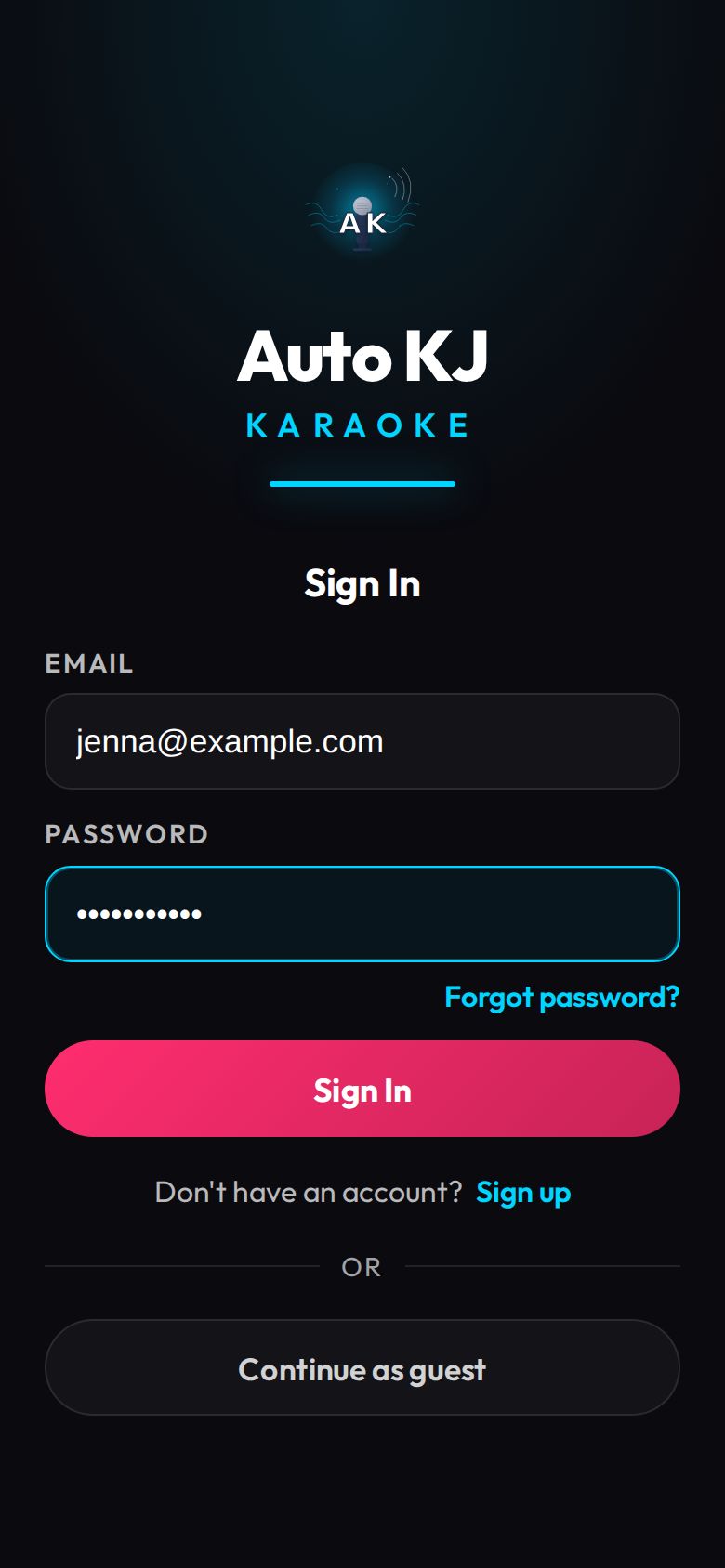
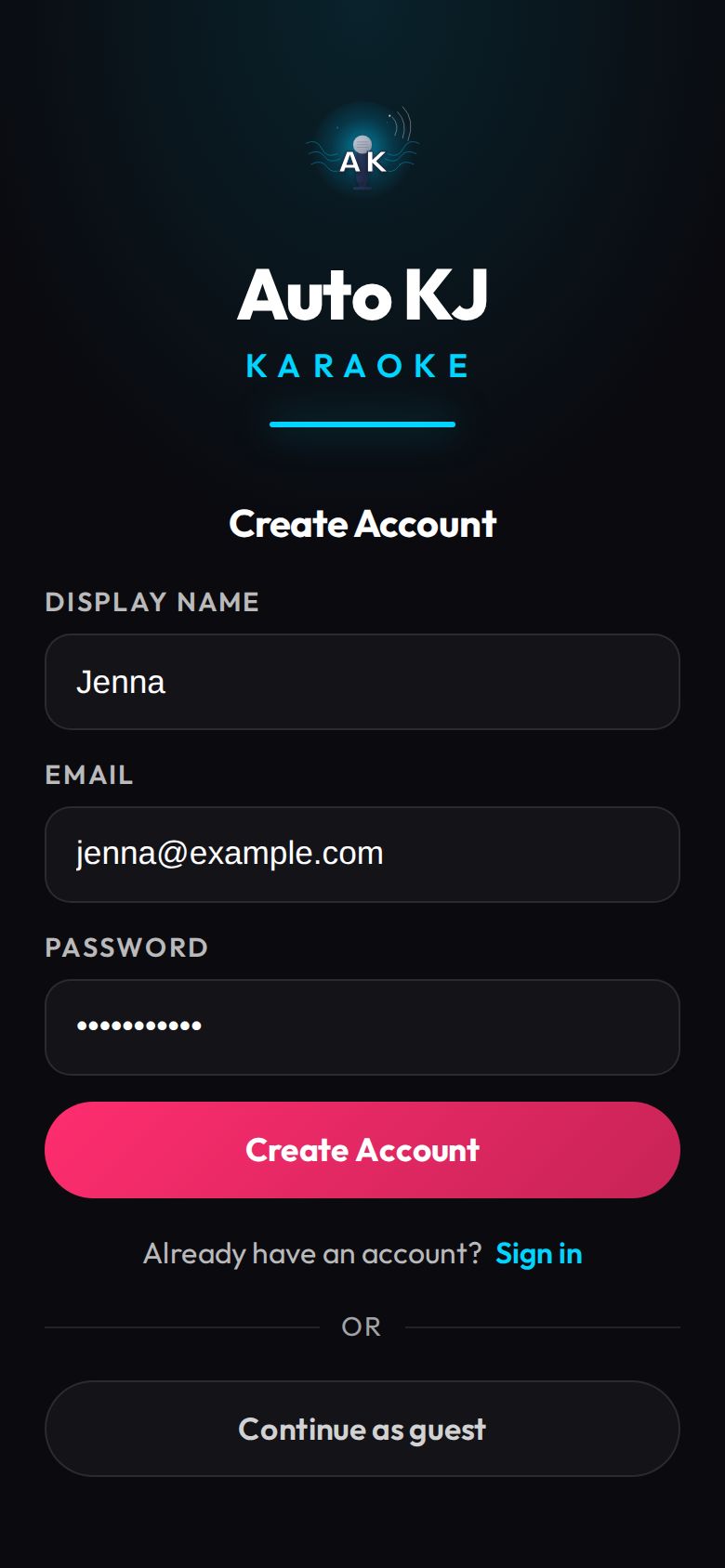
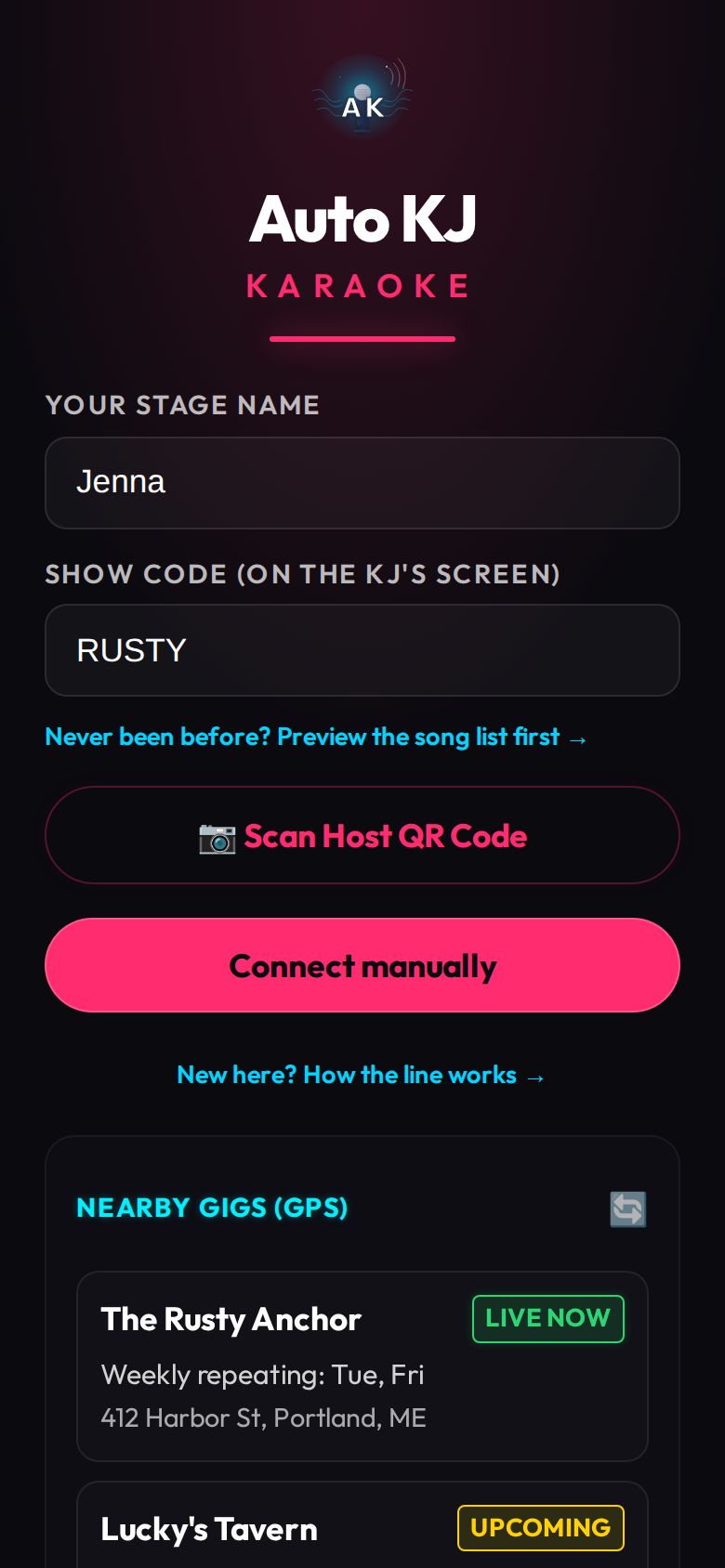
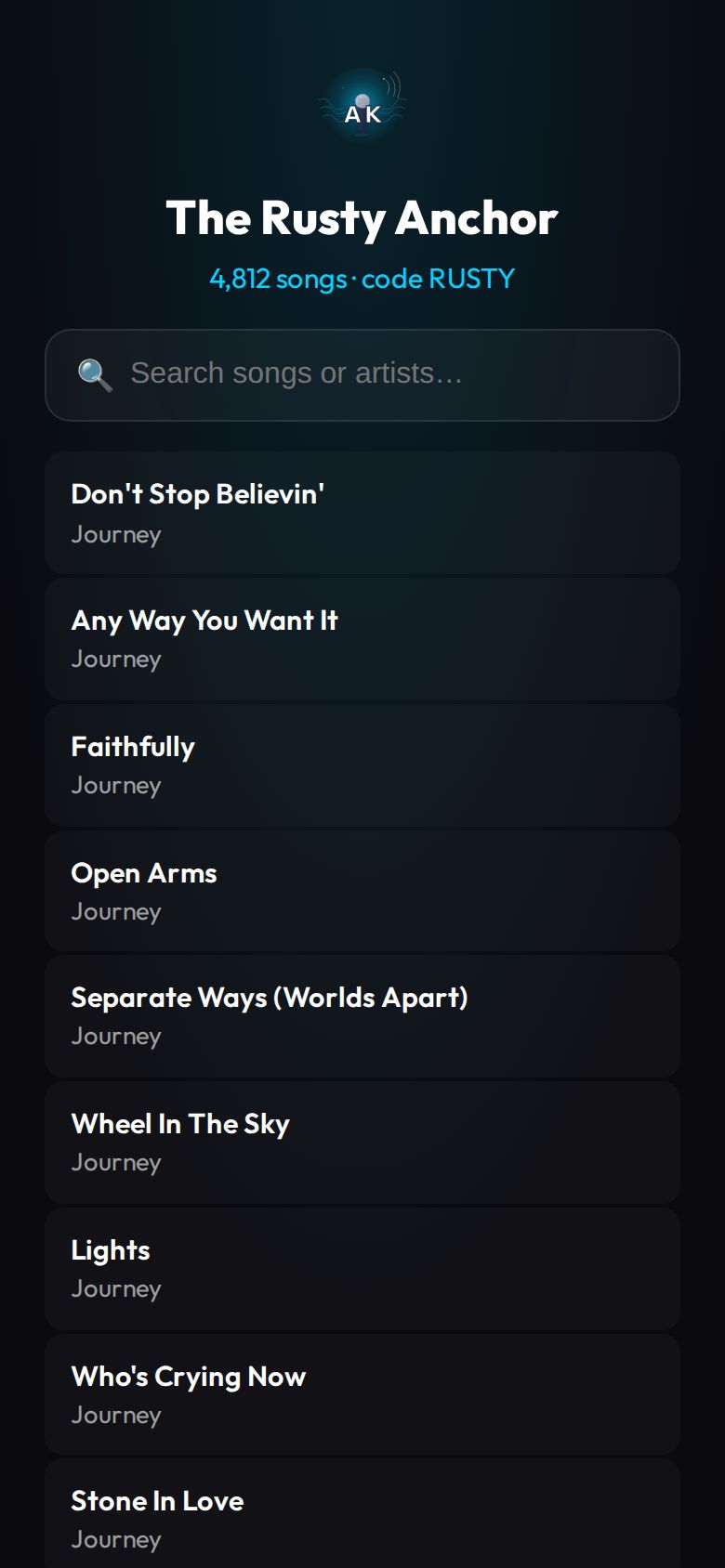
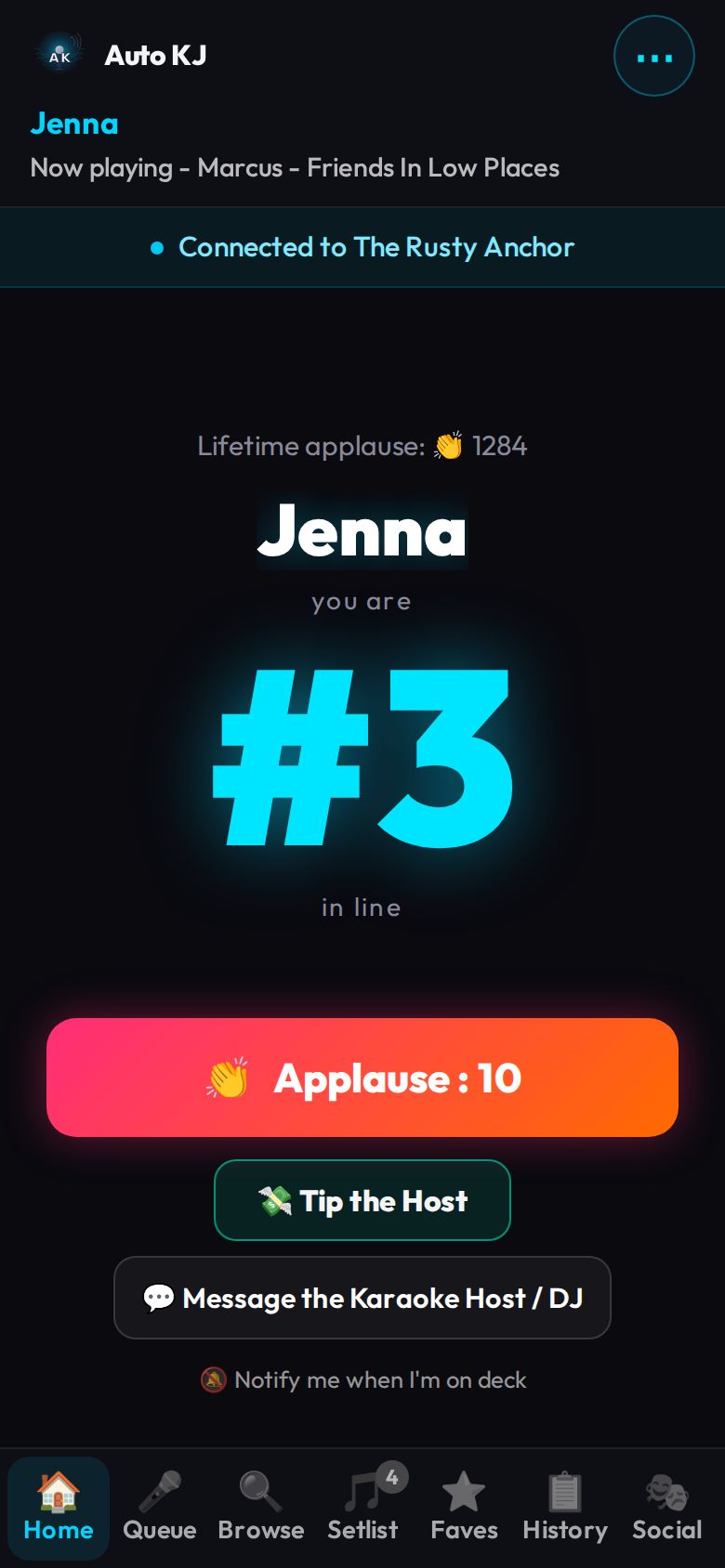
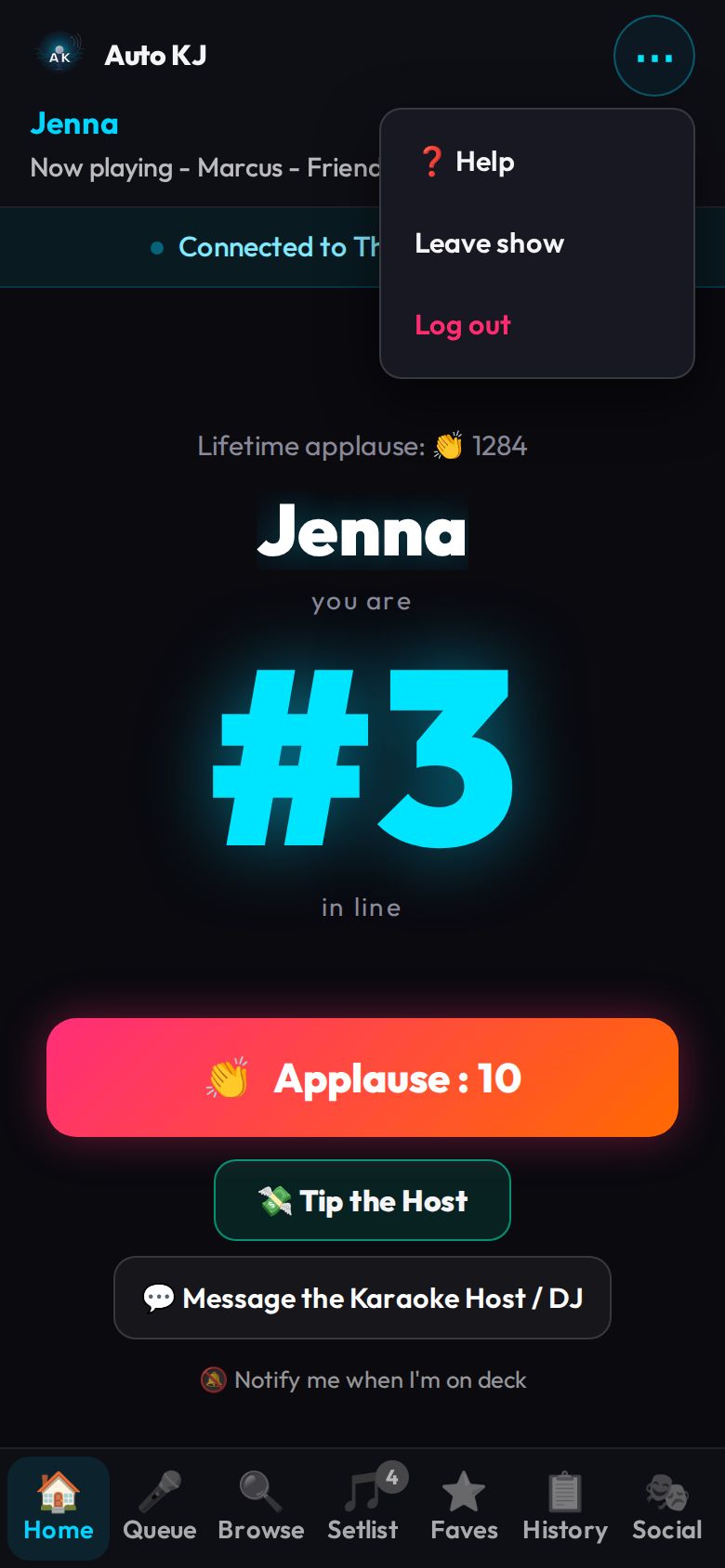
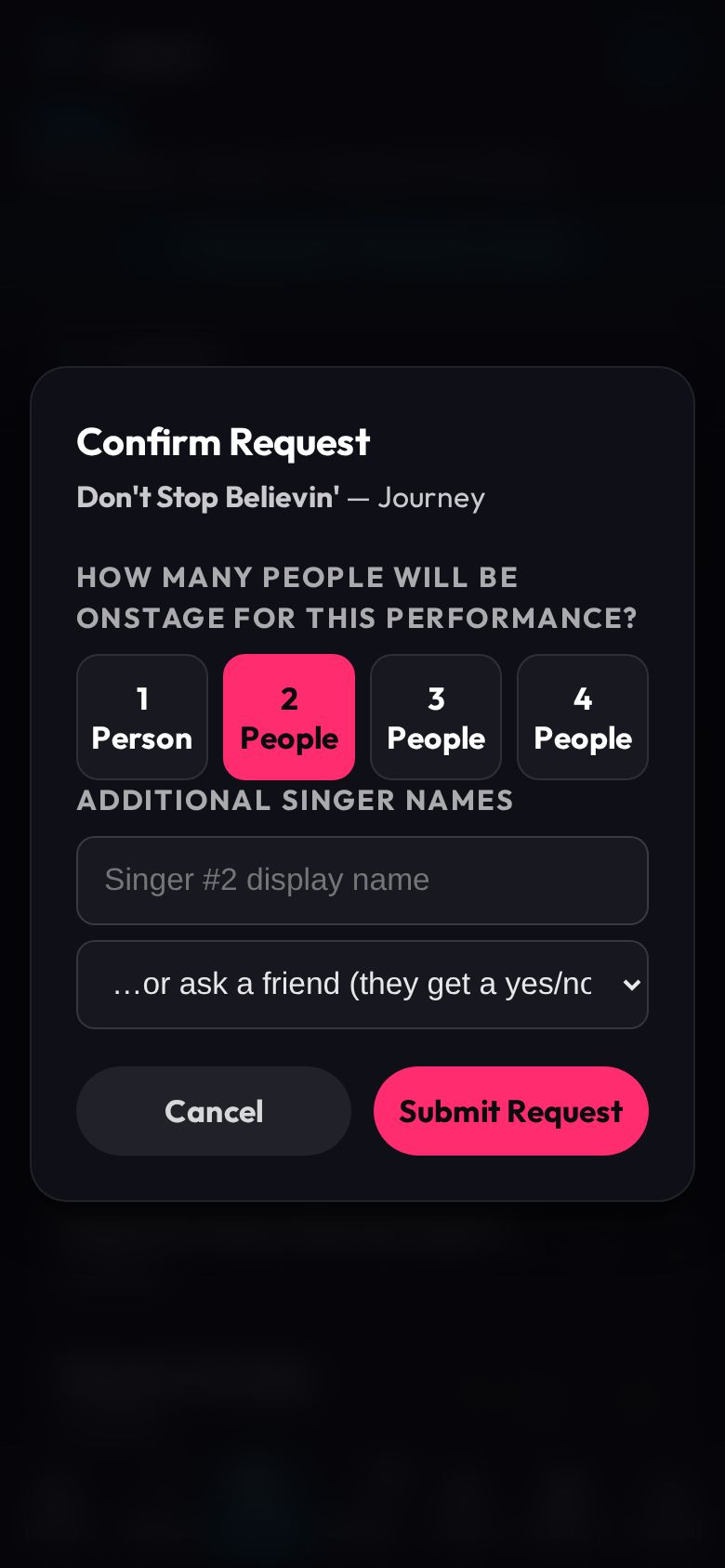
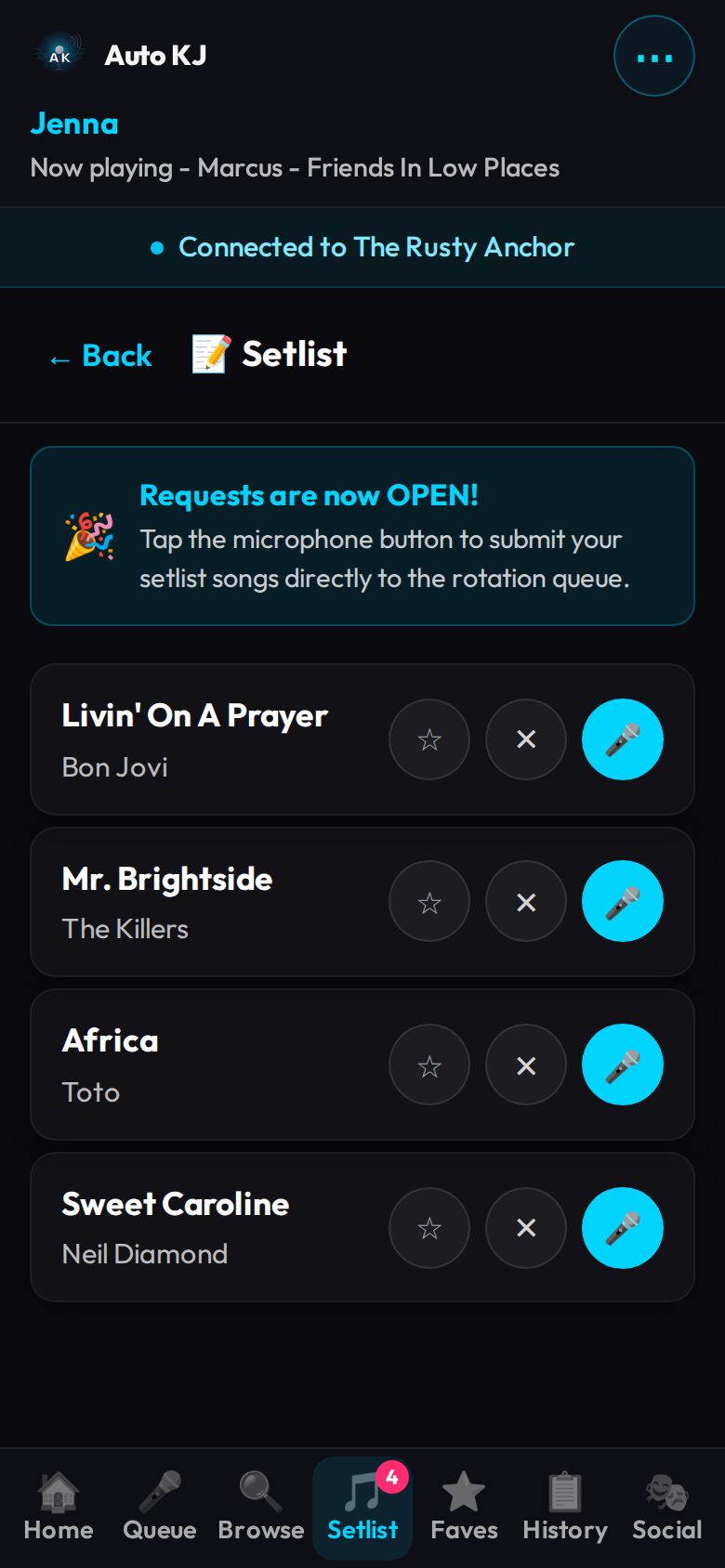
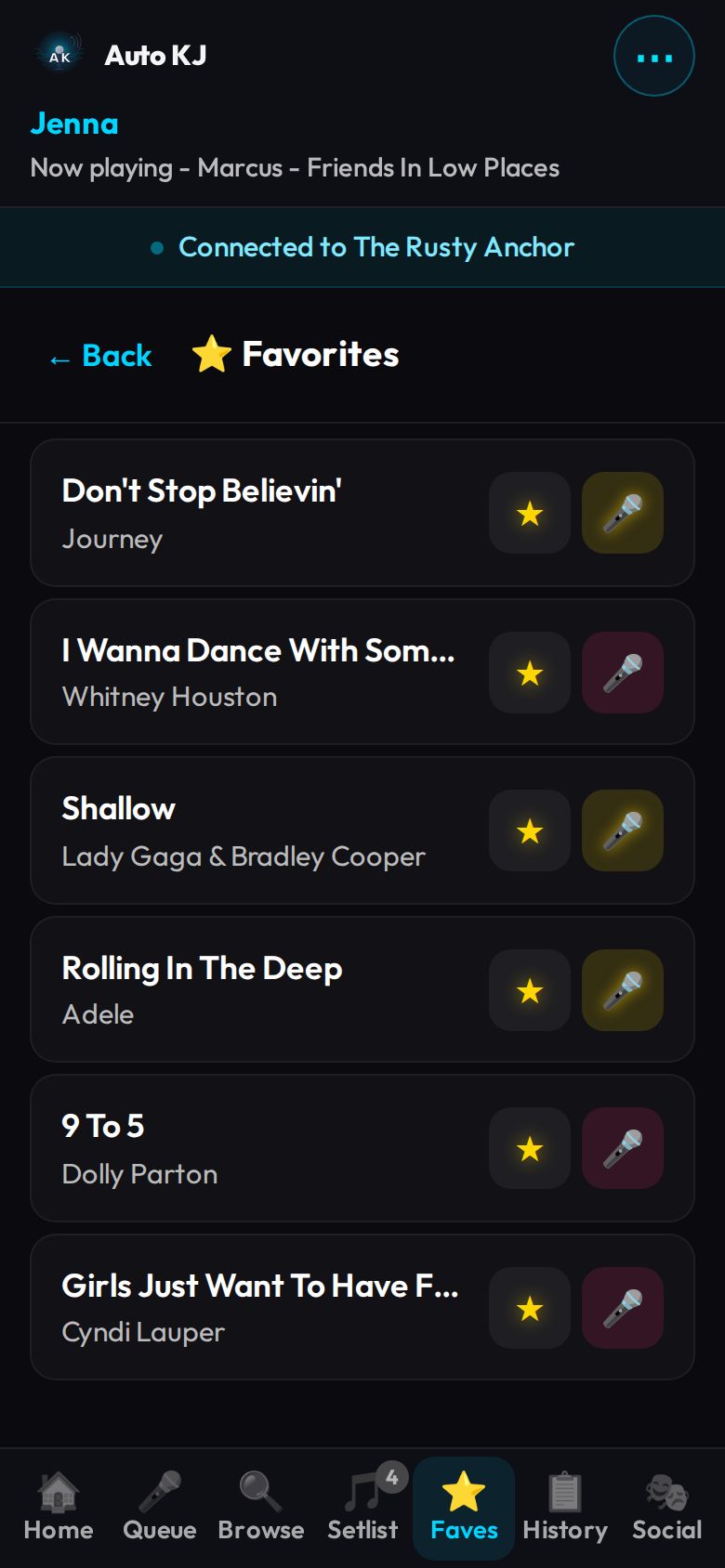
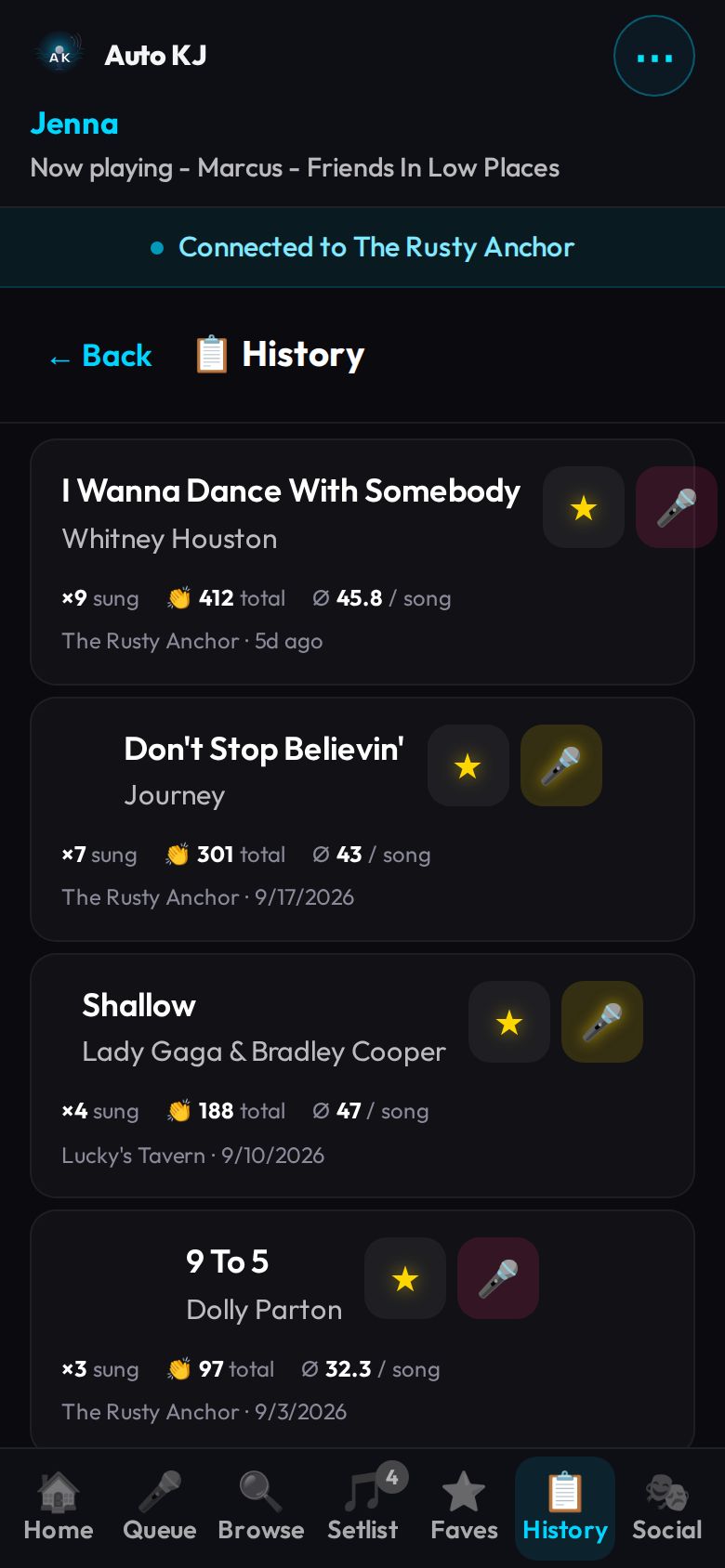
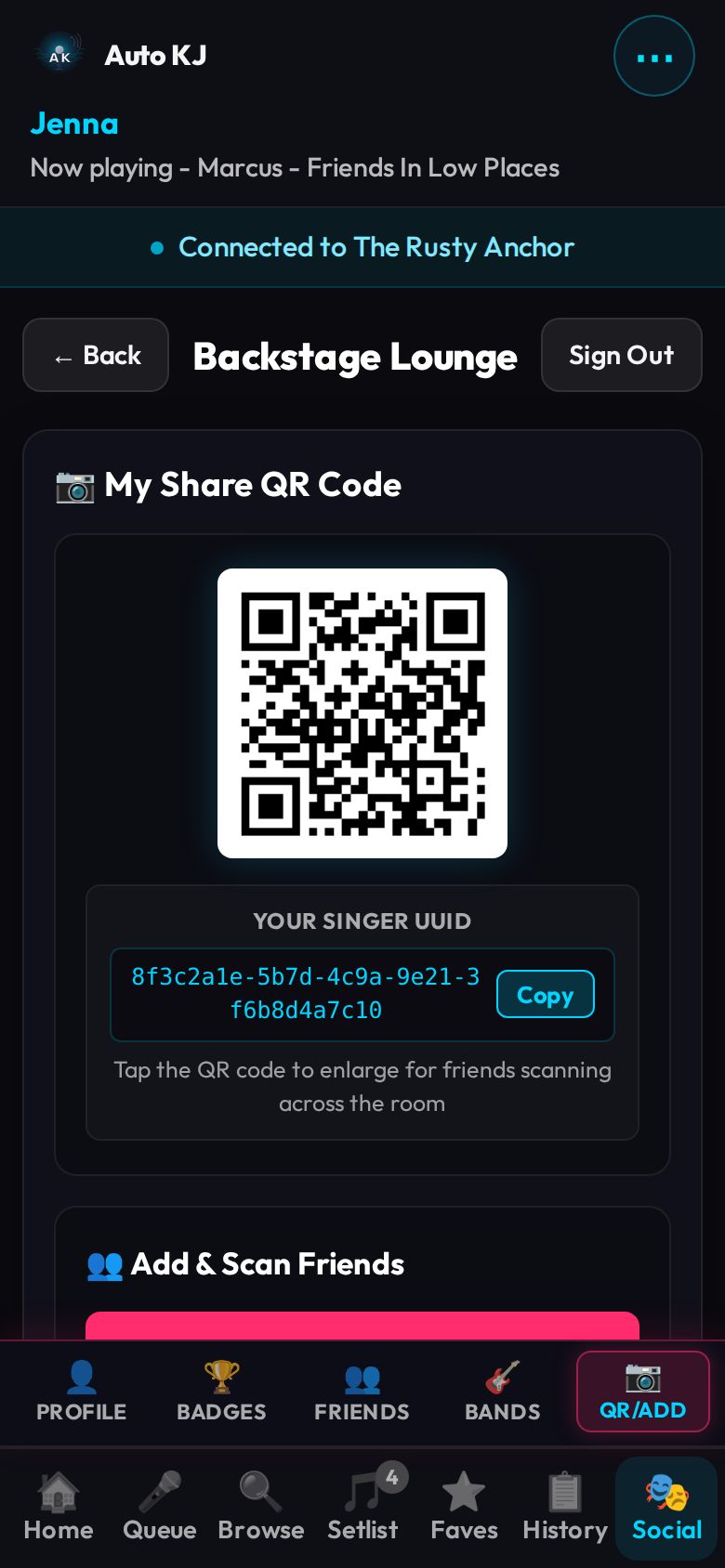
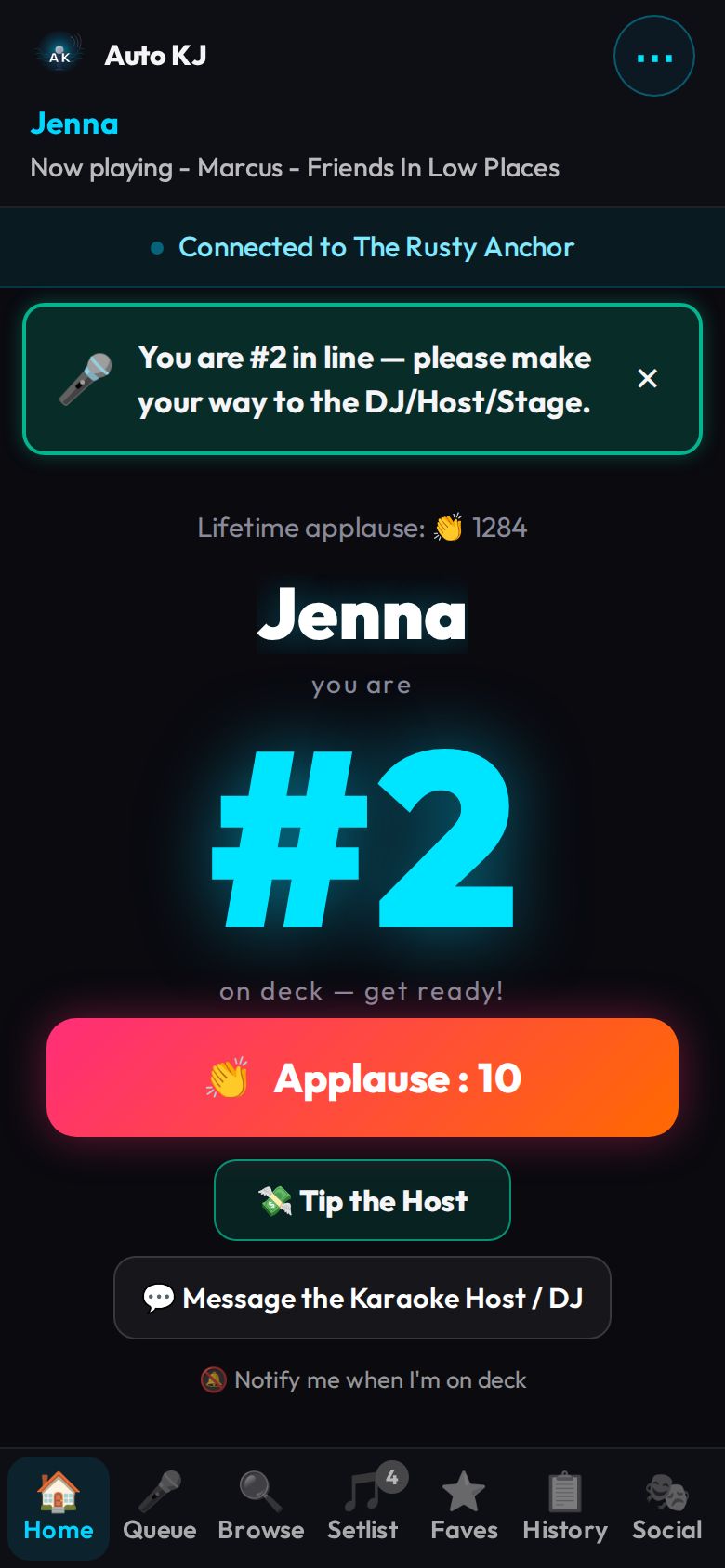
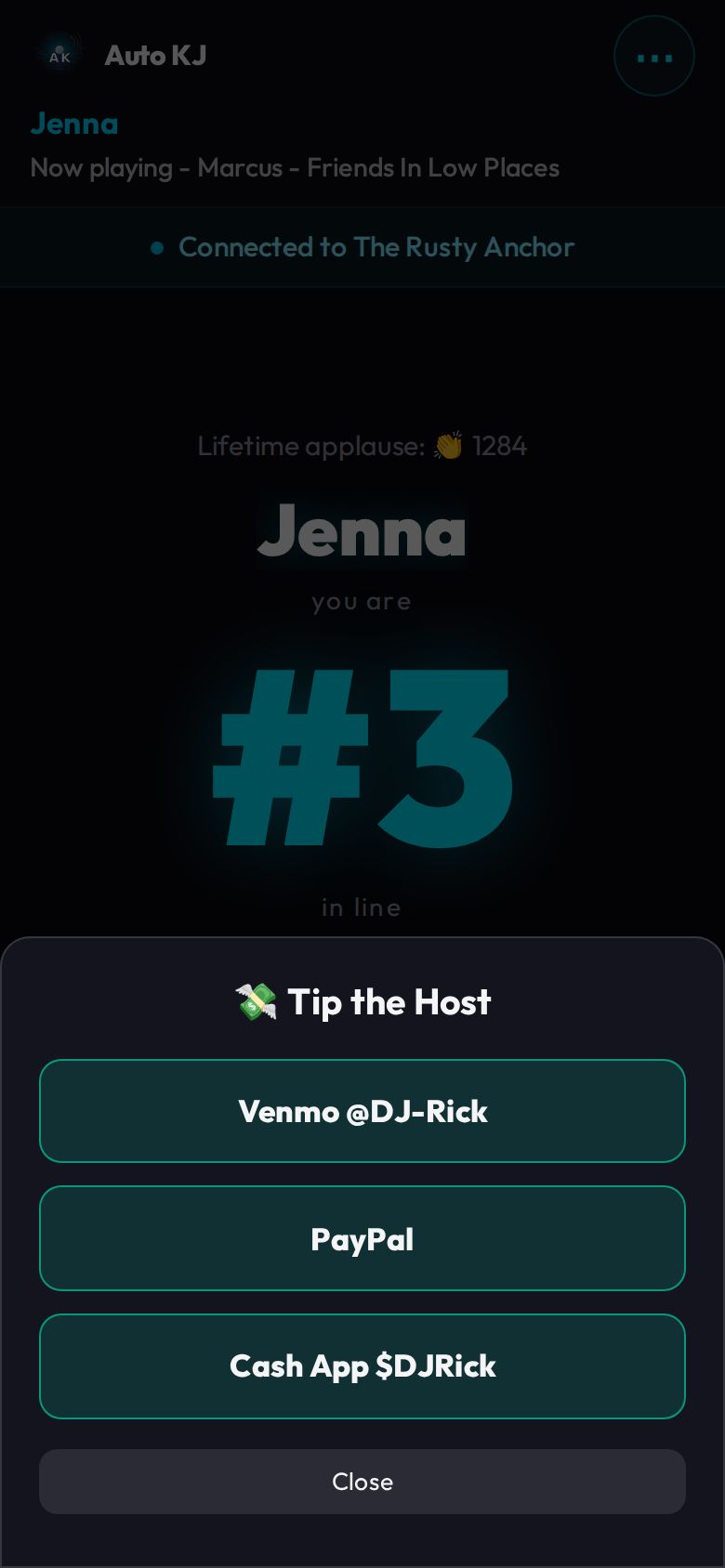
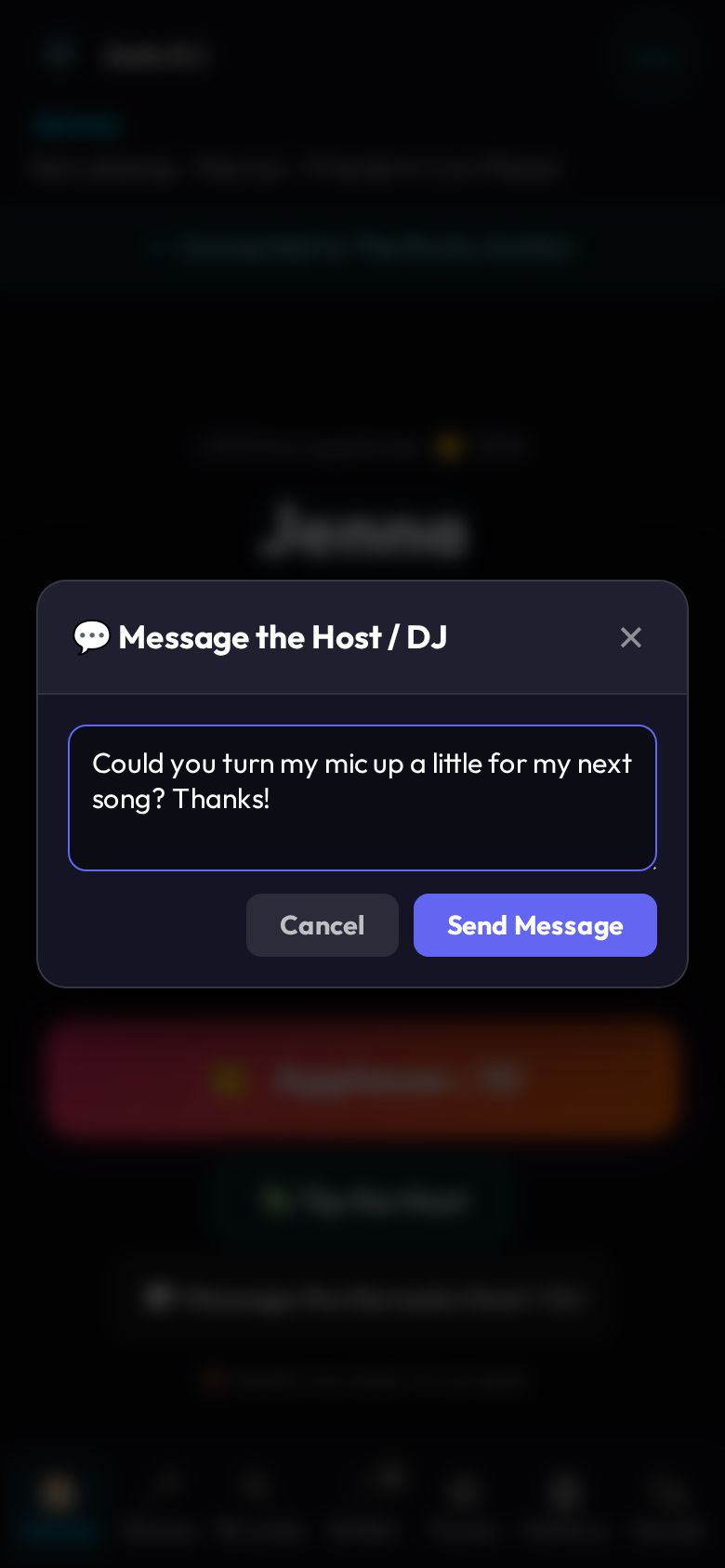
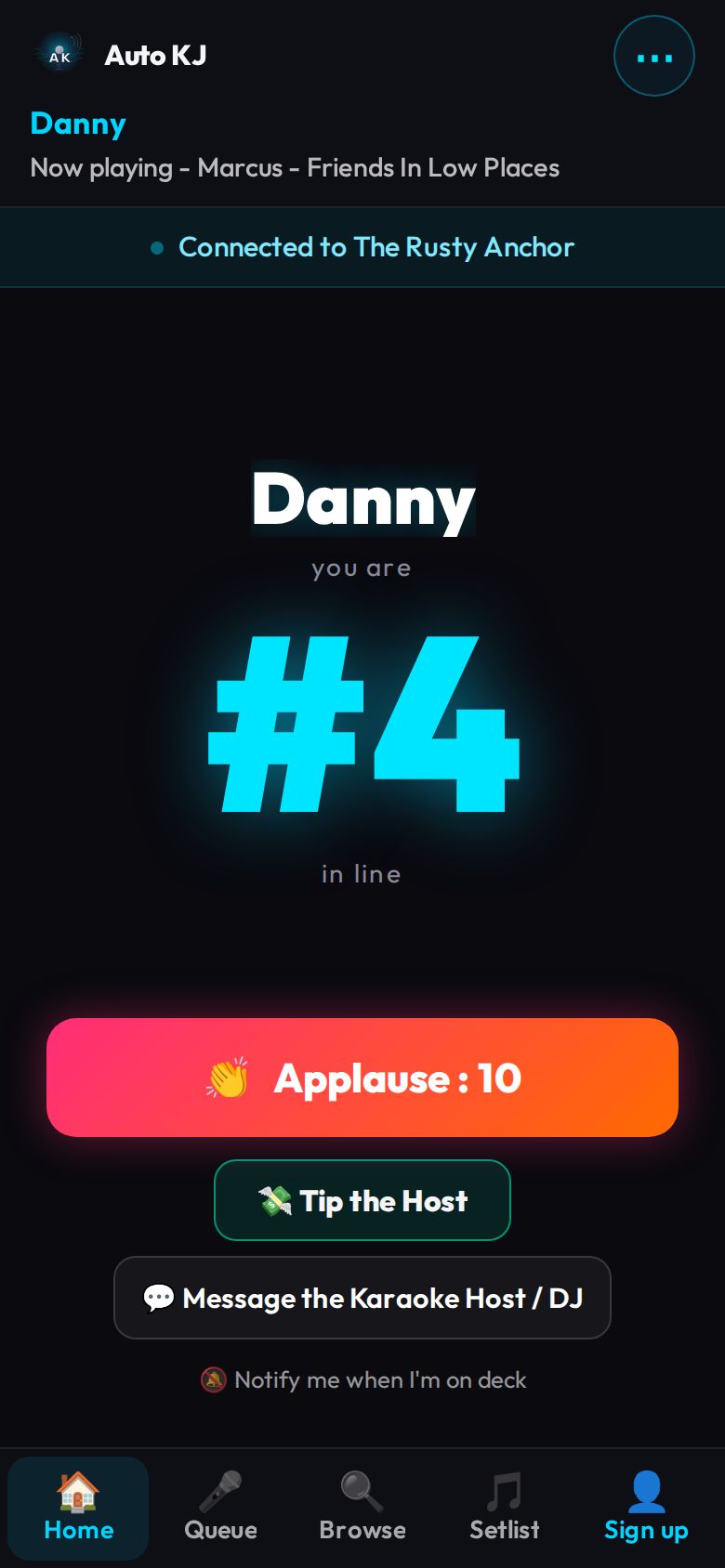
Venue kiosk
A tablet at the venue running the same app with ?kiosk=1: an attract screen, then a three-step walk-up request (song → how many people → names).
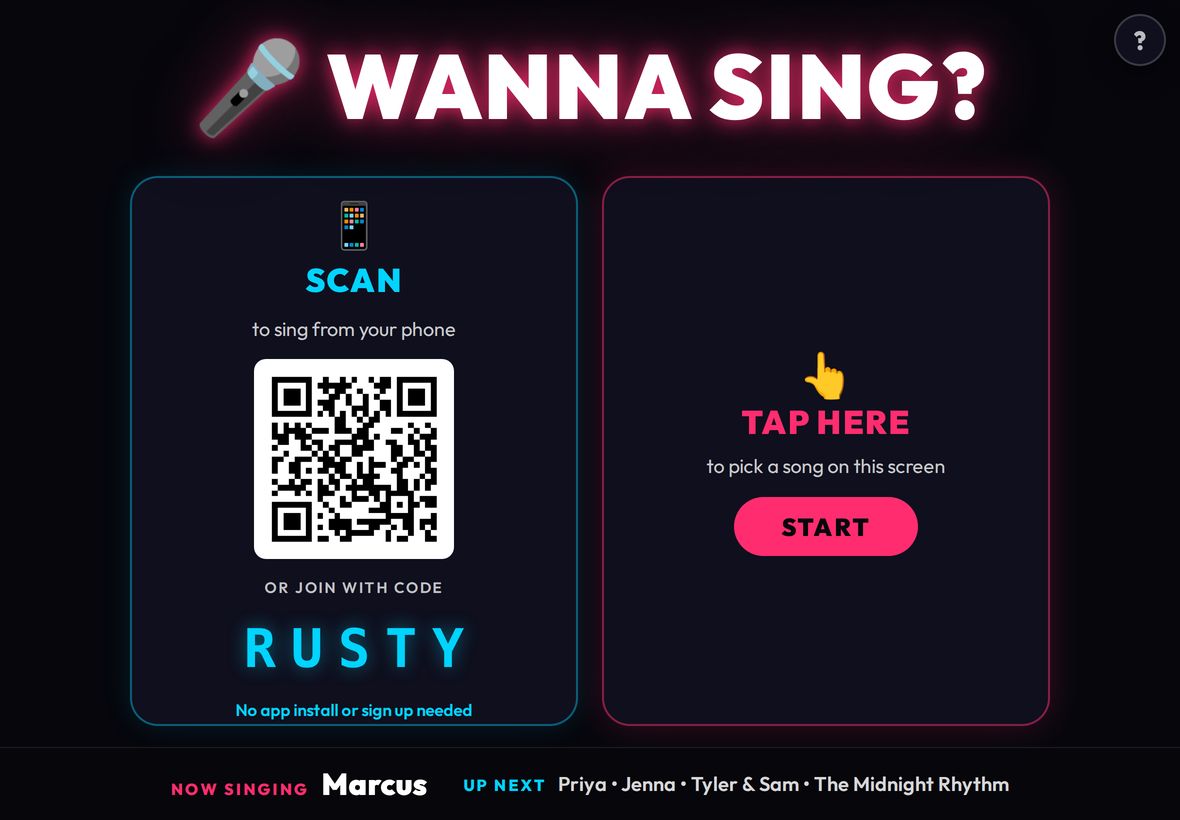
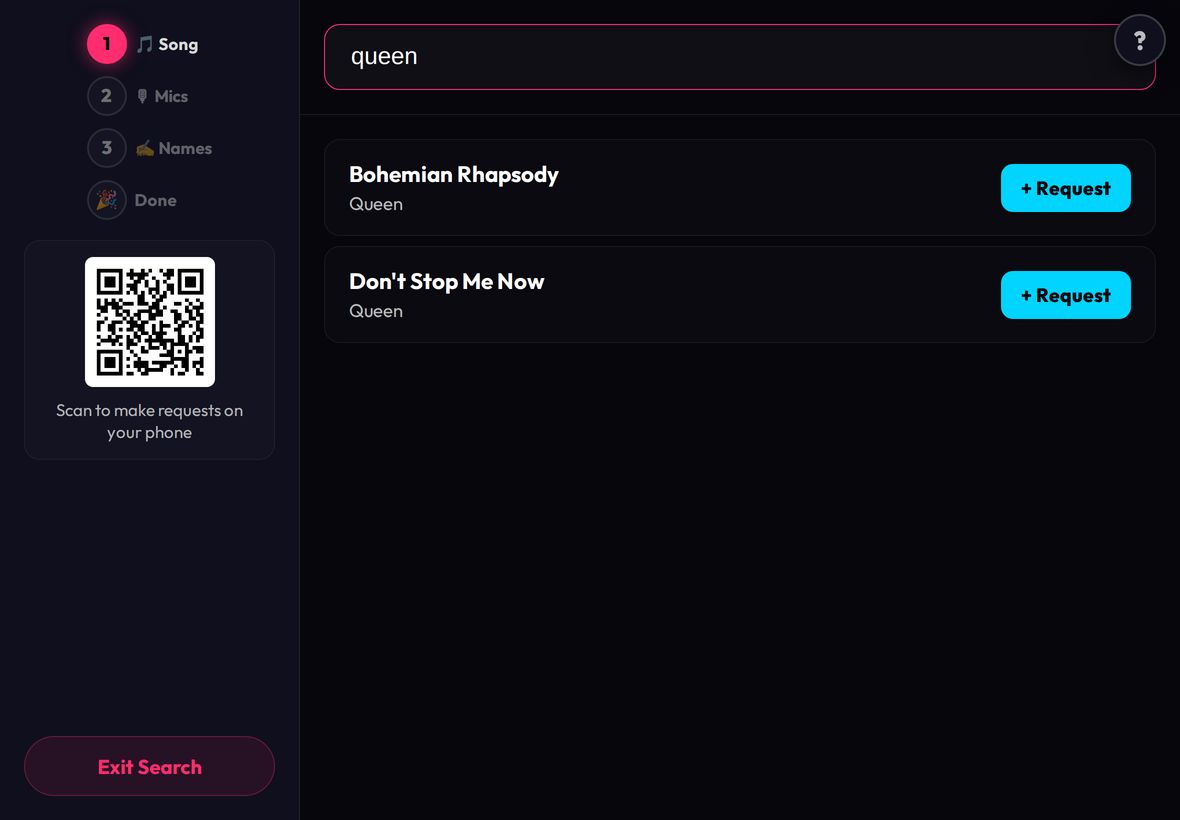
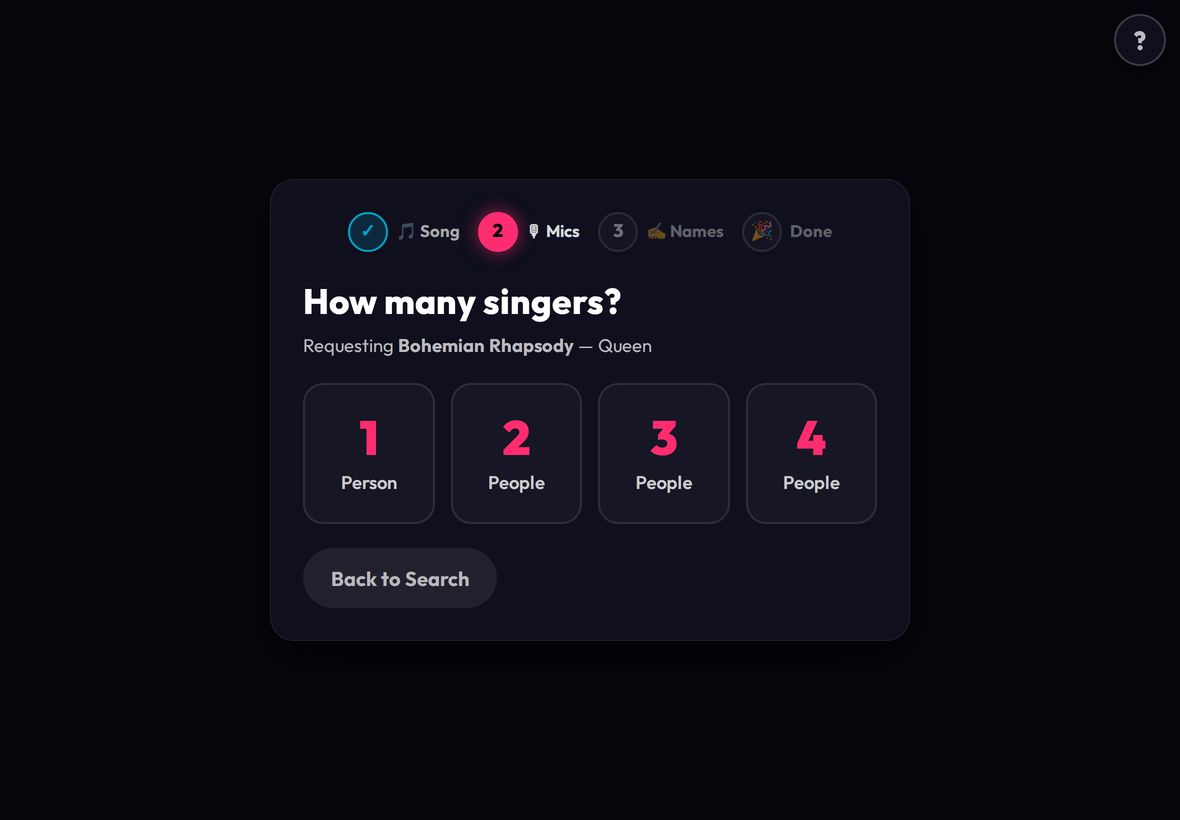
Full reference: every singer-app screen, control and flow
Navigation map
URL ?venue=CODE ───────────────► VenuePreviewScreen ──"Find this show"──► ConnectScreen (code prefilled)
                                        └──"← Back"──► ConnectScreen / AuthScreen gate
URL ?kiosk=1 (or #kiosk) ──────► KioskView (connect → idle → search → count → names → success → idle)
URL #reset:TOKEN ──────────────► AuthScreen (mode "Set New Password")
URL ?show=CODE (push notif.) ──► auto-reconnect if signed in, else ConnectScreen prefilled
URL ?name=X on http:// LAN ────► ConnectScreen (guest join, name prefilled; auth gate skipped)

Boot (not connected):
  signed-in / guest / notification route / LAN name handoff ─► ConnectScreen
  otherwise (no session) ────────────────────────────────────► AuthScreen
     AuthScreen: Sign In | Create Account | Forgot → Reset | "Continue as guest" ─► ConnectScreen
     ConnectScreen: "Sign in / Create account" (guests) ─► AuthScreen (with "← Back")
     ConnectScreen: "Never been before? Preview…" ─► VenuePreviewScreen
     ConnectScreen: "📷 Scan Host QR Code" ─► QrScanner modal ─► auto-join
     ConnectScreen: join (manual / nearby live gig / guest / LAN) ─► Main app shell (Home tab)
     ConnectScreen: tap UPCOMING nearby gig ─► Main app shell in "upcoming gig" mode (Browse tab)

Main app shell (connected):
  Header: row 1 [logo] [⋯ menu: ❓ Help → /docs/singer-guide.html | Leave show → ConnectScreen | Log out → AuthScreen]
          row 2 [stage name] [scrolling Now playing]
  Bottom tab bar: Home | Queue | Browse | Setlist | (signed-in) Faves | History | Social   — or (guest) Sign up
  Social tab adds a sub-tab bar: Profile | Badges | Friends | Bands | QR/Add
  "← Back" on Faves/Setlist/History/Social ─► Queue tab
  request_confirmed (WS) ─► auto-switch to Home tab
  band song submitted ─► Home tab;  upcoming-gig REST request OK ─► Queue tab
  Guest "Sign up" tab / guest banner ─► AuthScreen overlay (register mode) over live show
  show_ended / connection_rejected / Leave show ─► ConnectScreen (+ banner)
Global overlays that can appear over any main-app tab: auth overlay, connection/LAN-rescue banner, status pill, on-deck / up-now banner, achievement reveal, friend invite banner, "waiting for X" chips, Tip sheet, account-claim banner, tip thank-you ticker, Message-the-Host modal, Message-from-Host modal, Band song picker, native confirm()/prompt() dialogs (group invite, name taken, rename refused, guest rename).
Boot / routing logic (App.svelte)
Purpose: decides which top-level screen renders.
Render order (App.svelte:2044-2137):
1. previewVenueCode set (from ?venue=) → VenuePreviewScreen.
2. isKioskMode (?kiosk param or #kiosk in hash, App.svelte:130) → KioskView (lazy-loaded; App.svelte:2053-2057). Also swaps manifest to /kiosk-manifest.json and sets title "Kiosk" (:145-148).
3. !connected → optional show-ended banner + optional LAN rescue banner, then ConnectScreen if (singerProfile || isGuest || !authChecked || fromNotificationUrl || lanNameHandoff) && !forceAuthScreen, else AuthScreen (:2069-2135).
4. Connected → Main app shell (:2137-2733).
Startup side-effects:
- #reset:TOKEN in hash → token captured, hash scrubbed via history.replaceState, AuthScreen forced in "reset" mode (:68-77).
- ?show= → initializeShowContext persists it as the last cloud show (lib/showContext.ts:27).
- Session boot (bootSingerSession, :663-712; skipped entirely in kiosk mode, which only sets authChecked = true, :711-715): token in localStorage.auto_kj_token → REST GET /api/singer/profile. Success: sets profile/name, status "Welcome back, <name>", loads favorites (GET /api/singer/favorites), history (GET /api/singer/history), stats (GET /api/singer/stats), then auto-reconnect. 401/403 → token cleared. Network error → cached profile used, status "Offline — signed in as <name>". No token → authChecked = true then auto-reconnect.
- Auto-reconnect (:616-648): if a saved show id + saved name exist, WS connect; success → status "Welcome back! Auto-reconnected."; failure → clear saved show, fall back to a stored upcoming gig (autokj_upcoming_gig, <6 h old → connected in upcoming mode, Browse tab). A notification route only reconnects when signed in.
- Signed-in: every 20 s (and on tab becoming visible) polls GET /api/singer/invites and achievements (GET /api/achievements once, GET /api/singer/achievements), and fetches GET /api/singer/friends once (:1477-1495).
- Queue account ids → GET /api/singers/featured?ids=… for featured badges (:1405-1430).
VenuePreviewScreen ("Browse before you go")
Purpose: Let someone look at a venue's song list with no login and no live show, from a ?venue=CODE link/QR or from ConnectScreen's preview link.
Layout (top→bottom): 1. Hero: 48px logo; H1 = "Loading…" / "Not Found" / venue name; tagline "N songs · code CODE" (or "That show code doesn't have a preview available"). 2. Not-found state: text "Double check the code…" + "← Back". Error state: error text + "Try again". 3. Normal state: search bar (🔍 icon, input, spinner while searching). 4. Results list: rows of Title / Artist (read-only, not tappable). Empty: "No matches." / "No songs found." 5. Pagination row (only if >1 page): Prev | "Page X of Y" | Next. 6. CTA bar: "← Back" | "🎤 Find this show".
Controls
| Control | Region | Shown when | What it does | file:line |
|---|---|---|---|---|
| Search input "Search songs or artists…" | Search bar | Loaded, not error/not-found | 300 ms debounce → REST GET /api/venues/code/{code}/catalog?query=…&page=1 (public, no auth). Shows spinner while pending. |
lib/VenuePreviewScreen.svelte:97, :62-66, :37-59 |
| ← Back | Not-found box | Code 404 | onBack → clears previewVenueCode, returns to the connect/auth gate |
:87, App.svelte:2047 |
| Try again | Error box | Catalog fetch failed | Reloads current page | :92 |
| Prev / Next | Pagination | totalPages > 1 | Loads page −1 / +1 (disabled at bounds) | :118, :120 |
| ← Back | CTA bar | Loaded | Same as above | :125 |
| 🎤 Find this show | CTA bar | Loaded | onWantToJoin(code) → sets pendingJoinCode, clears preview → ConnectScreen opens with the show-code field prefilled |
:126, App.svelte:2048-2051 |
Flows
1. Scan venue poster QR (?venue=CODE) → preview loads → type in search → browse results → tap "🎤 Find this show" → ConnectScreen (code prefilled) → enter stage name → Connect.
2. Preview with bad code → "Not Found" → "← Back" → ConnectScreen/AuthScreen.
AuthScreen
Purpose: Sign in, create a cloud account, request/complete a password reset, or skip as guest. Accounts unlock favorites, history, social/friends/bands, badges, background push, and account claiming.
Shown as the front door when there is no session, or as an overlay (.auth-overlay, App.svelte:2127-2138) over a live show when a guest taps "Sign up".
Layout (top→bottom): 1. Hero: 64px round logo, "Auto KJ", "KARAOKE" tagline, glow line. 2. "← Back" link (only when opened over an existing guest/signed-in session). 3. H2 title by mode: "Sign In" / "Create Account" / "Reset Password" / "Set New Password". 4. Mode body (below). 5. Error (red) / notice (green) line; primary button; toggle link; "or" divider; "Continue as guest" (login/register modes only).
Mode bodies: - login: Email, Password, "Forgot password?" link. - register: Display name, Email, Password. - forgot: hint text, Email, "Send Reset Link", "Remembered it? Back to sign in". - reset: hint, New password, Confirm password, "Set New Password", "Back to sign in".
Controls
| Control | Region | Shown when | What it does | file:line |
|---|---|---|---|---|
| ← Back | Top of form | onBack provided (guest/signed-in overlay) |
Closes auth (forceAuthScreen=false) and returns to ConnectScreen / live show |
lib/AuthScreen.svelte:107; App.svelte:2133, :2146 |
| Display name input | Form | register | Pre-filled with current stage name (guest mid-show keeps seat name); Enter submits | :185-191 |
| Email input | Form | login/register | Enter submits | :197-203 |
| Password input | Form | login/register | Enter submits | :208-214 |
| Forgot password? | Under password | login | Switch to "forgot" mode, clear error/notice | :218-223 |
| Sign In / Create Account (primary) | Form | login/register | register: requires display name ("Please enter a display name") → REST POST /api/singer/register {email,password,display_name}; login → POST /api/singer/login {email,password}. Stores token + cached profile, calls onAuthenticated(profile). Shows "Please wait..." while loading; server error text shown inline. |
:229-231, :28-47; lib/client.ts:139-173 |
| "Sign up" / "Sign in" link | Toggle row | login/register | Flips login ↔ register | :235, :49-53 |
| Continue as guest | Bottom | login/register | onAuthenticated(null) → guest mode: isGuest=true, name = saved stage name or blank, status "Guest session started" → ConnectScreen |
:244; App.svelte:1126-1134 |
| Email (forgot) | Form | forgot | Enter → send | :125-131 |
| Send Reset Link | Form | forgot | Requires email ("Enter the email you signed up with") → REST POST /api/singer/request-password-reset {email}; shows enumeration-safe notice; button becomes "Email sent" (disabled) |
:137, :55-68; client.ts:196 |
| Back to sign in | Toggle | forgot / reset | mode → login | :143, :177 |
| New password / Confirm password | Form | reset | Enter → submit | :151-167 |
| Set New Password | Form | reset | Validates ≥8 chars and match → REST POST /api/singer/confirm-password-reset {token,new_password}; success → login mode with notice "Password reset! Sign in with your new password." |
:172, :70-93; client.ts:210 |
After successful sign-in/up (App.svelte:1096-1114): if already connected to a show, re-joins the show (WS reconnect) so the account token rides the handshake while keeping the seat's stage name; otherwise stage name = account display name. Loads favorites/history/stats; status "Logged in successfully!".
Flows
1. First launch → AuthScreen (Sign In) → "Sign up" → fill Display name/Email/Password → Create Account → ConnectScreen (name prefilled).
2. AuthScreen → "Continue as guest" → ConnectScreen (name blank) → enter name + code → join.
3. Forgot password: Sign In → "Forgot password?" → Email → Send Reset Link → (email) → tap link …/#reset:TOKEN → AuthScreen "Set New Password" → enter twice → Set New Password → Sign In with new password.
4. Guest mid-show: tab "Sign up" → overlay in Create Account → create → overlay closes, show re-joined under same seat name → claim offer may appear.
ConnectScreen (Find / join a show)
Purpose: The lobby. Enter a stage name and join a show via show code, QR scan, a GPS-found nearby gig, as guest, or via the LAN (no-internet) server.
Layout (top→bottom), centered column ≤380px:
0. (App-level, above screen) Show-ended banner "🎤 <reason>" and/or LAN rescue banner "📶 The venue's internet dropped …" with "Rejoin on venue Wi-Fi" link (App.svelte:2047-2057).
1. Hero: logo, "Auto KJ", "KARAOKE", glow line.
2. Field "YOUR STAGE NAME" (input).
3. Field "SHOW CODE (ON THE KJ'S SCREEN)" (input, placeholder "e.g. MURP") + link "Never been before? Preview the song list first →".
4. Button "📷 Scan Host QR Code".
5. (LAN mode only) Field "LOCAL SERVER URL" + hint.
6. Error box; "Connecting to cloud server..." spinner row.
7. Primary button "Connect manually" / "Connect to Local Server".
8. Link "New here? How the line works →".
9. "NEARBY GIGS (GPS)" card: header with 🔄 refresh; status text or scrollable gig cards (venue, LIVE NOW/UPCOMING badge, schedule, address).
10. Ghost button: "Back to Cloud" (LAN mode) or "Sign in / Create account" (guests/no profile).
11. "or" divider; ghost "Continue as guest"; ghost "Log out" (signed-in or guest).
12. Small link "Use local server (no internet)" (cloud mode).
13. QrScanner modal when open.
Initial state: stage name from prop / ?name= / saved autokj_stage_name; show code from prop / ?show=; LAN mode on by default when page served over http:// (i.e., from the host's LAN server). On mount, requests geolocation for nearby gigs.
Controls
| Control | Region | Shown when | What it does | file:line |
|---|---|---|---|---|
| Stage name input | Form top | Always | Bound to singerName; Enter = Connect |
lib/ConnectScreen.svelte:374-380 |
| Show code input | Form | Always | Bound to showId; auto-caps; Enter = Connect |
:386-393 |
| Never been before? Preview the song list first → | Under show code | onPreviewVenue provided (always from App) |
Disabled when code empty; opens VenuePreviewScreen for the code | :394-403; App.svelte:2074 |
| 📷 Scan Host QR Code | Form | Always | Opens QrScanner (title "Scan to Join"). Result handling (handleScannedCode): URL with show= → set code, cloud mode; ws:///wss:// → LAN URL; http(s)://host → LAN ws://host/singer; 3–8 alphanumerics → code; anything else → error "That QR code doesn't look like a karaoke show…". If a stage name is already entered, auto-runs Connect. |
:406-408, :283-350, :520-530 |
| Local Server URL input | LAN field | useLocalServer |
ws://… URL; normalized (adds ws://, /singer); Enter = Connect |
:410-422 |
| Connect manually / Connect to Local Server | Primary | Always (disabled while connecting) | Validates name ("Please enter your name") and, in cloud mode, code ("Please enter a show code or name"). Saves stage name. Cloud: WS connect to show code; on failure auto-retries the last-working LAN URL (autokj_local_ws) showing "Cloud unreachable — trying the venue's local link…". LAN: WS connect to URL, remembers it. Success → App onConnect: connected=true, persists show id/is_local, loads that show's setlist, status "Connected to cloud server!" / "Connected to local server (fallback mode)". Errors inline "Connection failed: …". |
:435-437, :110-162; App.svelte:2082-2105 |
| New here? How the line works → | Link | Always | Opens /docs/singer-guide.html in new tab |
:442-444 |
| 🔄 (refresh) | Nearby header | Always | Re-runs geolocation → REST GET /api/shows/nearby?lat&lng&radius_miles=50 (public). Shows "…" while loading |
:450-452, :164-196 |
| Nearby gig card | Nearby list | Gigs found | Requires stage name ("Please enter your stage name first"). LIVE gig with show_id → WS connect (as Connect). LIVE without show_id → error "Live show code not found. Please connect manually." UPCOMING → onConnectUpcoming: enters upcoming-gig mode (connected=true without a socket, Browse tab, gig saved to autokj_upcoming_gig, status "Checked in to upcoming show at <venue>!") |
:466-479, :198-223; App.svelte:2106-2124 |
| Back to Cloud | Lower | useLocalServer |
Leave LAN mode | :488-491 |
| Sign in / Create account | Lower | cloud mode and no signed-in profile | Opens AuthScreen in login mode with "← Back" | :492-495; App.svelte:2075-2080 |
| Continue as guest | Lower | Always (disabled while connecting) | Same validation as cloud Connect, joins by code (with same LAN fallback). Note: does not itself set guest flag; the join simply proceeds with the current session | :502-504, :225-263 |
| Log out | Lower | signed-in or guest session | App signOut (see Main shell) |
:505-509; App.svelte:2081 |
| Use local server (no internet) | Bottom link | cloud mode | Switch to LAN mode (shows URL field) | :511-517 |
Flows
1. Manual join: type stage name → type show code → "Connect manually" → Main app (Home tab), status "Connected to cloud server!".
2. QR join: "📷 Scan Host QR Code" → camera → point at host screen QR → auto-join (if name filled) → Home.
3. Nearby: allow location → tap "LIVE NOW" card → Home. Tap "UPCOMING" card → upcoming mode on Browse tab.
4. No internet: "Use local server (no internet)" → enter ws://192.168.x.x:8080/singer (or scan the crowd LAN QR) → "Connect to Local Server".
5. Cloud down at venue: Connect → cloud fails → auto retry remembered LAN link → connected in LAN mode.
6. Preview: type code → "Never been before?…" → VenuePreviewScreen.
QrScanner (shared modal)
Purpose: Full-screen camera QR reader used by ConnectScreen (join a show) and Social → QR/Add (add a friend).
Layout: native <dialog> modal: title (e.g. "Scan to Join" / "Scan QR Code"); square viewport with live video, scan frame and animated scan line, "Starting camera…" overlay, 🔦 torch button (top of viewport, if supported); hint text; "Cancel" button. Error state: error text + "Try again" + "Cancel".
Controls
| Control | Region | Shown when | What it does | file:line |
|---|---|---|---|---|
| (auto) camera decode | Viewport | Camera running | BarcodeDetector or jsQR every 150 ms; first hit vibrates 60 ms, stops camera, calls onScan(text) |
lib/QrScanner.svelte:99-138 |
| 🔦 | Viewport corner | Torch capability present | Toggles torch via track constraints | :189-195, :140-149 |
| Try again | Error | Camera failed (permission denied / no camera / not https / other) | Restarts camera | :179 |
| Cancel | Bottom | Always | Stops camera, closes modal, onClose |
:199 |
| Backdrop tap / Esc | Modal | Always | Same as Cancel | :168-173 |
Main app shell (connected)
Purpose: Persistent frame around the tabs while joined to a show (or an upcoming gig).
Layout (top→bottom, max-width 480px, full-height column; only <main> scrolls):
1. Header (sticky, two rows, App.svelte:2150-2172): row 1 = logo + "Auto KJ" (left) and the ⋯ menu button (right; opens a dropdown with ❓ Help / Leave show / Log out); row 2 = stage name (guests: tappable "Name ✏️") and, when a song is on, a one-line "Now playing - <singer> - <song>" that scrolls sideways if too long.
2. Guest sign-up banner (guests): "🎤 Singing as a guest — create a free account to keep your songs, applause & badges".
3. Connection banner — either LAN rescue ("📶 Lost the internet?" + "Rejoin on venue Wi-Fi" link + "Or scan the QR code on the screens.") or grey "Connection lost - reconnecting..." / "Not connected to the show." (hidden in upcoming-gig mode).
4. Status pill (latest setStatus message).
5. Up-now banner "🎤 You're up NOW — grab the mic!" ✕, or on-deck banner "🎤 <host on-deck message or 'You are #2 in line — please make your way to the DJ/Host/Stage.'>" ✕.
6. Achievement reveal card (full-screen overlay): "ACHIEVEMENT UNLOCKED", big badge, name, description, "Continue".
7. Friend invite banner: "<From> wants to sing "<song>" with you!" / "thinks you should sing "<song>"!" + artist; "Yes! 🎤" / "No thanks".
8. Waiting chips: "⏳ waiting for <friend> — "<song>"" ✕ (one per outgoing pending ask).
9. Tip sheet modal (when opened).
10. Claim banner: "There's an unclaimed singer "<name>" in tonight's line — is that you?" "Claim it" / "Not me".
11. <main>: the active tab screen.
12. Tip thank-you toast (fixed top), Message-the-Host modal, Message-from-Host modal, Band song picker modal (overlays).
13. Social sub-tab bar (only on Social tab): 👤 Profile | 🏆 Badges | 👥 Friends | 🎸 Bands | 📷 QR/Add.
14. Bottom tab bar: 🏠 Home | 🎤 Queue | 🔍 Browse | 🎵 Setlist (count badge when setlist non-empty) | signed-in: ⭐ Faves | 📋 History | 🎭 Social; guest (no profile): 👤 Sign up.
Controls
| Control | Region | Shown when | What it does | file:line |
|---|---|---|---|---|
| Stage name "✏️" button | Header | Guest | promptChangeGuestName: native prompt("Enter new stage name:"); if songs queued, native confirm("This will change the name for all N song(s)…"). Live socket → WS rename_self {new_name}, status "Requesting name change..."; else renames locally + re-joins last show, status "Stage name updated to X". Server reply rename_result: accepted → adopt name (cloud: re-handshake); refused → native prompt for another name (sends rename_self again) or status "Stage name unchanged: …" |
App.svelte:2160-2162, :2001-2032, :1018-1046 |
| Now playing line (display only) | Header row 2 | A song is playing (nowPlaying set on song_playing) |
NowPlayingTicker: one line; if the text is wider than its box it slides sideways back and forth (re-measured on resize); with prefers-reduced-motion it is truncated with "…" instead. Full text in the tooltip (title). |
lib/NowPlayingTicker.svelte:1-38; App.svelte:2166-2168 |
| ⋯ (menu button) | Header row 1, right | Always | Toggles the header dropdown (aria-haspopup=menu). Opening focuses the first item; ↑/↓ move between items; Esc closes and refocuses ⋯; tapping/clicking outside closes; choosing an item closes the menu first. |
lib/HeaderMenu.svelte:56-64, :12-40, :44-53; App.svelte:2156 |
| ❓ Help (menu item) | ⋯ menu | Menu open | Link that opens /docs/singer-guide.html in a new tab (helpHref default) |
lib/HeaderMenu.svelte:67-74 |
| Leave show (menu item) | ⋯ menu | Menu open (always available) | Closes WS, stops GPS, clears saved show & upcoming gig, connected=false → ConnectScreen; status "Disconnected from show" |
lib/HeaderMenu.svelte:75; App.svelte:2156, :1989-1999 |
| Log out (menu item) | ⋯ menu | Menu open (guests too) | signOut: if token → unsubscribe Web Push for this show (DELETE /api/singer/push/subscribe) and REST POST /api/singer/logout; close WS, stop GPS, clear token/saved show/stage name/upcoming gig, reset all state, status "Signed out." → AuthScreen |
lib/HeaderMenu.svelte:76; App.svelte:2156, :1945-1987 |
| Guest sign-up banner | Below header | Guest | Opens AuthScreen overlay in register mode | :2172-2183 |
| Rejoin on venue Wi-Fi (link) | LAN rescue banner | Cloud connection, socket not connected for ≥15 s, host has announced a LAN URL (lan_join_url) |
Navigates whole page to http://<private-ip>[:port]/?name=<stage name> (LAN-served app → guest join prefilled) |
:2035-2042, :2185-2189; lib/lanFallback.ts |
| On-deck / Up-now ✕ | Alert banner | Banner visible | Hides banner (auto-hide 20 s / 30 s) | :2210-2226 |
| Continue | Achievement reveal | New badge earned since last poll | Shows next queued reveal or closes (auto-advance 6 s) | :2237, :1366-1374 |
| Yes! 🎤 | Invite banner | Incoming friend invite pending | REST POST /api/singer/invites/{id}/respond {accept:true}. Duet → status "You're in! <from> is queuing…" (asker submits). Suggestion → one-shot WS browse_library for "<artist> <title>"; if found & connected & accepting → WS submit_request (status "Accepted! … requested. 🎤"); if found otherwise → added to setlist; else status "…isn't in tonight's library". Error → "That invite is gone or expired." |
:2253-2255, :1569-1607 |
| No thanks | Invite banner | Same | respond {accept:false}; status "Declined "<song>"." |
:2256-2258 |
| ✕ (Cancel ask) | Waiting chip | Own pending outgoing invite | REST POST /api/singer/invites/{id}/cancel; status "Cancelled your ask to X." |
:2268, :1609-1613 |
| Tip method links | Tip sheet | Sheet open; host supplied https tip URLs | Opens Venmo/PayPal/etc. URL in new tab (non-https URLs are not rendered) | :2287-2294, :200-207 |
| Close / backdrop / Esc | Tip sheet | Sheet open | Closes | :2279-2295 |
| Claim it | Claim banner | Signed in, and an unclaimed (no account id) line/pause entry exactly matches account display name, not dismissed, not pending | WS request_claim {target_name}. Not connected → status "Couldn't reach the show…". Else status "Asked the host to approve your claim…"; 25 s timeout → "No answer from the host yet…". claim_result: accepted → "You now own "X" — songs and spot included."; declined → sticky "The host declined your claim of X." |
:2306, :746-764, :811-824 |
| Not me | Claim banner | Same | Dismisses offer for that name this session | :2307, :766-771 |
| Message modal textarea / Cancel / ✕ / backdrop / Send Message | Message-the-Host modal | Opened from Home | Send → WS send_message_to_host {singer_name,text,kind:"chat"}; shows "✅ Message sent to the DJ!" then auto-closes 1.4 s |
:2526-2557, :1748-1762 |
| Reply textarea / Send Reply / Close / ✕ / Got it / backdrop | Message-from-Host modal | WS direct_message_from_host addressed to me |
Shows host text in quotes. If reply allowed (has message_id): Send Reply → WS reply_to_host_message {reply_to_id,text}, "✅ Reply sent to host!", auto-close. Otherwise only "Got it". |
:2559-2602, :1732-1746, :1068-1079 |
| Band picker search input | Band picker modal | Opened from Social → Bands "Pick Song" | 250 ms debounce → WS browse_library (shared with Browse tab) |
:2612-2618, :1268-1271 |
| Band song row | Band picker modal | Query non-empty with results (disabled if Taken) | WS submit_request with all band member names + band_name; status "🎸 "<title>" requested for <band>!"; closes → Home |
:2625-2634, :1273-1280 |
| ✕ | Band picker header | Open | Closes picker | :2610 |
| Social sub-tabs (Profile/Badges/Friends/Bands/QR/Add) | Above tab bar | Social tab | Switch Social sub-view | :2642-2685 |
| Home / Queue / Browse / Setlist tabs | Tab bar | Always | Switch view | :2688-2703 |
| Faves tab | Tab bar | Signed in (singerProfile) |
Switch + reload favorites (GET /api/singer/favorites) |
:2704-2708 |
| History tab | Tab bar | Signed in | Switch + reload history (GET /api/singer/history) |
:2709-2712 |
| Social tab | Tab bar | Signed in | Switch to Social (lazy-loaded) | :2713-2716 |
| Sign up tab | Tab bar | Not signed in (guest) | AuthScreen overlay in register mode | :2721-2730 |
Background/automatic behaviors (no control):
- On-deck alert when my slot becomes #2 (not from #1): chime, vibration, banner (20 s), and a system Notification if tab hidden + opted in (:461-473, :310-328). Up-now at #1: fanfare, vibration, banner (30 s), Notification if hidden.
- GPS presence: if show_connected carries venue coords, watchPosition runs; ≤100 m = within, ≥200 m = beyond; after check-in, zone changes send WS presence_update {state} (:232-266).
- Group invite (WS group_invite addressed to me): native confirm("<requestor> added you to sing "<song>" together. OK to sing it — Cancel to be taken off the song.") → WS respond_to_group_invite {request_id, accept} (:987-1008).
- Name taken (WS name_taken): disconnect, native prompt for a new name → re-join; cancel → back to ConnectScreen with notice (:1047-1067).
- Show ended / connection rejected (ban): disconnect, clear show state → ConnectScreen with banner; if host_lost and a LAN URL is known → LAN rescue banner (:775-796, :955-982).
- Other WS status-pill notices: request confirmed/rejected (sticky), pause expired, song unavailable (sticky), removed from queue (sticky), requests toggled, group proceeding without you, band invite, duet suggestions, tip thank-you ticker (9 s).
- Outgoing invites: poll sees declined → sticky "<to> declined…" + consume; accepted suggestion → notice + consume; accepted duet → if connected & accepting, WS submit_request with lineup, status "<to> said yes! … queued as a duet." + REST …/consume (:1450-1470).
Tab: Home (default)
Purpose: The one-glance screen: "where am I in line?" plus the big applause button and quick host actions.
Layout (top→bottom): 1. Small line "Lifetime applause: 👏 N" (signed-in) / "Loading your applause total…" / error "Couldn't load your applause total" + Retry. 2. Stage row: avatar (if account) + large stage name ("Welcome" if blank). 3. State block (one of): - not connected (upcoming-gig mode): "not connected to a show". - singing (slot #1 and playing): "grab the mic" / big "You're up!" / pulsing "👏 N" live applause. - on break: "you're taking a break" / big ⏸ / "unpause to get back in line". - in line: "you are" / GIANT "#N" / "in line" or "on deck — get ready!" (#2). - not in line: "you're not in line yet" + "Pick a song" button. 4. (connected only) Big "👏 Applause : N" button (or "Applause spent"). 5. (connected only) Footer: "📍 Check in — you're at the venue" or "📍 Checked in"; "💸 Tip the Host"; "💬 Message the Karaoke Host / DJ"; "🔔/🔕 Notify me when I'm on deck" toggle + hint text (cloud shows), or on LAN shows a plain note that alerts only work while the app is open.
Controls
| Control | Region | Shown when | What it does | file:line |
|---|---|---|---|---|
| Retry | Top | Stats failed and none cached | Reload GET /api/singer/stats |
lib/HomeScreen.svelte:64; App.svelte:1166 |
| Pick a song | State block | Connected, not in line, not on break | Switch to Browse tab | :94 |
| 👏 Applause : N | Middle | Connected (live show) | Disabled at 0. Decrements per-song budget (10, refills on song_playing/song_completed), WS send_applause, 35 ms vibration. Credit goes to whoever is on the mic. |
:99-107; App.svelte:1723-1730 |
| 📍 Check in — you're at the venue | Footer | Connected, venue has coords, phone ≤100 m, not yet checked in | WS check_in; check_in_result → status "You're in line — #N" / failure message; sets "📍 Checked in" |
:109-110; App.svelte:264-266, :942-950 |
| 💸 Tip the Host | Footer | Host configured tip methods | Opens Tip sheet | :114-116 |
| 💬 Message the Karaoke Host / DJ | Footer | Connected | Opens Message-the-Host modal | :117-119 |
| 🔔/🔕 Notify me when I'm on deck | Footer | Connected, cloud shows only. On a LAN/local connection (isLocalConnection, passed as lanForegroundOnly) the toggle is NOT rendered; a note reads "Turn alerts appear in this app while it is open. Background alerts aren’t available on LAN shows." |
Turning ON: iOS non-installed → hint (Add to Home Screen) and stays off; asks Notification permission, stays off unless granted; saves autokj-notify-ondeck; then Web Push: requires signed-in + cloud show + push support → GET /api/push/vapid-public-key, pushManager.subscribe, REST POST /api/singer/push/subscribe {show_id,endpoint,keys}; hint "Background alerts on…" or reason text (sign in / browser only / server 503). Turning OFF → unsubscribe + DELETE /api/singer/push/subscribe. |
:120-135; App.svelte:2334, :382-442; lib/push.ts |
Flows
1. Join → Home shows "you're not in line yet" → "Pick a song" → Browse → request → confirmation returns to Home showing "#N in line".
2. While waiting: tap 👏 during others' songs (up to 10 per song).
3. At venue: "📍 Check in" → status "You're in line — #N".
4. Enable alerts: tap "🔕 Notify me…" → allow permission → "🔔" + hint → later, phone buzzes/notification at #2 and #1.
5. Push notification tap (app closed) → service worker opens /?show=CODE → app auto-reconnects to that show.
Tab: Queue
Purpose: The whole line (numbers fixed top-down, names climb), your spot, your personal pocket of songs, and pause/applause/request actions.
In upcoming-gig mode the Queue tab instead shows an info panel: "UPCOMING SHOW" pulse badge, venue name, address, "The show is not live yet, but you are checked in!" card, and a "Browse Songbook" button (→ Browse) (App.svelte:2342-2356).
Layout (top→bottom, live show):
1. "Your KJ tonight: <name>" banner + KJ tip message (when host set a KJ name and nothing is playing) (App.svelte:2357-2364).
2. Paused banner "You are paused - tap "Unpause" when ready" (if paused).
3. Position card: "Your spot #1 — you're up!/you're next!" or "#N — K singers ahead of you · ~M min wait", or "Not in the line — Request a song to get in line".
4. "Your Queue" card (if you have songs): numbered rows: title, artist, group status ("✔ Ready to go" / "⏳ Waiting on …"), badge (Singing Now / 👥 Group / In Line), red ✕ remove button, ▲/▼ reorder (✕ and ▲/▼ are hidden for Singing Now and "Waiting on…" entries); under group songs you requested: "⚙ Manage singers" (expands to per-co-singer rows: name, Kick, "Swap for…" select; "Done").
5. Action row: "⏸ Pause Me"/"▶ Unpause Me" | "👏 Applause : N" | "🎤 Request a Song".
6. Action error text (if cancel failed).
7. "✕ Cancel my request" (only for the most recently confirmed request, until it starts playing).
8. "The Line" list: header with slot count; rows: position number, avatar stack (≤4, photo or initial), name (🎸 band + members / 👥 group / solo), featured badge, "👏 N" (if host shows applause), "~M min" wait, status badge (Singing Now / On Deck / ⏸ / You). Empty: "No one in the queue yet."
9. "⏸ Taking a break" section: paused slots with ⏸ and "You".
Controls
| Control | Region | Shown when | What it does | file:line |
|---|---|---|---|---|
| Browse Songbook | Upcoming panel | Upcoming-gig mode | Switch to Browse | App.svelte:2352 |
| ✕ (remove this song) | Your Queue row, before ▲/▼ | Entry not Playing/Waiting (aria-label "Remove <title> from my queue") | cancelQueuedSong: native confirm("Remove \"<title>\" from your queue?"); OK → App cancelRequest(entry.request_id) → WS cancel_request {request_id, singer_name}, status "Cancel request sent" (or "Couldn't cancel that request — reconnect and try again."); failure also shows inline "Couldn't cancel that request. Check your connection and try again." Only the newest-request shortcut is cleared if this id equals lastConfirmedRequestId. |
lib/QueueScreen.svelte:66-72, :212-218; App.svelte:1680-1692, :2377-2385 |
| ▲ Move up | Your Queue row | Entry not Playing/Waiting; disabled on first row or if row above is Playing | WS reorder_my_queue {request_a, request_b, singer_name} (adjacent swap) |
lib/QueueScreen.svelte:219-224; App.svelte:1696-1705 |
| ▼ Move down | Your Queue row | Same; disabled on last row | Same (swap with next) | :226-231 |
| ⚙ Manage singers | Under group entry | Group song, not Playing, and I requested it this session (lineup known) | Expands management panel | :270-273 |
| Kick | Manage panel | Per co-singer | Native confirm("Remove X from this song? …") → WS cancel_request then (400 ms) WS submit_request with remaining lineup; status "X removed — resubmitted as your solo./with the new lineup." |
:242, :83-93; App.svelte:1632-1640 |
| Swap for… (select) | Manage panel | Per co-singer | Options: other names in line, plus friends not in line "(ask first)". Line name → cancel + resubmit with swapped name ("X swapped for Y."). Friend → cancel + REST POST /api/singer/invites (duet, extra names) → requeues when friend accepts |
:245-266; App.svelte:1641-1662 |
| Done | Manage panel | Open | Collapse panel | :268 |
| ⏸ Pause Me / ▶ Unpause Me | Action row | Always | Pause → WS pause_self (server pause_confirmed → status "Paused — …"); Unpause → WS unpause_self, status "Unpaused - you're next up!" |
:282-285; App.svelte:1713-1721 |
| 👏 Applause : N | Action row | Always (disabled at 0) | Same as Home applause | :286-293 |
| 🎤 Request a Song | Action row | Always | Switch to Browse | :295-298 |
| ✕ Cancel my request | Below actions | Last confirmed request id known and not yet playing | WS cancel_request {request_id, singer_name}; status "Cancel request sent" (no confirm dialog; shortcut for the newest request, now redundant with the per-song ✕); failure → inline "Couldn't cancel that request…" |
:305-308, :58-62; App.svelte:1680-1692, :2378-2384 |
| Queue rows | The Line | — | Read-only (no tap handlers) | :325-379 |
Flows 1. Queue tab → see "#5 — 4 singers ahead · ~12 min wait" → "⏸ Pause Me" (step out) → later "▶ Unpause Me". 2. Oops request: request song → Queue → "✕ Cancel my request". 3. Reorder pocket: Your Queue → ▲ on 2nd song → becomes next song you sing. 4. Remove one song: Queue → tap the red ✕ on a song in "Your Queue" → confirm → the song leaves your pocket and the line. 5. Group management: request a 3-person song → Queue → "⚙ Manage singers" → Kick "Bob" (confirm) → resubmitted as duet.
Tab: Browse (search & request)
Purpose: Search the host's library and request songs (solo or 2–4 singers), favorite songs, ask the DJ to buy a missing song, or park songs on the setlist when requests are closed.
Data path: live show → WS browse_library {query,page,page_size:50,request_id} → library_results. Upcoming-gig mode → REST GET /api/songs/search?host_id=…&query=…&page=… (requires sign-in; else status "Please sign in to browse songs for upcoming shows.").
Layout (top→bottom): 1. Search bar: 🔍, input "Search songs or artists...", spinner. 2. Requests-closed banner "⚠️ Requests are currently closed — Add songs to your setlist below…" (if host paused requests). 3. Results area: skeleton rows while searching; error block "📡 Couldn't search the song library" + Retry; empty "Start typing…" / "No songs found for "q"" + "🎵 Can't find your song? Ask the DJ to buy it"; or list with a top "Can't find the song you want? Ask the DJ to buy the song 🎵" banner then song rows (title, artist, 🎤 indicator — lit if already in your queue, "Taken" badge or "+" / "📝"/"✓" when closed; ★/☆ star). 4. Pagination: Prev | Page X of Y | Next. 5. Modal overlays: "Confirm Request" wizard; "Ask the DJ to Buy a Song".
Controls
| Control | Region | Shown when | What it does | file:line |
|---|---|---|---|---|
| Search input | Top | Always | 300 ms debounce → search page 1 (WS or REST as above); 8 s watchdog shows error if no answer | lib/BrowseScreen.svelte:168-173, :111-119, :96-109 |
| Retry | Results error | Search failed/timeout with no results | Re-run current page | :203, :121-124 |
| 🎵 Can't find your song? Ask the DJ to buy it | Empty results | No results | Opens Buy modal (title prefilled from query) | :217-219 |
| Can't find the song you want? … 🎵 | Results top | Results present | Same | :223-225 |
| Song row (main area) | Results | Not taken (disabled if taken) | Accepting requests → open Confirm Request wizard. Requests closed → toggles song in setlist (status ""X" added to setlist!" / "removed") | :231-251 |
| ★ / ☆ | Song row right | Always | Toggle favorite: LAN show → status "Favorites need a cloud show…"; not signed in → "Sign in to save favorites"; else REST POST / DELETE /api/singer/favorites/{songId} |
:253-260; App.svelte:1180-1209 |
| Prev / Next | Pagination | >1 page | Search page −1/+1 | :268-274 |
| 1 Person / 2 People / 3 People / 4 People | Wizard | Wizard open | Set mic count | :362-372 |
| Singer #2..#N name inputs | Wizard | micCount > 1 | Names of co-singers (minus one slot if a friend is being asked) | :380-387 |
| "…or ask a friend (they get a yes/no)" select | Wizard | micCount > 1, signed-in with friends, no friend chosen yet | Chooses a friend for the last mic (shows chip "🫱 Will ask X to join" + hint "The song won't enter the line until X says yes.") | :393-406 |
| ✕ (remove friend) | Wizard chip | Friend chosen | Clears friend | :391 |
| Cancel | Wizard | Open | Close wizard | :417 |
| Submit Request | Wizard | Open | Friend chosen → REST POST /api/singer/invites {to_singer_id, invite_type:"duet", song_title, song_artist, host_song_id, mic_count, extra_names} (no request yet; status "Asked X to sing…"). Else live: WS submit_request {song_id, artist, title, singer_name, singer_count, singer_names:[me,…]} (guards: requests closed, blank name, 1.2 s double-tap), status "Request sent..."; host replies request_confirmed → status "Request confirmed! You're #N in line" + jump to Home, or sticky "Request rejected: …". Upcoming mode: REST POST /api/gigs/{gigId}/request {singer_name (names joined " & "), song_cache_id} → "Request queued for upcoming show successfully!" + jump to Queue. |
:418, :143-162; App.svelte:1287-1339, :1499-1520, :1908-1943 |
| Buy: Song Title * / Artist Name * / Tip ($) inputs | Buy modal | Buy modal open | Form fields | :297-326 |
| Cancel | Buy modal | Open | Close | :332 |
| Send Request to DJ | Buy modal | Title or artist non-empty | WS send_message_to_host {kind:"buy_song", text:"Buy Song Request: …", artist, title, tip_amount}; shows "✅ Request sent to DJ!", status "Sent buy request for …", auto-close 1.8 s |
:334-341, :56-68; App.svelte:1764-1768 |
Flows
1. Solo request: Browse → type "journey" → tap "Don't Stop Believin'" → wizard "1 Person" → Submit Request → status "Request sent..." → host approves → "Request confirmed! You're #6 in line" → Home "#6".
2. Duet with typed name: tap song → "2 People" → type partner name → Submit → partner's phone gets group_invite confirm dialog.
3. Duet with friend consent: tap song → "2 People" → "…or ask a friend" → pick friend → Submit → chip "⏳ waiting for Friend" → friend taps "Yes! 🎤" → my poll auto-submits the duet → confirmation.
4. Requests closed: banner shows → tap songs to add to setlist (📝→✓) → later Setlist tab → 🎤 request.
5. Missing song: search → no results → "Ask the DJ to buy it" → fill title/artist/tip → Send.
Tab: Setlist
Purpose: A local, per-show "songs I want to sing tonight" list (stored in localStorage key autokj_setlist:<showId>); available to guests too.
Layout: Header "← Back" + "📝 Setlist"; green "🎉 Requests are now OPEN!" banner (when accepting and list non-empty); empty state "Your setlist is empty"; list of cards: title, artist, "🚫 Not in venue catalog" badge if unavailable; actions ★/☆, ✕, 🎤 (only when accepting and not in upcoming-gig mode). In upcoming-gig mode a grey note "Requests open when the show starts" replaces the green banner.
Controls
| Control | Region | Shown when | What it does | file:line |
|---|---|---|---|---|
| ← Back | Header | Always | → Queue tab | lib/SetlistScreen.svelte:20; App.svelte:2432 |
| ★/☆ | Card | Always (disabled if not in venue catalog) | Toggle favorite (same as Browse star) | :57-64 |
| ✕ | Card | Always | Remove from setlist; status ""X" removed from setlist." | :66-68; App.svelte:2434-2438 |
| 🎤 | Card | Requests accepting and live show (canRequest = !upcomingGig; hidden in upcoming-gig mode; disabled if unavailable) |
WS submit_request solo for the song (same guards/feedback as Browse) |
:65-76; App.svelte:2431-2433 |
Availability: rows are checked against the venue catalog via batched REST POST /api/singer/song-availability {show_id, songs[]} (optimistic until answered) (App.svelte:1802-1856).
Flow: Browse (requests closed) → tap songs → Setlist tab (badge count) → host reopens → "Requests are now OPEN!" → 🎤 each song.
Tab: Faves (signed-in only)
Purpose: Cloud-saved favorite songs, one tap to re-request.
Layout: Header "← Back" + "⭐ Favorites"; skeleton rows while loading; error block with Retry; empty "No favorites yet — Tap the star on any song to save it here"; cards: title, artist, unavailable badge, ★ (filled), 🎤.
Controls
| Control | Region | Shown when | What it does | file:line |
|---|---|---|---|---|
| Faves tab | Tab bar | Signed in | Open + GET /api/singer/favorites |
App.svelte:2705 |
| ← Back | Header | Always | → Queue | lib/FavoritesScreen.svelte:19 |
| Retry | Error | Load failed with nothing cached | Reload favorites | :39 |
| ★ | Card | Available at venue | Unfavorite → REST DELETE /api/singer/favorites/{id}; card disappears |
:61-68 |
| 🎤 | Card | Available at venue (lit if already queued) | Live: WS submit_request solo (by id only). Upcoming mode: REST POST /api/gigs/{id}/request |
:69-77; App.svelte:2422 |
Tab: History (signed-in only)
Purpose: Your singing career: per-song stats (times sung, total/avg applause, last venue/date) or, if stats unavailable, raw request history; re-request or favorite past songs.
Layout: Header "← Back" + "📋 History". Preferred view (stats from /api/singer/stats): cards with title/artist/unavailable badge, ★/☆ and 🎤, then a stat grid "×N sung · 👏 N total · Ø N / song · <venue> · <when>". Fallback view (history rows): title/artist, colored status (Sang / Cancelled / Skipped / Pending), relative time, ☆/⭐ and 🎤. Also skeleton / error+Retry / empty "No history yet".
Controls
| Control | Region | Shown when | What it does | file:line |
|---|---|---|---|---|
| History tab | Tab bar | Signed in | Open + GET /api/singer/history |
App.svelte:2709 |
| ← Back | Header | Always | → Queue | lib/HistoryScreen.svelte:67 |
| ★/☆ (stats card) | Card | Available | favoriteFromHistory: if song_id → toggle via /api/singer/favorites/{id}; if 0 (backfilled row) → REST POST /api/singer/favorites/by-text {artist,title}, status "Added "X" to favorites.", reload history/stats |
:91-99; App.svelte:1215-1238 |
| 🎤 (stats card) | Card | Available | Live: WS submit_request with id (0 allowed) + artist/title. Upcoming: needs a catalog id (else status "This song isn't in the venue's catalog yet…"), REST gig request |
:100-108; App.svelte:2452-2464 |
| Retry | Error | Load failed | Reload history + stats | :135 |
| ☆/⭐ (history row) | Row | Fallback view | Same as stats star (no availability gating) | :159-166 |
| 🎤 (history row) | Row | Fallback view | Same as stats 🎤 | :167-173 |
Tab: Social ("Backstage Lounge", signed-in only)
Purpose: Account/profile, badges, friends, bands and friend-code sharing. Lazy-loaded; renders nothing if not signed in (tab is hidden for guests anyway). On mount loads GET /api/singer/friends and GET /api/singer/bands.
Layout (top→bottom): header "← Back" / "Backstage Lounge" / "Sign Out"; status alert line (local to Social, 3 s); sub-tab content; the sub-tab bar sits above the main tab bar (App-rendered).
Header controls:
| Control | Region | Shown when | What it does | file:line |
|---|---|---|---|---|
| ← Back | Header | Always | → Queue | lib/SocialScreen.svelte:527 |
| Sign Out | Header | Always (App passes it) | App signOut |
:529-531 |
Sub-tab: Profile
Layout: "Singer Profile" card with "✏️ Edit Profile" button; view mode: tappable avatar (📷 hint), stage name + "a.k.a." pill, "Real Name", tenure badge ("N months with Auto-KJ · Member since …"), bio quote, 12-cell details grid (Lifetime Applause, Total Unique Songs, Most Applause on One Song — all from cloud stats; Favorite Solo/Duet, Most Songs in a Night, Genre & Range, Booth Drink, Signature Mic Move, Hometown Spot — from local extended profile; Bands & Ensembles). Edit mode: form sections "Essential Info" and "Karaoke Favorites & Vibe", Cancel/Save in header and "Cancel"/"Save All Changes" at bottom. Below: "🚪 Log Out" row; "Delete Profile" danger card. Extended fields come from the cloud (GET /api/singer/profile/extended); on mount the screen shows the local cache immediately, then refreshes from the cloud (and uploads a legacy phone-only profile once).
| Control | Region | Shown when | What it does | file:line |
|---|---|---|---|---|
| ✏️ Edit Profile | Card header | View mode | Enter edit mode (copies current values) | :549, :118-122 |
| Avatar button (📷) | Profile hero | View mode (disabled while uploading) | Opens hidden file picker (image/*) → center-crop 256×256 JPEG → REST POST /api/singer/avatar {data_base64}; "Profile photo updated!" / "Photo upload failed: …"; App cache-busts avatars |
:556-580, :261-304 |
| Primary Stage Name input | Edit form | Edit mode | If changed on save → REST POST /api/singer/profile {display_name}; App adopts new name |
:718, :128-138 |
| Alternate Stage Name, Real First/Last Name, Favorite Solo Song, Favorite Duet Song, Favorite Genre, Vocal Range, Most Songs in a Night (number 0–50), Booth Drink Order, Signature Mic Move, Hometown Venue, Bio (textarea) | Edit form | Edit mode | Saved to the cloud via REST PUT /api/singer/profile/extended {profile} (visible to accepted friends only), with localStorage (autokj_ext_profile_<id>) kept as an offline cache. If the cloud save fails the values stay only in the phone cache (see quirks: a non-empty cloud copy overwrites them on the next load). |
:723-783, :133-147; lib/extendedProfile.ts:71-111; lib/client.ts:293-309 |
| Cancel (header / bottom) | Edit form | Edit mode | Discard edits | :545, :787 |
| Save / Save All Changes | Edit form | Edit mode | Save name (REST) then extended profile (cloud); "Profile updated successfully!" or, if the cloud save fails, "Saved on this phone, but couldn't reach Auto-KJ — friends won't see it until you're back online." | :546, :788 |
| 🚪 Log Out | Below card | Always | App signOut |
:794-798 |
| Delete Profile… | Delete card | Collapsed | Expands password confirm | :815 |
| Current password input | Delete card | Expanded | Password re-entry | :804-807 |
| Cancel | Delete card | Expanded | Collapse + clear password | :809 |
| Permanently delete profile | Delete card | Expanded; enabled when password typed | REST DELETE /api/singer/account {password} → App signs out, status "Your profile was permanently deleted."; error shown in Social status |
:810-812, :373-385; App.svelte:2496-2499 |
Sub-tab: Badges
Layout: "🏆 Badge Case" card with "earned/total" count, hint, grid of badge cells (badge ring by tier, name, "earned ✓" / "WEARING" / "now/goal" + progress bar). Detail sheet modal on tap.
| Control | Region | Shown when | What it does | file:line |
|---|---|---|---|---|
| Badge cell | Grid | Catalog loaded | Opens badge detail sheet | :839-862 |
| Wear Next to Name in Queue | Detail sheet | Badge earned, not featured | REST POST /api/singer/featured-achievement {achievement_id} (error → App status "Couldn't update featured badge.") |
:1360-1362; App.svelte:2482-2489 |
| ★ Worn in Queue (Tap to Remove) | Detail sheet | Badge is featured | Same endpoint with null |
:1356-1358 |
| Close / backdrop / Esc | Detail sheet | Open | Close sheet | :1335-1339, :1379 |
Detail sheet also shows tier ("Bronze/Silver/Gold Tier"), description, "✓ Earned on <date>" or a progress bar.
Sub-tab: Friends
Layout: "👥 Friends Roster (N)" card with "+ Add Friend", hint; empty box with "Open Scanner / Share Code"; friend rows: avatar + name + "Tap to view profile >", then History | Duets | Remove. Optional panels below: "<Friend>'s Songs" (History | Favorites switch, ✕) listing songs with Friend/You indicators and "🎤 Suggest"; "Duet Matches (N)" (✕) with "🎤 Invite". Modals: friend profile sheet; remove-friend confirm.
| Control | Region | Shown when | What it does | file:line |
|---|---|---|---|---|
| + Add Friend / Open Scanner / Share Code | Card header / empty box | Always / no friends | Switch to QR/Add sub-tab | :875, :884 |
| Friend row (avatar/name) | Roster | Per friend | Open friend profile sheet; the friend's own extended fields are fetched via REST GET /api/singer/friends/{id}/extended-profile (friends-only; fields stay blank while loading or if the fetch fails) |
:889-905, :190-201 |
| History | Friend row | Per friend | Open songs panel (History) → REST GET /api/singer/friends/{id}/history |
:907-909, :215-233 |
| Duets | Friend row | Per friend | REST GET /api/singer/friends/{id}/duets → Duet Matches panel |
:910-912, :469-482 |
| Remove | Friend row | Per friend | Opens remove confirm dialog | :913-915 |
| History / Favorites switch | Songs panel | Panel open | Load history or REST GET /api/singer/friends/{id}/favorites |
:929-939, :235-251 |
| ✕ | Songs panel | Open | Close panel | :942 |
| 🎤 Suggest | Songs panel row | Song available at venue | App sendInviteFromSocial(friend,"suggestion",…) → REST POST /api/singer/invites {invite_type:"suggestion",…}; status "Suggested "X" to Friend." |
:987-996; App.svelte:1525-1567 |
| ✕ | Duet Matches | Open | Close panel | :1008 |
| 🎤 Invite | Duet Matches row | Per match | Requires live connection ("Connect to the show first…"); one-shot WS browse_library to find the show's catalog id (not found → ""X" isn't in tonight's library."); REST POST /api/singer/invites {invite_type:"duet", host_song_id, mic_count:2}; status "Duet invite sent to Friend!" |
:1022-1029; App.svelte:1531-1567 |
| 🎤 Find Duets | Friend profile sheet | Open | Close sheet + load duet matches | :1268-1277 |
| 📋 Song History | Friend profile sheet | Open | Close sheet + open songs panel | :1278-1287 |
| 🗑 Remove Friend | Friend profile sheet | Open | Close sheet + open remove confirm | :1288-1297 |
| ✕ / backdrop / Esc | Friend profile sheet | Open | Close | :1182-1186, :1211 |
| Keep friend | Remove confirm | Open | Cancel | :1390-1392 |
| Remove friend | Remove confirm | Open | REST DELETE /api/singer/friends/{id} (both directions, quiet); status "X removed from your friends." |
:1393-1395, :345-371 |
Sub-tab: Bands
Layout: "🎸 Bands (N)" card with "+ Create Band"/"Close"; hint; create form (band name input, "Select Bandmates:" friend checkboxes, "Create Band"); band rows (🎸, name, members joined by " • ", "🎤 Pick Song", "Leave").
| Control | Region | Shown when | What it does | file:line |
|---|---|---|---|---|
| + Create Band / Close | Card header | Always | Toggle create form | :1047-1049 |
| Band Name input | Create form | Form open | Band name | :1055 |
| Friend checkboxes | Create form | Friends exist | Select members (friend ids) | :1061-1078 |
| Create Band | Create form | Name non-empty | REST POST /api/singer/bands {name, members} → reload list; "Band "X" created!" |
:1081-1083, :484-502 |
| 🎤 Pick Song | Band row | Per band | App openBandSongPicker: requests closed → status "The host is not accepting requests right now."; else opens Band song picker modal (see Main shell) |
:1103-1105; App.svelte:1257-1266 |
| Leave | Band row | Per band | REST DELETE /api/singer/bands/{id} (no confirm); "Left band: X" |
:1106-1108, :504-513 |
Sub-tab: QR/Add
Layout: "📷 My Share QR Code" card: QR thumbnail (tap to enlarge), "Your Singer UUID" with code + Copy, hint; "👥 Add & Scan Friends": "📷 Open Camera Scanner", error text, manual UUID input + "Add Friend". Enlarged-QR modal: "Scan to Add Friend", big QR, name, UUID, "Done".
| Control | Region | Shown when | What it does | file:line |
|---|---|---|---|---|
| QR thumbnail | Share box | QR generated | Open enlarged QR modal | :1127-1136 |
| Copy | UUID row | Always | Copy account id to clipboard; label "Copied!" 2 s | :1142-1144, :179-184 |
| 📷 Open Camera Scanner | Scan box | Not already scanning | Opens QrScanner; scanned text must contain a UUID (else "That QR code isn't a singer code.") → REST POST /api/singer/friends/{uuid}; "Friend added successfully!" |
:1155-1157, :318-330, :455-467 |
| Friend UUID input + Add Friend | Manual add | Always (button disabled when empty) | REST POST /api/singer/friends/{uuid} |
:1165-1168 |
| Done / backdrop / Esc | Enlarged QR modal | Open | Close | :1308-1322 |
Social flows 1. Add a friend in person: Social → QR/Add → tap QR (enlarge) → friend opens Social → QR/Add → "📷 Open Camera Scanner" → scans → "Friend added successfully!". 2. Duet from shared history: Friends → "Duets" → Duet Matches → "🎤 Invite" → friend sees invite banner → "Yes! 🎤" → my poll auto-submits duet → confirmation. 3. Suggest a song: Friends → "History" → pick song → "🎤 Suggest" → friend accepts → song requested on their phone (or saved to their setlist). 4. Band: Bands → "+ Create Band" → name + tick friends → Create → "🎤 Pick Song" → search → tap song → whole band queued → Home. 5. Feature a badge: Badges → tap earned badge → "Wear Next to Name in Queue" → badge appears next to your name in Queue. 6. Delete account: Profile → "Delete Profile…" → password → "Permanently delete profile" → signed out.
Badge component
lib/Badge.svelte — non-interactive: emoji in a neon ring (bronze/silver/gold by tier), dimmed silhouette when unearned; sizes sm (queue rows), md (badge case), lg (reveal / detail).
Modals helper
lib/modal.ts — use:openModal promotes a conditionally rendered <dialog> to the browser top layer (showModal()), closing it on destroy. Used by Tip sheet, friend profile, enlarged QR, badge detail. The Message-host modals, band picker, Browse wizards, kiosk help, and friend-removal confirm are plain fixed-position divs.
Alerts / push / LAN fallback helpers
lib/alerts.ts: pure rules — on-deck fires at #2 unless coming from #1 or staying at #2; up-now fires at #1 unless staying or first sight; system notification only when tab hidden + opted in + granted.lib/push.ts+public/sw.js: VAPID Web Push; SW shows notification onpush, and onnotificationclickfocuses/navigates an existing window (or opens one) to a sanitized/?show=CODEroute only.lib/lanFallback.ts: accepts onlyhttp://<private IPv4>[:port]/LAN join URLs; offers rescue after 15 s of continuous cloud disconnection; rejoin link carries?name=.lib/presence.ts: GPS radii (100 m check-in, 200 m departure).lib/groupStatus.ts: "✔ Ready to go" / "⏳ Waiting on …" labels for group entries in Your Queue.
KioskView (venue tablet, ?kiosk=1)
Purpose: An anonymous walk-up request station on a venue tablet: attract screen with QR to use your own phone, plus a 3-step on-screen request wizard. No login, bands or account features. Auto-returns to the attract screen after 60 s of inactivity.
Screens and layout
- connect: card "TABLET KIOSK" / "Connect to Show" / "Set up this tablet for walk-up requests"; "Enter Host Show Code" input; error; "Initialize Kiosk" button. On a LAN (http://) origin it auto-connects to its own ws://host:port/singer with no code; elsewhere auto-connects if kiosk_show_code is saved.
- idle (attract): accepting → "🎤 WANNA SING?" with two cards: "📱 SCAN — to sing from your phone" (QR of <origin>?show=<code>, "or join with code <CODE>", "No app install or sign up needed"; hidden when ?lan_only=1 free-tier) and "👆 TAP HERE — to pick a song on this screen — START". Not accepting → "🚫 NOT TAKING REQUESTS AT THIS TIME". The headline, both cards, QR and code sizes scale with screen height (clamp/vh) so the cards fit above the strip. Bottom strip (its own grid row under the content, no longer overlaying the cards, KioskView.svelte:412-413, :453): "NOW SINGING <name>" and "UP NEXT a • b • c • d".
- search (step 1): left sidebar with progress rail (🎵 Song, 🎙 Mics, ✍ Names, 🎉 Done), mini QR "Scan to make requests on your phone", "Exit Search"; main: search input "Search by Song Title or Artist...", results list rows (title, artist, "+ Request" or "Taken"), "Load more results".
- count (step 2): rail; "How many singers?" / "Requesting <title> — <artist>"; buttons 1 Person, 2/3/4 People; "Back to Search".
- names (step 3): rail; "Who's singing?" / "N people on stage for <title>"; "Singer #1..#N" inputs; "Submit Request"; "Back".
- success: confirmed → "🎉 "<title>" requested! You're #N in line!"; rejected → "⚠️ Request not taken" + reason; pending → "✨ Request Submitted! … Getting your spot in line…"; "Returning to home screen..." (6 s).
- Floating "?" help button (top-right, every screen) → help card with steps/rules, staff guide link, "Got it".
Controls
| Control | Region | Shown when | What it does | file:line |
|---|---|---|---|---|
| Show code input | connect | connect screen (disabled while connecting) | Enter → Initialize | lib/KioskView.svelte:389-397 |
| Initialize Kiosk | connect | connect screen | LAN origin → WS connect to own origin as "Kiosk"; else requires code ("Please enter a show code") → WS connect with name "Kiosk", saves kiosk_show_code → idle. Error "Connection failed: …" |
:404-406, :175-211 |
| TAP HERE / START card | idle | Accepting requests | → search screen, focus input | :438-443 |
| Search input | search | search screen | 200 ms debounce → WS browse_library page 1 (clears results if empty) |
:491-497, :213-225 |
| Result row "+ Request" | search | Result not taken | → count screen | :514-524, :232-237 |
| Load more results | search | has_more |
WS browse_library next page (appended, deduped) |
:526-530 |
| Exit Search | search sidebar | search screen | Reset flow → idle | :485 |
| 1 / 2 / 3 / 4 | count | count screen | Set count → names screen | :548-553 |
| Back to Search | count | count screen | → search | :558 |
| Singer #N inputs | names | names screen | Performer names | :573-583 |
| Submit Request | names | names screen | Needs ≥1 name (native alert("Please enter at least one name")); 1.2 s double-tap guard; WS submit_request {song_id, artist, title, singer_name: first name, singer_count, singer_names} → success screen; listens for request_confirmed/request_rejected addressed to the first name; returns to idle after 6 s |
:587-589, :245-285, :311-350 |
| Back | names | names screen | → count | :593 |
| ? (help FAB) | Top-right | Always | Open help overlay | :623-628 |
| Got it / overlay tap / Esc | Help overlay | Open | Close | :631-663 |
| Kiosk Guide link | Help overlay | On connect screen only | Opens /docs/kiosk-guide.html |
:655-659 |
Automatic: show_ended → disconnect, back to connect screen with reason; requests_toggled off mid-flow → reset to idle; any click/touch/key resets the 60 s inactivity timer.
Flow (walk-up): attract "WANNA SING?" → TAP HERE → type "queen" → tap "Bohemian Rhapsody + Request" → "3 People" → type three names → Submit Request → "You're #7 in line!" → auto-return to attract after 6 s. Alternate: scan the attract QR with own phone → PWA opens with ?show=CODE → ConnectScreen (code prefilled).
End-to-end flows (for flowcharts)
- Scan-and-sing (guest): Open camera app → scan host screen QR (
…/?show=CODE) → AuthScreen → "Continue as guest" → ConnectScreen (code prefilled) → type stage name → "Connect manually" → Home "you're not in line yet" → "Pick a song" → Browse → search → tap song → "1 Person" → Submit Request → host approves → status "Request confirmed! You're #4 in line" → Home "#4" → Queue tab to watch the line → at #2 chime + on-deck banner → at #1 "You're up NOW" banner → sing → others tap 👏. - In-app QR join (signed in): AuthScreen Sign In → ConnectScreen → "📷 Scan Host QR Code" → scan → auto-join → Home.
- Nearby upcoming gig: ConnectScreen → allow location → tap UPCOMING card → Browse (upcoming mode, sign-in required for search) → request → REST gig request → Queue shows "UPCOMING SHOW" panel.
- Venue internet drops (cloud-joined phone): banner "Connection lost - reconnecting..." → after 15 s "📶 Lost the internet?" → join venue Wi-Fi → "Rejoin on venue Wi-Fi" → LAN app opens with
?name=→ ConnectScreen (LAN mode, name prefilled) → Connect to Local Server → same seat by stage name. - Host lost internet at show end:
show_ended {host_lost}→ ConnectScreen with "📶 The venue's internet dropped" rescue banner → Rejoin on venue Wi-Fi. - Guest upgrades mid-show: tab "Sign up" → Create Account → re-join with token → claim banner "unclaimed singer "Name"… is that you?" → Claim it → host approves → "You now own "Name"…".
- Message the DJ: Home → "💬 Message the Karaoke Host / DJ" → type → Send Message. Host DM arrives → "✉️ Message from Karaoke Host" modal → type reply → Send Reply.
- Tip: Home → "💸 Tip the Host" → tap Venmo/PayPal link (external) → host may broadcast a thank-you ticker.
Notable quirks observed (as-built)
- Queue still has the older "✕ Cancel my request" shortcut (newest request only, no confirm) alongside the new per-song ✕ (with confirm), so the same song can be cancelled two ways with different confirmation behaviour. (new)
- Friend profile sheet: if the friend-profile fetch fails (offline, not friends, 403)
fetchFriendExtendedProfilereturns null / the catch sets{}, so the sheet silently shows no details with no error or retry. (new) - Extended profile edits saved while offline are lost on the next load:
saveMyExtendedProfilecaches locally then fails, butsyncMyExtendedProfile(run on Social mount) treats a non-empty cloud copy as authoritative and overwrites the local cache; it only re-uploads local data when the cloud copy is empty and the one-time upload flag isn't set. The "friends won't see it until you're back online" message therefore over-promises. (new) - ConnectScreen's spinner text always reads "Connecting to cloud server..." even for LAN joins.
- The ⋯ menu shows both "Leave show" and "Log out" for everyone, including guests (now one tap deeper than before; neither asks for confirmation).
- Band "Leave" and friend-invite "No thanks" have no confirmation; friend removal and group Kick do.
- Group invites, name-taken, rename refusal and guest rename use native
confirm()/prompt(); kiosk uses nativealert()for a missing name. - In kiosk mode App now skips session boot (token load,
fetchProfile, saved-show auto-reconnect), butclient.onMessage(handleServerMessage)(App.svelte:653) andinitializeShowContext(:118) are still active underneath KioskView. (partly fixed)
Appendix
Known issues
Everything from the first review was fixed in this release (see What's new). These are the smaller things still open, found by reading the updated code. Items marked (new) were spotted while checking the changes.
Host shell & Rotation
Still true (re-verified against the current code):
- Wrong unpause text. The Paused row says "returns at #3 on unpause" (RotationGrid.svelte:834). That contradicts the FIFO just-behind-on-deck rule and the Unpause tooltip.
New in this release:
- (new) Play/pause button icon lags the new behaviour. Space and the ▶ button now pause a playing song even when a singer with a queued song is selected, but the Player still draws ▶ with aria-label "Play" in that state, because it keys the icon on
hasSelectedTarget(Player.svelte:391-392) whileplayPauseIntentignores that argument (transportControl.ts:14-21). The button shows Play and the click pauses. - (new) "Change song…" is offered for the row on the mic. The grid menu item shows for any slot with a song, including the current one (RotationGrid.svelte:1368-1385). Choosing a replacement then fails on the backend with "That song is on the mic — it can't be replaced" and replace mode stays on until Cancel, Esc, or a tab/singer change. The Active Queue menu has the same option for a Playing row (App.svelte:4310).
- (new) Search "Queue for…" ignores replace mode. While replace mode is active, right-click → "Queue for <singer>" or "+ Add new singer…" still adds a new request via
handleQueueForSinger(App.svelte:1003-1027) and leaves the banner up. Only Add, Use this and history double-click replace. - (new) Any Escape cancels replace mode.
handleReplaceKeyDown(App.svelte:497-501) is a window listener with no editable-field check, so pressing Escape while typing in the search box drops replace mode as well as any other Escape behaviour. - (new) "Always hide" can half-apply. In
applyPhotoModeration(RotationGrid.svelte:111-115) the cloud list and cached store are updated bysetAlwaysHiddenbeforeset_always_hidden_avatarsis invoked. If that invoke fails, the toast says "Photo action failed" and the modal stays open, although the cloud list already changed; the live show state catches up on the nextrefreshAlwaysHiddenAvatars. -
(new) Change Song for a group slot needs a different route. From the grid, a group or band slot is refused with "Group songs can't be swapped in place — remove it and add the new song" (App.svelte:398-401), so the modal's three choices do nothing for it apart from that toast.
-
(new) A failed song count looks like a normal empty search. With zero songs the only way to add a folder from Rotation is Set up your library →, which just switches tabs. If
get_song_count_cmditself fails,countKnownstays false, so the no-library empty state never shows and the results area falls through to the generic "Pick a singer first" / "Results appear here" text (SongSearch.svelte:615-637), with no hint that the library is unreachable. - (new) Rotation no longer shows scan progress. A folder change picked on the Library tab reaches Rotation only through
onLibraryChanged→handleScanCompleteand a re-mount, so the Rotation status line will not show "Scanning…" or "Imported N songs" any more; thescan-progresslistener was removed from SongSearch.
Fixed by this release (removed from the earlier list): the Rotation-tab "Choose Library Folder" button and scan progress bar (moved to the Library tab), the Library tour saying scanning happens on the Rotation tab, tour and seat dialogs scoped to the Rotation tab, the inert grid "Change song…" modal, the photo-moderation "Delete permanently" and "Disallow uploads" claims, the DJ Inbox badge never clearing, the missing 💬 in the Word95 header, the "read-only" search copy versus an enabled Add, the queue "Pick from their history" not being a picker, quarantine hitting the wrong file, silent version/key/ban actions, and Space interrupting a playing song when a singer was selected.
Inbox, Analytics, Ghost-Trax
Fixed by this release and removed from this list: auto-approve reserved-name requests vanishing; DJ Inbox badge never clearing; missing 💬 in the Word95 header; departure "Remove from line" without confirm / removing the card on failure; Analytics "Favorites" being the performance log; "Added to library" label before adding; Ghost-Trax upload queue dropped on tab switch; unhandled clipboard rejections.
- (new) Analytics "Most sung" undercounts in the default scope: it aggregates only
history.log, and for "All time" the backend returns just the latest 100 performances (lib.rs:2693,ORDER BY sung_at DESC LIMIT 100), so "Times sung" is the count within those 100 rows, not all time. For a single night the whole night is used. The view has no night selector of its own; it follows the History tab's night select. - (new) Analytics search box is shared: "Most sung" and "Saved favorites" both bind the one
favoriteFilter, so text typed in one tab is still applied (and shown) when switching to the other (Analytics.svelte:69, 618, 674). - (new) Saved favorites is never refreshed in place: it is fetched once per mount; the header "Refresh" only reloads tonight's data, so new stars appear only after leaving and re-entering the tab (or Retry after an error). It is also independent of the selected gig (all of this host's shows).
- (new) Ghost-Trax row "Add to library" does not stop a running preview of the same track (only the preview panel's "Add to library" does, via
addReviewed). The file is moved while it may still be playing, which can fail on Windows ("Copied, but could not remove …", gt_paths.rs move_file fallback). - (new) Ghost-Trax leaving the tab mid-preview: unmount stops the poll but not the audio, and
previewing/choiceIdare lost, so the returning host sees no "Stop preview" control for a headphone/main-window preview that may still be playing. - (new) Ghost-Trax queue race on ✕:
gt_queue_removeonly refuses the item already marked uploading. The worker copies the front item before it fetches the cloud track list, so an ✕ pressed in that window removes it from the list but the worker still uploads it (gt_cloud.rs:974-1035 vs 1111-1121). - (new) Ghost-Trax queue edge cases: if the app dies between a successful upload and the queue-file update, the item uploads again on restart; and if naming after upload fails (or artist/title is blank), the failure is only logged and the track shows under the server filename until renamed (gt_cloud.rs:1038-1057).
- (new) Ghost-Trax "Review" can take a while with no progress text: the holding-folder download awaits the cloud CDG retitle round trip before the preview starts (gt_cloud.rs:696-701), and only the button label shows "…".
- Departure "Keep them" still dismisses without confirm and ignores backend errors (by design; only removal is destructive).
Break-Wave
This document had no standing issue list before the previous release. The items below are problems noticed in the changed code; nothing from the Automix rework fixed an earlier item, so none were dropped.
- (new) MIDI errors are silent.
midiActions.tsruns every action throughcall()/fail(), which onlyconsole.warns (midiActions.ts:56-66). A paid-only action on the free tier (e.g. Automix start), or anydj_*command while the engine isn't running (the engine is only started by opening Break-Wave or by loading a track or starting a set), does nothing visible on stage. - (new) The MIDI Pitch fader action is hard-coded to ±8 % (
midiActions.ts:52, 167); it ignores the ±16 / ±50 range buttons on the deck. - (new) Several preset bindings are unverified guesses, flagged "TODO verify on hardware" in the code: the DDJ tempo-slider direction (may need
invert), the FLX4 numbers, the Numark note numbers, and the APC40 and MPD218 note / CC numbers (midiPresets/pioneer.ts:20-21, 43-44,numark.ts:10,akai.ts:42, 72). Users can fix any of them with Learn. - (new) Web MIDI is missing in some webviews (the code names WebKitGTK). The only sign is the warning line inside the Settings panel (
MidiMapping.svelte:44-46); the Break-Wave tab shows nothing. - (new) Break music started while the Break-Wave tab is closed leaves the engine's
tab_activeflag set.load_track_blockingandstart_automix_setset it to true (dj.rs:2099,2550), and only opening and then leaving the tab clears it (dj_release_if_idle,dj.rs:2006-2009). The emitter's idle release of the audio device requirestab_activeto be false (dj.rs:874), so after such a track or set ends the output device appears to stay held until the tab is visited. The comment atdj.rs:2098("Loading is only reachable from the dock inside the tab") is stale now. - (new) The free-tier Play Break path only loads and plays the first playlist track on Deck A (
dj.rs:1884-1890), and Skip Break is refused on the free tier, so nothing in this path queues a following track. - (new) Skip Break on a paid plan with no Automix running cuts the decks with
PauseAll(no fade) before starting the new set (dj.rs:1908-1914), unlike Stop Break, which fades. - (new) Stop Break (phone) and the Automix panel's STOP behave differently: the panel STOP keeps the current track playing, while the remote Stop fades everything out and pauses.
- (new) Stale wording left in code comments:
MixerStrip.svelte:186still says a cue toggle can be "rejected (free tier / no engine)", and the doc comment abovedj_set_cue_enabled(dj.rs:2662) still says "PAID". Only the no-engine and no-cue-device rejections remain. - (new) Leaving and re-opening the Break-Wave tab loses the panel's local
plan: the plan summary and the 🎲 New mix button disappear, while Undo reorder (backend state viaautomix_can_undo) and the hop icons on the rows (theautomixPlanHopsstore) survive. AUTOMIX has to be pressed again to get New mix back (AutomixPanel.svelte:28, 304). - (new) The MIDI "Automix start" action and the phone remote / end-of-song start silently re-order the playlist with a fresh seed (
replan: true,plan_and_start_fresh,dj.rs:1809-1823), and the new order is permanent. It records an Undo snapshot, but the set start then clears it (dj.rs:2564), so the old order cannot be restored. The on-screen ▶ Start does not re-order. A failed re-plan is only logged witheprintln!. - (new) The panel's ▶ Start on a playlist that was never planned just plays it in its saved order (no artist spreading and no hop icons except the live one on the playing row); only AUTOMIX / 🎲 New mix apply the artist rule.
- (new) The checkbox is saved and mirrored to the backend only when it changes or the panel mounts (
AutomixPanel.svelte:69-71, 143-146); if the mirror fails, the failure is only logged (automixPrefs.ts:42-44), and the phone / MIDI starts keep using the old backend value. - (new)
automix_set_nextand the playlist re-sync move rows in the saved playlist: ▶ next permanently re-orders Deck A's list (row moved to just below the playing row), and it also clears the Undo snapshot (dj.rs:2613-2637,1477-1481).
Library
- Bulk actions now ask a counted confirmation (Remove All From Catalog, Quarantine All Flagged, Quarantine Extra Copies, Run Cleanup, Merge & rename, Consolidate). Still unconfirmed: per-row Remove (Missing Files), Not a duplicate, Make Default, the single-file Rename (has its own modal), and Save Order.
scan_library_cmdstill drops the live watcher for the duration of the scan and expects its caller to restart it (lib.rs:5206-5209). That restart now lives in one place,scanLibrary(libraryScan.ts:68-104), which the Library folder card (Choose Folder…: policy "always", i.e. start after a clean scan; Rescan now and the three cleanup rescans: policy "if-running") and the Setup Wizard share.rescanKeepingWatcher(LM:556-565) is now a thin wrapper overscanLibrary(path, "if-running")used by Run Cleanup, Quarantine All Flagged and Quarantine Extra Copies: a watcher the KJ had stopped stays stopped, and the badge is reloaded. Rescan now uses the same policy but throughrunFolderScan.- (new) The comment above the watcher drop in
scan_library_cmd(lib.rs:5206-5209) still says the caller restarts it "(see SongSearch.svelte)"; SongSearch no longer scans, so the pointer is stale (it islibraryScan.tsnow). - (new) If the watcher restart fails after a rescan,
rescanKeepingWatchersets "Rescan finished, but the folder watcher could not restart: …" but the callers immediately overwrite it with "Cleanup and rescan complete." / "Quarantine and rescan complete…" / "Done…" (LM:856-859, 694-696, 719-721), so the failure is only visible through the badge switching to "Stopped". - (new) ↻ Refresh re-reads the brand list (
loadLibraryData) but does not clearprefsDirty: unsaved drag/arrow edits are silently replaced by the saved order while the "Order changed — not saved yet." bar stays up (LM:180-186, 1010-1024). It also does not close an open inline editor or clear a running preview. - (new) The bulk-confirm modal has no Escape handler (the Rename modal does); it closes only via Cancel or a backdrop click.
- The Fix Unparsed and Missing Files lists are capped at 200 rows with no "Show more" (only Duplicate Tracks has one); their footers say to fix/remove the visible rows and reopen the tab. Redundant Copies / Near-duplicate / Artist-variant cards keep their server-side "Showing the first X of Y" notes.
- The inline metadata editor state (
editingSongId, fields, and the Rename checkbox) is shared between Fix Unparsed and Edit Song Details, so opening one closes the other. - (new) Choose Folder… (policy "always") restarts the watcher even if the KJ had deliberately stopped it, while Rescan now (policy "if-running") leaves a stopped watcher stopped. Picking a new folder therefore silently turns the watcher back on.
- (new)
refreshAll(LM:1010-1025) is also the tail ofrunFolderScan, so finishing Choose Folder… or Rescan now re-reads the brand list and, like ↻ Refresh, overwrites unsaved Brand Priority edits while leaving the "Order changed — not saved yet." bar up. - (new) The scan progress line and bar come only from Choose Folder… / Rescan now (the
scan-progresslistener ignores events unlessfolderBusy). Run Cleanup, Quarantine All Flagged and Quarantine Extra Copies also trigger scans but only show their banner text, with no progress. Start Watcher / Stop Watcher and ↻ Refresh stay enabled during a card scan (only the three card buttons are disabled), so Start Watcher can be clicked mid-scan. - (new) The card status line (
folderStatus) is never cleared: a result like "Imported N songs" or an error stays until the next pick/rescan or leaving the tab. Relink Folder reports through the header banner instead, so the card's pick/rescan messages and relink results appear in two different places. - (new) A scan that ends with a backend warning (likely wrong folder) still runs
refreshAllandonLibraryChanged, and shows "⚠ …" in the card while the path shown stays the old one (the new path is not saved).
Settings
- Fixed in this release (removed from the list): signature-skin "purchase" that unlocked for free; the empty Studio
editIdand duplicate saves; live preview left on after closing the modal; two coexisting blocklist mechanisms; the Browse Before You Go toggle ignoring failed saves; the Headphone Cue "Requires a paid plan" hint; Check for Updates installing with no confirmation. - "Open Studio →" and "Open Marketplace →" both just open the modal on whatever tab was last active (
activeTabstarts asmarket). Neither selects its named tab. Still true. - Preview on App still saves a skin.
toggleLivePreviewcallssaveCurrentSkin(false), so previewing leaves a saved skin in My Skins even if the host never presses Save & Apply and closes the modal. (Changed: the theme itself is now restored on close.) - (new) The update "wait until the song ends" is fragile.
pendingUpdate,waitingForIdleand the 2 s poll live in Settings. Settings unmounts on every tab switch andonDestroyclears the poll (S:519–524), so a host who picks Wait until the song ends and then goes back to the Rotation tab silently cancels the auto-install. Nothing tells them, and on return the "available" state is gone until they press Check for Updates again. - (new) Blocked Songs can only be edited online with a gig selected. Offline or with no license token the search box and Block/Unblock are disabled. This includes the "default show" (no gig): the picker is hidden entirely, so a host running "Local only" cannot add a block. Only legacy "Remove" still works there.
- (new) The offline blocklist cache is only refreshed on edits and by App.
loadBlocklistin Settings loads the cloud list (which also pushes ids to the LAN) but does not callcache_gig_blocklist. App.svelte'srefreshGigBlocklistdoes (App.svelte:1942). If Settings alone reloads a changed list, the cache can lag until the next App refresh. - (new) "Not in library" entries are per computer. Unmatched legacy entries stay in the local
gig_blocklist:<id>list, are enforced only here, and are not part of the account list, so phones on another rig do not see them. The card labels them accordingly. - (new)
I've paid — check nowreports every sync failure as "Payment not confirmed yet".syncSkinEntitlementsswallows network and server errors and returns the cached ids, so an offline host sees the same message as an unpaid one (the real error is only inlastSkinSyncError). - (new) The MIDI "N custom bindings" count includes cleared preset bindings.
clearBindingstores anulloverride, so pressing Clear on a preset row raises the count and enables Reset to preset.
Singer app
- Queue still has the older "✕ Cancel my request" shortcut (newest request only, no confirm) alongside the new per-song ✕ (with confirm), so the same song can be cancelled two ways with different confirmation behaviour. (new)
- Friend profile sheet: if the friend-profile fetch fails (offline, not friends, 403)
fetchFriendExtendedProfilereturns null / the catch sets{}, so the sheet silently shows no details with no error or retry. (new) - Extended profile edits saved while offline are lost on the next load:
saveMyExtendedProfilecaches locally then fails, butsyncMyExtendedProfile(run on Social mount) treats a non-empty cloud copy as authoritative and overwrites the local cache; it only re-uploads local data when the cloud copy is empty and the one-time upload flag isn't set. The "friends won't see it until you're back online" message therefore over-promises. (new) - ConnectScreen's spinner text always reads "Connecting to cloud server..." even for LAN joins.
- The ⋯ menu shows both "Leave show" and "Log out" for everyone, including guests (now one tap deeper than before; neither asks for confirmation).
- Band "Leave" and friend-invite "No thanks" have no confirmation; friend removal and group Kick do.
- Group invites, name-taken, rename refusal and guest rename use native
confirm()/prompt(); kiosk uses nativealert()for a missing name. - In kiosk mode App now skips session boot (token load,
fetchProfile, saved-show auto-reconnect), butclient.onMessage(handleServerMessage)(App.svelte:653) andinitializeShowContext(:118) are still active underneath KioskView. (partly fixed)
Seen in the screenshots:
- At phone width (390px) the connected header squeezes out the stage name and the "Now playing" text; only a sliver shows next to "Auto KJ".
- On the kiosk start screen at 1180x820, the bottom of the SCAN card slides under the Now Singing strip.